How to Compare Laptops with Different Configurations
The same laptop series can come in dozens of configurations with different
processors, graphics cards, amounts of RAM and SSD storage, displays, and
operating systems. Therefore, when choosing a laptop, it is best to first
determine your use case, then decide on the required configuration, and only
after that compare prices. This approach will help you choose and buy the
right laptop by comparing identical or as closely matched configurations as
possible across different stores.
Performance Depends on the Balance of Components
A laptop's performance is determined by the combination of its processor,
graphics, RAM, and storage. For office work, an integrated GPU is usually
sufficient, while gaming, 3D applications, and some professional software
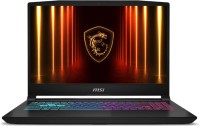
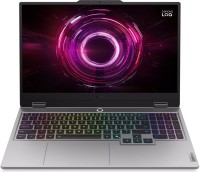
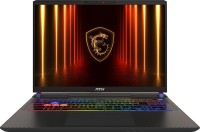
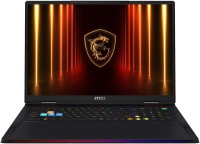
depend much more heavily on a discrete graphics card. This is especially
important for gaming laptops: the same GPU
model can operate with different power limits and cooling systems, so the
same graphics card name does not necessarily guarantee the same level of
performance. This is particularly common with mobile GeForce RTX GPUs.
Therefore, in addition to the GPU model and its TGP, it is worth checking
benchmark results for the specific laptop. E-Catalog allows you to compare
CPU and GPU models, their power limits, the amount of video memory and RAM,
storage type, and benchmark results.
If you are buying a laptop for several years of use, check its upgrade
options. Available RAM slots, the maximum supported memory capacity, and an
additional M.2 slot provide more room for future upgrades. In
ultrathin laptops, RAM is often soldered to
the motherboard, so it is best to check whether it can be replaced or
expanded before buying.
For modern AI features, the NPU — a neural processing unit designed to
accelerate machine learning tasks locally — is also important. It is used,
among other platforms, in Intel Core Ultra and
AMD Ryzen AI systems. However, the presence
of an NPU alone does not mean that a laptop meets the requirements for a
Copilot+ PC. Among other requirements, it needs a compatible NPU delivering
at least 40 TOPS and must meet Microsoft's other specifications.
Specifications That Depend on Your Use Case
Instead of checking every specification one by one, focus on the ones that
matter most for your particular tasks:
-
when choosing a laptop for office work or
study, consider the processor, RAM, battery life, and weight;
-
for gaming, look at the GPU model and its actual performance, its TGP, the
display refresh rate, and support for adaptive sync;
-
for photo editing, video, and graphics work, consider the CPU/GPU, amount of
RAM, sRGB or DCI-P3 coverage, color accuracy, brightness, and panel type;
-
for frequent travel, pay attention to weight, thickness, battery life, and
the ability to charge via USB-C Power Delivery; it is also worth looking at
laptops with long battery life.
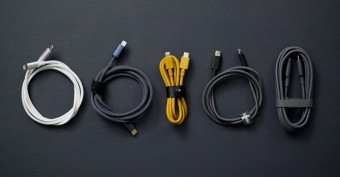
Check port capabilities separately. The presence of USB-C does not
automatically mean support for USB4, Thunderbolt, video output, or Power
Delivery charging. If the laptop will be used as a stationary workstation,
also pay attention to HDMI, LAN, the number of USB ports, and support for
external monitors — this can help you avoid the need for an additional hub.
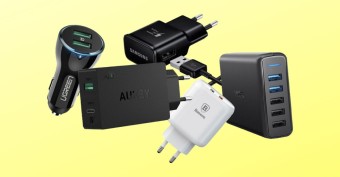
If universal charging from a compatible adapter or power bank is important,
check not only for USB-C Power Delivery support but also the required wattage
and supported voltage profiles. A lower-powered adapter or power bank may
charge the laptop slowly, and under heavy load its power output may be
insufficient.
From April 28, 2026, the EU's common charging interface requirements also
apply to laptops sold in the EU: they must support charging via USB-C and,
for the relevant fast-charging modes, USB Power Delivery.
How to Start Choosing a Laptop on E-Catalog
Start with the category that matches your needs — laptops for office work,
high-performance and gaming models, ultrathin laptops and ultrabooks, devices
with extended battery life,
convertible laptops, or
2-in-1 laptop-tablets — and select only the
parameters that are critical for your use case. After filtering the options,
shortlist several models and compare their CPU, GPU, amount of RAM, SSD
capacity, display specifications, port selection, and operating system. For
gaming models, it is also worth comparing benchmark results for specific
configurations instead of relying solely on the graphics card name and its
TGP. E-Catalog shows model configurations and store offers separately, so at
the final stage you can compare prices for identical or as closely matched
configurations as possible, rather than comparing different versions of the
same series.