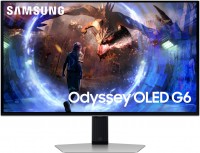
Samsung Odyssey G75T 27 27 "
 | Compare prices 2 → When you make a purchase through links on our site, we may receive a affiliate commission.
|
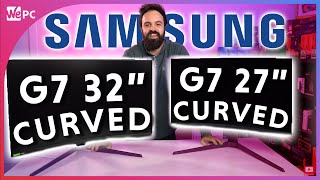
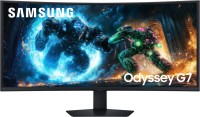
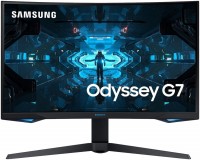
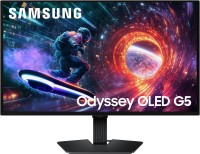
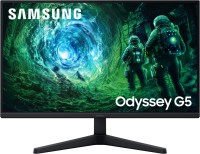
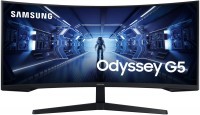
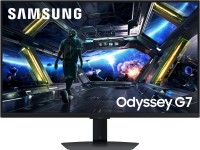
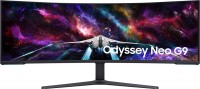
Top-tier gaming monitor, charged, as they say, with the latest in technology. The model employs a curved VA panel with a 1000R curvature radius and the latest QLED backlighting. Its response time is measured at 1 ms, the refresh rate is 240 Hz, and the picture is displayed on the monitor screen at a maximum resolution of 2560x1440 pixels. Moreover, the Samsung C27G75TQSI is certified with VESA DisplayHDR 600, VESA Adaptive-Sync, and Nvidia G-Sync Compatible.
The first indicates HDR support, while the other two refer to dynamic refresh rate adjustment in the range of 60 to 240 Hz. The monitor's screen can display images from two sources simultaneously, thanks to the Picture by Picture feature. External devices connect to the model via DisplayPort (2 pcs.) and HDMI ports. The matte-black exterior of the monitor is accentuated by the rear lighting system. The support column of the model provides flexible adjustments for screen positions: height, tilt angles, and rotation. Additionally, the monitor features a USB hub 3.0 and a package of gamer "goodies" such as displaying the crosshair, options for brightening the darkest areas of the image, a timer, and an fps counter.
|
| ||||||||||||||||||||||||||||||||||||||||||||||||||||||||||||||||||||||||||||||||||||||||||


Always clarify the specifications and configuration of the product with the online store manager before purchasing.
Catalog Samsung 2026 - new arrivals, bestsellers, and the most relevant models Samsung.









0 1 3 7 |
Good monitor: WQHD, 240 Hz, fast response time, no loops, in general, the picture is gorgeous. But there is one fat minus - flickering when G SYNC is on. Personally, I didn’t have it before, but after updating to firmware version 1014.1 it appeared; I don't want to turn off synchronization, because the picture becomes jerky (as with VRR Control turned on) - a pain for the eyes. QLED, 240 Hz, juicy picture, fast response time, no loops and PWM Flickering (flickering)  Roman: use Samsung Odyssey G75T 27 few months Roman: use Samsung Odyssey G75T 27 few months |
Purchased the monitor on the second attempt due to dead pixels on the screen. Checking before purchasing is a must! The image on the monitor is satisfactory so far, but the experience with the monitor is only a few days. The high brightness stands out and requires individual adjustment. I extremely disliked the execution of the mechanical part of the stand mount. In particular, the holes on the base and the monitor are misaligned; without enlarging the holes, the screws do not fit into their slots. Furthermore, the spring in the stand is loose, not secured, and does not compensate for the weight of the monitor itself, causing it to always sag (tilt) downward. Securing the spring in place requires considerable effort and skill. It's impossible to mount the monitor on the stand "out of the box." I recommend checking this when purchasing. image, screen curvature, color reproduction dead pixels, mechanical part, mounting holes mismatch, loose leg spring  Andrey Ostapchuk: use Samsung Odyssey G75T 27 less than month Andrey Ostapchuk: use Samsung Odyssey G75T 27 less than month |
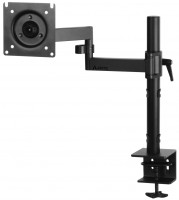
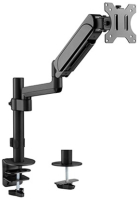
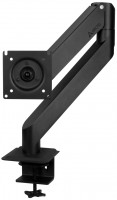
An excellent Quad monitor, I chose from many something and it was pleasant to sit all day for work and for the game there was a hertz + the price is acceptable. As a result, such criteria greatly narrow the choice. I reviewed many monitors, for some time I sat at the LG Ultra Gear, behind which I could not adjust the brightness / contrast, and as a result, in two or three hours my eyes simply flowed out (my wife is sitting and she is fine, I think individually). Samsung does not have such a problem, it easily adjusted it to itself and it is quite pleasant to sit for a long time. Pleasant matrix that doesn’t strain the eyes QuadHD - for such a price, probably the only monitor with such parameters and refresh rates There's one huge downside that I highly recommend paying attention to! - The monitor's huge and massive stand is, to say the least, not optimally designed (as it seemed to me). If you have a short (standard desk) with a depth of 80cm, placing the monitor in front of you will be very problematic because it will be very close to your face. I STRONGLY RECOMMEND buying a bracket that will allow you to place the monitor at a comfortable distance (essentially hanging off the edge of the desk) or getting a deeper desk. This is because the monitor is curved, and its rear part is quite massive. The second downside is for those who use Apple Mac products. The monitor is not compatible with the operating system, and the built-in scaling will not work! Consequently, everything on a Quad monitor will appear very small. I resolved this by increasing the font and interface sizes in the programs I use, but overall the situation is not ideal (for Macs, it's better to get either HD monitors or 4K ones that support scaling with Macs). There's no such problem with Windows, so you can buy without worries. |
Samsung Odyssey G75T 27 configurations
| Price for Samsung Odyssey G75T 27 | ||||
|---|---|---|---|---|
 | Samsung Odyssey G75T 27 27 " | from $651.00 | 2 offers | |
 | Samsung Odyssey G75T 32 31.5 " | from $799.99 | 1 offer | |