Samsung Odyssey G40B 25 25 "
 | Compare prices 3 → When you make a purchase through links on our site, we may receive a affiliate commission.
|
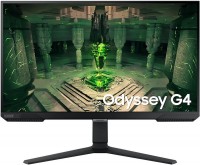
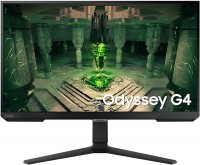
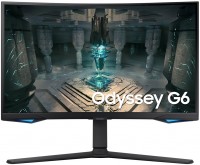
The representative of the Odyssey 2023 line is a 25-inch gaming monitor from Samsung, which can be attributed to the mid-range solutions. The model has a resolution of 1920 by 1080 pixels, so the detail here is not the most advanced (pixel size of 0.31 ms), similarly, the contrast is modest (it uses an 8-bit IPS matrix with a characteristic ratio of 1000:1). Otherwise, the image deserves only praise, as the user can expect excellent viewing angles, an increased peak brightness of up to 400 nits (HDR support is also available), and good color reproduction with 99% sRGB color coverage.
The Samsung Odyssey G4 25 monitor boasts a quick gray-to-gray response time of 1 ms and an impressive refresh rate of up to 240 Hz, which is capable of satisfying the demands of demanding gamers and professional eSports players. Gaming features also include support for two video sync technologies, namely NVIDIA G-Sync and AMD FreeSync Premium, as well as useful options like Black Equalizer (brightening dark areas of a scene) and a crosshair. The model can also boast a characteristic design and the presence of an ergonomic stand, which allows height adjustment of the screen, its rotation, and even orientation change (portrait mode).
|
| ||||||||||||||||||||||||||||||||||||||||||||||||||||||||||||||||||||||||||||||||||||||


Always clarify the specifications and configuration of the product with the online store manager before purchasing.
Catalog Samsung 2026 - new arrivals, bestsellers, and the most relevant models Samsung.
Buy Samsung Odyssey G40B 25 25 "
| $292.00 |  | ||||
| $399.00 |  | ||||
| $399.99 | | ||||


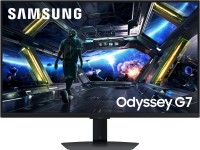


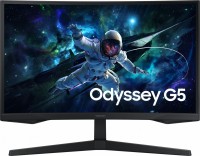

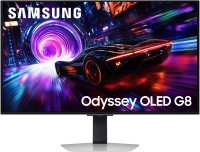

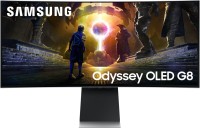

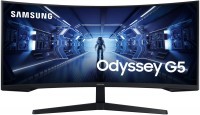
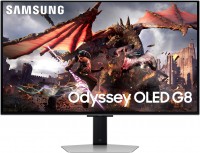
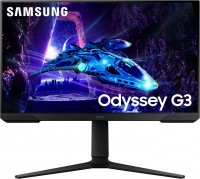
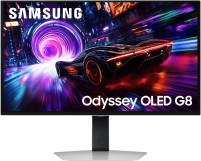





When I connected this monitor, I was very disappointed because the cable that came with it (HDMI 2.0) stopped working after a while. I had to buy a separate DisplayPort cable. I saw a lot of discussions on this topic in forums. Some people had issues even with a DisplayPort cable because certain settings needed to be configured, which, of course, required a second monitor. In my case, I just reset the settings to default because nothing else worked, and I bought a second cable. However, all efforts were in vain because the monitor quality is terrible. I should have returned it instead of spending two weeks trying to figure out the problem. The price is really good for such characteristics. A lot of settings. Adjustment (turned it however you wanted) For 27 inches, 1080p is just too little, trust me. You can really notice the unevenness of fonts, various objects, black borders on the edges of textures, and blurriness in some games. No amount of anti-aliasing helps. You can achieve a mediocre result through monitor and game settings, but it takes a lot of time and the picture is still so-so. It's better to buy a 24-inch monitor. The monitor constantly creaks, even if you don't move the desk, it might creak at night. |

Samsung Odyssey G40B 25 configurations
| Price for Samsung Odyssey G40B 25 | ||||
|---|---|---|---|---|
 | Samsung Odyssey G40B 25 25 " | from $292.00 | 3 offers | |
 | Samsung Odyssey G40B 27 27 " | from $298.00 | 2 offers | |