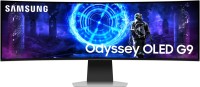
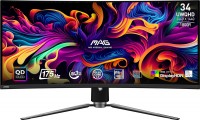
Samsung Odyssey G9 49 49 " black
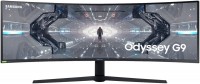 |

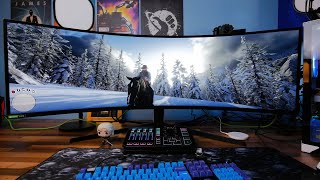
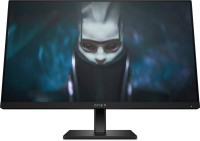
Premium ultra-widescreen gaming monitor with a 49-inch Dual WQHD (5120x1440) curved screen, high refresh rate, enhanced colour reproduction and support for HDR output. It is positioned as a product of the upper price category of the sample of 2020, designed for use in top gaming configurations. The key features of this model were the 32:9 aspect ratio, impressively high resolution, full support for HDR technology (VESA DisplayHDR 1000 certified).
The high-tech 10-bit SVA-matrix using QLED quantum dot technology provides improved colour reproduction (95% DCI-P3), and the correct factory calibration allows the Samsung Odyssey G9 49 monitor to be used for professional processing of digital photo / video / audio content. The important advantages of this model include support for AMD FreeSync and NVIDIA G-Sync technologies, which allow you to completely eliminate artifacts and frame tearing (screen tearing).
The low response time (1ms GtG) and impressive 240Hz screen refresh rate enable the monitor to display the most dynamic gaming scenes smoothly, clearly and without blurring. Thanks to the support of PBP (Picture by Picture) mode, the user can display two different images from different sources with different resolutions. The monitor is equipped with three interface ports (1xHDMI 2.0 + 2xDisplay Port 1.4) and a two-port USB 3.2 Gen1 hub.
|
| ||||||||||||||||||||||||||||||||||||||||||||||||||||||||||||||||||||||||||||||||||||||||||


Always clarify the specifications and configuration of the product with the online store manager before purchasing.
Catalog Samsung 2026 - new arrivals, bestsellers, and the most relevant models Samsung.
Buy Samsung Odyssey G9 49 49 " black
All prices 6 →| $124.78 |  | ||||
| $841.22 | | ||||
| $849.99 | | ||||
| $1,381.08 | | ||||
| $1,479.00 |  | ||||
| $2,199.99 | | ||||










After reading other reviews, I was very afraid of marriage and any problems. But there were no problems - the matrix does not come off, there are no dead pixels, everything is of excellent quality. I was afraid that I would need to get used to it, but I adapted literally in one day. I took it primarily for work - it’s very convenient, a lot of windows fit in, better than two separate ones - there are no boundaries and due to the bend there is less distortion. 1. Hardware change of the workspace. This means you can directly change the aspect ratio from the menu to 21x9 / 16x9 / 16x10 / 4x3, allowing you to run any applications without compatibility issues. 2. The possibility of firmware updates. This gives hope for fixing any issues in the future. 3. Small curvature radius (1000mm), it's very convenient and pleasant, but until you try it yourself - you don't believe that it can be comfortable. Because of this, distortions at the edges are much less and the eyes get less fatigued. 1. Huge stand, from the wall to the front edge about 26 cm, on a table with a depth of 75 cm there's barely room for anything else. It's better to use a wall mount, bracket, or a deeper table. 2. Uneven backlighting: the image is noticeably brighter at the top and bottom. It might be possible to correct this with settings or software. 3. Glare: although the coating is called anti-glare, it is so only to a very weak degree. The screen reflects everything perfectly, especially windows and chandeliers. If there's a bright light source behind you, it's impossible to work. The problem is solved by increasing brightness or turning off the light, which is not always possible. 4. USB hub has only two ports. So you can't connect a mouse + keyboard + microphone + camera. It's strange that in more expensive models they often have four or more. Moreover, it's located at the back under a cover, so it's not convenient for frequent device reconnections. |
I read the reviews and was surprised - all of this is factory defects that need to be replaced, none of this is present in my unit. Everything in the specifications. Not at all, and for those who have defects with backlighting and imaging, replace under warranty. use Samsung Odyssey G9 49 more than year |
The product is great and the idea is awesome, but the implementation fell short. Although it is positioned as a gaming solution, in reality, it often crashes and malfunctions during games. The picture quality is top-notch. The colors are vivid, and the 240hz refresh rate is simply amazing, I've never seen such smoothness. Very cool. It creates a wow effect, especially in colorful and spectacular games. 1. In games, sometimes the monitor shuts off, by Murphy's law during the most important action in the game. After 10-15 seconds, I'm able to turn it back on. 2. In many games, the screen flickers. The entire screen flickers. It's incredibly frustrating, and playing with such flickering is impossible. I tried experimenting with the graphics settings — to no avail. 3. There's an area on the screen where the flickering occurs quite often. It resembles a flash, as if a flash is happening inside the monitor. There are many video examples of this online. 4. Also, the monitor reacts strangely to certain types of images. When you open them, the monitor becomes distorted.  Anatoliy Elizarenko: use Samsung Odyssey G9 49 few months Anatoliy Elizarenko: use Samsung Odyssey G9 49 few months |