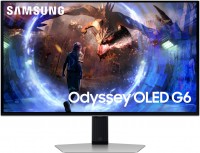
Samsung Odyssey G70B 32 32 "
 | Compare prices 3 → When you make a purchase through links on our site, we may receive a affiliate commission.
|
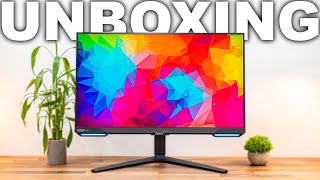
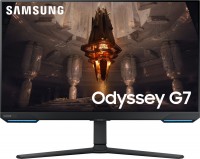
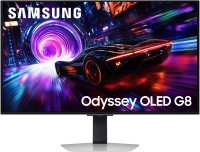
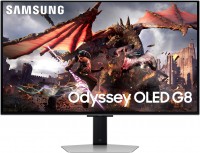
The gaming monitor from Samsung is one of the older representatives of the 2023 Odyssey profile line. The model is equipped with a 32-inch screen with a 10-bit IPS matrix and 4K resolution, that is, 3840x2160 pixels. Accordingly, users can expect a clear (0.18 mm pixel size), fairly rich colors (covering 95% of the professional DCI P3 space) and bright picture (peak figure - 350 nits, increasing to 400 cd / m² when playing HDR content - which confirms DisplayHDR 400 standard).
The Samsung Odyssey G70B 32 monitor is suitable not only as an addition to a gaming PC or top-end gaming console (has HDMI 2.1), but can also be used as an independent multimedia entertainment center. This is due to the presence of a built-in processor, a proprietary Tizen operating system, a wireless module for connecting to the Internet (Wi-Fi 5), as well as Bluetooth 5.2 and additional features.
The latter include both DLNA and Airplay 2 streaming functions, as well as pre-installed media services Gaming Hub or Apple TVPlus. It also has its own speakers, USB hub and remote control for easy control. Gaming functionality includes support for AMD FreeSync Premium Pro technology, good Hertz (144 Hz) and fast response (1 ms gray to gray). Additional advantages of the model are the backlighting of the case, a light sensor, the possibility of hidden wiring and the presence of an ergonomic stand with maximum adjustments for yourself.
|
| ||||||||||||||||||||||||||||||||||||||||||||||||||||||||||||||||||||||||||||||||||||||||||||||


Always clarify the specifications and configuration of the product with the online store manager before purchasing.
Catalog Samsung 2026 - new arrivals, bestsellers, and the most relevant models Samsung.
Buy Samsung Odyssey G70B 32 32 "
| $525.00 |  | ||||
| $832.36 | | ||||
| $905.00 |  | ||||
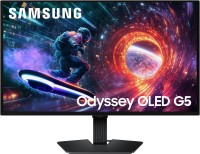


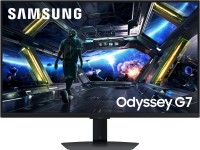







4 0 1 0 |
Bought straight from the factory. Paired with some kind of GeForce RTX 3090 or 4090, for example, for work tasks or games with beams (here is just native G-Sync support) at 4K 144FPS, of course without any chip like DLSS that kills detail. The color depth is 10 bits, which I am also pleasantly surprised at at this price. One serious drawback is the old DisplayPort 1.4 video connector, which will not allow the use of next-generation video cards in full force. Why, even at the current 144FPS you can’t get it without compression. I won't list all the possibilities, I'll just say that this is the only 4K monitor that justifies itself (although I'm not sure about the 32-inch version, but okay) justifiable and relatively low price 2) An old DisplayPort 1.4 in a top-tier 4K monitor (they could have gone with at least 2.0, seriously)  Roberto: use Samsung Odyssey G70B 28 less than month Roberto: use Samsung Odyssey G70B 28 less than month |
If you spend time adjusting the images, everything is bright and wonderful. The settings menu isn't the most convenient, but it's not terrible either. CoreSync technology works at a 3 out of 5. It's cool that it exists, but it doesn't work very well. It performs poorly in dynamic scenes. I used the monitor for only 2 and a half years, after which the motherboard died, and replacing it costs almost half of the monitor's original price. The warranty is 2 years... Image quality. Price. Design. G-Sync. Monitor specifications. CoreSync Technology. Durability. Operating System. |
In principle, everything that I want to say in the commentary has been overdone, but for the rest I will say that today I would definitely not buy such a monitor, I would rather report 4-5K and buy a miracle device Before the advantage, I can only mention the price, such as 4K screens with G-SYNC support and other parameters that were less necessary, lower by 10-20% (there was a decrease), and after 4 months of purchase I realized that darma holding zaivikh 3-4k hryvnia. - The first issues started on the day of unpacking; the monitor wouldn't recognize the PC connection via DisplayPort for some reason. I couldn't understand why, and multiple PC reboots somehow helped, and it eventually started working. - The second issue was inconvenient navigation due to an overly complex menu. I'm not a senior, yet even I had to wander through it. One function blocks another, and you can't simply turn it off; you have to manually go through a bunch of settings. They justify this by saying it's a monitor and a full-fledged TV in one, which nobody really needs. (Previously, I had a G5 with a simple, intuitive menu of a regular monitor, and I only changed it because it was a 2K screen). - The third annoyance is unusual behavior, like the spontaneous launching of TV system apps, meaning Android OS apps (YouTube, PrimeVideo, Netflix). And it's not when the PC is just idle but during active gaming. I'll be playing an online match, and suddenly, this thing disconnects from the PC and turns on YouTube... I'm shocked by these stunts. (I emphasize that the remote is on the shelf, and no one could accidentally press it). This isn't a one-time incident; it happens regularly, at least once a week, give or take. - Fourth, sometimes after prolonged use, a message appears on the screen about the monitor shutting down due to inactivity, even though I've been playing for hours. - Fifth (the reason I've written this report) just moments ago, while I was playing, this stupid monitor activated the menu. I quickly switched back to PC mode, but the resolution was 1024x768, and only a reboot helped. use Samsung Odyssey G70B 28 month or more i recommend it don't buy |
Samsung Odyssey G70B 32 configurations
| Price for Samsung Odyssey G70B 32 | ||||
|---|---|---|---|---|
 | Samsung Odyssey G70B 28 28 " | from $299.00 | 4 offers | |
 | Samsung Odyssey G70B 32 32 " | from $525.00 | 3 offers | |