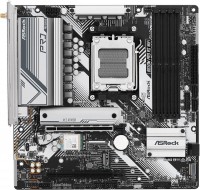
ASRock B450M Steel Legend
 | Compare prices 2 → When you make a purchase through links on our site, we may receive a affiliate commission.
|

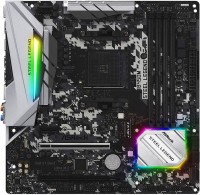
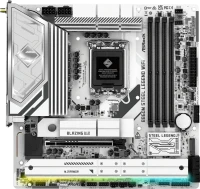
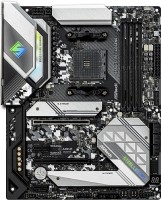
Compact mid-range microATX motherboard with AM4 processor socket for use with AMD processors based on Zen and Zen2 microarchitectures. The manufacturer claims compatibility with a wide range of three-generation AMD Ryzen 3/5/7/9 CPUs (based on Summit Ridge/Pinnacle Ridge/Matisse microarchitectures), APUs with integrated Radeon Vega (Raven Ridge/Picasso) and low-cost Athlon Zen (Raven Ridge) CPUs ).
It is positioned as a product of the middle price category, intended for use as part of basic and mid-level gaming systems. It features a stylish exterior design, support for most popular system and external interfaces, and the use of high-quality components (improved case chokes, durable capacitors). Equipped with a six-phase CPU power subsystem. Thanks to the presence of four slots for installing RAM modules, it supports an impressive maximum capacity of up to 64 GB, which provides additional options for future upgrades. You can connect a high-speed NVMe SSD with M.2 (Socket 3) in PCIe 3.0 4x mode (up to 32 Gb / s) and four traditional SATA3 devices. The powerful Realtek RTL8111H gigabit network controller guarantees fast data transfer with minimal ping.
|
| |||||||||||||||||||||||||||||||||||||||||||||||||||||||||||||||||||||||||||||||||||||||||||||||||||||||||||||||||||||||||||||||||||||||||||||||||||||||||||||


Always clarify the specifications and configuration of the product with the online store manager before purchasing.
Catalog ASRock 2026 - new arrivals, bestsellers, and the most relevant models ASRock.
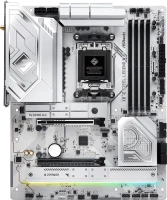
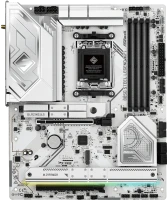
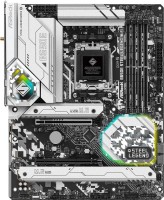
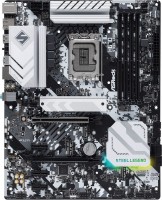
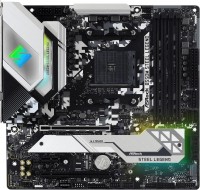
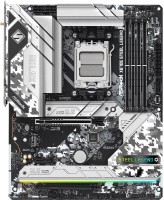
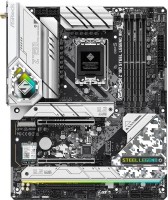
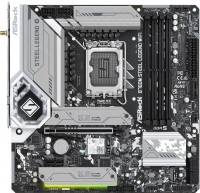
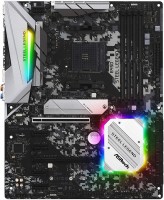
I bought a motherboard a year and a half ago for the AMD Ryzen 5 2600x processor, everything worked "out of the box." I took Corsair Vengeance RAM, 2 sticks at 3200MHz, and it also worked with XMP without issues. There haven't been any problems in a year and a half. But for 6,500 EUR at the moment, I think it's a bit overpriced. - Judging by the reviews, processors fit without any issues; - 2 m.2 slots; - Plenty of connectors for fans; - Design. - Horrible software for lighting setup. Had to delete and download the software about 3 times before everything worked; - In my opinion, not the most convenient BIOS.  mrgreenbaguette: use ASRock B450M Steel Legend more than year mrgreenbaguette: use ASRock B450M Steel Legend more than year |
First time got a mobo for the new generation of hardware (DDR4 and all the related). Overall, the impression is excellent. Ryzen 2600x BOX installed with minimal hassle (had to unscrew the default mounts for the CPU. The CPU doesn't need them for "out-of-the-box" installation). Chinese RAM Killsre 4x4 installed and booted, the frequency was correct, but I adjusted the timings in the BIOS. The old graphics card (1050ti) fit perfectly. Connecting the cables was hassle-free as well, thanks to the hefty manual included. The lighting is very pleasing, though it's unclear why it doesn't turn off when the computer is shut down. You can use the power supply button. The Wi-Fi module also settled nicely. 2 M.2 slots are rather inconspicuous at first glance, but they're there. Overall, everything is cool, mega-compact, and nothing interferes with each other. Great motherboard in terms of price/quality ratio. Gorgeous lighting well, except for the lack of cooling for M.2 Daniil Nenashev: use ASRock B450M Steel Legend less than month |
The board worked out of the box with Ryzen 7 2700x without any hassle. The HyperX memory [HX432C16FB3K2/16] reached the nominal claimed speed of 3200 MHz (it should be installed in the first slot from the CPU, with the second stick in the third slot). There are online tips suggesting to install this memory in slots 2 and 4, but in my case, the PC wouldn't start with that setup (it kept going into reboot). Pretty decent appearance (guys with transparent PC case walls won't be embarrassed). There's a Type-C port (now transferring files from your phone is lightning-fast). There's a special utility to manage or disable RGB lighting (downloadable from the official website). 5 cooling fan connectors. A complete manual will help you assemble your PC by yourself. I couldn't sync the backlight with the standard CPU cooler (I turned the backlight off completely) Kirill: use ASRock B450M Steel Legend few months |


Low-cost overclocking
ASRock has three main motherboard lines: Taichi, Phantom Gaming, Steel Legend. The first two include the most top-end products and are aimed more at enthusiasts and hardcore gamers, while Steel Legend belongs more to the middle and even low-cost segment. They took the developments of the Pro4 model as a basis, changed the appearance and redesigned the power stabilizer, finally moving away from the used circuit based on the Intersil controller. Due to the affordable price, this board can be recommended for economical gamers who do not plan to squeeze all the juice out of the system during overclocking.
steel baby
The hero of today's review, ASRock B450M Steel Legend, despite the low-cost price tag of $100, offers more than you expect from it. The advantages of the board include 4 DDR4 slots with support for high-speed memory modules at 3533 MHz (when working with Pinnacle Ridge processors), a pair of M.2 outputs, USB-C (a rare guest in this segment), a high-quality audio codec and backlight synchronization. Plus, one of the PCIe 16x slots has a metal lining. For a low-cost board, this is already a luxury, but the name obliges. Compared with older brothers, the possibilities here are not so cool: the overclocking settings are modest, the VRM cooling system is simple (although it is rather cold without overclocking), and the processor power circuit is simplified and allows only six-core Ryzen to be overclocked normally. With 8 cores, overclocking will be purely symbolic.
Thoughtful layout
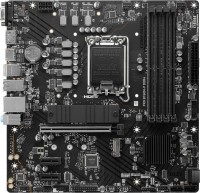
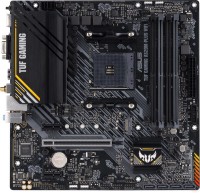
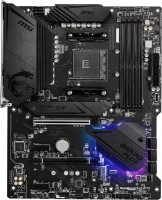
Separately, it is worth praising the thoughtful layout. When you connect a large graphics card, it does not block one of the M.2 slots, as is often the case on micro-ATX motherboards. The free space around the processor socket has been cleared and allows you to mount a cooling system of any complexity and configuration. Plus, the ASRock B450M Steel Legend is well equipped with a set of connectors for connecting an LED strip, including an additional connector for lighting the CPU cooler.