
Comparison SSD
Save List
Add to comparison | 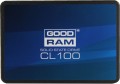 |
|---|---|
| GOODRAM CL100 SSDPR-CL100-120 128 GB | |
| Outdated Product | |
| User reviews | |
| TOP sellers | |
| Placement | internal |
| Volume | 128 GB |
| Form factor | 2.5" |
| Interface | SATA 3 |
Technical specs | |
| Controller | Marvell 88NV1120 |
| Memory type | TLC |
| Write speed | 320 MB/s |
| Read speed | 500 MB/s |
| Shockproof | 1500 G |
| Write IOPS | 53 K |
| Read IOPS | 70 K |
| Manufacturer's warranty | 3 years |
General | |
| TRIM |  |
| Size | 100x70x7 mm |
| Added to E-Catalog | june 2017 |


You may be interested in
Glossary
Placement
— Internal. Drives designed to be installed in a computer case. Designed for continuous operation within the same system, do not require frequent connection / disconnection. One of the most popular ways to use such modules is to store system files to speed up the loading and operation of the OS; although, of course, the internal SSD can also be used as a general-purpose drive.
— External. Drives in the form of external devices designed for constant reconnection. Use USB or Thunderbolt connectors of one version or another (see "Connector"). They are convenient, in particular, for transporting large volumes of data between different computers, especially if this data often has to be overwritten — external SSDs are more expensive than external hard drives, but they also work much faster.
— External / internal. Models that allow for both of the above use cases. Usually they are internal drives, supplemented by an external pocket(see below). However, such versatility is rarely required — most often the drive is bought for one specific use. Therefore, this variant was not distributed.
— External. Drives in the form of external devices designed for constant reconnection. Use USB or Thunderbolt connectors of one version or another (see "Connector"). They are convenient, in particular, for transporting large volumes of data between different computers, especially if this data often has to be overwritten — external SSDs are more expensive than external hard drives, but they also work much faster.
— External / internal. Models that allow for both of the above use cases. Usually they are internal drives, supplemented by an external pocket(see below). However, such versatility is rarely required — most often the drive is bought for one specific use. Therefore, this variant was not distributed.
Volume
The storage capacity indicates how much data can be stored on the drive, including the operating system, programs, games, photos, videos, and work files. Compared to hard drives, SSDs offer higher performance, so the system and applications open noticeably faster.
Therefore, a 256 GB drive is often used for a basic set of programs, while 512 GB and 1 TB are considered more versatile options. 2 TB, 4 TB, and above are better suited for those who store a lot of large files. Hence, it's advisable to choose an SSD with ample storage space to avoid constantly running out of free space later on.
Therefore, a 256 GB drive is often used for a basic set of programs, while 512 GB and 1 TB are considered more versatile options. 2 TB, 4 TB, and above are better suited for those who store a lot of large files. Hence, it's advisable to choose an SSD with ample storage space to avoid constantly running out of free space later on.
Form factor
Form factor in which the storage device is executed. This feature determines the size and shape of the module, and in many cases, also the connection interface.
— Flash Drive. An external solid-state drive that plugs directly into a USB port without a cable and is similar in size to a regular USB flash drive. This format is often found under names like "SSD Flash", "USB SSD", or "stick SSD", and is appreciated for its maximum mobility: plug it into a laptop and instantly transfer files. Compared to a classic flash drive, it is typically faster and more stable with large data volumes, and compared to an external SSD in a cased with a cable, it offers convenience but may heat up more, slightly protrude from the port, and due to its miniature size, it's easier to lose. Usage examples: transferring large folders with photos/videos, quickly moving projects between a desktop PC and a laptop, or carrying work documents and portable utilities in your pocket as a “mini disk”.
— 2.5". One of the most common form factors for internal SSDs. Initially, 2.5" drives were used in laptops, but nowadays such slots are found in most desktop PCs as well. These modules can be installed in different ways: some mount into separate bays similar to hard drives, others (under the U.2 interface, see “Connector”) plug directly into motherboard sockets.
— M.2. A form factor m...ainly used in high-end internal drives, combining compact size and significant capacity. It uses its own standard connection socket, so this socket is not specified separately in the specifications. It should be noted that M.2 standard combines two data transfer formats — SATA and PCI-E, and the drive usually supports only one of them; for more details see “M.2 Interface”. Nonetheless, due to their small size, such modules are suitable for both desktop PCs and laptops.
— mini-SATA (mSATA). A miniature form factor for internal drives, the conceptual predecessor of M.2. It was initially developed for netbooks and ultra-compact laptops, but nowadays desktop PCs can also be found with mSATA connectors on motherboards. However, with the emergence and development of more advanced options, this form factor is gradually becoming obsolete.
— PCI-E Card (HHHL). Drives designed as expansion cards that connect to PCI-E slots (like external graphics cards, sound cards, etc.). The HHHL marking stands for half-height and half-length allowing these modules to fit not only full-sized PCs but also more compact systems, such as nettops and even some laptops. The PCI-E interface allows achieving good data exchange speeds, additionally, NVMe is implemented through it (see below). On the other hand, these capabilities are also available in more advanced and compact form factors, particularly M.2. Therefore, SSD modules in PCI-E card format are scarce in the market nowadays.
— 1.8". A form factor of miniature drives, initially created for ultra-compact laptops. Nevertheless, SSD modules of this format are now extremely rare to find, and these are mainly external models. This is related to the emergence of more convenient and advanced form factors for internal use — such as the M.2 mentioned above.
— 3.5". The largest form factor among modern SSD drives, the size of such a module is comparable to a traditional desktop PC hard drive. However, they have practically fallen out of use today due to their bulkiness and the lack of any notable advantages over more miniature solutions.
— Flash Drive. An external solid-state drive that plugs directly into a USB port without a cable and is similar in size to a regular USB flash drive. This format is often found under names like "SSD Flash", "USB SSD", or "stick SSD", and is appreciated for its maximum mobility: plug it into a laptop and instantly transfer files. Compared to a classic flash drive, it is typically faster and more stable with large data volumes, and compared to an external SSD in a cased with a cable, it offers convenience but may heat up more, slightly protrude from the port, and due to its miniature size, it's easier to lose. Usage examples: transferring large folders with photos/videos, quickly moving projects between a desktop PC and a laptop, or carrying work documents and portable utilities in your pocket as a “mini disk”.
— 2.5". One of the most common form factors for internal SSDs. Initially, 2.5" drives were used in laptops, but nowadays such slots are found in most desktop PCs as well. These modules can be installed in different ways: some mount into separate bays similar to hard drives, others (under the U.2 interface, see “Connector”) plug directly into motherboard sockets.
— M.2. A form factor m...ainly used in high-end internal drives, combining compact size and significant capacity. It uses its own standard connection socket, so this socket is not specified separately in the specifications. It should be noted that M.2 standard combines two data transfer formats — SATA and PCI-E, and the drive usually supports only one of them; for more details see “M.2 Interface”. Nonetheless, due to their small size, such modules are suitable for both desktop PCs and laptops.
— mini-SATA (mSATA). A miniature form factor for internal drives, the conceptual predecessor of M.2. It was initially developed for netbooks and ultra-compact laptops, but nowadays desktop PCs can also be found with mSATA connectors on motherboards. However, with the emergence and development of more advanced options, this form factor is gradually becoming obsolete.
— PCI-E Card (HHHL). Drives designed as expansion cards that connect to PCI-E slots (like external graphics cards, sound cards, etc.). The HHHL marking stands for half-height and half-length allowing these modules to fit not only full-sized PCs but also more compact systems, such as nettops and even some laptops. The PCI-E interface allows achieving good data exchange speeds, additionally, NVMe is implemented through it (see below). On the other hand, these capabilities are also available in more advanced and compact form factors, particularly M.2. Therefore, SSD modules in PCI-E card format are scarce in the market nowadays.
— 1.8". A form factor of miniature drives, initially created for ultra-compact laptops. Nevertheless, SSD modules of this format are now extremely rare to find, and these are mainly external models. This is related to the emergence of more convenient and advanced form factors for internal use — such as the M.2 mentioned above.
— 3.5". The largest form factor among modern SSD drives, the size of such a module is comparable to a traditional desktop PC hard drive. However, they have practically fallen out of use today due to their bulkiness and the lack of any notable advantages over more miniature solutions.
Interface
Connection port(s) used in the storage device. Note that for external models (see "Type"), the port on the device's casing is usually indicated here; the ability to connect to a specific slot on a PC (or other device) mainly depends on the availability of corresponding cables. Exceptions include models with a non-removable cable and flash drives, which refer to a plug.
In some form factors, such as M.2, a proprietary standard port is used, so for such models, this parameter is not specified. In other cases, ports can be conditionally divided into external and internal, depending on the type of storage device (see above). Internal modules, in addition to the same M.2, can feature interfaces like SATA 3, U.2, and SAS. External devices mainly use different types of USB—the classic USB-A port (versions 5Gbps or 10Gbps) or USB-C (versions 5Gbps, 10Gbps, 20Gbps or USB4). Additionally, solutions with Thunderbolt interfaces (typically versions v4 or v3) are also found. Let's consider these options in more detail:
— SATA 3. The third version of the SATA interface, providing data transfer speeds up to 5.9 Gbps...(about 600 MB/s). By SSD standards, such a speed is low since SATA was originally designed for hard drives and not intended for high-performance solid-state memory. Therefore, such a connection is mainly found in budget and outdated internal drives.
— SAS. A standard created as a high-performance connection for server systems. Despite the emergence of more advanced interfaces, it is still used today. It provides data transfer speeds up to 22.5 Gbps (2.8 GB/s), depending on the version.
— U.2. A port specifically designed for high-class internal 2.5" drives, mainly for server use. U.2 is actually the name of a specialized form factor (2.5", height 15 mm), while the port is formally called SFF-8639. Such modules connect similarly to PCI-E expansion cards (via the same bus) but are more compact and allow hot swapping.
— U.3. A three-interface connection port based on the U.2 specification (see the corresponding section) and using the same SFF-8639 connector. The U.3 port combines SAS, SATA, and NVMe interfaces in one controller, allowing different types of drives to be connected through the same slot. U.3 provides separate contacts to determine the specific type of disks. The specification was created for internal 2.5" drives. Such modules are compact, allow hot swapping, and support external control impulses.
— USB-A 5Gbps. A traditional full-sized USB-A port, corresponding to the 5Gbps version. This version (formerly known as 3.2 gen1 or 3.0) provides data transfer speeds up to 4.8 Gbps. It is compatible with other USB standards, although the connection speed will be limited by the slowest version.
— USB-A 10Gbps. A traditional full-sized USB-A port, corresponding to the 10Gbps version (formerly known as 3.2 gen2 or just 3.1). It operates at speeds up to 10 Gbps, otherwise, it is similar in key features to the USB-A 5Gbps described above.
— USB-C 5Gbps. A USB-C type port supporting the 5Gbps connection version. Remember, this version allows achieving speeds up to 4.8 Gbps. USB-C is a relatively new type of USB port, featuring small dimensions (slightly larger than microUSB), a symmetrical oval shape, and a reversible design. It is especially convenient for external SSDs considering that such storage devices are becoming increasingly compact.
— USB-C 10Gbps. A USB-C type port supporting the 10Gbps connection version—with data transfer speeds up to 10 Gbps. However, such a drive will also work with slower USB ports, although the speed will be limited by the capabilities of such a port.
— USB-C 20Gbps. A USB-C type port supporting the 20Gbps connection version allows achieving speeds up to 20 Gbps.
— USB4. A high-speed revision of the USB interface, using only symmetrical USB type C ports. It allows for data transfer speeds up to 40 Gbps (depending on the technologies and standards implemented in a specific port). The interface can support Thunderbolt v3 and v4, and it is backward compatible with previous USB specifications, except that devices with a full-sized USB A plug will require an adapter.
In some form factors, such as M.2, a proprietary standard port is used, so for such models, this parameter is not specified. In other cases, ports can be conditionally divided into external and internal, depending on the type of storage device (see above). Internal modules, in addition to the same M.2, can feature interfaces like SATA 3, U.2, and SAS. External devices mainly use different types of USB—the classic USB-A port (versions 5Gbps or 10Gbps) or USB-C (versions 5Gbps, 10Gbps, 20Gbps or USB4). Additionally, solutions with Thunderbolt interfaces (typically versions v4 or v3) are also found. Let's consider these options in more detail:
— SATA 3. The third version of the SATA interface, providing data transfer speeds up to 5.9 Gbps...(about 600 MB/s). By SSD standards, such a speed is low since SATA was originally designed for hard drives and not intended for high-performance solid-state memory. Therefore, such a connection is mainly found in budget and outdated internal drives.
— SAS. A standard created as a high-performance connection for server systems. Despite the emergence of more advanced interfaces, it is still used today. It provides data transfer speeds up to 22.5 Gbps (2.8 GB/s), depending on the version.
— U.2. A port specifically designed for high-class internal 2.5" drives, mainly for server use. U.2 is actually the name of a specialized form factor (2.5", height 15 mm), while the port is formally called SFF-8639. Such modules connect similarly to PCI-E expansion cards (via the same bus) but are more compact and allow hot swapping.
— U.3. A three-interface connection port based on the U.2 specification (see the corresponding section) and using the same SFF-8639 connector. The U.3 port combines SAS, SATA, and NVMe interfaces in one controller, allowing different types of drives to be connected through the same slot. U.3 provides separate contacts to determine the specific type of disks. The specification was created for internal 2.5" drives. Such modules are compact, allow hot swapping, and support external control impulses.
— USB-A 5Gbps. A traditional full-sized USB-A port, corresponding to the 5Gbps version. This version (formerly known as 3.2 gen1 or 3.0) provides data transfer speeds up to 4.8 Gbps. It is compatible with other USB standards, although the connection speed will be limited by the slowest version.
— USB-A 10Gbps. A traditional full-sized USB-A port, corresponding to the 10Gbps version (formerly known as 3.2 gen2 or just 3.1). It operates at speeds up to 10 Gbps, otherwise, it is similar in key features to the USB-A 5Gbps described above.
— USB-C 5Gbps. A USB-C type port supporting the 5Gbps connection version. Remember, this version allows achieving speeds up to 4.8 Gbps. USB-C is a relatively new type of USB port, featuring small dimensions (slightly larger than microUSB), a symmetrical oval shape, and a reversible design. It is especially convenient for external SSDs considering that such storage devices are becoming increasingly compact.
— USB-C 10Gbps. A USB-C type port supporting the 10Gbps connection version—with data transfer speeds up to 10 Gbps. However, such a drive will also work with slower USB ports, although the speed will be limited by the capabilities of such a port.
— USB-C 20Gbps. A USB-C type port supporting the 20Gbps connection version allows achieving speeds up to 20 Gbps.
— USB4. A high-speed revision of the USB interface, using only symmetrical USB type C ports. It allows for data transfer speeds up to 40 Gbps (depending on the technologies and standards implemented in a specific port). The interface can support Thunderbolt v3 and v4, and it is backward compatible with previous USB specifications, except that devices with a full-sized USB A plug will require an adapter.
Controller
Model of the controller installed in the SSD.
The controller is a control circuit, which, in fact, ensures the exchange of information between the memory cells and the computer to which the drive is connected. The capabilities of a particular SSD module (in particular, read and write speed) largely depend on this particular scheme. Knowing the controller model, you can find detailed data on it and evaluate the capabilities of the drive. For simple everyday use, this information is usually not needed, but for professionals and enthusiasts (modders, overclockers) it can come in handy.
Nowadays, high-end controllers are produced mainly under such brands: InnoGrit, Maxio, Phison, Realtek, Silicon Motion, Samsung.
The controller is a control circuit, which, in fact, ensures the exchange of information between the memory cells and the computer to which the drive is connected. The capabilities of a particular SSD module (in particular, read and write speed) largely depend on this particular scheme. Knowing the controller model, you can find detailed data on it and evaluate the capabilities of the drive. For simple everyday use, this information is usually not needed, but for professionals and enthusiasts (modders, overclockers) it can come in handy.
Nowadays, high-end controllers are produced mainly under such brands: InnoGrit, Maxio, Phison, Realtek, Silicon Motion, Samsung.
Memory type
The type of the main memory of the drive determines the features of the distribution of information over hardware cells and the physical features of the cells themselves.
— MLC. Multi Level Cell memory based on multi-level cells, each of which contains several signal levels. MLC memory cells store 2 bits of information. Has optimum indicators of reliability, power consumption and productivity. Until recently, the technology was popular in entry-level and mid-range SSD modules, now it is gradually being replaced by more advanced options in the manner of TLC or 3D MLC.
— TLC. The evolution of MLC technology. One Flash Memory Triple Level Cell can store 3 bits of information. Such a recording density somewhat increases the likelihood of errors compared to MLC, in addition, TLC memory is considered less durable. A positive feature of the nature of this technology is its affordable cost, and various design tricks can be used to improve reliability in SSDs with TLC memory.
— 3D NAND. In a 3D NAND structure, several layers of memory cells are arranged vertically, and interconnections are organized between them. This provides greater storage capacity without increasing the physical size of the drive and improves memory performance due to shorter connections for each memory cell. In SSD drives, 3D NAND memory can use MLC, TLC or QLC chips - more details...about them are described in the corresponding help paragraphs.
— 3D MLC NAND. MLC-memory has a multilayer structure — its cells are placed on the board not in one level, but in several "floors". As a result, manufacturers have achieved an increase in storage capacity without a noticeable increase in size. Also, 3D MLC NAND memory is characterized by higher reliability than the original MLC (see the relevant paragraph), at a lower manufacturing cost.
— 3D TLC NAND. "Three-dimensional" modification of the TLC technology (see the relevant paragraph) with the placement of memory cells on the board in several layers. This arrangement allows you to achieve higher capacity with smaller sizes of the drives themselves. In production, such memory is simpler and cheaper than a single-layer one.
— 3D QLC NAND. Quad Level Cell flash type with 4 bits of data in each cell. The technology is designed to make SSDs with large volumes widely available and finally retire traditional HDDs. In the 3D QLC NAND configuration, the memory is built according to a “multi-level” scheme with the placement of cells on the board in several layers. "Three-dimensional" structure reduces the cost of production of memory modules and allows you to increase the volume of drives without compromising their weight and size component.
— 3D XPoint. A fundamentally new type of memory, radically different from traditional NAND. In such drives, memory cells and selectors are located at the intersections of perpendicular rows of conductive tracks. The mechanism for recording information in cells is based on changing the resistance of the material without the use of transistors. 3D XPoint memory is simple and inexpensive to produce, and offers much better speed and durability. The prefix "3D" in the name of the technology says that the cells on the crystal are placed in several layers. The first generation of 3D XPoint received a two-layer structure and was made using a 20-nanometer process technology.
— MLC. Multi Level Cell memory based on multi-level cells, each of which contains several signal levels. MLC memory cells store 2 bits of information. Has optimum indicators of reliability, power consumption and productivity. Until recently, the technology was popular in entry-level and mid-range SSD modules, now it is gradually being replaced by more advanced options in the manner of TLC or 3D MLC.
— TLC. The evolution of MLC technology. One Flash Memory Triple Level Cell can store 3 bits of information. Such a recording density somewhat increases the likelihood of errors compared to MLC, in addition, TLC memory is considered less durable. A positive feature of the nature of this technology is its affordable cost, and various design tricks can be used to improve reliability in SSDs with TLC memory.
— 3D NAND. In a 3D NAND structure, several layers of memory cells are arranged vertically, and interconnections are organized between them. This provides greater storage capacity without increasing the physical size of the drive and improves memory performance due to shorter connections for each memory cell. In SSD drives, 3D NAND memory can use MLC, TLC or QLC chips - more details...about them are described in the corresponding help paragraphs.
— 3D MLC NAND. MLC-memory has a multilayer structure — its cells are placed on the board not in one level, but in several "floors". As a result, manufacturers have achieved an increase in storage capacity without a noticeable increase in size. Also, 3D MLC NAND memory is characterized by higher reliability than the original MLC (see the relevant paragraph), at a lower manufacturing cost.
— 3D TLC NAND. "Three-dimensional" modification of the TLC technology (see the relevant paragraph) with the placement of memory cells on the board in several layers. This arrangement allows you to achieve higher capacity with smaller sizes of the drives themselves. In production, such memory is simpler and cheaper than a single-layer one.
— 3D QLC NAND. Quad Level Cell flash type with 4 bits of data in each cell. The technology is designed to make SSDs with large volumes widely available and finally retire traditional HDDs. In the 3D QLC NAND configuration, the memory is built according to a “multi-level” scheme with the placement of cells on the board in several layers. "Three-dimensional" structure reduces the cost of production of memory modules and allows you to increase the volume of drives without compromising their weight and size component.
— 3D XPoint. A fundamentally new type of memory, radically different from traditional NAND. In such drives, memory cells and selectors are located at the intersections of perpendicular rows of conductive tracks. The mechanism for recording information in cells is based on changing the resistance of the material without the use of transistors. 3D XPoint memory is simple and inexpensive to produce, and offers much better speed and durability. The prefix "3D" in the name of the technology says that the cells on the crystal are placed in several layers. The first generation of 3D XPoint received a two-layer structure and was made using a 20-nanometer process technology.
Write speed
The highest speed in write mode characterizes the speed with which the module can receive information from a connected computer (or other external device). This speed is limited both by the connection interface (see "Connector"), and by the characteristics of the device of the SSD itself.
Read speed
The highest data exchange rate with a computer (or other external device) that the drive can provide in read mode; in other words — the highest speed of information output from the drive to an external device. This speed is limited both by the connection interface (see "Connector"), and by the characteristics of the device of the SSD itself. Its values can vary from 100 – 500 MB / s in the slowest models to 3 Gb / s and higher in the most advanced ones.
Shockproof
A parameter that determines the resistance of the drive to drops and shocks during operation. Measured in G — units of overload, 1 G corresponds to the usual force of gravity. The higher the G number, the more resistant the device is to various kinds of shocks and the less likely it is to damage the data in it, say, in the event of a fall. This parameter is especially important for external drives (see Type).