
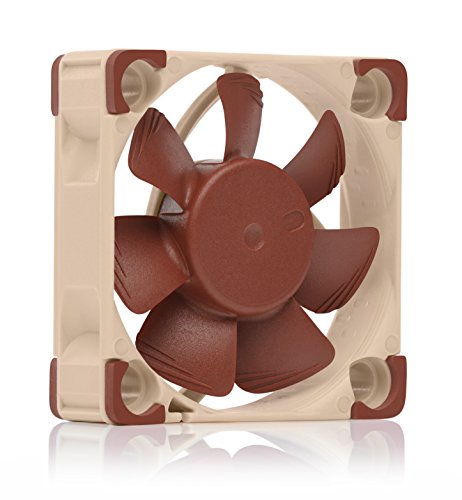
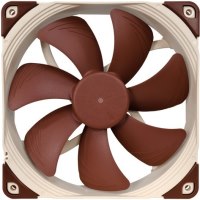
Noctua NF-A4x10 24V PWM 40mm Quiet Fan for 3D Printers and Other Applications 4-Pin 24V Version 40x10mm Brown
 | Expecting restock Socket: E-Catalog uses affiliate links compensated by our partners. |


24V version of Noctua’s award-winning quiet 40x10mm fan, ideal upgrade/replacement 4cm fan for 3D printing (hot end or part cooling) and other 24V applications
5000rpm max., 4-pin PWM connector for automatic speed control via 4-pin PWM fan headers (maximum airflow performance when required, near-silent at lower speeds)
NA-AC9 adaptor cable for popular 3D printers with JST XHP-2 2.5mm headers (e.g. Creality Ender 3 & CR-10, Anycubic Mega), ideal to improve printing performance and quietness of operation
Includes anti-vibration mounts, fan screws, extension cable, Low-Noise Adaptor (LNA), NA-AC9 adaptor and OmniJoin adaptor set for connecting the fan to proprietary fan headers
Trusted Noctua quality with premium-grade SSO2 bearing (MTTF > 150,000 h), safety certifications from UL and TÜV, protected against reverse polarity, over voltage and over current (short-circuits)
5000rpm max., 4-pin PWM connector for automatic speed control via 4-pin PWM fan headers (maximum airflow performance when required, near-silent at lower speeds)
NA-AC9 adaptor cable for popular 3D printers with JST XHP-2 2.5mm headers (e.g. Creality Ender 3 & CR-10, Anycubic Mega), ideal to improve printing performance and quietness of operation
Includes anti-vibration mounts, fan screws, extension cable, Low-Noise Adaptor (LNA), NA-AC9 adaptor and OmniJoin adaptor set for connecting the fan to proprietary fan headers
Trusted Noctua quality with premium-grade SSO2 bearing (MTTF > 150,000 h), safety certifications from UL and TÜV, protected against reverse polarity, over voltage and over current (short-circuits)
The product description is generated based on data from online stores. Before purchasing be sure to verify all information directly with the seller.
How to choose a water cooling systemBasic criteria for choosing a water cooling system for stable and safe operation of gaming PCs
How to properly build a PC yourself?Quick course on building computers of varying levels of complexity for beginners and amateurs
We recommendCompare using chart →
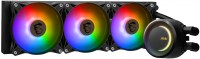
liquid cooling, per processor, AMD: AM4, AM5, Intel: 1700 1851, fan: 3, 120 mm, depth 25 mm, backlight, UV glow, backplate mount
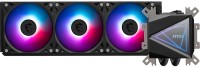
liquid cooling, per processor, AMD: AM4, AM5, TR4, Intel: 1150, 1155/1156, 1151/1151 v2, 1200, 1700 1851, fan: 3, 120 mm, depth 25 mm, backlight, UV glow, backplate mount
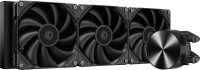
liquid cooling, per processor, AMD: AM4, AM5, Intel: 1150, 1155/1156, 1151/1151 v2, 1200, 1700 1851, fan: 3, 120 mm, depth 25 mm, backlight, UV glow, backplate mount

liquid cooling, per processor, AMD: AM4, AM5, Intel: 1700 1851, fan: 3, 120 mm, depth 25 mm, 3000 rpm, UV glow, backplate mount
liquid cooling, per processor, AMD: AM4, AM5, Intel: 1150, 1155/1156, 2011 v3, 2066, 1151/1151 v2, 1200, 1700 1851, fan: 3, 120 mm, depth 25 mm, 1800 rpm, maximum TDP 350 W, UV glow, backplate mount
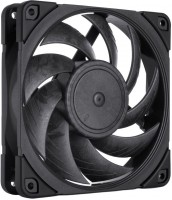
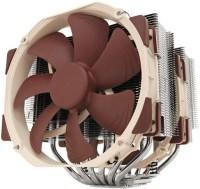
air cooler, per processor, AMD: AM2/AM3/FM1/FM2, AM4, Intel: 775, 1150, 1155/1156, 2011 v3, 2066, 1151/1151 v2, 1200, fan: 2, 140 mm, 1500 rpm, maximum TDP 220 W, height: 165 mm, magnetic bearing, UV glow, backplate mount
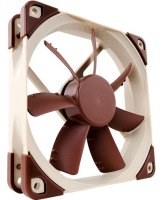
fan, on body, fan: 1, 120 mm, depth 25 mm, 1200 rpm, quiet (<20 dB), magnetic bearing, UV glow
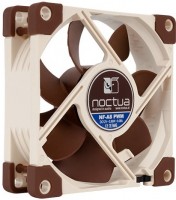
fan, on body, fan: 1, 80 mm, depth 25 mm, 2200 rpm, quiet (<20 dB), magnetic bearing, UV glow
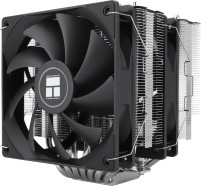
air cooler, per processor, AMD: AM4, AM5, Intel: 1150, 1155/1156, 2011 v3, 2066, 1151/1151 v2, 1200, 1700 1851, fan: 2, 120 mm, depth 25 mm, 1500 rpm, height: 154 mm, UV glow, backplate mount
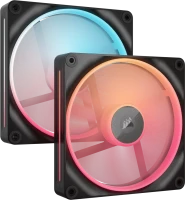
reversible fan, on body, fan: 2, 140 mm, depth 25 mm, 2000 rpm, magnetic bearing, backlight, UV glow, хаб в комплекте