TP-LINK TD-W8961N
 | When you make a purchase through links on our site, we may receive a affiliate commission. Buy! TP-Link TD-W8961N TP-LINK 300Mbps Wireless N ADSL2+ Modem Router Refurbished TD-W8961NETechBuy.comDelivery: to Redlands Report |

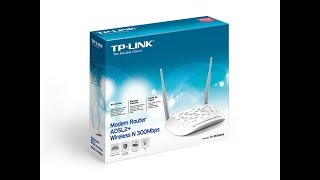
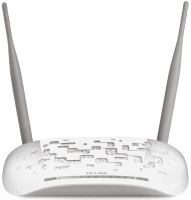
Wireless Wi-Fi router with a high-performance ADSL modem for connecting to the global network via a standard wired telephone line. It is an affordable product of the initial price category, designed to create a local area network with Internet access in a home or small office, when high-speed connection via Ethernet lines is not possible. Supporting the most advanced and fastest ADSL2+ technology, the incoming dial-up connection can operate at 24 Mbps upstream and 3.5 Mbps upstream.
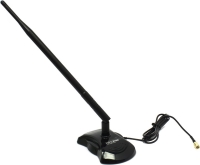
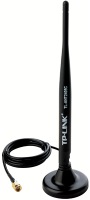
This speed is sufficient for surfing, watching IPTV and other high-quality streaming video, the normal operation of cloud and web services, file transfer, IP telephony and other tasks that require the rapid transmission of moderate amounts of traffic. The TP-LINK TD-W8961N router is equipped with 4 LAN ports of the Fast Ethernet standard, which allows you to build a small local network with a high data exchange rate between devices (up to 100 Mbps). Supported wireless network Wi-Fi 4 (802.11n), which can combine various mobile devices, gadgets and laptops. Two outdoor antennas with a gain of 5 dBi provide a decent area of stable coverage. The device can perform the functions of NAT, firewall and DHCP server. All current security protocols and traffic encryption are supported.
|
| ||||||||||||||||||||||||||||||||||||||||||||||||||||||||||||||||||

Always clarify the specifications and configuration of the product with the online store manager before purchasing.
Catalog TP-LINK 2026 - new arrivals, bestsellers, and the most relevant models TP-LINK.
Prior to this device, I had experience using and configuring other routers and network cards. For a small amount of money, the brand produces and releases quite stable-operating devices. Specifically, I picked this model while at a city store, intending to replace an old DIR-something... I replaced it with the new one and set everything up properly; this router gets all it can from the ADSL line from the provider (15 Mbit) and distributes via Wi-Fi and LAN cable. I had no issues with router setup and firmware updates, but I applied my knowledge and went through the setup for all the main points. If you just need to set it up "as is," it easily does that - plug in the provider's cable, and in auto-configuration mode, the router will do everything for you. A budget model with an ADSL modem and Wi-Fi capability. It gets hot, the web interface is more complicated than Zyxel, D-Link.  ZEDger: use TP-LINK TD-W8961N more than year ZEDger: use TP-LINK TD-W8961N more than year |
Chosen and later purchased, this router was done so very meticulously. The task was to buy a router with an ADSL modem to connect to the telephone line. Task accomplished, everything that can be "squeezed" from the telephone connection provided by the provider, this router receives. There is info on the internet on how to configure it for maximum efficiency. Of course, this is a budget model and one shouldn't expect its capabilities to be like those of a mega-access point. But for basic tasks, it fits perfectly. By the way, it's been on the market for quite a while and has a reputation as a "people's model" because it's easy to set up, cheap to purchase, sold everywhere, and works reliably. Price, ease of setup, reliability Fine-tuning the device requires skill Andry Nuke: use TP-LINK TD-W8961N more than year |