
TP-LINK RE230
 | Compare prices 3 → When you make a purchase through links on our site, we may receive a affiliate commission.
|

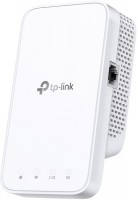
TP-LINK RE230
Type:Wi-Fi range extender
WAN:Ethernet
Connection:LAN 1 port, 100 Mbps
Wi-Fi:Wi-Fi 5 (AC)
2.4 GHz:300 Mbps
5 GHz:433 Mbps
Antennas and signal:17 dBm, non-removable
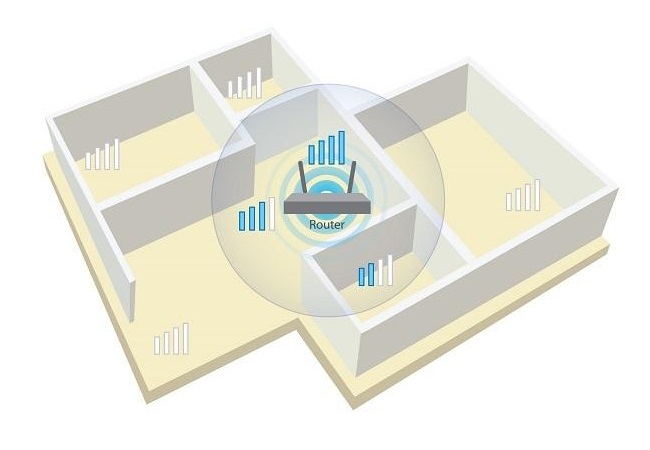
Supports work in the mode of a repeater and an access point.
All specifications
Specifications RE230
|
| ||||||||||||||||||||||||||||||||||||||||||||||||||||||||||||||||||||||||

The information in the model description is for reference purposes.
Always clarify the specifications and configuration of the product with the online store manager before purchasing.
Catalog TP-LINK 2026 - new arrivals, bestsellers, and the most relevant models TP-LINK.
Always clarify the specifications and configuration of the product with the online store manager before purchasing.
Catalog TP-LINK 2026 - new arrivals, bestsellers, and the most relevant models TP-LINK.
Buy TP-LINK RE230
When you make a purchase through links on our site, we may receive a affiliate commission.
TP-Link RE230 TP-LINK AC750 IEEE 802.11 a/b/g/n/ac 5GHz 750Mbps 1 x Port 10/100/100Base-T External Antennas Wireless Range E | $84.07 |  | |||
TP-LINK RE230 | AC750 IEEE 802.11 a/b/g/n/ac 5GHz 750Mbps 1 x Port 10/100/100Base-T External Antennas Wireless Range Extende | $86.92 |  | |||
TP-Link RE450-V1 TP-LINK AC1750 Wi-Fi Range Extender Refurbished RE450-V1 | $135.00 | | |||
Series TP-LINK RE (repeaters)Compare using chart →
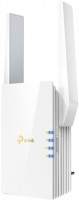
Wi-Fi range extender, WAN: Ethernet, connection: LAN 1 port, 1 Gbps, Wi-Fi: Wi-Fi 6 (AX), 2.4 GHz — 574 Mbps, 5 GHz — 1201 Mbps, Dual-band, MU-MIMO
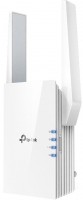
Wi-Fi range extender, WAN: Ethernet, connection: LAN 1 port, 1 Gbps, Wi-Fi: Wi-Fi 6 (AX), 2.4 GHz — 300 Mbps, 5 GHz — 1200 Mbps, Dual-band, MU-MIMO, powerful transmitter
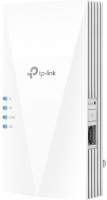
Wi-Fi range extender, WAN: Ethernet, connection: LAN 1 port, 1 Gbps, Wi-Fi: Wi-Fi 6 (AX), 2.4 GHz — 574 Mbps, 5 GHz — 2402 Mbps, 160 MHz, Dual-band, MU-MIMO, Beamforming
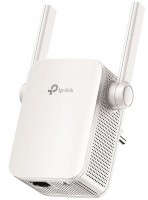
Wi-Fi range extender, WAN: Ethernet, connection: LAN 1 port, 100 Mbps, Wi-Fi: Wi-Fi 5 (AC), 2.4 GHz — 300 Mbps, 5 GHz — 867 Mbps, Dual-band
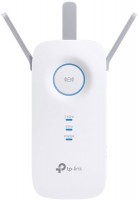
Wi-Fi range extender, WAN: Ethernet, connection: LAN 1 port, 1 Gbps, Wi-Fi: Wi-Fi 5 (AC), 2.4 GHz — 600 Mbps, 5 GHz — 1300 Mbps, Dual-band
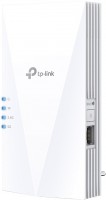
Wi-Fi range extender, WAN: Ethernet, connection: LAN 1 port, 1 Gbps, Wi-Fi: Wi-Fi 6 (AX), 2.4 GHz — 300 Mbps, 5 GHz — 1200 Mbps, Dual-band, MU-MIMO, Beamforming
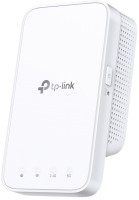
Wi-Fi range extender, Wi-Fi: Wi-Fi 5 (AC), 2.4 GHz — 300 Mbps, 5 GHz — 867 Mbps, Dual-band
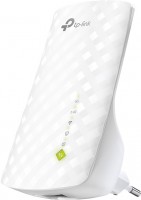
Wi-Fi range extender, connection: LAN 1 port, 100 Mbps, Wi-Fi: Wi-Fi 5 (AC), 2.4 GHz — 300 Mbps, 5 GHz — 433 Mbps, Dual-band
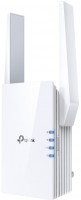
Wi-Fi range extender, WAN: Ethernet, connection: LAN 1 port, 1 Gbps, Wi-Fi: Wi-Fi 6 (AX), 2.4 GHz — 574 Mbps, 5 GHz — 2402 Mbps, 160 MHz, Dual-band, MU-MIMO, Beamforming
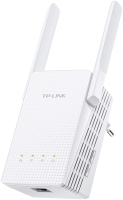
Wi-Fi range extender, WAN: Ethernet, connection: LAN 1 port, 1 Gbps, Wi-Fi: Wi-Fi 5 (AC), 2.4 GHz — 300 Mbps, 5 GHz — 433 Mbps, Dual-band
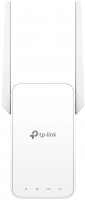
Wi-Fi range extender, WAN: Ethernet, connection: LAN 1 port, 100 Mbps, Wi-Fi: Wi-Fi 5 (AC), 2.4 GHz — 300 Mbps, 5 GHz — 433 Mbps, Dual-band, MU-MIMO
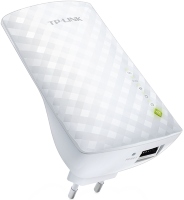
Wi-Fi range extender, WAN: Ethernet, connection: LAN 1 port, 100 Mbps, Wi-Fi: Wi-Fi 5 (AC), 2.4 GHz — 300 Mbps, 5 GHz — 433 Mbps, Dual-band
Wi-Fi range extender, WAN: Ethernet, connection: LAN 1 port, 100 Mbps, Wi-Fi: Wi-Fi 5 (AC), 2.4 GHz — 300 Mbps, 5 GHz — 433 Mbps, Dual-band
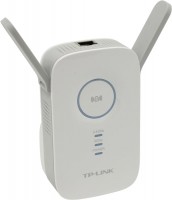
Wi-Fi range extender, WAN: Ethernet, Wi-Fi: Wi-Fi 5 (AC), 2.4 GHz — 300 Mbps, 5 GHz — 867 Mbps, Dual-band
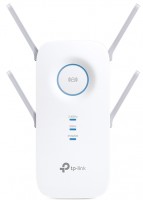
Wi-Fi range extender, WAN: Ethernet, connection: LAN 1 port, 1 Gbps, Wi-Fi: Wi-Fi 5 (AC), 2.4 GHz — 800 Mbps, 5 GHz — 1733 Mbps, Dual-band, MU-MIMO
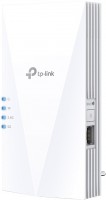
Wi-Fi range extender, WAN: Ethernet, connection: LAN 1 port, 1 Gbps, Wi-Fi: Wi-Fi 6 (AX), 2.4 GHz — 574 Mbps, 5 GHz — 1201 Mbps, Dual-band, MU-MIMO, Beamforming
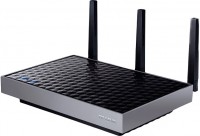
Wi-Fi range extender, connection: LAN 5 ports, 1 Gbps, Wi-Fi: Wi-Fi 5 (AC), 2.4 GHz — 600 Mbps, 5 GHz — 1300 Mbps, Dual-band, MU-MIMO, Beamforming
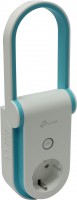
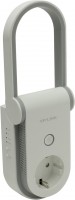
Wi-Fi range extender, connection: LAN 1 port, 1 Gbps, Wi-Fi: Wi-Fi 5 (AC), 2.4 GHz — 300 Mbps, 5 GHz — 433 Mbps, Dual-band
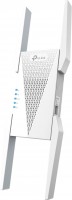
Wi-Fi range extender, WAN: Ethernet, connection: LAN 1 port, 1 Gbps, 2.4 GHz — 574 Mbps, 5 GHz — 2402 Mbps, 6 GHz — 2402 Mbps, 160 MHz, MU-MIMO, powerful transmitter
AccessoriesAll accessories for TP-LINK RE230 →
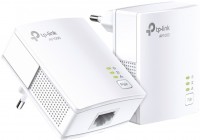
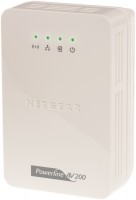
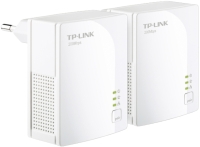
the task was to extend the network coverage, and to do this by cable, to bring the internet from the attic to the first floor (I connected it instead of the TV) and then distribute the internet on the first floor. And here, as usual, TP-Link made itself known (could the name come from a famous abbreviation?) - it automatically "helped" me and set up expansion via the wireless network, and immediately started complaining that you installed it in the wrong place and you [censored], but!!! just 30 minutes in the settings of this wonder and I found the switch to access point mode, the rest below. there is the mode that I wanted, though to configure everything as usual with TPlink via [censored] software, and already the third device I buy them, but everything is the same, this is an office in which those who create software for these devices simply never used it, VAN MESH does not work in access point mode, you just have another network, why the hell do I another network if it is an expander, the same functions are provided by any router and cheaper and from the same brand, by the way, in the main router there is a mode for 2 networks to be merged into one (I thought I would get rid of 2 wagons of networks) but no, here's another 2 for you little things, you can already get lost in your own  Vadim: use TP-LINK RE230 less than month Vadim: use TP-LINK RE230 less than month |
Add Review
Video reviews

Como configurar o TP Link Range Extender RE230 e RE300 com a aplicação Tether
1 February 202110 836 view

TP-Link RE230 Wi-Fi Extender Dual Band • Unboxing, installation, configuration and test
6 July 20242 612 view

TP Link AC750 Wi-Fi Extender RE230, How to install app
3 December 20201 454 view

Tp Link Wi Fi Range Extender RE230 Quick Review
9 August 20211 228 view

TP-Link AC750 WiFi Extender (RE230) Unboxing
10 October 2021580 view
We recommendCompare using chart →
Wi-Fi range extender, WAN: Ethernet, connection: LAN 1 port, 100 Mbps, Wi-Fi: Wi-Fi 5 (AC), 2.4 GHz — 300 Mbps, 5 GHz — 433 Mbps, Dual-band
Wi-Fi range extender, WAN: Ethernet, connection: LAN 1 port, 1 Gbps, Wi-Fi: Wi-Fi 5 (AC), 2.4 GHz — 300 Mbps, 5 GHz — 433 Mbps, Dual-band
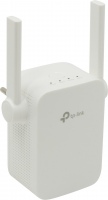
Wi-Fi range extender, WAN: Ethernet, connection: LAN 1 port, 100 Mbps, Wi-Fi: Wi-Fi 5 (AC), 2.4 GHz — 300 Mbps, 5 GHz — 433 Mbps, Dual-band
Wi-Fi range extender, WAN: Ethernet, connection: LAN 1 port, 100 Mbps, Wi-Fi: Wi-Fi 5 (AC), 2.4 GHz — 300 Mbps, 5 GHz — 433 Mbps, Dual-band, MU-MIMO
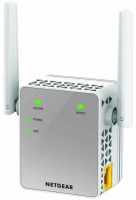
Wi-Fi range extender, WAN: Ethernet, connection: LAN 1 port, 100 Mbps, Wi-Fi: Wi-Fi 5 (AC), 2.4 GHz — 300 Mbps, 5 GHz — 433 Mbps, Dual-band
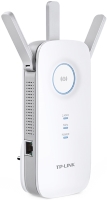
Wi-Fi range extender, WAN: Ethernet, connection: LAN 1 port, 1 Gbps, Wi-Fi: Wi-Fi 5 (AC), 2.4 GHz — 450 Mbps, 5 GHz — 1300 Mbps, Dual-band
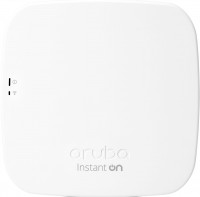
access point, PoE power, WAN: Ethernet, connection: LAN 1 port, 1 Gbps, Wi-Fi: Wi-Fi 5 (AC), 2.4 GHz — 300 Mbps, 5 GHz — 1300 Mbps, Dual-band, Bluetooth, MU-MIMO

access point, PoE power, WAN: Ethernet, connection: LAN 1 port, 1 Gbps, Wi-Fi: Wi-Fi 6 (AX), 2.4 GHz — 574 Mbps, 5 GHz — 1200 Mbps, Dual-band, MU-MIMO, powerful transmitter, Beamforming

access point, PoE power, WAN: Ethernet, connection: LAN 1 port, 2.5 Gbps, port 2.5 Gbps, Wi-Fi: Wi-Fi 6 (AX), 2.4 GHz — 576 Mbps, 5 GHz — 4800 Mbps, 160 MHz, Dual-band, Bluetooth, MU-MIMO, powerful transmitter, Beamforming

MESH system, WAN: Ethernet, connection: LAN 1 port, 1 Gbps, 2.4 GHz — 574 Mbps, 5 GHz — 2402 Mbps, 6 GHz — 2402 Mbps, 160 MHz, Bluetooth, MU-MIMO, Beamforming
Wi-Fi range extender, WAN: Ethernet, connection: LAN 1 port, 1 Gbps, Wi-Fi: Wi-Fi 6 (AX), 2.4 GHz — 300 Mbps, 5 GHz — 1200 Mbps, Dual-band, MU-MIMO, powerful transmitter
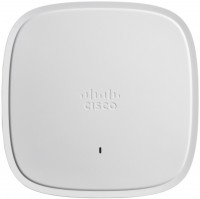
access point, PoE power, WAN: Ethernet, connection: LAN 1 port, 2.5 Gbps, port 2.5 Gbps, Wi-Fi: Wi-Fi 6 (AX), 2.4 GHz — 1148 Mbps, 5 GHz — 4232 Mbps, 160 MHz, Dual-band, Bluetooth v5.0, MU-MIMO, powerful transmitter, Beamforming