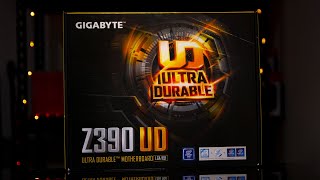
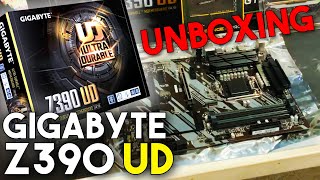
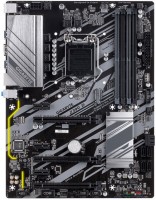
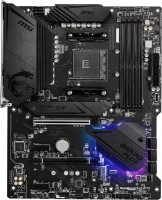
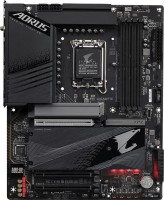
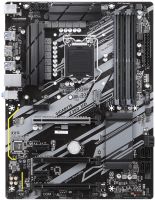
Gigabyte Z390 UD
 | Compare prices 2 → When you make a purchase through links on our site, we may receive a affiliate commission.
|

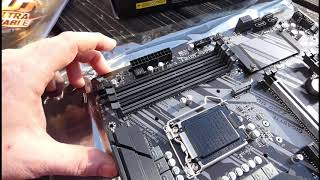
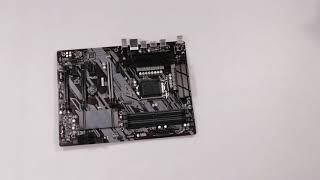
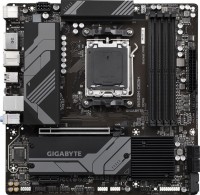
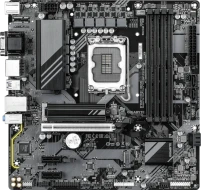
One of the most affordable full-size ATX motherboards of the 2019 model year based on the top Intel Z390 chipset. Designed for the installation of Intel processor families Core i9, i7, i5, i3, Pentium, Celeron 8th and 9th generation (Coffee Lake). It features a powerful 12-phase (10 + 2) processor power subsystem, additionally equipped with aluminium radiators, a decent level of overclocking functionality and the ability to install an impressive amount of RAM.
The manufacturer is positioning itself as a reliable solution for creating high-performance home, gaming and work configurations, including those equipped with two video cards using 2-Way AMD CrossFireX technology. Can become the basis for entry-level workstations. The Gigabyte Z390 UD motherboard supports up to 128 GB of RAM (4 x 32 GB modules up to DDR4-4266). It provides for the connection of high-speed NVMe SSD drives with M.2 connector (PCIe 3.0 4x) and six SATA 3 HDD/SSD drives with the ability to organize RAID arrays of level 0/1/5/10. Data transmission in the Gigabit Ethernet cable network is provided by the Realtek RTL8118 controller. There are 10 USB ports for connecting peripherals, including USB 3.2 Gen1.
|
| |||||||||||||||||||||||||||||||||||||||||||||||||||||||||||||||||||||||||||||||||||||||||||||||||||||||||||||||||||||||||||||||||||||||||||||||||


Always clarify the specifications and configuration of the product with the online store manager before purchasing.
Catalog Gigabyte 2026 - new arrivals, bestsellers, and the most relevant models Gigabyte.
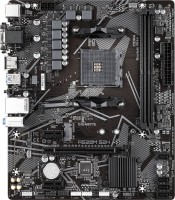
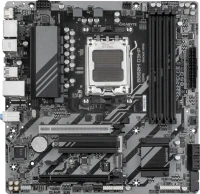
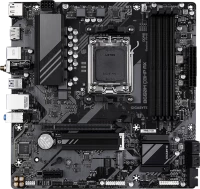
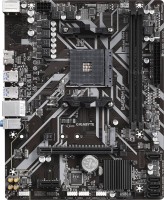

2 0 0 3 |
I recommend this mother to everyone for a future upgrade, everything you need is here. For this money you won't find anything better!!! Socket 1151v2, 4 RAM slots, price Not found  Karina Zubova: use Gigabyte Z390 UD few months Karina Zubova: use Gigabyte Z390 UD few months |
Memory won't overclock No The memory does not overclock at all, the memory on Samsung b-die chips only works with xmp at 3000 MHz, I set it to 3200 MHz and blue screens appear, at any timings and voltage. Regular oem Samsung memory also does not overclock, I can’t set it above 2666 MHz. In short, I tried different memory, none of them overclocked. As I understand it, it only works in stock or with xmp Daniil: use Gigabyte Z390 UD few months |
One of the cheapest boards based on the Z390 chipset, but if you want an unlocked processor for overclocking and have a limited budget, this is an excellent option. The board's capabilities are limited compared to expensive models, but, let's say, it has everything the average user needs and nothing superfluous. I took it to overclock the Core i5-8600K. The board has 10 full phases on the processor power supply circuit and good heatsinks on mosfets. I overclocked it from the default 3.6 GHz to 5 GHz without any problems, I also connected the additional 4pin power supply, and I didn’t dare to drive without it. Under load, the temperature of the VRM zone was within normal limits, I did not observe any overheating. HyperX Predator DDR4 16GB kit 3200MHz memory modules started up at a frequency of 3200 after selecting the XMP profile and work stably. I’ll also note the small number of fan connectors, only 4 4pin. As a result, everyone is busy and can continue to expand only with the help of adapters. Yes, there is a cheap audio codec, no USB 3.1 Gen2, a simple set of interfaces and a simple design (in fact, the testolite is brown, and not like in the photo). But I am not a sophisticated user and I needed one thing - stable operation of the processor when overclocked. An ordinary user of such a board will be happy with it, and considering the price and the result obtained, I confidently recommend purchasing it. PRICE A total of 4 fan connectors No USB 3.1 Gen2 Differs in color, PCB is brown Evgeniy: use Gigabyte Z390 UD less than month |