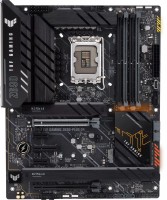
Asus TUF GAMING Z690-PLUS D4
 | When you make a purchase through links on our site, we may receive a affiliate commission. Buy! ASUS TUF GAMING Z690-PLUS D4 ATX motherboard - Intel Z690 LGA 1700Clove-technology.comDelivery: USA Report |
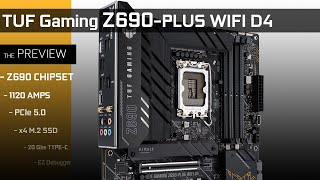
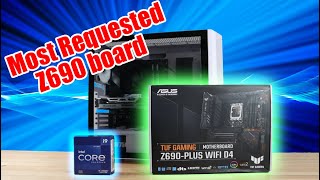
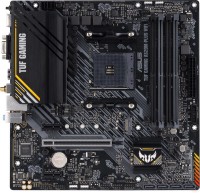
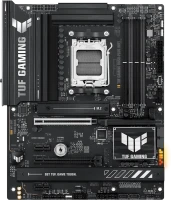
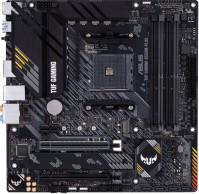
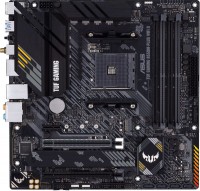
A well-balanced, full-size LGA 1700 ATX gaming motherboard with the 2021 flagship Intel Z690 chipset. It belongs to the products of the Asus The Ultimate Force gaming line of the 2021 model, the models of which are made using a high-quality element base and are famous for their high reliability, support for numerous overclocking functions and improved overclocking potential. The manufacturer is positioned as a product of the upper part of the middle price category.
The Asus TUF GAMING Z690-PLUS D4 motherboard is designed for use in top-end gaming systems and multi-purpose workstations based on Intel processors. The installation of 2/4/6/10/12/16-core 12th generation Intel Core i9/i7/i5/i3, Pentium and Celeron CPUs (Alder Lake, 10 nm) is fully supported. The board is made on a high-quality 6-layer textolite and is equipped with a powerful 15-phase (14+1) digital power subsystem, the power of which is quite enough for moderate overclocking experiments. Supports high performance PCIe Gen5 system interface. Unlike flagship Z690 motherboards that require DDR5, this model works with more affordable DDR4 RAM up to 128GB. Equipped with 4 M.2 ports for fast NVMe SSDs. The 2.5GbE Intel I225-V LAN controller handles large amounts of traffic.
|
| |||||||||||||||||||||||||||||||||||||||||||||||||||||||||||||||||||||||||||||||||||||||||||||||||||||||||||||||||||||||||||||||||||||||||||||||||||||||||||||||||||||||||||||


Always clarify the specifications and configuration of the product with the online store manager before purchasing.
Catalog Asus 2026 - new arrivals, bestsellers, and the most relevant models Asus.
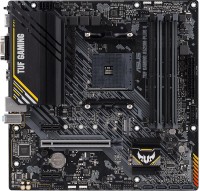




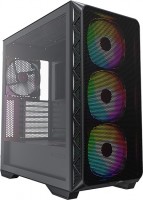
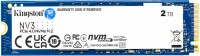
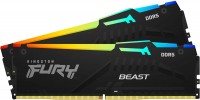
Modern mother under 1700 socket. Almost everything you need is present, but without frills (like a post indicator, a power button or a q-connector). Overpriced The raw state of the BIOS. In the currently available firmware (0807), the issue with memory overclocking via the XMP profile (AI Overclock Tuner XMP-I or XMP-II) has not been resolved. The problem is that in these modes, the motherboard sets the FSB above 100 MHz, which often leads to memory instability at frequencies above 3600 MHz. However, this problem can be easily bypassed by setting the Overclock Tuner to Manual (FSB will be 99.8 MHz when set to 100 in the BIOS) or Auto (FSB will be exactly 100 MHz), and then manually setting all the memory timings and voltage according to the chosen XMP profile (if you're not sure how to do this, set the Overclock Tuner to XMP-II, open DRAM Timing Control and note all values different from Auto, then set the Overclock Tuner to Manual or Auto and open DRAM Timing Control again, change values from Auto to the previously recorded ones, and don't forget to adjust the DRAM Voltages according to the XMP profile). Considering the catastrophic shortage of DDR5 and its unreasonable prices, it can be taken as a transitional option (provided you already have DDR4 from a previous build) with an eye on an upgrade in half a year to a year when DDR5 prices and timings decrease. |
I bought it at the start for some reasons that didn’t allow me to wait. He described more disadvantages so that it would be clear what to pay attention to. Otherwise, the motherboard is quite normal in my opinion, _if_ they fix the problems described (those that are fixed by the BIOS). -Modern motherboard. Not that there's currently a big selection for the 1700 socket. -I didn't notice fatal compromises in sharing the same lines with devices like "connected SSD - SATA stopped working". But it's better to read the manual before purchasing. -Double holes for cooling backplate, for compatibility. -4 slots for SSD. -WiFi-6 with a compatible router provides about 640 megabits of speed. -Raw BIOS, need to wait for an update. -The HX436C17PB3K4 memory didn't run at the declared 3600MHz, neither with XMP-I (ASUS tweaker) nor with XMP-II (stock XMP profile). Despite this, the model is listed on the motherboard's tested list. Had to lower the frequency by 200MHz. Seems to be fixable with BIOS, waiting for an update. -As with all motherboards, PCIe ports are somehow crammed towards the first x16 slot. So if you install a graphics card, you have to say goodbye to x1 and x4 ports. Partially resolved with risers. -Only 4 SATA ports. Some people might not like this. -Strange logic of built-in SSDs. The processor NVMe is under the heatsink, another one is open, two more under a common heatsink, and one of these slots seems to support NGFF. It would be more logical to place the NGFF-compatible one in the open slot, but this is more of an aesthetic issue. -No IO indicator and button header in the package, have to connect directly. -(on integrated) If the board doesn't detect a monitor at startup, no image will appear on the port until you reboot, no matter how much you poke the monitor. Seems to have been fixed by the latest BIOS, haven't checked. -No Thunderbolt, had to install an expansion card. The maximum on the motherboard is USB 3.2 gen2x2.  Mihail Dernovskiy: use Asus TUF GAMING Z690-PLUS WIFI D4 less than month Mihail Dernovskiy: use Asus TUF GAMING Z690-PLUS WIFI D4 less than month |
Asus TUF GAMING Z690-PLUS D4 configurations
| Price for Asus TUF GAMING Z690-PLUS D4 | ||||
|---|---|---|---|---|
 | Asus TUF GAMING Z690-PLUS D4 | from $379.00 | 1 offer | |
 | Asus TUF GAMING Z690-PLUS WIFI D4 | from $279.84 | 1 offer | |
 | Asus TUF GAMING Z690-PLUS WIFI | from $189.59 | 3 offers | |