
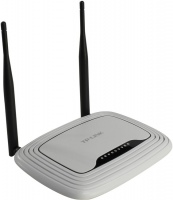
TP-LINK TL-WR740N
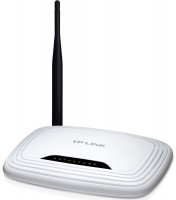 | When you make a purchase through links on our site, we may receive a affiliate commission. Buy! TP-Link TL-WR740N TP-LINK Wireless Router 150 Mbps 4 x 10/100Base-TX Network LAN 1 x 10/100Base-TX Network WAN IEEE 802.11nETechBuy.comDelivery: in USA Report |

TP-LINK TL-WR740N
Type:router
WAN:Ethernet
Connection:LAN 4 ports, 100 Mbps
Wi-Fi:Wi-Fi 4 (N)
Antennas and signal:20 dBm, 1 antenna(s), non-removable
The model can be classified as an entry-level wireless router. Nevertheless, the device boasts support for the 802.11n standard and has the necessary set of features for organizing a wireless network and providing a wired / wireless Internet connection. The maximum connection speed is 150 Mbps. WPA / WPA2 encryption technologies are supported, QSS function is provided for instant connection protection. Among other things, we note the built-in switch for 4 LAN ports.
All specifications
Specifications TL-WR740N
|
| ||||||||||||||||||||||||||||||||||||||||||||||||||||||||||||||||||

The information in the model description is for reference purposes.
Always clarify the specifications and configuration of the product with the online store manager before purchasing.
Catalog TP-LINK 2026 - new arrivals, bestsellers, and the most relevant models TP-LINK.
Always clarify the specifications and configuration of the product with the online store manager before purchasing.
Catalog TP-LINK 2026 - new arrivals, bestsellers, and the most relevant models TP-LINK.
AccessoriesAll accessories for TP-LINK TL-WR740N →
2 0 5 6 |
An ordinary router, bought when installing the Internet, served for about 4 years and died a heroic death. I worked long enough. Speed up to 100 Mbps was fine, easy setup. The price corresponds to the quality. The antenna is rather weak, enough to break through one normal wall, withstood about 8 connected devices with varying success, sometimes it reboots.  Roman: use TP-LINK TL-WR740N more than year Roman: use TP-LINK TL-WR740N more than year |
For more than a year of use, I have never had to reboot it, I connected it and forgot it... A stable signal in any corner of the apartment (despite the fact that it is far from its center). Simple and easy setup even for those who are encountering such devices for the first time. Stable signal, quick and clear setup No  Volodimir S: use TP-LINK TL-WR740N month or more i recommend it should buy Volodimir S: use TP-LINK TL-WR740N month or more i recommend it should buy |
Never! Never buy this router for yourself! As soon as it was connected, the speed began to decrease, every day I had to reboot, reflash and dance with a tambourine around this shit. A month later, I completely turned down the speed to 0, we didn’t see any more internet through it. I wanted to shove this device away to the sellers, but, what a shame, the warranty disappeared somewhere. Today we are buying Zyxel for ourselves. No One continuous flaw  Anka: use TP-LINK TL-WR740N few months i recommend it don't buy Anka: use TP-LINK TL-WR740N few months i recommend it don't buy |
3 out of 13 user review(s) shown
10 more user review(s)
Video reviews
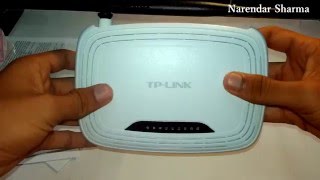
TP Link TL WR740N V5 150Mbps Router Unboxing & Overview! (What's new)
20 December 2015946 view

Router tp-link : tl-wr740n - 150mbps wireless router
9 January 2019599 view

unboxing of tp-link(TL-WR740N)wireless N router [2016]
25 October 2016227 view
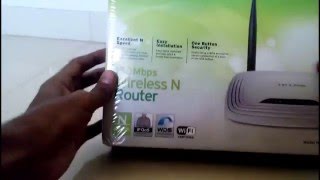
TP-LINK TL-WR740N 150 mbps wireless n router unboxing
13 May 2016200 view

Routers: Buy TP-Link TL-WR740N Wireless Router online
24 July 2014194 view

Unboxing TP-Link TL-WR740N Wireless Router (white)
8 April 2016166 view

TP-LINK TL-WR740N UNBOXING (FLIPKART)
13 March 2014131 view

TP-Link N150 TL-WR740N Budget WiFi Router Unboxing
8 June 2014117 view
We recommendCompare using chart →
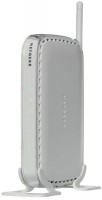
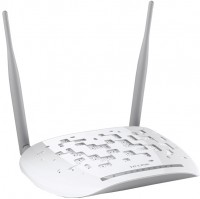
router, WAN: Ethernet, DSL, 3G via USB, 4G LTE over USB, connection: LAN 4 ports, 100 Mbps, there is a WAN/LAN
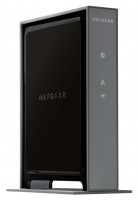
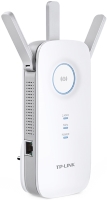
Wi-Fi range extender, WAN: Ethernet, connection: LAN 1 port, 1 Gbps, Wi-Fi: Wi-Fi 5 (AC), 2.4 GHz — 450 Mbps, 5 GHz — 1300 Mbps, Dual-band
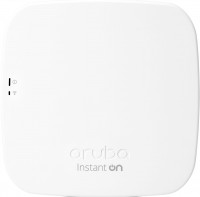
access point, PoE power, WAN: Ethernet, connection: LAN 1 port, 1 Gbps, Wi-Fi: Wi-Fi 5 (AC), 2.4 GHz — 300 Mbps, 5 GHz — 1300 Mbps, Dual-band, Bluetooth, MU-MIMO

access point, PoE power, WAN: Ethernet, connection: LAN 1 port, 1 Gbps, Wi-Fi: Wi-Fi 6 (AX), 2.4 GHz — 574 Mbps, 5 GHz — 1200 Mbps, Dual-band, MU-MIMO, powerful transmitter, Beamforming

access point, PoE power, WAN: Ethernet, connection: LAN 1 port, 2.5 Gbps, port 2.5 Gbps, Wi-Fi: Wi-Fi 6 (AX), 2.4 GHz — 576 Mbps, 5 GHz — 4800 Mbps, 160 MHz, Dual-band, Bluetooth, MU-MIMO, powerful transmitter, Beamforming

MESH system, WAN: Ethernet, connection: LAN 1 port, 1 Gbps, 2.4 GHz — 574 Mbps, 5 GHz — 2402 Mbps, 6 GHz — 2402 Mbps, 160 MHz, Bluetooth, MU-MIMO, Beamforming
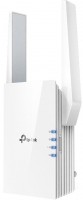
Wi-Fi range extender, WAN: Ethernet, connection: LAN 1 port, 1 Gbps, Wi-Fi: Wi-Fi 6 (AX), 2.4 GHz — 300 Mbps, 5 GHz — 1200 Mbps, Dual-band, MU-MIMO, powerful transmitter
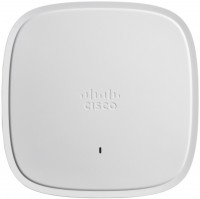
access point, PoE power, WAN: Ethernet, connection: LAN 1 port, 2.5 Gbps, port 2.5 Gbps, Wi-Fi: Wi-Fi 6 (AX), 2.4 GHz — 1148 Mbps, 5 GHz — 4232 Mbps, 160 MHz, Dual-band, Bluetooth v5.0, MU-MIMO, powerful transmitter, Beamforming
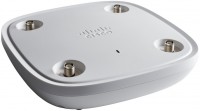
access point, PoE power, WAN: Ethernet, connection: LAN 1 port, 2.5 Gbps, port 2.5 Gbps, Wi-Fi: Wi-Fi 6 (AX), 2.4 GHz — 1148 Mbps, 5 GHz — 5200 Mbps, 160 MHz, Tri-Band, Bluetooth v5.0, MU-MIMO, powerful transmitter, detachable, Beamforming
router, WAN: Ethernet, connection: LAN 4 ports, 100 Mbps, Wi-Fi: Wi-Fi 4 (N), 2.4 GHz — 300 Mbps