
TP-LINK TL-WN725N
 | Compare prices 3 → When you make a purchase through links on our site, we may receive a affiliate commission.
|

TP-LINK TL-WN725N
Type:Satellite internet
Wi-Fi:Wi-Fi 4 (N)
Antennas and signal:20 dBm, 1 antenna(s), non-removable
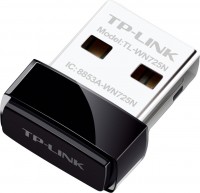
A compact and easy-to-use solution that provides the ability to connect a desktop or mobile computer to an existing wireless network. The data transfer rate is at the level of 150 Mbps - this is quite enough for comfortable viewing of streaming video and games online. Special attention deserves the minimum dimensions of the device, which allow you to leave it permanently connected to the USB port.
All specifications
Specifications TL-WN725N
|
| ||||||||||||||||||||||||||||||||||||||||||||||||||||||||

The information in the model description is for reference purposes.
Always clarify the specifications and configuration of the product with the online store manager before purchasing.
Catalog TP-LINK 2026 - new arrivals, bestsellers, and the most relevant models TP-LINK.
Always clarify the specifications and configuration of the product with the online store manager before purchasing.
Catalog TP-LINK 2026 - new arrivals, bestsellers, and the most relevant models TP-LINK.
Buy TP-LINK TL-WN725N
When you make a purchase through links on our site, we may receive a affiliate commission.
TP-Link N150 USB WiFi Network Adapter for PC, Desktop, Nano Size WiFi Dongle 78157086 | $9.99 |  | |||
TP-Link USB WiFi Adapter for PC(TL-WN725N), N150 Wireless Network Adapter for Desktop - Nano Size WiFi Dongle Compatible wit | $14.99 |  | |||
TP-Link - Wireless N150 USB Network Adapter - Black TL-WN725N | $26.28 |  | |||
Model overview based on user reviews
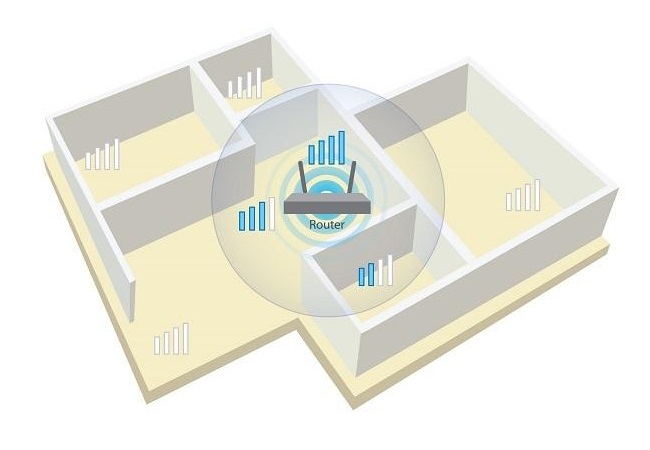
The TP-LINK TL-WN725N Wi-Fi adapter is praised for its miniature size and aesthetic appeal, making it a convenient option for users with limited space. However, it has significant drawbacks, including a very short range and frequent connection drops. Users report that it struggles to maintain a stable connection, especially when not in the same room as the router, and often overheats, leading to further connectivity issues. The adapter's performance is notably poor through walls, and its download speed is considerably slower compared to wired connections. Many users suggest opting for a more expensive model with an antenna for better reliability and performance, as this model's lack of cooling and weak signal make it a less favorable choice.
Pros
Cons
3 1 0 0 |
I would choose something more expensive with a stronger signal. Miniature, beautiful. Very short range. The D-Link DIR-300 router, placed 5 meters away, receives a minimal signal and periodically drops the connection. PS: for comparison, the Wi-Fi of a regular laptop at the same distance receives the maximum signal without interference.  Ond: use TP-LINK TL-WN725N week i recommend it don't buy Ond: use TP-LINK TL-WN725N week i recommend it don't buy |
I got this one as a backup - sometimes the internet goes out, and you can't do without it. I thought I'd get something inexpensive since I need it once a month, but how wrong I was. First, don't even think about plugging it into the front USB panel; it only works in the rear ports of the system unit. The connection when sharing the internet from the phone only connects on the third try, after which it refuses to work for some reason, a mystery. Now I've decided to try it with the router - it's more stable, but the connection drops every hour or so; I think it's due to overheating, and the download speed maxes out at 3 MB/s, compared to a stable 10-12 MB/s I always get via cable. A waste of money, I've already ordered a new one and expect it tomorrow, don't get this one!! Miniature Quality, overheating, connection drops, difficulty connecting, download speed Viktor Skrypai: use TP-LINK TL-WN725N more than year |
Terrible model, just one wall and the whistle does not take out the signal. It catches perfectly if the router is right next to each other, in the same room, but there is already one wall and you can forget about the connection It works well if the laptop or computer is in the same room as the router, then the signal catches Poor connection, slow speed through the wall. The more expensive options do an excellent job, and this adapter without an antenna cannot catch anything.  serge: use TP-LINK TL-WN725N less than month serge: use TP-LINK TL-WN725N less than month |
3 out of 4 user review(s) shown
1 more user review(s)
Video reviews

How to use TP-Link TL-WN725N | WIFI MODULE REVIEWS FOR COMPUTER
15 March 202033 131 view

TP-Link TL WN725N 150Mbps Wireless N Nano USB Adapter
12 July 20218 118 view

UnBoxing TP-Link USB WiFi Adapter TL-WN725N (150 Mbps)
28 October 20213 864 view

Unboxing + Review + Speed Test Of My New TP-LINK (TL-WN725N) 150 Mbps WIFI Adapter.
11 December 2021600 view

Best Wifi Adapter | TP Link N150 TL-WN725N Unboxing & Setup
10 December 2020412 view

tp-link 150Mbps Wireless N Nano USB Adapter | TL-WN725N
15 September 2022319 view

TP Link TL WN725NEU 150mbps wireless N nano USB Adapter Unboxing
24 June 2018248 view

TP-Link TL-WN725N | USB WIFI Adapter | UNBOXING | TP-Link | TL-WN725N | VishalGV
13 September 2020213 view

How to install Tp-link usb nano adapter TL-WN725N
27 April 2017189 view

Tp-link Wifi USB Adapter | TL-WN725N Unboxing
11 August 2021169 view

TP-Link 150Mbps Wireless N Nano USB Adapter (TL-WN725N) Latest Unboxing India Amazon
10 October 2017160 view

How to setup TP-LINK TL-WN725N 150Mbps Wireless N Nano USB Adapter.
2 April 2018151 view

Unboxing TP-Link TL-WN725N 150Mbps Wireless N Nano USB 2.0 Wi-Fi Adapter
28 July 2020123 view
We recommendCompare using chart →
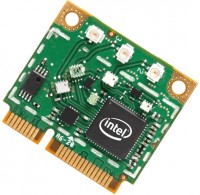

directional access point, street, PoE power, WAN: Ethernet, connection: LAN 2 ports, 100 Mbps, Wi-Fi: Wi-Fi 4 (N), powerful transmitter
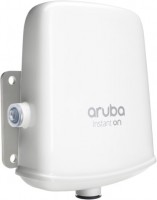
access point, street, PoE power, WAN: Ethernet, connection: LAN 1 port, 1 Gbps, Wi-Fi: Wi-Fi 5 (AC), 2.4 GHz — 300 Mbps, 5 GHz — 867 Mbps, Dual-band, Bluetooth, MU-MIMO
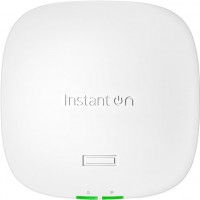
access point, PoE power, WAN: Ethernet, connection: LAN 1 port, 2.5 Gbps, port 2.5 Gbps, 2.4 GHz — 574 Mbps, 5 GHz — 1201 Mbps, 6 GHz — 2402 Mbps, 160 MHz, MU-MIMO, Beamforming
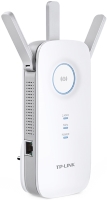
Wi-Fi range extender, WAN: Ethernet, connection: LAN 1 port, 1 Gbps, Wi-Fi: Wi-Fi 5 (AC), 2.4 GHz — 450 Mbps, 5 GHz — 1300 Mbps, Dual-band
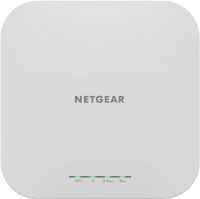
access point, PoE power, WAN: Ethernet, connection: LAN 1 port, 2.5 Gbps, port 2.5 Gbps, Wi-Fi: Wi-Fi 6 (AX), 2.4 GHz — 600 Mbps, 5 GHz — 1200 Mbps, Dual-band, MU-MIMO, Beamforming
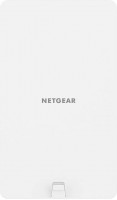
access point, street, PoE power, WAN: Ethernet, connection: LAN 1 port, 2.5 Gbps, port 2.5 Gbps, Wi-Fi: Wi-Fi 6 (AX), 2.4 GHz — 600 Mbps, 5 GHz — 1200 Mbps, Dual-band, MU-MIMO, Beamforming
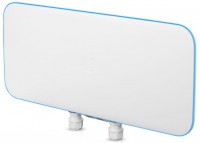
directional access point, street, PoE power, WAN: Ethernet, connection: LAN 2 ports, 1 Gbps, Wi-Fi: Wi-Fi 5 (AC), 5 GHz — 5200 Mbps, MU-MIMO, powerful transmitter, Beamforming
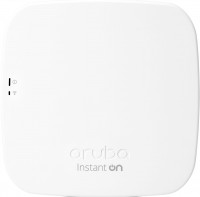
access point, PoE power, WAN: Ethernet, connection: LAN 1 port, 1 Gbps, Wi-Fi: Wi-Fi 5 (AC), 2.4 GHz — 300 Mbps, 5 GHz — 1300 Mbps, Dual-band, Bluetooth, MU-MIMO

access point, PoE power, WAN: Ethernet, connection: LAN 1 port, 1 Gbps, Wi-Fi: Wi-Fi 6 (AX), 2.4 GHz — 574 Mbps, 5 GHz — 2402 Mbps, Dual-band, MU-MIMO, powerful transmitter