Gigabyte Z390 GAMING X
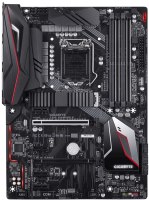 | When you make a purchase through links on our site, we may receive a affiliate commission. Buy! GIGABYTE Z390 Gaming X (Intel LGA1151/Z390/ATX/2xM.2/Realtek ALC892/Intel LAN/HDMI/Gaming Motherboard)Amazon.comDelivery: in USA Report |

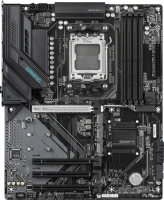
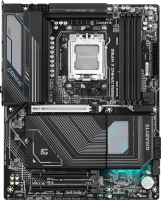
Full-format ATX gaming motherboard based on the top-end 2019 chipset Intel Z390. It is positioned as a product of the middle price category, designed to build high-performance gaming and universal home systems based on a CPU with a processor socket LGA1151 v2. The manufacturer guarantees full compatibility with Intel Core i9/i7/i5/i3 processors, as well as 8th and 9th generation Pentium and Celeron processors (Coffee Lake).
A high-level chipset, an advanced UEFI BIOS, and a reinforced 12-phase (10+2) CPU VRM with additional aluminium heatsinks allows you to implement the full range of overclocking features available. The Gigabyte Z390 GAMING X motherboard can work for a long time in the mode of moderate overclocking of key system components (without an extreme increase in the supply voltage). Equipped with four slots for DDR4 DIMMs and supports up to 128 GB of RAM (4x32 GB). Such an impressive volume will be more than enough for gaming, streaming, as well as any domestic and professional tasks. The board can drive two full-speed M.2 NVMe SSDs and six SATA3 drives. The built-in adapter from Intel is responsible for processing network traffic.
|
| |||||||||||||||||||||||||||||||||||||||||||||||||||||||||||||||||||||||||||||||||||||||||||||||||||||||||||||||||||||||||||||||||||||||||||||||||||||||||


Always clarify the specifications and configuration of the product with the online store manager before purchasing.
Catalog Gigabyte 2026 - new arrivals, bestsellers, and the most relevant models Gigabyte.




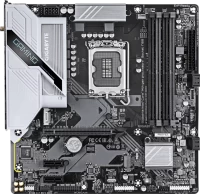
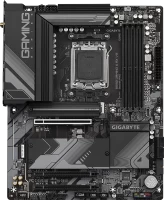



2 1 2 2 |
I took the i5 9600k for overclocking, it will probably be suitable for the i7. The number of power phases for its price and the number of various ports like SATA, M.2, USB. Customizable lighting both on the front and back. Overclocked to 4.9 at 1.335v, as reaching 5.0 and above required giving 1.4v+ and the temperature was 8 degrees higher. The sound through my mid-priced speakers sometimes crackles, no matter what the settings or settings are. Everything is fine through headphones. I had to buy a separate sound card, which in principle is advisable to do anyway, even used cards for 600 UAH or new ones for 1000 UAH are three heads higher. (Asus Xonar DGX, Asus Xonar DX, Creative Audigy Fx, Creative X-Fi Xtreme Audio).  Aleksandr Sergeevich: use Gigabyte Z390 GAMING X few months Aleksandr Sergeevich: use Gigabyte Z390 GAMING X few months |
The model is good. There are some shortcomings, but they are not critical. I came across it with not the latest BIOS firmware f6. And from the start the LAN port did not work. All this, of course, was easily cured by installing the driver from a flash drive. But I want to warn the buyer if there is no DVD drive, just in case, download the drivers (flash drive, screw) in advance. Otherwise, everything is fine - processor overclocking 5 GHz, memory 3400MHz. Cooling on the processor's power supply. There is a radiator included for ssd m2. Easily customizable BIOS. NON-WORKING lan port from the box. This is a real problem for those who don't have a DVD drive. SerG_: use Gigabyte Z390 GAMING X few months |
Chic board for reasonable money. 12 power phases, it's luxury. SSD m.2 without speed limits!!! RGB lighting and a bunch of perks. Adjustable for any coolers, 3-4 pin!!! Holds overclocking well, doesn't heat up, doesn't whine. i7-8700k 5000mg. ddr4 4200mg. Gtx-1080ti Why can't you download the latest drivers directly from the Gigabyte website? You download the app center application, and only through it do all the latest drivers install. The drivers you download from the official Gigabyte website are initially outdated!!! Keep in mind!!! FIZRUK FOMA: use Gigabyte Z390 GAMING X month or more |
Affordable mid-range gaming board
Gigabyte Z390 GAMING X is an interesting mid-range gaming board, which in the model range is somewhere between relatively inexpensive solutions based on the H370 chip and absolutely overclocking cards of the Gigabyte Z390 AORUS caliber. It has an affordable price tag in common with the first category, and gaming cards have a 10 + 2 phase power system, mosfet heatsinks, M.2 slot cooling, and good overclocking capabilities.
Reinforced PCIe 16x slot and M.2 cooling
Connectivity is as follows: two M.2 SSDs, four DDR4 and six SATA DIMM slots, a pair of PCIe 16x for multiple graphics cards (only AMD CrossFire is supported), and a generous array of 8 USB ports including USB 3.1 gen2. In general, this is quite a standard layout for motherboards based on the Z390, and there is nothing to praise or scold here. Only 4 connectors for powering coolers can be noted, which can complicate the installation of a complex cooling system. By comparison, most Z390-based motherboards have 5 to 7 power connectors.
no frills
If you are not in awe of multi-zone RGB lighting (the board has Gigabyte RGB Fusion lighting, but it is rather minimalistic), do not make high demands on the quality of on-board audio, and do not intend to build a refrigerator inside, then the Gigabyte Z390 GAMING X earns every penny and quite suitable for creating a fairly powerful gaming system of the caliber Core i7 8700 and GTX 1070 Ti.