
Dell UltraSharp U2720Q 27 " black (2720-0643)
 |

|
| ||||||||||||||||||||||||||||||||||||||||||||||||||||||||||||||||||||||||||||||||||||||||||


Always clarify the specifications and configuration of the product with the online store manager before purchasing.
Catalog Dell 2026 - new arrivals, bestsellers, and the most relevant models Dell.
Buy Dell UltraSharp U2720Q 27 " black
All prices 7 →| $293.99 |  | ||||
| $350.00 | | ||||
Dell UltraSharp U2720Q 27 Inch 4K UHD (3840 x 2160) LED Backlit LCD IPS USB-C Monitor (7GZ651) 1-580 | $649.00 |  | |||
Dell U2720Q UltraSharp 27 Inch 4K UHD 3840 x 2160 LED Backlit Gaming Monitor with IPS, Vesa Compatible, Anti-Glare, Tilt, Sw | $649.00 | | |||
Dell U2720QM 27 Inch UltraSharp 4K UHD, IPS Ultra-Thin Bezel Monitor (HDMI, DisplayPort, USB-C), VESA Certified, Silver, Bla | $649.00 | | |||
Dell U2720Q Dell Ultrasharp 27 Inch Hdr 4K Ips Monitor Refurbished U2720Q | $711.39 |  | |||
Dell U2720Q | Ultrasharp 27 Inch Hdr 4K Ips Monitor Refurbished U2720Q | $731.43 |  | |||
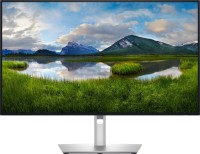
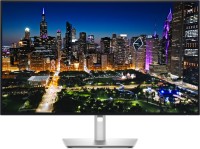
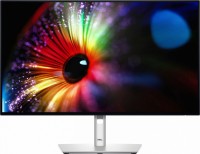

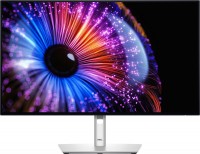
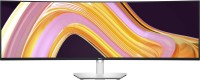
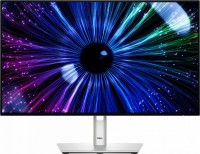
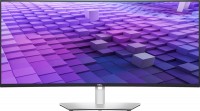

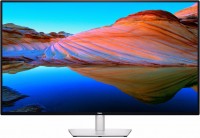
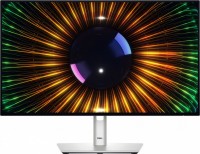
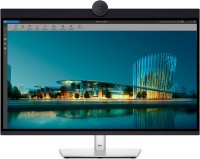
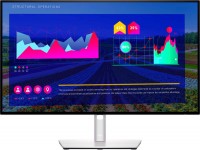
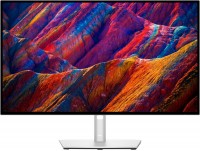
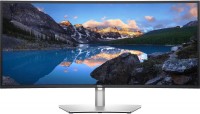




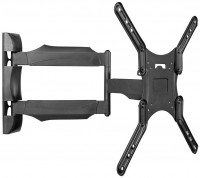
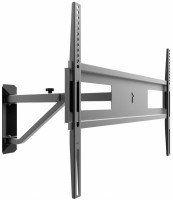
4K resolution - pixels do not interfere at all; the backlight does not flicker; the screen height is slightly more than that of a 24" 1920*1200; thin flat bezels; USB hub with ports on the left and back; with a single USB cable (!), the working laptop gets power, transmits the image to the monitor, and communicates with the mouse-flash drive-keyboard. I am not a designer, so I consider the image on the Dell U2720Q to be perfect, unless you pay attention to the now-familiar IPS glow effect. On the lower edge to the right are the control buttons, which can have their functions reassigned: for example, assign quick signal selection from USB-C to the first button, and from HDMI to the second. The power button is bright, but I disabled it on the very first day through the monitor menu - now it only "breathes" when the monitor is asleep. Expensive, but everything is fashionable. Since the monitor is able to pick up sound, then we would add some speakers to it, especially since there is a place for speakers and can be seen from the bottom of the case (or maybe it’s such a special ventilation). Everything in the menu is good, except for the fonts, but who then looks into this menu after setting it up?  Igor Egorkin: use Dell UltraSharp U2720Q few months Igor Egorkin: use Dell UltraSharp U2720Q few months |
Built for serious work
The Dell UltraSharp 27 4K PremierColor Monitor (or Dell UP2720Q for short) is designed specifically for professional photographers, designers and colorists who need a high-quality, high-resolution 10-bit IPS display with the most accurate colour reproduction. The monitor provides a colour gamut of 95% DCI P3, 99% sRGB and 99% Rec 709. Pleased, Dell did not treat the factory calibration carelessly, so the monitor allows you to work literally out of the box without any hardware calibration and reprofiling.
Worthy competitor to professional Eizo and NEC monitors
Also, support for the DisplayHDR 400 standard is claimed for the matrix, but we would not be particularly equal to this thing, since the conditions for issuing this virtual medal are not very high. For example, in this case, the brightness of the monitor is 350 cd / m2, although for a full-fledged HDR you need at least 400 cd / m2. But there is support for the PBP (Picture by Picture) mode and the Flicker-Free feature, which reduces flicker and, accordingly, eye strain. AMD FreeSync was not added to Dell with the expectation that this is a serious working tool, and not a toy. Speaking of toys: in parallel with this model, Dell released an improved version with Thunderbolt and a built-in colorimeter. It is now actively praised in Western forums, rejoicing that the iMac Pro display and professional Eizo and NEC monitors have a really powerful competitor.
USB hub for charging laptops
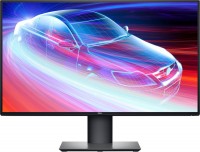
The Dell U2720Q has an interesting appearance. If you describe it in one word, then the epithet "inconspicuous" is best suited. And this is by no means a disadvantage. The fact is that the U2720Q has almost no outer frames, and the inner ones (except for the bottom one) are so thin that they are practically invisible. Therefore, the first thing that catches your eye when looking at the monitor is its massive plastic stand with a cutout in the centre. With its help, the monitor can be adjusted in height and tilt, as well as transferred to portrait mode. The same stand has performed well in previous Dell monitors, being heavy and stable, yet easy to detach from the monitor with a special latch to hang it on the wall. Ports for communication with the outside world are hidden in the back of the case: HDMI, Display Port and a USB hub for 3 ports. One of them is a hybrid USB-C that can charge laptops with Power Delivery support.
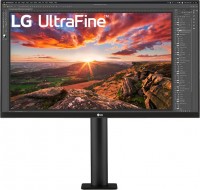


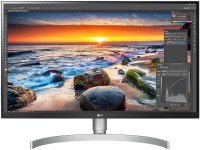
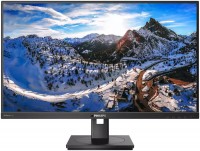
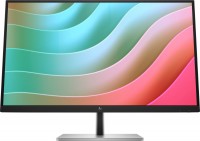

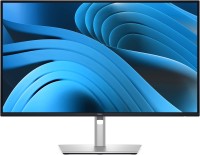


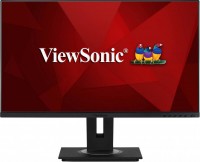
A point to note: HDMI 1.4 cables are not suitable for all 4K monitors for HDMI; HDMI 2.0 is required here, otherwise the refresh rate will be half of 60/59 Hz.
The monitor stand allows for significant adjustment in height and rotation. From a distance, the stand looks similar to older Dell monitors, but slightly more elegant.