Guide to Intel Core Processor Architectures and Sockets

We independently test the products and technologies that we recommend.
1. Intel Core: A Brief Historical Overview
The Core series did not emerge out of thin air. In the mid-2000s, Intel reached a dead end with the architecture of Pentium 4 (NetBurst), which was hot and inefficient. The Core i-series processors, introduced in 2008 (Nehalem architecture), became a "rescue plan." They focused not on empty gigahertz but on performance per cycle and smart resource allocation. This allowed Intel to capture the market for the next decade.
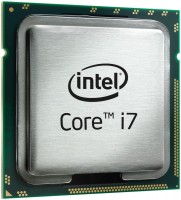
Generations from the second to the seventh (Sandy Bridge to Kaby Lake) established the formula in people's minds: "i3 - 2 cores, i5/i7 - 4 cores." Meanwhile, the senior models looked more advantageous than the junior ones due to support for Hyper-Threading technology. In fact, it is the multi-threaded processing we are now accustomed to, but back then, it was presented as an exclusive for Core-i7. Due to a lack of reasonable competition, Intel felt so confident that progress was reduced to cosmetic improvements in integrated graphics and power consumption.
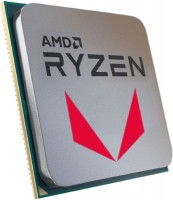
But everything changed in 2017 when AMD, with its groundbreaking Ryzen processors, forced the "blue team" to urgently increase frequencies and add cores, marking the beginning of a new era. And despite the intensified competition, Intel got people used to measured and systematic progress: the processor socket updates, except for rare cases, every 2 years, the first generation on a new platform introduces something new to the lineup, and a year later, the following develops these ideas by adding small and often cosmetic improvements.
Considering that the models of the first 6-7 generations of Intel Core have lost their relevance and transitioned into museum exhibit categories, in 2026, the entire range of the company's processors can be conditionally divided into several groups: affordable "secondary" (LGA 1151 v2 and LGA 1200), the people's standard (LGA 1700), and the technological avant-garde (LGA 1851). Below, we will analyze each of these groups, and to avoid excessively staining paper and wasting readers' time, we will combine all current Intel processor generations by sockets.
2. Intel Core 8000/9000 (Coffee Lake/Coffee Lake Refresh)
2017-2019, Socket LGA 1151v2
For Intel, 2017-2019 can be called the age of the "first shock": AMD's move with the first and especially the second generation of Ryzen forced Intel to hustle and accelerate progress. The "blue team" had to accept the reality that artificial core restrictions could no longer be justified by even the most cunning marketing, and they hastily added cores everywhere they could. As a result, the younger Intel Core-i3 gained 4 cores, Core-i5 became 6-core, and the more powerful Core-i7 added 6-8 cores to their arsenal. By 2026 standards, eighth and ninth generation models can be called reliable but already vintage classics that will not interest enthusiasts and upgrade lovers, but will be well-suited for those planning to build on the secondary market and do not need the most current and powerful hardware.
Key facts about Intel Core 8000/9000:
- These were the last generations on the outdated and complex 14-nm process technology, which imposed many technical limitations. Among them was the use of the PCIe 3.0 bus and the maximum DDR4 memory speed of 2666 MHz (if not resorting to manual overclocking).
- Even despite competition with AMD, Intel continued its usual tricks and left the 9th generation Core i7 without support for Hyper-Threading, turning multi-threading into a temporary exclusive for Core i9.
- Despite using the same LGA 1151 socket, Intel updated the power requirements, causing old 100/200 series boards not to "start" with 9000 series processors, complicating potential upgrades.
- Intel Core modifications with the "F" index came without integrated graphics, were cheaper, and became a real salvation for budget-constrained builds.
- In the 9th generation, Intel returned to soldering instead of thermal paste under the processor lid, partially solving the overheating problem in top models.
Which processors to pay attention to
- Core i5-9400F, which at the time was "the king of budget gaming builds," and to this day may be an interesting option for an office machine or ultra-budget gaming PC. Especially since the price difference in the secondary market compared to the younger Core i3 is usually negligible.
- Core i7-9700K can be called the golden mean for the socket: 8 cores (but without Hyper-Threading), excellent gaming performance, and a good doping potential on Z390 boards. For a good price, still a very interesting option for work and games.
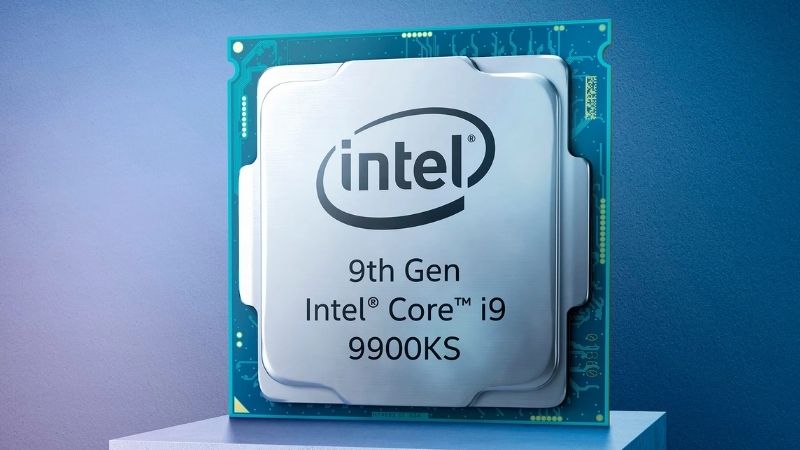
- Core i9-9900K — the legendary flagship of the generation, which on a good Z390 motherboard still allows you to comfortably play in 1080p and even stream.
3. Intel Core 10000 / 11000 (Comet Lake and Rocket Lake)
2020-2021, Socket LGA 1200
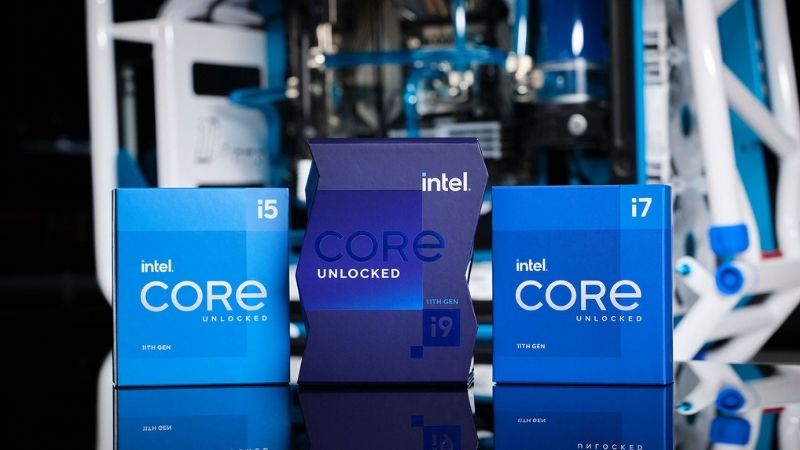
This generation went down in history as the "battle to the limit of possibilities." From a technical standpoint, everything looked like "what a fiasco, brother": Intel engineers were stuck on the old 14-nm process and tried to add more meat to the frail skeleton, and bloggers and trade journalists once again had to write about the same eggs but in profile. Meanwhile, potential buyers who didn’t closely follow the news came out on top because Intel decided to overwhelm the competitor with a number of cores and abandoned its former Hyper-Threading exclusivity for flagship processors.
By 2026 standards, processors on the LGA 1200 socket are the "last harbor" of classic architecture, which does not have subsequent division into large and small cores, and the performance is enough for most tasks with moderate load. However, senior models have almost disappeared from sales and are mostly waiting their turn in the secondary market, but younger ones can still be found in some stores at quite attractive prices.
Key facts about Intel Core 10000/11000:
- The LGA 1200 socket lived only a year and a half. This was an emergency "bridge" that allowed Intel to hang on until the release of hybrid processors.
- In the 11th generation, Intel took a radical step and "backported" the Cypress Cove architecture, designed for mobile 10-nm chips, onto the old 14-nm rails. This gave a big boost in games, but the cores became so large that their number had to be reduced.
- Due to the core size, the top Core i9-11900K suddenly became 8-core (its predecessor had 10), and to keep it from melting the socket, engineers had to use soldering and a sophisticated crystal substrate. Despite this, the Core i9-11900K became infamous as a "waste of silicon": it easily consumed 200-300 watts and heated up like a blast furnace, yet it lost in most tasks compared to the earlier Core i9-10900K.
- In Rocket Lake, Intel first introduced support for PCIe 4.0 bus and AVX-512 instructions, necessary for efficient AI and neural network work, emulators, and similar specific tasks.
Which processors to pay attention to
Core i5-10400F and i5-10500 have become legends of the secondary market, which quietly and inexpensively run last-generation gaming blockbusters at maximum settings and are quite suitable for more demanding and modern games at low/medium graphical settings. If you need a more current alternative, then please welcome Core i5-11400F with support for PCIe 4.0 interface paired with a newer graphics card and SSD drive.
By 2026 standards, Core i7-10700 (F/K) can be called honest and versatile workers: 8 cores and 16 threads with rather high clock frequencies are enough for modern games in 1440p, 4K video editing, and streaming, while they do not have heating problems like the 11th series models.
Core i9-10850K is worth considering if you need many cores specifically for LGA 1200. It’s almost the same as the flagship 10900K but cheaper and without the “exclusivity tax.” For fair money, it’s the ideal option for those who want to squeeze the most out of the old platform.
but they can still be found at quite attractive prices.
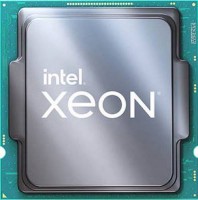
4. Intel Core 12000/13000/14000 (Alder Lake, Raptor Lake, Raptor Lake Refresh)
2021–2024, Socket LGA 1700
If the previous generations were attempts to "catch up and overtake," then LGA 1700 is a full-fledged triumph and the return of Intel to the big league. Here, the company finally switched to Intel 7 process technology and introduced the Big.LITTLE architecture, dividing cores into powerful (P-cores) and energy-efficient (E-cores). This was a risk that paid off: processors became incredibly fast in multitasking, and single-core performance soared to the skies. By 2026, this platform can be called a fair analog to AM4: it lasts long, supports both the old trusty DDR4 and the modern DDR5, and the choice of processors and especially motherboards for it is enormous.
Key facts about Intel Core 12000/13000/14000:
- Hybrid architecture and Thread Director: For Windows to understand which task to send to the powerful P-core and which to the energy-efficient E-core, Intel introduced a special hardware controller. Because of it, for full-fledged operation of these processors, it is extremely desirable to use Windows 11.
- On the LGA 1700 socket, Intel first introduced support for the PCIe 5.0 interface and DDR5, allowing the latest video cards, RAM modules, and NVMe 2.0 SSD drives to breathe fully. At the same time, the platform maintained backwards compatibility with DDR4 and earlier PCIe versions, allowing buyers to flexibly approach component selection.
- On the wave of success, Intel recalled old habits and got into several scandals. Due to errors in microcode, some top models of the 13th and 14th generations requested too high a voltage and gradually burnt out. Later, the issue was patched, but there’s still a chance to run into a problematic processor in the secondary market. After the enthusiasm with AVX-512 instruction addition, the company began to disable it in BIOS firmware and physically block it in new processor revisions to avoid competition with its server chips.
- Awaiting new Core Ultra processors, the 14th generation became sort of a temporary plug. Essentially, it’s almost a clone of the 13th line with slightly tweaked frequencies. The only exception was the i7-14700K, which got four additional E-cores.
Which processors to pay attention to
Considering the 3-year lifespan of the LGA 1700 platform and the price war with AMD, the choice here is extremely rich. For instance, the older Core i5-12400F claims to be one of the best processors of the last decade. It doesn’t have small cores (only 6 pure powerful P-cores), it almost doesn’t heat up, and in 2026, it is still an excellent choice for budget gaming builds.
Newer Core i5-13600K and 14600K offer the perfect balance between "play" and "work." A pool of 14 cores (6P+8E) provides incredible flexibility and often outperforms more modern solutions in performance.
Core i7-14700K became the only "refresh" to which extra cores were added. The result is 20 cores (8P + 12E), converting it into a real workstation capable of handling heavy editing or streaming without a hitch.
If you strongly wish for Core i9, the situation is more complicated: the 12th generation had fewer cores compared to Core i7-14700K (16 versus 20), and the newer 24-core Core i9 only slightly outperforms Core i7-14700K in multithreaded performance (with a 30 - 40% markup) but can heat a room at peak load.
5. Intel Core Ultra Series 2 (Arrow Lake)
2024, Socket LGA 1851
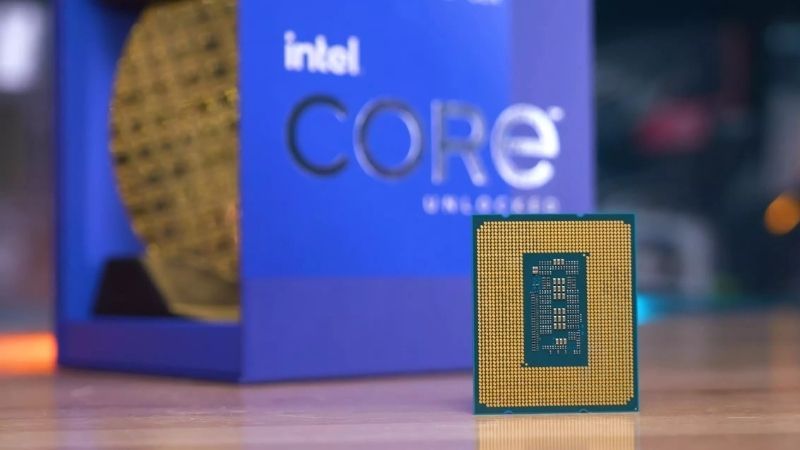
Intel, in some ways, became a hostage of its own success and found itself unprepared for technological competition with AMD and Apple. In recent years, the "blue" team lived more in emergency mode, but over time, the old approach ceased to work, frequencies hit the ceiling, and top processors began to consume hundreds of watts of energy. Against the backdrop of powerful, cool, and economical SoC-processors like Apple Silicon, such appetites frankly embarrassed the public. As a result, Intel took a radical step and in 2024 presented an entirely new Core Ultra line. Abandoning the race of megahertz and outdated monolithic crystals, the company switched to a more efficient chiplet architecture, using a "chip-tile" assembly (GPU block, SoC block, I/O block) on a single substrate instead of a single monolithic crystal. For such tricks, the company even went to the competitors at TSMC to ask for help in producing the most complex computing blocks on the advanced 3-nanometer process technology.
Key facts about Intel Core Ultra Series 2:
- Instead of squeezing out insane 6.2 GHz from the cores, Intel focused on efficiency. With a similar level of performance, top Core Ultra consumes almost half the energy compared to the old Core i9 of the 14th generation.
- In desktop Core Ultra, Intel ditched virtual threads. Now one core is one honest thread. This approach reduced delays and had a positive impact on heating, while the seeming lack of threads was compensated by the number of available cores.
- Each Core Ultra processor has a built-in NPU 3 neural engine for solving AI tasks. However, its power is only 13 TOPS, and for using Microsoft's Copilot, at least 40 TOPS is needed, so this innovation turned out to be half-hearted.
- The new platform has completely shifted to DDR5. While memory prices were reasonable, the transition wasn’t too costly, but by 2026 standards, upgrading is pricey.
- The new platform disappointed gamers. In games, new processors lose to predecessors of the 13th and 14th generations, so people continue to put popular processors like Core i5-14600K in gaming builds on Intel or look towards Ryzen with 3D cache if they are ready to switch platforms.
Which processors to pay attention to
Considering the dubious power of Core Ultra in games, for working with code, video content, and similar tasks, it makes more sense to look at the elder Arrow Lake models like the 20-core Core Ultra 7 265K and 24-core Core Ultra 9 285K, which are much cooler and more energy-efficient than the flagships on the LGA 1700 platform.
In principle, for moderately complex work with audio and video, the junior 14-core Core Ultra 5 245K may well suffice, though given the not-so-large price difference with Core Ultra 7 and Intel's habit of updating socket platforms, it's a debatable investment.
6. Conclusion
Intel has come a long way, and fierce competition with AMD (and later with Apple) has prevented the "blue giant" from becoming permanently stuck in its four cores. Today, the company offers a highly diverse menu for any request. To summarize all the advice: the popular Core i5-12400F remains the best option for a no-fuss budget gaming PC. For demanding games at 1440p resolution and moderately complex work, the golden mean will be Core i5-13600K/14600K or Core i7-14700K. And if you need a modern all-in-one without compromise and with a focus on quietness, your choice is Core Ultra 9 285K.
Articles, reviews, useful tips
All materials