
Comparison JBL Focus 300 vs JBL Endurance Run
Add to comparison | 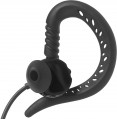 | 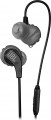 |
|---|---|---|
| JBL Focus 300 | JBL Endurance Run | |
| Outdated Product | Compare prices 1 | |
| User reviews | ||
| TOP sellers | ||
Quick Click - Magnets are built into the back of the case for easy storage. Phone calls and music are controlled by clicking on the remote control on the wire. | ||
Connection and design | ||
| Features | for active sports | for active sports |
| Design | in-ear behind the ear | in-ear |
| Connection type | wired | wired |
| Connection | mini-Jack (3.5 mm) | mini-Jack (3.5 mm) |
| Plug | 45° angle | 45° angle |
| Cable supply | double-sided | double-sided |
| Cable length | 1.2 m | |
| Cable type | round | round |
Specs | ||
| Frequency range | 20 – 20000 Hz | 20 – 20000 Hz |
| Speaker size | 14.2 mm | 8.2 mm |
| Emitter type | dynamic | dynamic |
Microphone specs | ||
| Microphone | built into the case | on cable |
Features | ||
| Volume control |  |  |
General | ||
| Magnetic mount | | |
| Waterproof | + | IPX5 |
| In box | silicone tips behind the ear case | silicone tips |
| Color | ||
| Added to E-Catalog | january 2019 | october 2018 |



Compare JBL Focus 300 and Endurance Run
Price comparison
You may be interested in
My comparisons
Glossary
Design
This item primarily specifies the way headphones are mounted on the ears; by this parameter, modern headphones are divided into over-ear, in-ear, earbuds, open-ear types. For over-ear models, it may also specify the acoustic design (closed, semi-open, open), as well as the presence of features such as over-ear construction (in the absence of this feature such headphones are called on-ear, or just "on-ear"), swivel cups, auto headband adjustment or even the popular mid-2021 trend — Cat Ear Headphones (headphones with cat ears). Details such as a rigid band, over-the-ear mounting, neck mounting, and folding ability, can be combined with almost any method of ear placement (with some exceptions — for example, on-ear models cannot be worn on the neck).
Here is a more detailed description of different ear placement options:
— On-ear. On-ear headphones are placed outside the auditory pinnae, covering the ear from the side ("usual" on-ear models) or completely (full-size Over-Ear — see below). In any case, such models are fairly large. This, on the one hand, simplifies the creation of headphones w...ith advanced audio characteristics, and also allows using some specific tricks without much difficulty — for example, multiple drivers or multichannel surround sound support. On the other hand, the size of the "ears" complicates transportation and use on the go. Moreover, it should be noted that most on-ear models feature a headband, making them less compatible with complex hairstyles and some headgear. This disadvantage is absent in models with rigid bands and over-the-ear mounts, but they also have their specifics (see below).
On-ear headphones can have different acoustic designs:
— In-ear with a rigid band. In-ear headphones are placed inside the ear canals, allowing them to be most securely fixed in the ear and not fall out. The presence of a rigid band further increases the reliability of the headphones' fixation. This type of headphones is well-suited for sports. The rigid band and in-ear design of sound emitters allows the headphones to stay securely in place even during intensive running.
— Earbuds. Also colloquially known as "pills." Similar to in-ear models, such headphones are small and placed in the auditory pinna — but not deep in the ear canal, just at its entrance, almost outside. As a result, earbuds are somewhat simpler in construction and cheaper, but achieving rich sound and advanced acoustic characteristics is more challenging with them. Such models provide quite low sound isolation, but this can be either a downside or an advantage — depending on the situation. Some headphones of this type have an elongated shape, allowing them to sit deeper in the ears and approaching in-ear models in capabilities.
It is worth noting separately that in-ear models and earbuds don't use headbands — the headphones are made either completely separate or connected by a device such as a rigid band or neck mount. Thus, such headphones can easily be worn with almost any hairstyle or headgear.
— Earbuds with a rigid band. Earbuds are simply inserted into the ear canal entrance, not penetrating deeply. This is not the most reliable way to fix the headphones, but due to the presence of a rigid band, earbuds gain secure placement and reliable fixation. The headphones themselves have an open sound path design, which reproduces audio with noticeable distortion to the original sound signal. However, the open acoustic scheme allows clear hearing of the surrounding environment.
As for additional design features, they can be such:
— Full-size Over-Ear. On-ear headphones (see above) in which each cup completely covers the ear and fits tightly against the head. Cups in such models are made fairly large and equipped with characteristic soft "borders" along the inner side's perimeter — these borders fit tightly against the head, so the ear pinna is effectively inside the cup. The main advantage of such a design is that the headphones (with the right size) practically do not touch the user's ears and do not press on them — this is particularly comfortable for extended use. Furthermore, Over-Ear models facilitate achieving high-quality sound isolation (although among them it is possible to find models with semi-open and even completely open acoustic design). The main disadvantage of such devices is bulkiness and inconvenience in transport and on-the-go use. Additionally, when wearing glasses, Over-Ear cups usually press on the frames' sides — this can cause discomfort.
— Open-ear. A special variety of wireless true wireless headphones with open acoustic design. Unlike earbuds and in-ear models, open-ear headphones do not suggest partial or full closure of the auricle — this provides better perception of surrounding sounds. This is handy during walks and outdoor runs. Most often, such headphones have over-the-ear mounts (see below), and the drivers in their construction are directed straight into the ear canals but remain outside. Passive noise isolation in open-ear headphones is practically absent, and the playing music and phone conversations may be heard by those nearby — keep this in mind.
— Auto headband adjustment. A headband capable of automatically adjusting to the user's head size. Such a headband usually consists of two parts — a rigid, usually metallic, base and a soft inner part that fits directly against the head. The inner part is capable of stretching, and the user just needs to place the cups on the ears comfortably — and the headband will automatically adjust to the needed size.
— Rigid band. A band made of rigid material, connecting the two headphones and worn on the back of the head; in some models, it can also serve as a neck mount (see below). The advantage of such a device over a classic headband is that the band can be used with almost any hairstyle and headgear. On the other hand, in in-ear models and earbuds (see above), this feature makes the headphones bulkier, and in on-ear models, it makes sense to use it only with regular models, not belonging to full-size Over Ear. Consequently, for a range of reasons, the band is not particularly popular nowadays.
— Over-the-ear mounting. A mount that allows fixing each headphone directly on the auricle; it generally has the form of a characteristic band. This feature appears in all types of modern "ears," except Over Ear (see above), and its specific meaning depends primarily on the main method of placing the headphone on the ear. For in-ear models and earbuds, over-the-ear mounting provides additional retention reliability: the likelihood of the headphone falling out of the ear is practically reduced to zero due to such a mount. In on-ear "ears," this feature appears significantly less often, and its main purpose is to do without a headband or rigid band — in some cases, these construction elements are unnecessary.
— Neck mounting. A feature found exclusively in wireless and combined models (see "Connection Type") — and only in in-ear and earbuds (see above). Both headphones in such models are connected by either a regular wire with a thickened part or a special horseshoe-shaped band (to each end of this band, an individual "ear" is connected via a wire). In any case, during use, this wire or band is located behind the user's neck, ensuring additional convenience: removed from the ears (or fallen out), headphones do not drop to the ground but remain hanging on the mount. Some models also feature special magnets, enabling the removed headphones to "stick" together, turning the entire structure into a ring — reducing the risk of dropping the device even further.
— Folding ability. The ability to compactly fold headphones for storage and transportation. Note that this feature is listed only for on-ear models (see above) — in-ear headphones and earbuds are already quite portable by themselves, without a special folding design.
— Swivel cups. A design feature found in on-ear headphones (see above). Swivel means cups that, in working position, can rotate at a certain angle around the vertical axis. This allows headphones to further adjust to the user's head size and shape — thereby increasing comfort, especially during prolonged wear. On the other hand, the swivel mount slightly complicates the headphones' construction, increases the cost, and somewhat reduces reliability.
Here is a more detailed description of different ear placement options:
— On-ear. On-ear headphones are placed outside the auditory pinnae, covering the ear from the side ("usual" on-ear models) or completely (full-size Over-Ear — see below). In any case, such models are fairly large. This, on the one hand, simplifies the creation of headphones w...ith advanced audio characteristics, and also allows using some specific tricks without much difficulty — for example, multiple drivers or multichannel surround sound support. On the other hand, the size of the "ears" complicates transportation and use on the go. Moreover, it should be noted that most on-ear models feature a headband, making them less compatible with complex hairstyles and some headgear. This disadvantage is absent in models with rigid bands and over-the-ear mounts, but they also have their specifics (see below).
On-ear headphones can have different acoustic designs:
- Closed. Models with a high degree of sound isolation, maximally shielding the user from external sounds. This design contributes to rich sound (especially in the bass range) and provides a very powerful immersion effect, making it suitable for home use (including computer games) and noisy environments. However, using such "ears" on the street is not recommended: full isolation from surrounding sounds in such conditions can be unsafe. Besides, it is believed that a fully closed design slightly worsens sound fidelity.
- Open. Headphones with minimal sound isolation, allowing most external sounds through. They are less powerful and rich in sound compared to closed models and less effective in noisy environments; also, the sound from such headphones is easily heard by those around. On the other hand, open models generally provide more authentic sound and are better suited for situations where it's necessary to monitor the surrounding environment — for example, for use on the street.
- Semi-open. A kind of compromise between the above-described options: headphones with better sound isolation than open models but still not reaching the level of closed "ears." For some users, this intermediate option may be more comfortable. Additionally, semi-open headphones are valued in professional sound work: they retain bass richness and at the same time do not create the distortions characteristic of a fully closed design.
- With a rigid band. A rigid band allows the earbuds to be reliably fixed to the auditory pinnae. A close analogue of the rigid band is the headband of full-size headphones, but unlike that, the band is worn on the back of the head, not the top. For this reason, rigid bands are mostly made without soft padding, from bare plastic/metal. Headphones with a rigid band most often have a sporting focus, as being on the back of the head, they will not slip even during intense running. On-ear headphones are closely pressed to the auditory pinnae, but the speakers themselves are placed outside the ear canals.
- Cat Ear ("ears"). On-ear headphones in an interesting design — with imitation cat ears on the headband. This addition does not affect working characteristics but looks unusual and can be a great addition to the owner's vibrant, original style. Cat Ear Headphones are particularly popular among teenagers.
— In-ear with a rigid band. In-ear headphones are placed inside the ear canals, allowing them to be most securely fixed in the ear and not fall out. The presence of a rigid band further increases the reliability of the headphones' fixation. This type of headphones is well-suited for sports. The rigid band and in-ear design of sound emitters allows the headphones to stay securely in place even during intensive running.
— Earbuds. Also colloquially known as "pills." Similar to in-ear models, such headphones are small and placed in the auditory pinna — but not deep in the ear canal, just at its entrance, almost outside. As a result, earbuds are somewhat simpler in construction and cheaper, but achieving rich sound and advanced acoustic characteristics is more challenging with them. Such models provide quite low sound isolation, but this can be either a downside or an advantage — depending on the situation. Some headphones of this type have an elongated shape, allowing them to sit deeper in the ears and approaching in-ear models in capabilities.
It is worth noting separately that in-ear models and earbuds don't use headbands — the headphones are made either completely separate or connected by a device such as a rigid band or neck mount. Thus, such headphones can easily be worn with almost any hairstyle or headgear.
— Earbuds with a rigid band. Earbuds are simply inserted into the ear canal entrance, not penetrating deeply. This is not the most reliable way to fix the headphones, but due to the presence of a rigid band, earbuds gain secure placement and reliable fixation. The headphones themselves have an open sound path design, which reproduces audio with noticeable distortion to the original sound signal. However, the open acoustic scheme allows clear hearing of the surrounding environment.
As for additional design features, they can be such:
— Full-size Over-Ear. On-ear headphones (see above) in which each cup completely covers the ear and fits tightly against the head. Cups in such models are made fairly large and equipped with characteristic soft "borders" along the inner side's perimeter — these borders fit tightly against the head, so the ear pinna is effectively inside the cup. The main advantage of such a design is that the headphones (with the right size) practically do not touch the user's ears and do not press on them — this is particularly comfortable for extended use. Furthermore, Over-Ear models facilitate achieving high-quality sound isolation (although among them it is possible to find models with semi-open and even completely open acoustic design). The main disadvantage of such devices is bulkiness and inconvenience in transport and on-the-go use. Additionally, when wearing glasses, Over-Ear cups usually press on the frames' sides — this can cause discomfort.
— Open-ear. A special variety of wireless true wireless headphones with open acoustic design. Unlike earbuds and in-ear models, open-ear headphones do not suggest partial or full closure of the auricle — this provides better perception of surrounding sounds. This is handy during walks and outdoor runs. Most often, such headphones have over-the-ear mounts (see below), and the drivers in their construction are directed straight into the ear canals but remain outside. Passive noise isolation in open-ear headphones is practically absent, and the playing music and phone conversations may be heard by those nearby — keep this in mind.
— Auto headband adjustment. A headband capable of automatically adjusting to the user's head size. Such a headband usually consists of two parts — a rigid, usually metallic, base and a soft inner part that fits directly against the head. The inner part is capable of stretching, and the user just needs to place the cups on the ears comfortably — and the headband will automatically adjust to the needed size.
— Rigid band. A band made of rigid material, connecting the two headphones and worn on the back of the head; in some models, it can also serve as a neck mount (see below). The advantage of such a device over a classic headband is that the band can be used with almost any hairstyle and headgear. On the other hand, in in-ear models and earbuds (see above), this feature makes the headphones bulkier, and in on-ear models, it makes sense to use it only with regular models, not belonging to full-size Over Ear. Consequently, for a range of reasons, the band is not particularly popular nowadays.
— Over-the-ear mounting. A mount that allows fixing each headphone directly on the auricle; it generally has the form of a characteristic band. This feature appears in all types of modern "ears," except Over Ear (see above), and its specific meaning depends primarily on the main method of placing the headphone on the ear. For in-ear models and earbuds, over-the-ear mounting provides additional retention reliability: the likelihood of the headphone falling out of the ear is practically reduced to zero due to such a mount. In on-ear "ears," this feature appears significantly less often, and its main purpose is to do without a headband or rigid band — in some cases, these construction elements are unnecessary.
— Neck mounting. A feature found exclusively in wireless and combined models (see "Connection Type") — and only in in-ear and earbuds (see above). Both headphones in such models are connected by either a regular wire with a thickened part or a special horseshoe-shaped band (to each end of this band, an individual "ear" is connected via a wire). In any case, during use, this wire or band is located behind the user's neck, ensuring additional convenience: removed from the ears (or fallen out), headphones do not drop to the ground but remain hanging on the mount. Some models also feature special magnets, enabling the removed headphones to "stick" together, turning the entire structure into a ring — reducing the risk of dropping the device even further.
— Folding ability. The ability to compactly fold headphones for storage and transportation. Note that this feature is listed only for on-ear models (see above) — in-ear headphones and earbuds are already quite portable by themselves, without a special folding design.
— Swivel cups. A design feature found in on-ear headphones (see above). Swivel means cups that, in working position, can rotate at a certain angle around the vertical axis. This allows headphones to further adjust to the user's head size and shape — thereby increasing comfort, especially during prolonged wear. On the other hand, the swivel mount slightly complicates the headphones' construction, increases the cost, and somewhat reduces reliability.
Cable length
The length of the cable supplied with the headphones with the appropriate connectivity.
The optimal cable length depends on the planned format of the "ears". So, for pocket gadgets, 1 metre or less is often enough, for a computer it is already desirable to have a wire for 1 – 2 m, and preferably 2 – 3 m. And models with a longer cable length — 3 – 5 m or even more — are mainly designed for specific tasks, such as connecting to a TV or using in recording studios.
Recall that in some models the cable is removable (see below) and can be replaced if necessary with a longer or shorter one. Also note that there are extension cables that allow you to increase the length of the main wire; such a cable may even be included in the delivery, this point (and the length of the additional cable) is usually specified in the notes.
The optimal cable length depends on the planned format of the "ears". So, for pocket gadgets, 1 metre or less is often enough, for a computer it is already desirable to have a wire for 1 – 2 m, and preferably 2 – 3 m. And models with a longer cable length — 3 – 5 m or even more — are mainly designed for specific tasks, such as connecting to a TV or using in recording studios.
Recall that in some models the cable is removable (see below) and can be replaced if necessary with a longer or shorter one. Also note that there are extension cables that allow you to increase the length of the main wire; such a cable may even be included in the delivery, this point (and the length of the additional cable) is usually specified in the notes.
Speaker size
The diameter of the speaker installed in the headphones; models with multiple drivers (see "Number of drivers"), usually, the size of the largest speaker is taken into account, other dimensions can be specified in the notes.
In general, this parameter is relevant primarily for over-ear headphones (see "Design"). In them, emitters can have different sizes; the larger it is, the more saturated the sound is and the better the speaker reproduces the bass, however, large emitters have a corresponding effect on the dimensions, weight and price of the headphones. But in-ear "ears" and earbuds, by definition, have very small speakers, and rich bass in them is achieved due to other design features.
In general, this parameter is relevant primarily for over-ear headphones (see "Design"). In them, emitters can have different sizes; the larger it is, the more saturated the sound is and the better the speaker reproduces the bass, however, large emitters have a corresponding effect on the dimensions, weight and price of the headphones. But in-ear "ears" and earbuds, by definition, have very small speakers, and rich bass in them is achieved due to other design features.
Microphone
The location of the microphone, which the headphones are equipped with (if available, of course).
— On the cable. A microphone installed on the headphone connection wire (or on the connection cable in non-TWS wireless headphones). Can be combined with volume control. This option allows you to separate the microphone and headphones, reducing the weight and dimensions of the "ears" themselves; on the other hand, the microphone when worn is often quite far from the face, which can be inconvenient. Therefore, this design is mainly used among earbuds and in-ear headphones, where the size of the "ears" is critical.
— Built into the body. A microphone located in the housing of one of the headphones. This arrangement is convenient because there are no extra protruding parts outside (as in headphones without a microphone), while the microphone is close to the face, and in some models it is also able to perceive sound according to the principle of bone conduction. However installation in close proximity to the speaker gives additional interference and may degrade the quality of voice transmission. However, these shortcomings are not critical: interference can be compensated, and the built-in headphone microphones, in fact, do not need perfect sound transmission accuracy. Therefore, this option is quite popular nowadays, and it is fo...und not only in miniature models, for which the absence of unnecessary details on the outside is important, but also in rather large overhead "ears".
— On the bow. A microphone mounted on a small boom that is attached to one of the headphones. The microphone on the bow is the most popular among overhead headphones: a large cup can be supplemented with a boom without sacrificing convenience, and the microphone itself is located far from the headphones, which has a positive effect on the purity of the sound. The boom often has a swivel or detachable mount, which allows you to remove the microphone from the face until it is needed (by lifting the boom vertically along the headband).
— Retractable on the bow. Headband microphone (see above) with a retractable design: the headband can be pulled out of the cup when needed and can be tucked back inside when not in use. These headphones are more compact and have a neater appearance than models with a headband on a swivel mount: in a hidden position, the microphone takes up almost no space outside. The retractable microphone design is especially popular in gaming models (see “Intended Use”): in single-player games where you do not need to communicate with comrades, the microphone can be folded compactly.
— Removable on the shackle. Headband microphone (see above), which can be completely detached from the headphones if desired. Such a design can be useful, for example, if the “ears” are used both as gaming and as “marching and musical”: in a multiplayer game, the microphone is indispensable, and for listening to music outside the home, it can be removed so as not to carry extra equipment (which besides, you can lose).
— At the receiver. A variant used in wireless headphones with a separate receiver. In terms of design and use, it is similar to the microphone on the cable described above: on the one hand, the headphones themselves can be very light and tiny, on the other hand, the microphone may not be located close enough to the face, and when talking it will have to be brought closer.
— In the mount. In this case, most often means a microphone mounted on a neck mount (see below). This option is found mainly among wireless headphones, which have a signal receiver in the same mount. Such a microphone is located close to the neck, which allows you to achieve good speech intelligibility and at the same time cut off extraneous sounds even without any special additional tricks.
— On the cable and in the case. Headphones equipped with two microphones — one in the case, the other on the cable. The features of these variants are described in detail above. Here we note that their combination is extremely rare, mainly among high-quality "ears" with a combined connection (see "Type of connection"). In such models, when working via a wireless channel, a microphone in the case is used, and when connecting a wire, a microphone on a cable is used, which is less susceptible to interference.
— On cable and removable. Another kind of headphones with two microphones, also quite rare. One microphone in such models is mounted on a cable, the second — on a detachable bow. See above for more on each of these options, and combining them allows you to tailor the headphones to the specific situation. For example, the bow is very convenient for voice communication at home or office computers, but on the street and in transport it is better to remove it and use the microphone on the cable.
— In the case and removable. A rather rare and non-standard option is the combination of a microphone in the case and a microphone on a detachable bow. See above for more details on each of these varieties, and their combination is used quite rarely — in separate premium gaming models with a combined connection. The main point in this case is that it is more convenient to use a removable microphone in one place, with a wired connection, and in the “mobile” wireless mode it is better to remove it and get by with the built-in microphone. However, such features are fundamental mainly for the most demanding users, so this option has not gained distribution.
— On the cable. A microphone installed on the headphone connection wire (or on the connection cable in non-TWS wireless headphones). Can be combined with volume control. This option allows you to separate the microphone and headphones, reducing the weight and dimensions of the "ears" themselves; on the other hand, the microphone when worn is often quite far from the face, which can be inconvenient. Therefore, this design is mainly used among earbuds and in-ear headphones, where the size of the "ears" is critical.
— Built into the body. A microphone located in the housing of one of the headphones. This arrangement is convenient because there are no extra protruding parts outside (as in headphones without a microphone), while the microphone is close to the face, and in some models it is also able to perceive sound according to the principle of bone conduction. However installation in close proximity to the speaker gives additional interference and may degrade the quality of voice transmission. However, these shortcomings are not critical: interference can be compensated, and the built-in headphone microphones, in fact, do not need perfect sound transmission accuracy. Therefore, this option is quite popular nowadays, and it is fo...und not only in miniature models, for which the absence of unnecessary details on the outside is important, but also in rather large overhead "ears".
— On the bow. A microphone mounted on a small boom that is attached to one of the headphones. The microphone on the bow is the most popular among overhead headphones: a large cup can be supplemented with a boom without sacrificing convenience, and the microphone itself is located far from the headphones, which has a positive effect on the purity of the sound. The boom often has a swivel or detachable mount, which allows you to remove the microphone from the face until it is needed (by lifting the boom vertically along the headband).
— Retractable on the bow. Headband microphone (see above) with a retractable design: the headband can be pulled out of the cup when needed and can be tucked back inside when not in use. These headphones are more compact and have a neater appearance than models with a headband on a swivel mount: in a hidden position, the microphone takes up almost no space outside. The retractable microphone design is especially popular in gaming models (see “Intended Use”): in single-player games where you do not need to communicate with comrades, the microphone can be folded compactly.
— Removable on the shackle. Headband microphone (see above), which can be completely detached from the headphones if desired. Such a design can be useful, for example, if the “ears” are used both as gaming and as “marching and musical”: in a multiplayer game, the microphone is indispensable, and for listening to music outside the home, it can be removed so as not to carry extra equipment (which besides, you can lose).
— At the receiver. A variant used in wireless headphones with a separate receiver. In terms of design and use, it is similar to the microphone on the cable described above: on the one hand, the headphones themselves can be very light and tiny, on the other hand, the microphone may not be located close enough to the face, and when talking it will have to be brought closer.
— In the mount. In this case, most often means a microphone mounted on a neck mount (see below). This option is found mainly among wireless headphones, which have a signal receiver in the same mount. Such a microphone is located close to the neck, which allows you to achieve good speech intelligibility and at the same time cut off extraneous sounds even without any special additional tricks.
— On the cable and in the case. Headphones equipped with two microphones — one in the case, the other on the cable. The features of these variants are described in detail above. Here we note that their combination is extremely rare, mainly among high-quality "ears" with a combined connection (see "Type of connection"). In such models, when working via a wireless channel, a microphone in the case is used, and when connecting a wire, a microphone on a cable is used, which is less susceptible to interference.
— On cable and removable. Another kind of headphones with two microphones, also quite rare. One microphone in such models is mounted on a cable, the second — on a detachable bow. See above for more on each of these options, and combining them allows you to tailor the headphones to the specific situation. For example, the bow is very convenient for voice communication at home or office computers, but on the street and in transport it is better to remove it and use the microphone on the cable.
— In the case and removable. A rather rare and non-standard option is the combination of a microphone in the case and a microphone on a detachable bow. See above for more details on each of these varieties, and their combination is used quite rarely — in separate premium gaming models with a combined connection. The main point in this case is that it is more convenient to use a removable microphone in one place, with a wired connection, and in the “mobile” wireless mode it is better to remove it and get by with the built-in microphone. However, such features are fundamental mainly for the most demanding users, so this option has not gained distribution.
Volume control
The headphones have their own volume control. Such a regulator can be placed both on the wire and on one of the cups (the latter is typical for wireless models). Anyway, this function allows you to easily adjust the volume: for this you do not need to go into the computer settings, press the buttons on the player or smartphone, etc., just use the control at hand. On the other hand, additional equipment complicates and increases the cost of the design, and also increases the likelihood of distortion. In light of the latter, volume control is almost never found in professional headphones.
Magnetic mount
Magnets in the earbuds allow you to connect them together for easy storage and prevent tangling of wires. Another noteworthy implementation of the magnetic mount is pausing music playback when the headphones are pulled out of the ears and magnetized to each other. True, such an opportunity is found only in some copies of the headphones.
Waterproof
The headphones have special protection against moisture and dust; also, this clause may specify the level of such protection according to the IP standard.
Not all waterproof headphones allow complete immersion in water, but in this case this is usually not required — water protection is mainly intended for safe operation in the rain (or during sports activities when the user sweats a lot). But the specific degree of such protection in different models can vary markedly, and here it is most convenient to evaluate it by IP marking. This marking consists of the letters IP and two numbers; moisture resistance is described by the second, last digit, and in modern headphones you can find the following options:
— 2. Protection against vertical drops of water in the working position and when the device deviates up to 15 ° from this position. The minimum indicator that allows us to talk about resistance to rain (however, without strong winds).
— 3. Protection against splashes falling vertically or at an angle up to 60° from the vertical. Provides resistance to moderate rain and strong winds.
— 4. Splash proof from any direction. With such headphones, rain of medium intensity is not terrible, regardless of the strength of the wind.
— 5. Protected against water jets from any direction. Allows you to transfer already a combination of strong wind w...ith a downpour.
— 6. Protection against strong water jets. It is considered the minimum level that allows you to swim safely (with your head above the surface of the water) wearing headphones.
— 7. Possibility of short-term (less than half an hour) immersion under water to a shallow depth (less than 1 m); continuous operation in immersed mode is not expected. In such headphones, you can no longer only swim, but also dive under water to a shallow depth (plunge with your head), but they are not suitable for full-fledged diving.
— 8. The highest level of water protection actually found in modern headphones (although theoretically there is a higher level, level 9). Allows long-term (more than 30 minutes) immersion under water to a depth of 1 m or more, and even permanent work in a submerged position. And although the latter is not particularly relevant for headphones, however, this degree of protection makes it possible to swim and even dive safely. However, note that specific restrictions on use in such headphones may be different, they must be clarified according to the instructions.
As for protection against dust (it is indicated by the first digit in the IP marking), its level in modern “ears” is indicated mainly in cases where it corresponds to level 4 (protection against objects 1 mm thick or more), 5 (allowed a small amount of dust that does not affect the operation of the device) or 6 (complete protection against dust). Also note that this number can be replaced by the letter "X" — for example, IPX7; this means that no official dust certification has been carried out for this model. However, this resistance in many cases can be assessed by the degree of protection against moisture: for example, devices with a moisture resistance of 7 or 8, by definition, do not let water through — which means that they are also not afraid of dust.
Not all waterproof headphones allow complete immersion in water, but in this case this is usually not required — water protection is mainly intended for safe operation in the rain (or during sports activities when the user sweats a lot). But the specific degree of such protection in different models can vary markedly, and here it is most convenient to evaluate it by IP marking. This marking consists of the letters IP and two numbers; moisture resistance is described by the second, last digit, and in modern headphones you can find the following options:
— 2. Protection against vertical drops of water in the working position and when the device deviates up to 15 ° from this position. The minimum indicator that allows us to talk about resistance to rain (however, without strong winds).
— 3. Protection against splashes falling vertically or at an angle up to 60° from the vertical. Provides resistance to moderate rain and strong winds.
— 4. Splash proof from any direction. With such headphones, rain of medium intensity is not terrible, regardless of the strength of the wind.
— 5. Protected against water jets from any direction. Allows you to transfer already a combination of strong wind w...ith a downpour.
— 6. Protection against strong water jets. It is considered the minimum level that allows you to swim safely (with your head above the surface of the water) wearing headphones.
— 7. Possibility of short-term (less than half an hour) immersion under water to a shallow depth (less than 1 m); continuous operation in immersed mode is not expected. In such headphones, you can no longer only swim, but also dive under water to a shallow depth (plunge with your head), but they are not suitable for full-fledged diving.
— 8. The highest level of water protection actually found in modern headphones (although theoretically there is a higher level, level 9). Allows long-term (more than 30 minutes) immersion under water to a depth of 1 m or more, and even permanent work in a submerged position. And although the latter is not particularly relevant for headphones, however, this degree of protection makes it possible to swim and even dive safely. However, note that specific restrictions on use in such headphones may be different, they must be clarified according to the instructions.
As for protection against dust (it is indicated by the first digit in the IP marking), its level in modern “ears” is indicated mainly in cases where it corresponds to level 4 (protection against objects 1 mm thick or more), 5 (allowed a small amount of dust that does not affect the operation of the device) or 6 (complete protection against dust). Also note that this number can be replaced by the letter "X" — for example, IPX7; this means that no official dust certification has been carried out for this model. However, this resistance in many cases can be assessed by the degree of protection against moisture: for example, devices with a moisture resistance of 7 or 8, by definition, do not let water through — which means that they are also not afraid of dust.
In box
Among the equipment, it is worth highlighting silicone and polyurethane tips, relevant for in-ear headphones, additional fixation nozzles and behind-the- ear arms for better attachment in the ear, interchangeable ear pads, additional cable, dongle, aircraft adapter, case / case and docking station. There are also other accessories. More details about them:
- Silicone tips. Replaceable silicone tips used in in-ear headphones. Usually, several nozzles of different sizes are supplied in the kit, which allows you to adjust the headphones to a specific user. The practical advantages of silicone are softness, durability, general convenience and at the same time low cost.
- Polyurethane nozzles. Replacement tips for in-ear headphones made of foamed polyurethane. This material is somewhat more expensive than silicone, it requires regular cleaning and has a shorter service life - including due to deformation as it wears. On the other hand, polyurethane is ideal in terms of acoustics; it is these tips that are considered the best choice for lovers of in-ear “ears” with high-quality sound.
- Ear hooks. Removable devic...es designed to additionally secure each earpiece to the ear. Note that such devices should not be confused with behind-the-ear mounts (see above). The main difference is that the arms are used exclusively in some models of in-ear headphones and earbuds as an additional option. In other words, you can wear such headphones without a bow, while the behind-the-ear mount is usually made non-removable and, in principle, you can’t do without it.
— Nozzles of additional fixation. Auxiliary caps for a tighter fit of the in-ear headphones. They are used to provide better fixation of headphones during sports or provide additional volume to users with a large auricle.
- Replaceable ear pads. Comes with interchangeable ear tips. In general, the ear pads are the part with which the headphones come into contact with the listener's ears. In full-size and on-ear headphones, they are soft pads on the inside of the cups.
— Case (case) / cover. Covers are usually called soft rag bags, they protect the "ears" mainly from pollution and take up a minimum of space. Cases are made of hard materials, they are a little more bulky, but they protect well from shock, pressure and contact with sharp objects. In any case, the complete case or case is optimally suited for the headphones and is more convenient than an impromptu protective casing.
- Charging case. Case - a case made of hard material - simultaneously playing the role of a charger. This feature is very popular on true wireless models (see "Cable Type"). The charging case usually has its own battery and the headphones are already charged from this battery; this design provides additional convenience in several moments at once. Firstly, the case, in fact, also performs the function of a power bank - an autonomous power source; the capacity of such a “power bank” may be different, but it is usually enough for several full charges of the “ears” (for more details, see “Capacity of the case”). Secondly, the ability to charge the headphones directly in the case reduces the risk of losing them. Thirdly, the charging procedure itself is quite convenient - just connect the cable to the case.
- Dock station. Stationary stand with the possibility of placing headphones and contacts for charging them. Also, docking stations are often used to transfer the sound track to headphones - they are connected directly to the sound source via a wire, and the sound is transmitted to the ears wirelessly within a certain radius of action.
— Clip for carrying. A clip designed to fasten the wire to a pocket, collar, lapel of clothing, etc. It provides additional convenience: thanks to the clip, the wire does not hang out, the likelihood of touching it with careless movement or catching on the surrounding object is reduced.
- Additional cable. An additional cable provided in addition to the main one may have different features and specializations. So, complete cables can vary in length, connector type, wire type, additional equipment (microphone, volume control), etc. These details should be specified separately in each case. Here, we note that almost all headphones with this configuration have a detachable cable (it makes sense to supplement a non-detachable wire with an extension cable, and it is considered a separate accessory - see below).
- Extension. A type of additional cable designed solely to increase the overall length of the wire. Due to the extension cord, you can adjust the headphones to the specifics of the situation: for example, “build up” the cable if you need to switch from a laptop to a TV or a stationary audio system.
— Airplane adapter. Dedicated headphone adapter for use with modern airliner entertainment systems. In such systems, a special way of connecting headphones is used - through two 3.5 mm jacks (and we are talking about classic "ears", without a microphone). Models with a traditional single 3.5 mm plug can only be connected to this output through an adapter; such adapters may initially be included in the delivery.
- Windproof microphone. Devices in the form of a foam rubber or "shaggy" lining on the headphone microphone capsule. Cut off unnecessary ambient noise and minimize the effect of direct exposure to air currents on the microphone, which can cause interference in speech transmission.
— Dongle. The dongle is used to simplify the organization of connecting wireless headphones to other devices. In fact, this is a radio transmitter (less often a Bluetooth transmitter) that non-contactly broadcasts sound to headphones from a connected device.
This list is not exhaustive and may include other optional items.
- Silicone tips. Replaceable silicone tips used in in-ear headphones. Usually, several nozzles of different sizes are supplied in the kit, which allows you to adjust the headphones to a specific user. The practical advantages of silicone are softness, durability, general convenience and at the same time low cost.
- Polyurethane nozzles. Replacement tips for in-ear headphones made of foamed polyurethane. This material is somewhat more expensive than silicone, it requires regular cleaning and has a shorter service life - including due to deformation as it wears. On the other hand, polyurethane is ideal in terms of acoustics; it is these tips that are considered the best choice for lovers of in-ear “ears” with high-quality sound.
- Ear hooks. Removable devic...es designed to additionally secure each earpiece to the ear. Note that such devices should not be confused with behind-the-ear mounts (see above). The main difference is that the arms are used exclusively in some models of in-ear headphones and earbuds as an additional option. In other words, you can wear such headphones without a bow, while the behind-the-ear mount is usually made non-removable and, in principle, you can’t do without it.
— Nozzles of additional fixation. Auxiliary caps for a tighter fit of the in-ear headphones. They are used to provide better fixation of headphones during sports or provide additional volume to users with a large auricle.
- Replaceable ear pads. Comes with interchangeable ear tips. In general, the ear pads are the part with which the headphones come into contact with the listener's ears. In full-size and on-ear headphones, they are soft pads on the inside of the cups.
— Case (case) / cover. Covers are usually called soft rag bags, they protect the "ears" mainly from pollution and take up a minimum of space. Cases are made of hard materials, they are a little more bulky, but they protect well from shock, pressure and contact with sharp objects. In any case, the complete case or case is optimally suited for the headphones and is more convenient than an impromptu protective casing.
- Charging case. Case - a case made of hard material - simultaneously playing the role of a charger. This feature is very popular on true wireless models (see "Cable Type"). The charging case usually has its own battery and the headphones are already charged from this battery; this design provides additional convenience in several moments at once. Firstly, the case, in fact, also performs the function of a power bank - an autonomous power source; the capacity of such a “power bank” may be different, but it is usually enough for several full charges of the “ears” (for more details, see “Capacity of the case”). Secondly, the ability to charge the headphones directly in the case reduces the risk of losing them. Thirdly, the charging procedure itself is quite convenient - just connect the cable to the case.
- Dock station. Stationary stand with the possibility of placing headphones and contacts for charging them. Also, docking stations are often used to transfer the sound track to headphones - they are connected directly to the sound source via a wire, and the sound is transmitted to the ears wirelessly within a certain radius of action.
— Clip for carrying. A clip designed to fasten the wire to a pocket, collar, lapel of clothing, etc. It provides additional convenience: thanks to the clip, the wire does not hang out, the likelihood of touching it with careless movement or catching on the surrounding object is reduced.
- Additional cable. An additional cable provided in addition to the main one may have different features and specializations. So, complete cables can vary in length, connector type, wire type, additional equipment (microphone, volume control), etc. These details should be specified separately in each case. Here, we note that almost all headphones with this configuration have a detachable cable (it makes sense to supplement a non-detachable wire with an extension cable, and it is considered a separate accessory - see below).
- Extension. A type of additional cable designed solely to increase the overall length of the wire. Due to the extension cord, you can adjust the headphones to the specifics of the situation: for example, “build up” the cable if you need to switch from a laptop to a TV or a stationary audio system.
— Airplane adapter. Dedicated headphone adapter for use with modern airliner entertainment systems. In such systems, a special way of connecting headphones is used - through two 3.5 mm jacks (and we are talking about classic "ears", without a microphone). Models with a traditional single 3.5 mm plug can only be connected to this output through an adapter; such adapters may initially be included in the delivery.
- Windproof microphone. Devices in the form of a foam rubber or "shaggy" lining on the headphone microphone capsule. Cut off unnecessary ambient noise and minimize the effect of direct exposure to air currents on the microphone, which can cause interference in speech transmission.
— Dongle. The dongle is used to simplify the organization of connecting wireless headphones to other devices. In fact, this is a radio transmitter (less often a Bluetooth transmitter) that non-contactly broadcasts sound to headphones from a connected device.
This list is not exhaustive and may include other optional items.