
Comparison AMD Ryzen 7 Granite Ridge 9700X BOX vs AMD Ryzen 7 Raphael 7700 BOX
Add to comparison | 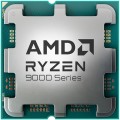 | 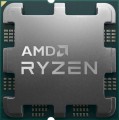 |
|---|---|---|
| AMD Ryzen 7 Granite Ridge 9700X BOX | AMD Ryzen 7 Raphael 7700 BOX | |
| Compare prices 25 | Compare prices 5 | |
| User reviews | ||
| TOP sellers | ||
Supported by A620, X670E, X670, B650E, B650, X870E, X870 chipsets. A multi-chip layout is used; TSMC's 4nm technology is now used to produce chiplets with x86 cores. The I/O chip is still manufactured using the 6nm process technology. | ||
| Series | Ryzen 7 | Ryzen 7 |
| Code name | Granite Ridge (Zen 5) | Raphael (Zen 4) |
| Socket | AMD AM5 | AMD AM5 |
| Lithography | 4 nm | 5 nm |
| In box | BOX (no cooler) | BOX (fan) |
Cores and Threads | ||
| Cores | 8 cores | 8 cores |
| Threads | 16 threads | 16 threads |
| Multithreading |  | |
Speed | ||
| Clock speed | 3.8 GHz | 3.8 GHz |
| TurboBoost / TurboCore | 5.5 GHz | 5.3 GHz |
Cache | ||
| L1 cache | 640 KB | 512 KB |
| L2 cache | 8192 KB | 8192 KB |
| L3 cache | 32 MB | 32 MB |
Specs | ||
| IGP | Radeon | Radeon |
| TDP | 65 W | 65 W |
| Instruction | AES, AMD-V, AVX, AVX2, AVX512, FMA3, MMX-plus, SHA, SSE, SSE2, SSE3 | AES, AMD-V, AVX, AVX2, AVX512, FMA3, MMX(+), SHA, SSE |
| Free multiplier | | |
| PCIe support | 5.0 | 5.0 |
| PCIe lanes | 5.0 x24 | 5.0 x24 |
| Max. operating temperature | 95 °С | 95 °С |
| Passmark CPU Mark test | 37044 points | 34544 points |
Memory | ||
| Max. RAM | 192 GB | 128 GB |
| Max. DDR5 speed | 5600 MHz | 5200 MHz |
| Channels | 2 | 2 |
| Added to E-Catalog | june 2024 | january 2023 |






Compare AMD Ryzen 7 Granite Ridge and Ryzen 7 Raphael
Price comparison
You may be interested in
My comparisons
AMD Ryzen 7 Granite Ridge often compared


AMD Ryzen 7 Raphael often compared


Glossary
Code name
This parameter characterizes, firstly, the technical process (see above), and secondly, some features of the internal structure of processors. A new (or at least updated) codename is introduced to the market with each new CPU generation; chips of the same architecture are "coevals", but may belong to different series (see above). At the same time, one generation can include both one and several code names.
Here are the most common Intel codenames today: Cascade Lake-X (10th gen), Comet Lake (10th gen), Comet Lake Refresh (10th generation), Rocket Lake (11th generation), Alder Lake (12th generation), Raptor Lake (13th generation), Raptor Lake Refresh (14th generation), Raptor Lake (Series 1), Arrow Lake (Series 2).
For AMD, this list includes Zen+ Picasso, Zen2 Matisse, Zen2 Renoir, Zen3 Vermeer, Zen3 Cezanne, Zen4 Raphael, Zen4 Phoenix and Zen5 Granite Ridge.
Here are the most common Intel codenames today: Cascade Lake-X (10th gen), Comet Lake (10th gen), Comet Lake Refresh (10th generation), Rocket Lake (11th generation), Alder Lake (12th generation), Raptor Lake (13th generation), Raptor Lake Refresh (14th generation), Raptor Lake (Series 1), Arrow Lake (Series 2).
For AMD, this list includes Zen+ Picasso, Zen2 Matisse, Zen2 Renoir, Zen3 Vermeer, Zen3 Cezanne, Zen4 Raphael, Zen4 Phoenix and Zen5 Granite Ridge.
Lithography
The technical process by which the CPU is manufactured.
The parameter is usually specified by the size of the individual semiconductor elements (transistors) that make up the processor integrated circuit. The smaller their size, the more advanced the technical process is considered: miniaturization of individual elements allows you to reduce heat generation, reduce the overall size of the processor and at the same time increase its flow Rate. CPU manufacturers are trying to move towards reducing the technical process, and the newer the processor, the lower the numbers you can see at this point.
The technical process is measured in nanometers (nm). In the modern arena of central processors, solutions made using the 7 nm, 10 nm, 12 nm process technology predominate, high-end CPU models are manufactured using the 4 nm and 5 nm process technology, 14 nm and 22 nm solutions are still afloat, and are rapidly fading into the background, but 28 nm and 32 nm occur periodically.
The parameter is usually specified by the size of the individual semiconductor elements (transistors) that make up the processor integrated circuit. The smaller their size, the more advanced the technical process is considered: miniaturization of individual elements allows you to reduce heat generation, reduce the overall size of the processor and at the same time increase its flow Rate. CPU manufacturers are trying to move towards reducing the technical process, and the newer the processor, the lower the numbers you can see at this point.
The technical process is measured in nanometers (nm). In the modern arena of central processors, solutions made using the 7 nm, 10 nm, 12 nm process technology predominate, high-end CPU models are manufactured using the 4 nm and 5 nm process technology, 14 nm and 22 nm solutions are still afloat, and are rapidly fading into the background, but 28 nm and 32 nm occur periodically.
In box
This parameter does not so much indicate the difference in technical characteristics as it describes the packaging and computer Hardware.
- OEM. The tray package, or OEM, provides that the processor is supplied without a cooling system (CO) and without a branded box - the packaging is usually a simple antistatic bag. You need to select and install cooling for such a CPU separately. In addition, components in tray packaging often have a shorter warranty period than in the box version, and their additional equipment is more meager. On the other hand, such solutions are noticeably cheaper, and the absence of CO allows you to select it separately, without relying on the manufacturer’s choice.
— BOX (without cooler). Processors packed in branded boxes, but not equipped with cooling systems (CO). Such packaging is more expensive than OEM, but the warranty period for “boxed” chips is usually much longer (for example, three years instead of one). The absence of a cooler, on the one hand, requires additional efforts to find and install a coolant; on the other hand, cooling can be selected according to your own criteria, without relying on the manufacturer’s choice. However, it is worth considering that when installing a cooler yourself, it is difficult to achieve the same efficiency from it as with a factory installation; This is especially critical if the CPU is planned to be intensively overc...locked; for such modes it is better to choose a box package with a cooler.
— BOX (with cooler). Processors packed in branded boxes and equipped with cooling systems (CO). Box packaging itself is more expensive than OEM, but this is compensated by a number of advantages - in particular, more extensive packaging and a longer warranty period. As for the presence of a cooler in the kit, it further increases the overall cost of the CPU, but eliminates the need to bother with the selection and installation of a separate cooling system. It is worth noting that the factory installation of CO allows you to achieve higher efficiency than independent installation, so for high loads (including overclocking) this particular configuration option is best suited. On the other hand, before purchasing, you need to check whether there is enough space in the case for a cooler: complete coolers can be quite bulky, and removing them can be difficult.
— MPK (with cooler, without box). The multipack package, or MPK for short, implies the delivery of a processor with a standard boxed cooling cooler, but without a box and accompanying documentation. The processor is usually packaged in a simple antistatic bag. The MPK package is more expensive than OEM due to the presence of a cooling system, but cheaper than BOX (with cooler) due to the absence of a box. At the same time, the multipack kit usually has a shorter warranty period than the BOX delivery option (with a cooler).
- OEM. The tray package, or OEM, provides that the processor is supplied without a cooling system (CO) and without a branded box - the packaging is usually a simple antistatic bag. You need to select and install cooling for such a CPU separately. In addition, components in tray packaging often have a shorter warranty period than in the box version, and their additional equipment is more meager. On the other hand, such solutions are noticeably cheaper, and the absence of CO allows you to select it separately, without relying on the manufacturer’s choice.
— BOX (without cooler). Processors packed in branded boxes, but not equipped with cooling systems (CO). Such packaging is more expensive than OEM, but the warranty period for “boxed” chips is usually much longer (for example, three years instead of one). The absence of a cooler, on the one hand, requires additional efforts to find and install a coolant; on the other hand, cooling can be selected according to your own criteria, without relying on the manufacturer’s choice. However, it is worth considering that when installing a cooler yourself, it is difficult to achieve the same efficiency from it as with a factory installation; This is especially critical if the CPU is planned to be intensively overc...locked; for such modes it is better to choose a box package with a cooler.
— BOX (with cooler). Processors packed in branded boxes and equipped with cooling systems (CO). Box packaging itself is more expensive than OEM, but this is compensated by a number of advantages - in particular, more extensive packaging and a longer warranty period. As for the presence of a cooler in the kit, it further increases the overall cost of the CPU, but eliminates the need to bother with the selection and installation of a separate cooling system. It is worth noting that the factory installation of CO allows you to achieve higher efficiency than independent installation, so for high loads (including overclocking) this particular configuration option is best suited. On the other hand, before purchasing, you need to check whether there is enough space in the case for a cooler: complete coolers can be quite bulky, and removing them can be difficult.
— MPK (with cooler, without box). The multipack package, or MPK for short, implies the delivery of a processor with a standard boxed cooling cooler, but without a box and accompanying documentation. The processor is usually packaged in a simple antistatic bag. The MPK package is more expensive than OEM due to the presence of a cooling system, but cheaper than BOX (with cooler) due to the absence of a box. At the same time, the multipack kit usually has a shorter warranty period than the BOX delivery option (with a cooler).
TurboBoost / TurboCore
The maximum processor clock speed that can be reached when running in Turbo Boost or Turbo Core overclocking mode.
The name "Turbo Boost" is used for the overclocking technology used by Intel, "Turbo Core" for the solution from AMD. The principle of operation in both cases is the same: if some cores are not used or work under a load below the maximum, the processor can transfer part of the load from the loaded cores to them, thus increasing computing power and performance. Operation in this mode is characterized by an increase in the clock frequency, and it is indicated in this case.
Note that we are talking about the maximum possible clock frequency — modern CPUs are able to regulate the operating mode depending on the situation, and with a relatively low load, the actual frequency may be lower than the maximum possible. See "Clock frequency" for the general meaning of this parameter.
The name "Turbo Boost" is used for the overclocking technology used by Intel, "Turbo Core" for the solution from AMD. The principle of operation in both cases is the same: if some cores are not used or work under a load below the maximum, the processor can transfer part of the load from the loaded cores to them, thus increasing computing power and performance. Operation in this mode is characterized by an increase in the clock frequency, and it is indicated in this case.
Note that we are talking about the maximum possible clock frequency — modern CPUs are able to regulate the operating mode depending on the situation, and with a relatively low load, the actual frequency may be lower than the maximum possible. See "Clock frequency" for the general meaning of this parameter.
L1 cache
The amount of Level 1 (L1) cache provided by the processor.
Cache is an intermediate memory buffer into which the most frequently used data from RAM is written when the processor is running. This speeds up access to them and has a positive effect on system performance. The larger the cache, the more data can be stored in it for quick access and the higher the performance. Level 1 cache has the highest performance and the smallest volume — up to 128 KB. It is an integral part of any processor.
Cache is an intermediate memory buffer into which the most frequently used data from RAM is written when the processor is running. This speeds up access to them and has a positive effect on system performance. The larger the cache, the more data can be stored in it for quick access and the higher the performance. Level 1 cache has the highest performance and the smallest volume — up to 128 KB. It is an integral part of any processor.
Instruction
Support by the processor of various sets of additional commands. These can be instructions that optimize the operation of the processor as a whole or with applications of a certain type (for example, multimedia, or 64-bit), prevent certain types of viruses from running on the computer, etc. Each manufacturer has its own assortment of instructions for CPUs.
Passmark CPU Mark test
The result shown by the processor in the Passmark CPU Mark test.
Passmark CPU Mark is a comprehensive test that checks not only the gaming capabilities of the CPU, but also its performance in other modes, based on which it displays the overall score; this score can be used to fairly reliably evaluate the processor as a whole.
Passmark CPU Mark is a comprehensive test that checks not only the gaming capabilities of the CPU, but also its performance in other modes, based on which it displays the overall score; this score can be used to fairly reliably evaluate the processor as a whole.
Max. RAM
The maximum amount of random access memory (RAM) that the CPU can work with correctly.
The larger the amount of RAM — the higher the power required to work correctly with it. Accordingly, any CPU will inevitably be limited in this parameter. However, even relatively modest modern CPUs can have very impressive maximum RAM volumes, calculated in tens of gigabytes. So, the most popular CPUs with support for 64 GB and 128 GB RAM.
The larger the amount of RAM — the higher the power required to work correctly with it. Accordingly, any CPU will inevitably be limited in this parameter. However, even relatively modest modern CPUs can have very impressive maximum RAM volumes, calculated in tens of gigabytes. So, the most popular CPUs with support for 64 GB and 128 GB RAM.
Max. DDR5 speed
The highest frequency of DDR5 RAM modules that the processor is compatible with.
DDR5 is being implemented in hardware to replace the fourth version of the DDR standard from the end of 2020. A typical "fork" of frequencies for modules of this generation is the range of 4800-6400 MHz. The maximum frequency of DDR5 memory reaches 8400 MHz.
DDR5 is being implemented in hardware to replace the fourth version of the DDR standard from the end of 2020. A typical "fork" of frequencies for modules of this generation is the range of 4800-6400 MHz. The maximum frequency of DDR5 memory reaches 8400 MHz.