
Comparison AMD Ryzen 5 Vermeer 5600 BOX vs AMD Ryzen 5 Cezanne 5500 BOX
Add to comparison | 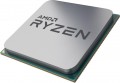 | 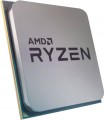 |
|---|---|---|
| AMD Ryzen 5 Vermeer 5600 BOX | AMD Ryzen 5 Cezanne 5500 BOX | |
| Compare prices 7 | Compare prices 34 | |
| User reviews | ||
| TOP sellers | ||
Support for 500 series motherboards. B450/X470 chipsets depending on board manufacturer's firmware. | ||
| Series | Ryzen 5 | Ryzen 5 |
| Code name | Vermeer (Zen 3) | Cezanne (Zen 3) |
| Socket | AMD AM4 | AMD AM4 |
| Lithography | 7 nm | 7 nm |
| In box | BOX (fan) | BOX (fan) |
Cores and Threads | ||
| Cores | 6 cores | 6 cores |
| Threads | 12 threads | 12 threads |
| Multithreading |  | |
Speed | ||
| Clock speed | 3.5 GHz | 3.6 GHz |
| TurboBoost / TurboCore | 4.4 GHz | 4.2 GHz |
Cache | ||
| L1 cache | 384 KB | 384 KB |
| L2 cache | 3072 KB | 3072 KB |
| L3 cache | 32 MB | 16 MB |
Specs | ||
| TDP | 65 W | 65 W |
| Instruction | SSE4.1, SSE4.2, SSE4A, AMD-V, AES, AVX, AVX2, FMA3, SHA | |
| Multiplier | 35 | |
| Free multiplier | |  |
| PCIe support | 4.0 | 3.0 |
| PCIe lanes | 4.0 x20 | 3.0 x16 |
| Max. operating temperature | 90 °С | 90 °С |
| Passmark CPU Mark test | 21596 points | 19554 points |
Memory | ||
| Max. RAM | 128 GB | |
| Max. DDR4 speed | 3200 MHz | 3200 MHz |
| Channels | 2 | 2 |
| Added to E-Catalog | may 2022 | april 2022 |





Compare AMD Ryzen 5 Vermeer and Ryzen 5 Cezanne
Comparing AMD Ryzen 5 Vermeer 5600 and AMD Ryzen 5 Cezanne 5500, it can be noted that both processors have 6 cores and 12 threads, however, their clock frequencies differ: the 5600 operates at 3.5 GHz with the possibility of boosting to 4.4 GHz, while the 5500 has a base frequency of 3.6 GHz and a maximum of 4.2 GHz. It is also worth noting the cache memory: the 5600 has 32 MB L3, while the 5500 has only 16 MB L3. In Passmark tests, the 5600 scores 21596 points, which is higher than the 19554 points of the 5500. Both processors have a TDP of 65 W and support DDR4-3200, but the 5600 supports PCI Express 4.0, whereas the 5500 is limited to PCI Express 3.0.
Price comparison
You may be interested in
My comparisons
AMD Ryzen 5 Vermeer often compared


AMD Ryzen 5 Cezanne often compared


Glossary
Code name
This parameter characterizes, firstly, the technical process (see above), and secondly, some features of the internal structure of processors. A new (or at least updated) codename is introduced to the market with each new CPU generation; chips of the same architecture are "coevals", but may belong to different series (see above). At the same time, one generation can include both one and several code names.
Here are the most common Intel codenames today: Cascade Lake-X (10th gen), Comet Lake (10th gen), Comet Lake Refresh (10th generation), Rocket Lake (11th generation), Alder Lake (12th generation), Raptor Lake (13th generation), Raptor Lake Refresh (14th generation), Raptor Lake (Series 1), Arrow Lake (Series 2).
For AMD, this list includes Zen+ Picasso, Zen2 Matisse, Zen2 Renoir, Zen3 Vermeer, Zen3 Cezanne, Zen4 Raphael, Zen4 Phoenix and Zen5 Granite Ridge.
Here are the most common Intel codenames today: Cascade Lake-X (10th gen), Comet Lake (10th gen), Comet Lake Refresh (10th generation), Rocket Lake (11th generation), Alder Lake (12th generation), Raptor Lake (13th generation), Raptor Lake Refresh (14th generation), Raptor Lake (Series 1), Arrow Lake (Series 2).
For AMD, this list includes Zen+ Picasso, Zen2 Matisse, Zen2 Renoir, Zen3 Vermeer, Zen3 Cezanne, Zen4 Raphael, Zen4 Phoenix and Zen5 Granite Ridge.
Clock speed
The number of cycles per second that the processor produces in its normal operating mode. A clock is a single electrical impulse used to process data and synchronize the processor with the rest of the computer system. Different operations may require fractions of a clock or several clocks, but anyway, the clock frequency is one of the main parameters characterizing the performance and speed of the processor — all other things being equal, a processor with a higher clock frequency will work faster and better cope with significant loads. At the same time, it should be taken into account that the actual performance of the chip is determined not only by the clock frequency, but also by a number of other characteristics — from the series and architecture (see the relevant paragraphs) to the number of cores and support for special instructions. So it makes sense to compare by clock frequency only chips with similar characteristics belonging to the same series and generation.
TurboBoost / TurboCore
The maximum processor clock speed that can be reached when running in Turbo Boost or Turbo Core overclocking mode.
The name "Turbo Boost" is used for the overclocking technology used by Intel, "Turbo Core" for the solution from AMD. The principle of operation in both cases is the same: if some cores are not used or work under a load below the maximum, the processor can transfer part of the load from the loaded cores to them, thus increasing computing power and performance. Operation in this mode is characterized by an increase in the clock frequency, and it is indicated in this case.
Note that we are talking about the maximum possible clock frequency — modern CPUs are able to regulate the operating mode depending on the situation, and with a relatively low load, the actual frequency may be lower than the maximum possible. See "Clock frequency" for the general meaning of this parameter.
The name "Turbo Boost" is used for the overclocking technology used by Intel, "Turbo Core" for the solution from AMD. The principle of operation in both cases is the same: if some cores are not used or work under a load below the maximum, the processor can transfer part of the load from the loaded cores to them, thus increasing computing power and performance. Operation in this mode is characterized by an increase in the clock frequency, and it is indicated in this case.
Note that we are talking about the maximum possible clock frequency — modern CPUs are able to regulate the operating mode depending on the situation, and with a relatively low load, the actual frequency may be lower than the maximum possible. See "Clock frequency" for the general meaning of this parameter.
L3 cache
The amount of cache level 3 (L3) provided in the processor.
Cache is an intermediate memory buffer into which the most frequently used data from RAM is written when the processor is running. This speeds up access to them and has a positive effect on system performance. The larger the cache, the more data can be stored in it for quick access and the higher the performance.
Cache is an intermediate memory buffer into which the most frequently used data from RAM is written when the processor is running. This speeds up access to them and has a positive effect on system performance. The larger the cache, the more data can be stored in it for quick access and the higher the performance.
Instruction
Support by the processor of various sets of additional commands. These can be instructions that optimize the operation of the processor as a whole or with applications of a certain type (for example, multimedia, or 64-bit), prevent certain types of viruses from running on the computer, etc. Each manufacturer has its own assortment of instructions for CPUs.
Multiplier
The coefficient on the basis of which the value of the processor clock frequency is displayed. The latter is calculated by multiplying the multiplier by the system bus frequency (see System bus frequency). For example, with a system bus frequency of 533 MHz and a multiplier of 4, the processor clock speed will be approximately 2.1 GHz.
Free multiplier
The ability to change the value of the multiplier (see Multiplier) of the processor at will. Unlike overclocking ("overclocking") in its classical sense, often associated with hacking processor settings, a free multiplier makes it possible to "legally" and quite easily change the processor clock frequency — most often this is implemented through BIOS settings. At the same time, do not forget that the increased frequency of the processor requires the appropriate efficiency of the cooling system.
PCIe support
A universal interface for connecting internal peripherals. In practice, the supported data transfer speed may vary depending on the version of the interface and the number of lanes (data transfer channels). Version 3.0 has a data transfer speed of 8 GT/s (Gigatransactions/s), PCIe 4.0 is doubled — from 8 to 16 GT/s, and 5.0 — to 64 GT/s.
PCIe lanes
The number of individual data transfer channels through which the CPU exchanges information with graphics cards, storage devices, and other high-speed devices. For example, a graphics card slot usually operates in x16 mode, whereas a modern M.2 SSD often requires x4 lanes. A greater number of lanes is especially important for workstations, gaming PCs with multiple storage devices, and systems with additional expansion cards.