Microsoft Sculpt Comfort Desktop
 |

Microsoft Sculpt Comfort Desktop | |||||||||||||||||||||||||||||||||||||||||||||||||||||||||||||||||||||||
|
| ||||||||||||||||||||||||||||||||||||||||||||||||||||||||||||||||||||||


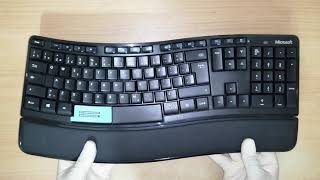
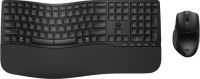
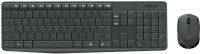
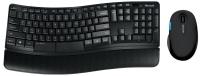
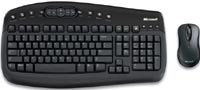
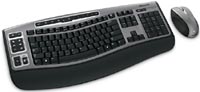
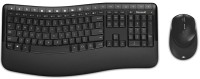
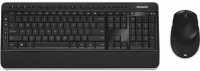
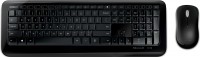
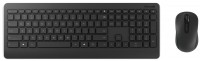
An ergonomic and easy-to-use keyboard and mouse set that can serve as an excellent choice for frequent and long-term typing and office work. The keyboard features a unique Comfort Curve layout. This model uses a reverse slope on the keys, and folding legs are integrated into a removable wrist rest. The Microsoft Sculpt Comfort Desktop keyboard and mouse set interfaces with the computer via a 2.4 GHz USB dongle.
The mouse is powered by the new BlueTrack sensor. This sensor can accurately respond to movement on any surface: glossy, matte, hard and soft. The auxiliary side button of the mouse is complemented by a touch surface, which as standard serves as horizontal scrolling. But if necessary, you can reassign the sensor action. Proprietary software allows you to program and reassign any buttons, and you can work with macro commands. The keyboard layout has a double Space key. The left side of the space can serve as Backspace. If necessary, both halves of Space can be configured to perform space. The keyboard layout features an ergonomic button layout.
Always clarify the specifications and configuration of the product with the online store manager before purchasing.
Catalog Microsoft 2026 - new arrivals, bestsellers, and the most relevant models Microsoft.
Buy Microsoft Sculpt Comfort Desktop
All prices 6 →Microsoft� Sculpt Comfort Wireless Keyboard & Mouse, Contoured/Curved Full Size Keyboard, Black, Ambidextrous Laser Mouse L3 | $83.99 |  | |||
Microsoft Sculpt Comfort Desktop (L3V-00001),Black L3V-00001 | $101.73 |  | |||
| $117.00 |  | ||||
Microsoft Sculpt Comfort Desktop (L3V-00001),Black | $130.26 |  | |||
| $132.59 | | ||||
Microsoft Sculpt Comfort Desktop L3V-00003 | $167.66 |  | |||
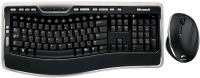
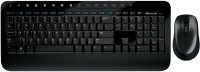
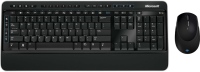
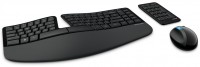




The keyboard is great and the mouse too. Picks up the signal very well. I recommend it to everyone, but the price is steep. The most important advantage is the comfort of working with the keyboard, it is generally silent, when you press the keys you will not hear a single sound, the number of keys is simply minimal, working on a keyboard for 100 UAH is completely different on this one, on a cheap one you will press the buttons with force ,And here you just need to lightly touch them and they fall down by 1-2 mm maximum. It gives out a good signal, even if you are in the next room it will respond to both the bear and the keyboard, I personally have a maximum of 4 meters from the computer, but I carried out tests and there is contact. The hands on the keyboard lie really naturally, as a rule, physiologically the right hand lies a little deeper than the left, but when you work on it you only understand, as for the mouse, the same thing is mega anatomical, fingers under the buttons, the movement is easy. The keyboard is even designed for laptops; there is a FN key, although why you would connect this to a laptop is not entirely clear. Powered by rechargeable batteries or AAA batteries, it even lasts for at least two months, the batteries die faster, but I recharged them and drove on. The price is unrealistically expensive, most likely 50% of the price is packed into the name Microsoft. For such money I would also like to see backlit keys, that would be cool. |