
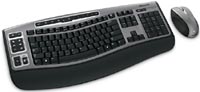
Microsoft Wireless Laser Desktop 6000
 | Compare prices 2 → When you make a purchase through links on our site, we may receive a affiliate commission.
|

Microsoft Wireless Laser Desktop 6000 | |||||||||||||||||||||||||||||||||||||||||||||||||||||||||||||||||||||||
|
| ||||||||||||||||||||||||||||||||||||||||||||||||||||||||||||||||||||||


The information in the model description is for reference purposes.
Always clarify the specifications and configuration of the product with the online store manager before purchasing.
Catalog Microsoft 2026 - new arrivals, bestsellers, and the most relevant models Microsoft.
Always clarify the specifications and configuration of the product with the online store manager before purchasing.
Catalog Microsoft 2026 - new arrivals, bestsellers, and the most relevant models Microsoft.
How to choose a gaming keyboardLet's look at the differences between the types of switches and additional equipment for gaming keyboards
Differences between different types of keyboards, their sizes and types of layoutsUnderstanding how a full-sized keyboard differs from TKL and what is the difference between layouts
Series Microsoft Wireless kits (radio)Compare using chart →
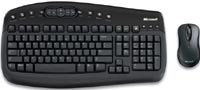
membrane, with a mouse, 100% (full size), radio, additional keys: 17, water resistance, 2xAA
ergonomic, membrane, with a mouse, 100% (full size), radio, additional keys: 24, with macros, 2xAAA
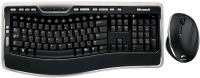
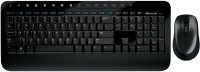
membrane, with a mouse, 100% (full size), radio, additional keys: 16, with macros, 2xAAA
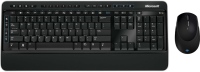
membrane, with a mouse, 100% (full size), radio, additional keys: 22, with macros, water resistance, 2xAA
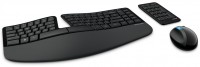
ergonomic, punch hole, membrane, with a mouse, 75% (compact TKL, without Num-block), radio, additional keys: 1, 2xAAA
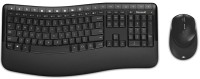
ergonomic, membrane, with a mouse, 100% (full size), radio, additional keys: 20, with macros, 1xAA
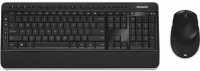
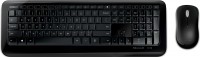
membrane, with a mouse, 100% (full size), radio, additional keys: 5, water resistance, 2xAA
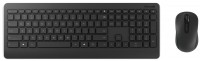






Additional features keyboard Microsoft Wireless Laser Desktop 6000:
The Microsoft Wireless Optical Desktop 6000 ultra-slim keyboard allows you to maintain a natural hand position for unparalleled comfort and productivity. The included laser mouse guarantees even more convenience and precision.
- Zoom — allows you to quickly and accurately zoom in on an image
- "Comfort Curve" design
- Instant View
- High definition technology for laser mice
- Magnifying glass
- High definition technology for optical mice
- Low battery indicator
- Improved Function Key Commands
- Windows Live call button
The Microsoft Wireless Optical Desktop 6000 ultra-slim keyboard allows you to maintain a natural hand position for unparalleled comfort and productivity. The included laser mouse guarantees even more convenience and precision.
We recommendCompare using chart →
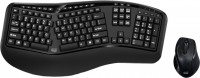
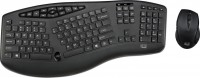
ergonomic, membrane, with a mouse, 100% (full size), radio, additional keys: 17, scroll wheel, 2xAAA
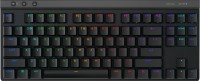
play (for kids), mechanical, 80% (TKL, without Numpad), Bluetooth / radio / wired, additional keys: 3, backlight, RGB backlight, battery, up to 36 h
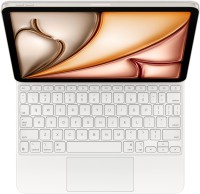
keyboard-cases, for tablet, 10.9", 11", iPad Air 2020, iPad Air 2022 M1, iPad Air 11 2024 M2, iPad Air 11 2025 M3, punch hole, scissor, 75% (compact TKL, without Num-block), additional keys: 14, touchpad
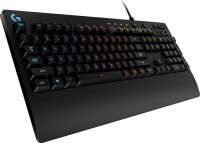
play (for kids), membrane, 100% (full size), wired, additional keys: 9, backlight, water resistance, RGB backlight
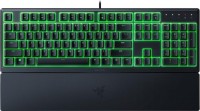
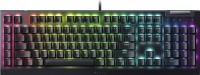
play (for kids), mechanical, 100% (full size), wired, additional keys: 6, with macros, backlight, scroll wheel, RGB backlight
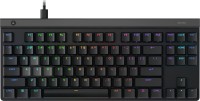
play (for kids), magnetic, 80% (TKL, without Numpad), wired, additional keys: 1, backlight, RGB backlight
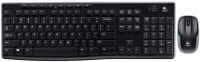
membrane, with a mouse, 100% (full size), radio, additional keys: 8, water resistance, 2xAAA