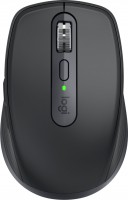
Logitech MX Anywhere 2S
 |

Logitech MX Anywhere 2S | |||||||||||||||||||||||||||||||||||||||||||||||||||||||||||
|
| ||||||||||||||||||||||||||||||||||||||||||||||||||||||||||


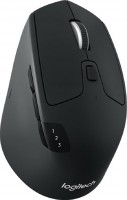
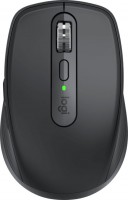
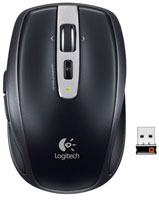
The flagship optical mouse with a wireless connection type from the well-known manufacturer of computer peripherals Logitech. The presented model has a strict, minimalist design. It is small in size, but it is convenient to hold it in your hand. The ergonomic shape prevents your hand from slipping on the mouse body. A feature of this model can be called a textured insert on the side, designed for the thumb.
It has not only aesthetic, but also practical application: it is made to reduce the load on the hand, so that the hand is less tired during long work. The Logitech MX Anywhere 2S mouse delivers highly accurate cursor positioning with an innovative 200 to 4000 dpi optical sensor. The manipulator successfully works on all types of surfaces, including glass. The model supports pairing with several devices at once. By connecting to more than one computer, you can move files between them using the mouse. To charge the device, it takes only 3 minutes — this amount of energy is enough for a day of work. With a fully charged battery, the mouse can operate without recharging for up to 70 days.
Always clarify the specifications and configuration of the product with the online store manager before purchasing.
Catalog Logitech 2026 - new arrivals, bestsellers, and the most relevant models Logitech.
Buy Logitech MX Anywhere 2S
All prices 19 →| $36.99 |  | ||||
| $39.00 | | ||||
| $39.99 | | ||||
| $41.99 |  | ||||
| $44.99 | | ||||

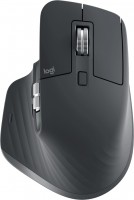
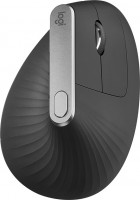
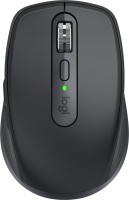

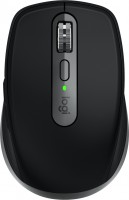


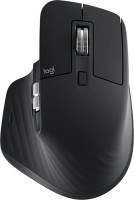












Excellent mouse! The smallest in its line, which is convenient when you need to constantly take it with you, including on business trips. If you work at a computer stationary and a lot, then I would advise you to pay attention to larger models with a better fit, for example Master 3, because the claw grip gets a little tiring when working for a long time. + Works absolutely on all surfaces (uneven, reflective, long-pile fabrics - nowhere were there glitches); + Programmable keys + gestures! Moreover, you can set up a layout individually for different software - switches automatically. + Battery. Personally, it lasts me 3 months, considering I use it both in the office and on business trips. + Bluetooth! No need to occupy ports with a receiver. Now I can connect the mouse to my iPad. + Quality build. - One needs to get used to the fact that the middle button function is not on the wheel. However, there are other solutions in the Logitech lineup, like on another mouse the scroll mode is switched with a separate button under the wheel, and the middle button is in its usual place. - MicroUSB. It's just that everything else has long been on Type-C, but on the other hand, you only have to charge the mouse 4-6 times a year, so it's okay. - It might be a bit pricey, but you always have to pay for good quality. And if you search, you can buy it a couple of thousand cheaper than the average price, which makes it a steal.  Zabelin Artem: use Logitech MX Anywhere 2S few months Zabelin Artem: use Logitech MX Anywhere 2S few months |
Comfortable. Great quality. No batteries needed, after a week of use the charge is still the same. Customizable buttons. Awesome scroll wheel. This is a top mouse for a laptop! Price use Logitech MX Anywhere 2S week i recommend it should buy |
Design and quality The wheel does not have a built-in button - the mouse had to be returned |