
Logitech TrackMan Marble
 |

Logitech TrackMan Marble | |||||||||||||||||||||||||||||||||||
|
| ||||||||||||||||||||||||||||||||||


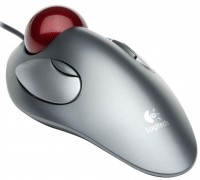
One of the main features of this trackball, the manufacturer calls a symmetrical streamlined shape, equally comfortable for both left and right hands, as well as an easy-to-control ball that minimizes the effort and movement of the hand and wrist. The trackball has 4 buttons, the connection is via USB or, through a special adapter, via PS/2. Comes with a set of software WebWheel for the convenience of web surfing.
The information in the model description is for reference purposes.
Always clarify the specifications and configuration of the product with the online store manager before purchasing.
Catalog Logitech 2026 - new arrivals, bestsellers, and the most relevant models Logitech.
Always clarify the specifications and configuration of the product with the online store manager before purchasing.
Catalog Logitech 2026 - new arrivals, bestsellers, and the most relevant models Logitech.
How to choose a gaming mouseWe'll look at grip types, sensor sensitivity, pushbutton switches, and other important nuances
How to choose a mouse for games, office tasks and creative workLet's explore the nuances of the computer mouse market together and find the perfect options that match your requirements
Buy Logitech TrackMan Marble
All prices 11 →When you make a purchase through links on our site, we may receive a affiliate commission.
| $68.90 |  | ||||
| $95.00 | | ||||
| $99.99 | | ||||
| $105.00 | | ||||
| $105.00 | | ||||
6 more offer(s)







Probably not the best trackball on the market. But the choice is very limited, so there's just nothing to compare it to. I picked it out of desperation since I couldn't use a mouse due to wrist pain. And I've come to appreciate it. So now it's only trackballs for me. Those who are used to it will appreciate this thing. Very convenient item! Takes up minimal space on the desk, no need for mouse pads or anything else. Can be used on any surface. The hand doesn't get tired at all - that's why I switched to a trackball, as the mouse used to make my wrists hurt terribly. With this, no problems, I've forgotten about the pain. It took just a few days to get used to using it. The ball is large, and it's very convenient to control with two fingers, with very high precision. Like all trackballs, it lacks scrolling, but everything can be configured. You just need to hold an additional button for scrolling. But you can scroll in any direction. The device is wired, I can't stand all these wireless controllers. Sometimes, you need to clean, just like back in the day when you had to clean ball mice. But this procedure isn't fatal and takes minimal time. Besides, you don't need to do it more than once every three weeks, so you can bear it. Pressing small buttons isn't very convenient, but I've gotten used to it, so now there are no problems. use Logitech TrackMan Marble month or more i recommend it should buy |
Add Review
System requirements:
- Windows® 98, 2000, Me, XP
- Macintosh® OS 8.6+
- Logitech® Marble® Mouse USB to PS/2 adapter MouseWare® Software User manual on CD Full technical support
- Looks like a mouse, works like a trackball — a unique design!
- New optical tracker ensures accuracy and smoothness, does not get dirty or needs to be cleaned
- Finger-operated trackball is almost effortless — hand and wrist movements are minimized
- Streamlined shape is comfortable for both right and left handed use
- WebWheel™ Software Makes Web Browsing Easy
We recommendCompare using chart →
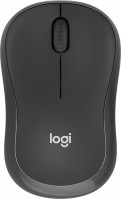
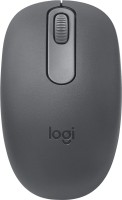

Bluetooth/radio, BT v 5, Multi-Device, buttons: quiet, 7, programmable, + wheel, sensor 8000 DPI, battery, 650 mAh, up to 70 days

Bluetooth/radio, BT v 5, Multi-Device, buttons: quiet, 7, programmable, + wheel, sensor 8000 DPI, battery, 650 mAh, up to 70 days

Bluetooth / wired, BT v 5, Multi-Device, buttons: 2, + wheel, sensor 4000 DPI, battery, 100 mAh, up to 32 days
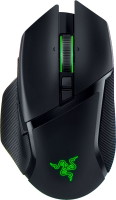
gaming mouse, radio / Bluetooth / wired, USB-A, with memory, buttons: 6, programmable, + wheel, 4D, свитчи: optical, Razer Gen-3, up to 90 mln, RGB backlight, sensor 30000 DPI, battery, up to 150 h
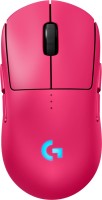
gaming mouse, radio / wired, USB-A, with memory, buttons: 6, programmable, + wheel, свитчи: optical, Logitech Lightforce, RGB backlight, sensor 32000 DPI, wireless charger, battery, up to 95 h
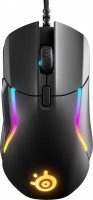
gaming mouse, wired, USB-A, with memory, buttons: 8, programmable, + wheel, свитчи: mechanical, up to 60 mln, RGB backlight, sensor 18000 DPI
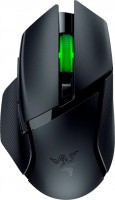
gaming mouse, Bluetooth/radio, Multi-Device, with memory, buttons: 6, programmable, + wheel, свитчи: mechanical, Razer Gen-2, up to 60 mln, RGB backlight, sensor 18000 DPI, 1xAA