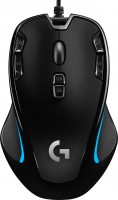
Logitech G300S Optical Gaming Mouse (910-004345)
 | Compare prices 2 → When you make a purchase through links on our site, we may receive a affiliate commission.
|

Logitech G300S Optical Gaming Mouse | |||||||||||||||||||||||||||||||||||||||||||||||||||||||||||||||||||||||
|
| ||||||||||||||||||||||||||||||||||||||||||||||||||||||||||||||||||||||


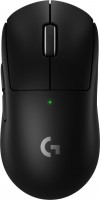
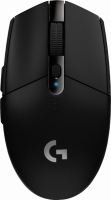
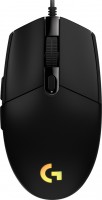
Ergonomic gaming mouse with a symmetrical design and a set of 8 buttons, positioned by the manufacturer in an affordable price segment. Belongs to the subcategory of wired devices and connects to computer equipment via a classic USB interface using a 2.1 m cable, which provides the user with the necessary freedom of action. At the disposal of the player are 8 buttons (all designed to control the index and middle fingers) and the classic scroll wheel; at the same time, it is possible to programme the buttons, which allows you to “put” individual commands on them for their quick activation.
The stylish external design of the manipulator is complemented by the illumination of the side faces, and the strict black colour is harmoniously diluted with blue stripes and a silver logo. The resolution of the Logitech G300S Optical Gaming Mouse sensor is adjustable from 250 to 2500 dpi, the resolution can be changed using the DPI switch without stopping the game. The maximum acceleration claimed by the manufacturer is 20 G, which allows you to instantly respond to unexpected situations that arise during a gaming session. The device is based on popular and widely used optical technology, which allows you to comfortably use the mouse on a wide variety of surfaces, including glass, mirror and ceramic.
Always clarify the specifications and configuration of the product with the online store manager before purchasing.
Catalog Logitech 2026 - new arrivals, bestsellers, and the most relevant models Logitech.













0 2 3 1 |
I’ve been using it for a long time, the software is simple, it doesn’t break or glitch, I bought it for 1.5k Very comfortable buttons and grip. It may be fragile, but the children tested it for impact resistance, the test passed)) use Logitech G300S Optical Gaming Mouse more than year |
Well, I think it's time for me to share my experience using this mouse. It's convenient both for working in applications where you need to bind lots of commands, and in games where you could sprain fingers. Everything would be great if Logitech didn't have a chronic issue with saving on the quality of micro-buttons. They last a year at most, but I managed to extend their durability to 2 years by distributing functions to additional buttons. If the cost to repair the mouse was somehow reasonable in relation to its price, there would be no complaints, but it's easier to buy a new mouse than to take a Logitech one to the service center every month after 2 years. specifically for me it was convenience in those cases where it was needed Still, compared to competitors, Indian software, although not that bad, is not without flaws. quality of micro buttons with a lifespan of 6-20 months rubber wears out over time  Ilya G.: use Logitech G300S Optical Gaming Mouse more than year Ilya G.: use Logitech G300S Optical Gaming Mouse more than year |
A good computer mouse. Not sure if it can be considered a gaming one. Besides, I hardly play on PC now. The mouse has backlighting. It connects via USB. The wire length is sufficient for me. This model supports sensor resolution switching. But I immediately set it to the highest, which is optimal for me. I also programmed a few additional keys for copy, paste, and undo. It is very helpful in my work. I didn't even program the other buttons. As for the drawbacks, some might not like the size. But for my small hand, the mouse is perfect. However, the loud clicks sometimes bother even me. And you can't unlock the scroll wheel here to let it spin freely with inertia - my previous mouse allowed this. I've been using the mouse for about two years. Long cord, Has backlighting, Good optical sensor performance, Decent reliability, Large number of buttons. Loud clicks, Many will find it very small, No ability to change the weight, Cannot unlock the scroll wheel.  Vladislav Samoshkin: use Logitech G300S Optical Gaming Mouse more than year Vladislav Samoshkin: use Logitech G300S Optical Gaming Mouse more than year |


- The symmetrical shape of the mouse allows it to be used with both right and left hands.