
Comparison Artline Overlord P99 P99v71Win vs Artline Gaming G79 G79v36
Add to comparison | 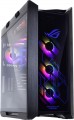 | 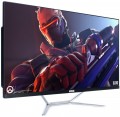 |
|---|---|---|
| Artline Overlord P99 P99v71Win | Artline Gaming G79 G79v36 | |
| Outdated Product | Outdated Product | |
| TOP sellers | ||
| Product type | gaming | monoblock |
| Form factor | Full Tower | |
Screen | ||
| Screen size | 27 " | |
| Resolution | 1920x1080 (16:9) px | |
| Panel type | *VA | |
CPU | ||
| Chipset | AMD WRX80 | Intel B660 |
| Type | desktop | desktop |
| Series | Ryzen Threadripper | Core i5 |
| Model | PRO 5975WX | 12400F |
| Code name | Alder Lake (12th Gen) | |
| Cores | 32 | 6 |
| Threads | 64 | 12 |
| Speed | 3.6 GHz | 2.5 GHz |
| TurboBoost / TurboCore | 4.5 GHz | 4.4 GHz |
Memory | ||
| RAM | 256 GB | 16 GB |
| Memory type | DDR4 | DDR4 |
| Speed | 3600 MHz | 3200 MHz |
| Number of slots | 8 | 2 |
| Max. memory support | 2048 GB | 64 GB |
Graphics card | ||
| Graphics card type | dedicated | dedicated |
| Graphics card model | RTX 4090 | GTX 1660 SUPER |
| Graphics memory | 24 GB | 6 GB |
| Memory type | GDDR6X | GDDR6 |
| 3DMark test | 6017 points | |
| Passmark G3D Mark test | 12785 points | |
Storage | ||
| Drive type | SSD+SSD | SSD |
| Drive capacity | 2 TB | 480 GB |
| 2nd drive capacity | 2000 GB | |
| NVMe |  | |
| M.2 connector | | |
| Internal 3.5" compartments | 2 | |
| Internal 2.5" compartments | 6 | |
Back panel | ||
| Connectors | HDMI output v2.1 DisplayPort v1.4a | DVI HDMI output 2 pcs v2.0b DisplayPort v1.4 |
| USB-A 5Gbps | 4 pcs | |
| USB-A 10Gbps | 8 pcs | |
| USB-C 10Gbps | 1 pcs | |
| USB-C 20Gbps | 1 pcs | |
| Monitors connection | 4 | 4 |
Front Panel | ||
| Optical drive | in absent | in absent |
| mini-Jack (3.5 mm) | |  |
| USB-A 2.0 | 2 pcs | |
| Card reader | | |
Multimedia | ||
| LAN (RJ-45) | 2 ports 10 Gbps | 1 Gbps |
| LAN controller | Intel X550-AT2 | |
| Wi-Fi | Wi-Fi 6 (802.11ax) | Wi-Fi 5 (802.11aс) |
| Bluetooth | + | + |
| Sound | 7.1 | |
| Audiochip | Relatek ALC4080 | |
| Optical output S/PDIF | | |
| Speakers | | |
| Built-in microphone | | |
| Webcam | | |
General | ||
| PSU power | 300 W | |
| Preinstalled OS | without OS | |
| Material | plastic | |
| Dimensions (HxWxD) | 615x492x67 mm | |
| Weight | 12 kg | |
| Color | ||
| Added to E-Catalog | april 2023 | december 2022 |


Compare Artline Overlord P99 and Gaming G79
You may be interested in
My comparisons
Artline Overlord P99 often compared


Glossary
Product type
The general type of computer. In addition to classic desktop models (including gaming purposes), more unusual solutions are also found nowadays: monoblocks, nettops, microcomputers. Here are the features of each type:
— Desktop. Traditional desktop PCs, in other words, models that do not fit into any of the more specific categories. For the most part, they are not even desktop, but rather "below the table" — they are carried out in vertical cases, most often placed under the tabletop, horizontal system units are extremely rare among such devices.
— Game. A variety of desktop computers, designed for professional players and gamers-enthusiasts. Such models are necessarily equipped with a powerful hardware, which allows you to comfortably play even demanding modern games. In addition, they often provide various additional features that are useful for specialization: built-in overclocking tools, high-end customizable cooling systems, etc. Another feature of gaming PCs is a distinctive design, often quite original: in an “aggressive” style, with backlight, unusual body shape, transparent inserts, etc.
— Monoblock. Monoblocks are devices that combine a screen, system unit electronics, a set of connectors and acoustics in one case; in other words, these are monitors with built-in comp...uter “hardware”. This design has two main advantages. Firstly, the system initially has a display, and it is quite large and optimally suited to its configuration — so the user does not need to look for a separate screen. Secondly, such a computer takes up very little space — only slightly more than a monitor with the same screen size; and the absence of a separate system unit can be written down as an advantage. On the other hand, if in a regular PC the “system unit” and the monitor can be selected separately, at your discretion, then in monoblocks this is not possible — you have to get by with the combinations that the manufacturer initially offers. In addition, the possibilities for modification and upgrade for such models are noticeably more modest than for traditional ones, and there is no talk of replacing the screen at all.
— Nettop. Devices also known as "mini PCs". They are small and modestly equipped — in particular, a very limited set of ports. In addition, many nettops do not differ in performance and are designed mainly for working with documents, surfing the Internet and other simple tasks. However, there are also quite powerful performant solutions. Anyway, the main advantage of the nettop is compactness.
— Microcomputer. As the name suggests, this type of computer is extremely tiny—comparable in size to a flash drive—and looks more like portable adapters for external screens than stand-alone devices. The case of such an “adapter” usually has its own HDMI connector, which is used to connect to a monitor or TV; the same port provides power. And the case most often provides for a “mobile” energy-saving processor with integrated graphics, a compact SSD or eMMC drive, and wireless modules. Peripherals like keyboards and mice are connected mainly via Bluetooth, but many models have wired connectors like USB, and sometimes in quite a decent amount (2 or even 3). In general, such a device can be a good alternative to a tablet or laptop for those who often move between different workplaces — the main thing is that these places have appropriate screens for connection. The power of microcomputers, naturally, is low, but they are not designed for "heavy" tasks.
— Thin client. Thin clients are computers designed to be used in terminal mode for external servers. In this case, all resource-intensive calculations are performed by the server, and the functions of the thin client are limited to entering initial data and receiving results. Most of these computers do not involve independent work at all, but this is not a drawback, but a feature of specialization. In general, this format of work is not used in everyday life and in the ordinary business sphere, but it is perfect for some highly professional tasks. And since the thin client does not need high performance, it can be made as compact, lightweight and inexpensive as possible.
— Desktop. Traditional desktop PCs, in other words, models that do not fit into any of the more specific categories. For the most part, they are not even desktop, but rather "below the table" — they are carried out in vertical cases, most often placed under the tabletop, horizontal system units are extremely rare among such devices.
— Game. A variety of desktop computers, designed for professional players and gamers-enthusiasts. Such models are necessarily equipped with a powerful hardware, which allows you to comfortably play even demanding modern games. In addition, they often provide various additional features that are useful for specialization: built-in overclocking tools, high-end customizable cooling systems, etc. Another feature of gaming PCs is a distinctive design, often quite original: in an “aggressive” style, with backlight, unusual body shape, transparent inserts, etc.
— Monoblock. Monoblocks are devices that combine a screen, system unit electronics, a set of connectors and acoustics in one case; in other words, these are monitors with built-in comp...uter “hardware”. This design has two main advantages. Firstly, the system initially has a display, and it is quite large and optimally suited to its configuration — so the user does not need to look for a separate screen. Secondly, such a computer takes up very little space — only slightly more than a monitor with the same screen size; and the absence of a separate system unit can be written down as an advantage. On the other hand, if in a regular PC the “system unit” and the monitor can be selected separately, at your discretion, then in monoblocks this is not possible — you have to get by with the combinations that the manufacturer initially offers. In addition, the possibilities for modification and upgrade for such models are noticeably more modest than for traditional ones, and there is no talk of replacing the screen at all.
— Nettop. Devices also known as "mini PCs". They are small and modestly equipped — in particular, a very limited set of ports. In addition, many nettops do not differ in performance and are designed mainly for working with documents, surfing the Internet and other simple tasks. However, there are also quite powerful performant solutions. Anyway, the main advantage of the nettop is compactness.
— Microcomputer. As the name suggests, this type of computer is extremely tiny—comparable in size to a flash drive—and looks more like portable adapters for external screens than stand-alone devices. The case of such an “adapter” usually has its own HDMI connector, which is used to connect to a monitor or TV; the same port provides power. And the case most often provides for a “mobile” energy-saving processor with integrated graphics, a compact SSD or eMMC drive, and wireless modules. Peripherals like keyboards and mice are connected mainly via Bluetooth, but many models have wired connectors like USB, and sometimes in quite a decent amount (2 or even 3). In general, such a device can be a good alternative to a tablet or laptop for those who often move between different workplaces — the main thing is that these places have appropriate screens for connection. The power of microcomputers, naturally, is low, but they are not designed for "heavy" tasks.
— Thin client. Thin clients are computers designed to be used in terminal mode for external servers. In this case, all resource-intensive calculations are performed by the server, and the functions of the thin client are limited to entering initial data and receiving results. Most of these computers do not involve independent work at all, but this is not a drawback, but a feature of specialization. In general, this format of work is not used in everyday life and in the ordinary business sphere, but it is perfect for some highly professional tasks. And since the thin client does not need high performance, it can be made as compact, lightweight and inexpensive as possible.
Form factor
The form factor of a computer case characterizes, first of all, the internal volume. Main PC Form Factors:
— Midi Tower. A representative of the tower family (tower cases) of medium size — about 45 cm in height with a width of 15-20 cm, with the number of external bays from 2 to 4. Most popular for middle-class home PCs.
— Mini Tower. The most compact "vertical" case type, with a width of 15-20 cm, has a height of about 35 cm and (usually) less than 2 compartments with external access. Used mainly for office PCs that do not require high performance.
— Full Tower. The tower case is one of the largest form factors for PCs today: 15-20 cm wide, 50-60 cm high, with up to 10 externally accessible bays. Most often in this form factor running advanced high performance PCs
— Desktop. Enclosures designed for installation directly on the desktop. They often have the possibility of horizontal installation — in such a way that a monitor can be placed on top of the case — although there are also models that are installed strictly vertically. Anyway, "desktop" models are relatively small.
— Cube Case. Cases having a cubic or close to it shape. They can have different sizes and are intended for different types of motherboards, this point in each case should be clar...ified separately. Anyway, such cases have a rather original appearance, different from traditional "towers" and "desktops".
— Midi Tower. A representative of the tower family (tower cases) of medium size — about 45 cm in height with a width of 15-20 cm, with the number of external bays from 2 to 4. Most popular for middle-class home PCs.
— Mini Tower. The most compact "vertical" case type, with a width of 15-20 cm, has a height of about 35 cm and (usually) less than 2 compartments with external access. Used mainly for office PCs that do not require high performance.
— Full Tower. The tower case is one of the largest form factors for PCs today: 15-20 cm wide, 50-60 cm high, with up to 10 externally accessible bays. Most often in this form factor running advanced high performance PCs
— Desktop. Enclosures designed for installation directly on the desktop. They often have the possibility of horizontal installation — in such a way that a monitor can be placed on top of the case — although there are also models that are installed strictly vertically. Anyway, "desktop" models are relatively small.
— Cube Case. Cases having a cubic or close to it shape. They can have different sizes and are intended for different types of motherboards, this point in each case should be clar...ified separately. Anyway, such cases have a rather original appearance, different from traditional "towers" and "desktops".
Screen size
Diagonal of the screen installed in a monoblock (see "Type").
In general, the larger the diagonal, the more advanced both the screen and the computer as a whole are considered. The large display size is convenient for games, movies, and some special tasks like layout of large printed materials; in addition, a higher resolution can be provided for such a screen, and more space is available inside the case for advanced components. On the other hand, a larger monoblock will cost much more than a relatively small one, even if the other characteristics of such models are completely the same. In addition, the power of the hardware is not directly related to the size of the screen — high-end monoblocks can be quite small.
As for specific numbers, a diagonal of 20" or less is considered very limited nowadays, monoblocks of 21.5" are small, a 24" screen is medium, and values of 27" and 32" indicate large sizes.
In general, the larger the diagonal, the more advanced both the screen and the computer as a whole are considered. The large display size is convenient for games, movies, and some special tasks like layout of large printed materials; in addition, a higher resolution can be provided for such a screen, and more space is available inside the case for advanced components. On the other hand, a larger monoblock will cost much more than a relatively small one, even if the other characteristics of such models are completely the same. In addition, the power of the hardware is not directly related to the size of the screen — high-end monoblocks can be quite small.
As for specific numbers, a diagonal of 20" or less is considered very limited nowadays, monoblocks of 21.5" are small, a 24" screen is medium, and values of 27" and 32" indicate large sizes.
Resolution
Resolution of the screen installed in the monoblock (see "Type").
The higher the resolution, the clearer and more detailed image the screen can produce, but the more expensive it is. In addition, high resolutions require corresponding powerful graphics, which further affects the price of the entire computer. The minimum indicator for modern monoblocks is actually 1366x768 — this resolution allows, in particular, to play HD 720p video in proper quality. However, nowadays, the more advanced format is most widely used — Full HD, providing a resolution of 1920x1080. And in high-end monoblocks with a large diagonal and powerful graphics, there are also more solid resolutions — Quad HD(2560x1440, 3440x1440), Ultra HD 4K(3840x2160, 4096x2304) and even 5K(5120x2880) standards.
The higher the resolution, the clearer and more detailed image the screen can produce, but the more expensive it is. In addition, high resolutions require corresponding powerful graphics, which further affects the price of the entire computer. The minimum indicator for modern monoblocks is actually 1366x768 — this resolution allows, in particular, to play HD 720p video in proper quality. However, nowadays, the more advanced format is most widely used — Full HD, providing a resolution of 1920x1080. And in high-end monoblocks with a large diagonal and powerful graphics, there are also more solid resolutions — Quad HD(2560x1440, 3440x1440), Ultra HD 4K(3840x2160, 4096x2304) and even 5K(5120x2880) standards.
Panel type
The type of matrix used in the monoblock screen (see "Type").
— TN+film. The simplest and most inexpensive type of modern matrices. In addition to low cost, the advantages of TN + Film include good speed (short response time). But the overall picture quality can be described as average: in terms of brightness, colour gamut and colour reproduction quality, screens of this type are noticeably inferior to more advanced options. However this quality is quite enough for relatively simple tasks like surfing the web or working with documents, and in most cases even for playing games and watching movies; however, TN-Film screens are not suitable for professional work with colour.
— IPS. A variety of matrices designed for high image quality. In terms of brightness and colour fidelity, such screens are indeed far superior to TN-film, making them excellent for professional use. In addition, these properties are valued among demanding gamers and movie fans. The response time in early versions of IPS screens was quite high, but in modern versions this feature is almost eliminated. But the unequivocal disadvantage of such screens is the rather high cost. Also note that nowadays on the market there are several varieties of IPS, differing in characteristics. For example, E-IPS is a relatively simple and inexpensive option, P-IPS and H-IPS are professional (when they were created, maximum attention was...paid to colour reproduction), and AH-IPS was developed with an eye on ultra-high resolution screens. So it would not hurt to clarify the specific features of such a screen separately — especially if a monoblock is bought for design, photo processing and other similar tasks that involve careful work with colour.
— pls. In fact, one of the versions of the IPS technology described above, created by Samsung. During development, special attention was paid to both improving performance and reducing the cost of the matrix; in the end, according to the creators, they really managed to achieve higher brightness and contrast, combined with a lower cost. In general, the characteristics are comparable to mid-level versions of IPS.
— *VA. Various versions of VA technology — Fujitsu's MVA, Samsung's PVA and Super PVA, Sharp's ASVA, etc.; In general, there are no key differences in design between these versions. The *VA technology itself was created as a compromise between the speed and affordability of TN-Film matrices and the high-quality "picture" of IPS. The result is screens with more accurate and complete colour reproduction than TN, with good blacks and good viewing angles; the response speed was initially not very high, but in modern versions this drawback has been practically eliminated. At the same time, a feature of *VA screens is that the colour balance of the visible image depends on the viewing angle and changes with the slightest deviation from the perpendicular. With normal PC use, this phenomenon is almost imperceptible, however, such monitors are still poorly suited for professional work with colour.
— TN+film. The simplest and most inexpensive type of modern matrices. In addition to low cost, the advantages of TN + Film include good speed (short response time). But the overall picture quality can be described as average: in terms of brightness, colour gamut and colour reproduction quality, screens of this type are noticeably inferior to more advanced options. However this quality is quite enough for relatively simple tasks like surfing the web or working with documents, and in most cases even for playing games and watching movies; however, TN-Film screens are not suitable for professional work with colour.
— IPS. A variety of matrices designed for high image quality. In terms of brightness and colour fidelity, such screens are indeed far superior to TN-film, making them excellent for professional use. In addition, these properties are valued among demanding gamers and movie fans. The response time in early versions of IPS screens was quite high, but in modern versions this feature is almost eliminated. But the unequivocal disadvantage of such screens is the rather high cost. Also note that nowadays on the market there are several varieties of IPS, differing in characteristics. For example, E-IPS is a relatively simple and inexpensive option, P-IPS and H-IPS are professional (when they were created, maximum attention was...paid to colour reproduction), and AH-IPS was developed with an eye on ultra-high resolution screens. So it would not hurt to clarify the specific features of such a screen separately — especially if a monoblock is bought for design, photo processing and other similar tasks that involve careful work with colour.
— pls. In fact, one of the versions of the IPS technology described above, created by Samsung. During development, special attention was paid to both improving performance and reducing the cost of the matrix; in the end, according to the creators, they really managed to achieve higher brightness and contrast, combined with a lower cost. In general, the characteristics are comparable to mid-level versions of IPS.
— *VA. Various versions of VA technology — Fujitsu's MVA, Samsung's PVA and Super PVA, Sharp's ASVA, etc.; In general, there are no key differences in design between these versions. The *VA technology itself was created as a compromise between the speed and affordability of TN-Film matrices and the high-quality "picture" of IPS. The result is screens with more accurate and complete colour reproduction than TN, with good blacks and good viewing angles; the response speed was initially not very high, but in modern versions this drawback has been practically eliminated. At the same time, a feature of *VA screens is that the colour balance of the visible image depends on the viewing angle and changes with the slightest deviation from the perpendicular. With normal PC use, this phenomenon is almost imperceptible, however, such monitors are still poorly suited for professional work with colour.
Chipset
The model of the chipset used in the standard configuration of the PC.
A chipset can be described as a set of chips that provides the combined operation of the central processor, RAM, I / O devices, etc. It is this chipset that underlies any motherboard. Knowing the chipset model, you can find and evaluate its detailed characteristics; most users do not need such information, but for specialists it can be very useful.
A chipset can be described as a set of chips that provides the combined operation of the central processor, RAM, I / O devices, etc. It is this chipset that underlies any motherboard. Knowing the chipset model, you can find and evaluate its detailed characteristics; most users do not need such information, but for specialists it can be very useful.
Series
The main manufacturers of processors today are Intel and AMD. In 2020, Apple introduced its CPU series M1 (with further development in the form of M1 Max and M1 Ultra), and a couple of years later, it launched the second series (M2, M2 Pro, M2 Max, M2 Ultra), the third (M3, M3 Ultra), and the fourth (M4, M4 Pro, M4 Max). Intel's current series includes Atom, Celeron, Pentium, Core i3, Core i5, Core i7, Core i9, Core Ultra 9, and Xeon. For AMD, this list includes: AMD Athlon, AMD FX, Ryzen 3, Ryzen 5, Ryzen 7, Ryzen 9..., and Ryzen Threadripper.
In general, each series includes processors of different generations, similar in overall level and positioning. Here is a more detailed description of each of the variants mentioned above:
— Atom. Processors originally designed for mobile devices. They are compact, highly energy-efficient, and low in heat output, but do not "shine" with performance. They are well-suited for microcomputers (see "Type"), and are extremely rare in more "large-format" systems—mainly in the most modest configurations.
— Celeron. Budget-level processors, the simplest and cheapest consumer desktop chips from Intel, with corresponding characteristics.
— Pentium. A family of budget desktop processors from Intel, somewhat more advanced than Celeron, but inferior to models from the Core i* series.
— Core i3. The simplest and cheapest series among Intel's Core desktop chips, includes budget and low-end mid-range chips, which, nevertheless, surpass Celerons and Pentiums in terms of specifications.
— Core i5. A mid-range family among Intel Core processors; indeed, these chips are considered mid-level by desktop standards.
— Core i7. A series of high-performance processors that were long the top of the Core chips; it wasn't until 2017 that they ceded this position to the i9 family. However, having an i7 processor still means a rather powerful and advanced configuration; in particular, such CPUs are found in premium all-in-one computers and are quite popular in gaming systems.
— Core i9. The top series among Intel's general-purpose desktop chips, the most powerful in the Core lineup. In particular, even the most modest models have at least 6 cores. These chips are mainly used in gaming PCs.
— Xeon. High-end Intel processors that go beyond standard desktop chip capabilities. They are designed for specialized applications, appearing primarily in powerful workstations.
— AMD FX. A family of processors from AMD, positioned as high-performance yet affordable solutions — including for gaming systems. Interestingly, some models come with liquid cooling in the purchase package.
— Ryzen 3. AMD Ryzen chips (of all series) are promoted as high-class solutions for gamers, developers, graphic designers, and video editors. AMD was the first to use the Zen microarchitecture with simultaneous multithreading, significantly increasing the number of operations per clock at the same clock frequency. Ryzen 3 is the most affordable and modestly featured family among the Ryzens. These processors are manufactured using the same technology as the upper series, but Ryzen 3 has half of its compute cores deactivated. Nevertheless, this line includes fairly productive models designed for gaming configurations and workstations.
— Ryzen 5. A mid-level family among Ryzen processors. The second series on this architecture, released in April 2017 as a more affordable alternative to Ryzen 7 chips. Ryzen 5 chips have slightly less impressive working characteristics (in particular, lower clock frequencies and, for some models, less L3 cache). Otherwise, they are completely similar to the "sevens" and also qualify as high-performance chips for gaming and workstations.
— Ryzen 7. Historically the first series of AMD processors on the Zen microarchitecture (see "Ryzen 3" above for details). One of the senior families among the Ryzens, outperforming only the Threadripper line; many PCs based on these chips are gaming-oriented.
— Ryzen 9. AMD Ryzen 9 processors debuted on the Zen microarchitecture in 2019. This series became the top of all Ryzens, pushing Ryzen 7 from the pinnacle of honor. The first models of Ryzen 9 had 12 cores and 24 threads, with later ones increasing to 16 and 32 respectively. The processors in this line are traditionally used for professional tasks (design, video editing, 3D rendering), gaming, streaming, and other high-load applications.
— Ryzen Threadripper. High-end specialized processors designed for maximum performance. Installed mainly in gaming systems and workstations.
— Apple M1. A series of processors from Apple introduced in November 2020. They fall under mobile solutions (see "Type" above) and follow the system-on-chip scheme: a single module combines the CPU, graphics adapter, RAM (in the first models — 8 or 16 GB), a solid-state NVMe drive, and some other components (specifically, Thunderbolt 4 controllers). Among PCs, these chips are primarily used in compact net-tops. As for specifications, the initial M1 configurations are equipped with 8 cores — 4 performance and 4 energy-efficient; the latter, according to the creators, consume 10 times less energy than the former. Combined with a 5 nm process technology, this has achieved very high energy efficiency and performance at the same time.
— Apple M1 Max. An uncompromisingly powerful SoC aimed at ensuring maximum labor productivity for Apple's desktop computers when performing complex tasks. The Apple M1 Max lineup was introduced in the fall of 2021, debuting on Mac Studio computers. The Apple M1 Max consists of 10 cores: 8 performance and 2 energy-efficient. The maximum volume of built-in unified memory reaches 64 GB, with a bandwidth cap of 400 GB/s. The graphical performance of the Max-version of the single-chip system M1 is roughly twice that of the Apple M1 Pro. The chip contains over 57 billion transistors. Its design also incorporates an additional accelerator for the professional ProRes video codec, allowing multiple high-quality ProRes video streams in 4K and 8K resolutions to be easily reproduced.
— Apple M1 Ultra. Formally, the M1 Ultra chip consists of two Apple M1 Max processors on a single UltraFusion substrate, enabling data transfer speeds of up to 2.5 Tbps. In "dry" numerical terms, this bundle comprises 20 compute ARM cores (16 high-performance and 4 energy-efficient), a 64-core graphics subsystem, and a 32-core neural computing block. The system on a chip supports up to 128 GB of unified memory. The processor housing accommodates around 114 billion transistors. The main purpose of the Apple M1 Ultra is confident work with complex resource-intensive applications such as 8K video editing or 3D rendering. In practice< the processor can be found onboard Mac Studio desktop computers.
— Apple M2 / M2 Pro. The second edition of the M-series processors from Apple, released in early summer 2022. M2 chips are produced using an updated 5 nm process and house a quarter more transistors than the Apple M1 processor generation. Architecturally, their CPU block consists of four high-performance and four energy-efficient cores. The graphics accelerator has a 10-core structure. The Apple M2 uses a neural engine and also adds a powerful ProRes video engine for hardware acceleration of video encoding and decoding up to 8K resolution. External 6K display support is claimed for the M2 generation.
The M2 Pro SoC aims to scale the M2 architecture. It contains approximately 40 billion transistors and is built with 5-nanometer technology. The system features a 10- or 12-core central processor, up to 19 graphics cores, 16 or 32 GB of unified memory used as both operational and video memory. The graphics performance of the M2 Pro provides high-speed image processing and video rendering. These processors can be found in Apple Mac mini computers.
— Apple M2 Max / Ultra. High-performance SoCs for dealing with resource-intensive tasks, debuting in early summer 2023. The M2 Max chip systems have up to 12 central processor cores (8 performance and 4 energy-efficient compute cores), come with 30 graphics cores, and support up to 96 GB of unified memory with a bandwidth of up to 400 Gbps. They also include a fast 16-core neural engine, powerful multimedia engine, two video encoding modules, and two ProRes modules. The processor is manufactured using a 5-nanometer process and houses about 67 billion transistors. Desktop computers with Mac Studio on this SoC effortlessly handle resource-intensive projects that competing systems cannot even start. This is arguably one of the most powerful platforms for professional PCs focused on video rendering, animate graphic processing, and similar tasks.
In turn, M2 Ultra consists formally of two Apple M2 Max chips on the UltraFusion substrate. The "Ultra" has 16 performance and 8 efficient compute cores, 60 or 76 GPU cores, 32 NPU cores. The chip series is built on the second-generation 5-nanometer architecture and contains over 134 billion transistors. As for the allowable amount of unified memory — it reaches 192 GB with a bandwidth of 800 GB/s. The Mac Studio desktop computer on the M2 Ultra chip is twice as powerful as the M2 Max version, which is also by no means weak, being one of the most powerful solutions for PCs. The "Ultra" is designed for confident work with the most resource-intensive applications, ultra-high definition video processing up to 8K, heavy 3D rendering of animated graphics, and so on.
— Apple M3 / M3 Pro. The world's first computer processors made with TSMC's 3 nm process technology. The Apple M3 series debuted in the fall of 2023. The base M3 chip contains 25 billion transistors. The chip includes an eight-core central processor with four high-performance and four energy-efficient cores, as well as a new Dynamic Caching graphics architecture that allocates memory in real-time. Along with this, the Apple M3 graphics processor features hardware-accelerated ray tracing and mesh shaders — all of which improve the geometry rendering in games and applications, allowing for faster drawing of more complex scenes. The processor supports up to 24 GB of unified memory and one external display (in addition to the one built into the iMac). Altogether, these innovations make the M3 family about 10 – 20% faster than M2, and 45 – 65% more productive than the M1 generation.
In the Pro version, the system has a 12-core central processor with an equal number of performance and energy-efficient cores (6 each). It also employs an 18-core CPU with hardware-accelerated ray tracing and a new Dynamic Caching graphics architecture. Apple M3 Pro contains about 37 billion transistors, with configurations available with up to 36 GB of unified memory.
— Apple M4 / M4 Pro. M4 — the base processor from the SoC line from Apple, released in the spring of 2024. Belongs to mobile solutions, applied in flagship tablets, laptops, mini-PCs, and all-in-ones from Apple. The M4 processor is manufactured using TSMC's second-generation 3-nanometer technology, contains up to 10 CPU compute cores (4 performance + 6 energy-efficient) and up to 10 GPU cores with ray tracing support. Unified memory can be from 16 to 32 GB, with a bandwidth of 120 GB/s. Unified memory serves as operational and video memory. The processor also includes a 16-core neural engine with performance up to 38 TOPS (trillion operations per second). In addition to the aforementioned improvements, energy efficiency has been significantly increased in the Apple M4 (about 50% compared to the M2 chip).
Compared to the base M4 processor, the Pro modification stands out for twice the performance of the built-in graphics and high-speed RAM. The SoC foundation is based on the improved 3-nanometer TSMC process — N3E. The processor contains up to 14 CPU cores (10 high-performance and 4 energy-efficient in the maximum configuration), up to 20 GPU cores with ray tracing support, has a Neural Engine block to accelerate artificial intelligence operations, and implements support for Apple Intelligence AI functions. Moreover, the system supports up to 64 GB of high-speed unified memory with a bandwidth of 273 GB/s (can be used as operational and video memory). Additionally, Thunderbolt v5 interface support is noted with data exchange speeds of up to 120 Gbps. Apple M4 Pro processors provide excellent graphics processing and video rendering performance, increasingly found in Mac mini net-tops and MacBook Pro laptops.
In addition to the series described above, such processors can also be found in modern PCs:
— AMD Fusion A4. The entire Fusion processor family was originally created as devices with integrated graphics, combining a central processor and a video card in one chip; such chips are called APU — Accelerated Processing Unit. Series with the "A" index are equipped with the most powerful embedded graphics within the family, capable in some cases of competing on equal footing with low-cost discrete graphics cards. The higher the digit in the series index, the more advanced it is; A4 is the most modest series among Fusion A.
— AMD Fusion A6. A series of processors from the Fusion A line, relatively modest, but somewhat more advanced than the A4. For general features of all Fusion A, see "AMD Fusion A4" above.
— AMD Fusion A8. A fairly advanced series of Fusion A processors, a mid-range option between the comparatively modest A4 and A6 and the high-class A10 and A12. For general features of all Fusion A, see "AMD Fusion A4" above.
— AMD Fusion A9. Another advanced series from the Fusion A family, inferior only to the A10 and A12 series. For general features of all Fusion A, see "AMD Fusion A4" above.
— AMD Fusion A10. One of the top series in the Fusion A lineup. For general features of this line, see "AMD Fusion A4" above.
— AMD Fusion A12. The top series in the APU Fusion A lineup, introduced in 2015; positioned as professional-level processors with enhanced (even by APU standards) graphics capabilities. For general features of the Fusion A line, see "AMD Fusion A4" above.
— AMD E-Series. This series of processors is related to APU, like the Fusion A described above, but fundamentally differs in specialization: the main application field of the E-Series is compact devices, mainly net-tops in PCs (see "Type"). Accordingly, these processors are characterized by compactness, low heat generation, and power consumption, but their computing power is also low.
— Athlon X4. A series of budget consumer-level processors, initially released in 2015 as relatively inexpensive yet comparatively productive solutions for the FM+ socket.
— AMD G. A family of ultra-compact and energy-efficient processors from AMD, made under the "system on crystal" (SoC) principle. Unlike many similar chips, it uses the x86 architecture, not ARM. It is positioned as a solution for devices with a focus on graphics, particularly gaming. However, we are not talking about gaming PCs; like most processors of similar "weight categories," the AMD G mainly appears in thin clients (see "Type").
— VIA. Processors from the company of the same name, mainly related to energy-efficient "mobile" solutions—in particular, many VIA models are directly compared to Intel's Atom. However, despite the modest performance, such CPUs are even found among desktop systems; in the future, the company plans to create full-fledged desktop chips to compete with AMD and Intel.
— ARM Cortex-A. A group of processors from ARM, the creator of the architecture of the same name and the largest manufacturer of chips based on it. The distinguishing feature of this microarchitecture compared to the classic x86 is the so-called reduced instruction set (RISC): the processor works with a simplified instruction set. This slightly limits functionality but allows the production of more compact, "cool" yet still high-performance chips. For several reasons, the ARM architecture is mainly used in "mobile" processors designed for smartphones, tablets, etc. This is also true for the ARM Cortex-A series; such CPUs are rarely installed in PCs and are usually part of a compact, modest device like a "thin client" (see "Type").
— nVidia Tegra. Originally, these processors were created for portable devices but have recently started being installed in PCs, primarily all-in-ones. They are "system-on-chip" devices, using the "mobile" ARM architecture rather than the "desktop" x86, requiring appropriate operating systems; Android is most often used (see "Pre-installed OS").
— Armada. Another type of processor on the ARM architecture, positioned as high-performance solutions for "cloud" computing and home servers, including NAS. It is found in single models of "thin clients" (see "Type").
— Tera. A specialized family of processors designed specifically for "thin clients" (see "Type") and fundamentally different from classical CPUs (both full-sized and compact). Systems based on Tera usually represent complete "zero clients," absolutely incapable of autonomous operation. In other words, they are devices intended for creating a "virtual desktop": the user operates with the terminal interface and equipment (monitor, keyboard, mouse, etc.), but all operations occur on the server. This ensures increased security when working with confidential data. However, in more traditional PCs, Tera processors are practically never used.
Of the obsolete series of processors still in use (but not sold), one can mention Sempron, Phenom II, and Athlon II from AMD, as well as Core 2 Quad and Core 2 Duo from Intel.
It should be noted that configurations without a processor can be found on sale — expecting the user to select one independently; however, this is a rather rare option.
In general, each series includes processors of different generations, similar in overall level and positioning. Here is a more detailed description of each of the variants mentioned above:
— Atom. Processors originally designed for mobile devices. They are compact, highly energy-efficient, and low in heat output, but do not "shine" with performance. They are well-suited for microcomputers (see "Type"), and are extremely rare in more "large-format" systems—mainly in the most modest configurations.
— Celeron. Budget-level processors, the simplest and cheapest consumer desktop chips from Intel, with corresponding characteristics.
— Pentium. A family of budget desktop processors from Intel, somewhat more advanced than Celeron, but inferior to models from the Core i* series.
— Core i3. The simplest and cheapest series among Intel's Core desktop chips, includes budget and low-end mid-range chips, which, nevertheless, surpass Celerons and Pentiums in terms of specifications.
— Core i5. A mid-range family among Intel Core processors; indeed, these chips are considered mid-level by desktop standards.
— Core i7. A series of high-performance processors that were long the top of the Core chips; it wasn't until 2017 that they ceded this position to the i9 family. However, having an i7 processor still means a rather powerful and advanced configuration; in particular, such CPUs are found in premium all-in-one computers and are quite popular in gaming systems.
— Core i9. The top series among Intel's general-purpose desktop chips, the most powerful in the Core lineup. In particular, even the most modest models have at least 6 cores. These chips are mainly used in gaming PCs.
— Xeon. High-end Intel processors that go beyond standard desktop chip capabilities. They are designed for specialized applications, appearing primarily in powerful workstations.
— AMD FX. A family of processors from AMD, positioned as high-performance yet affordable solutions — including for gaming systems. Interestingly, some models come with liquid cooling in the purchase package.
— Ryzen 3. AMD Ryzen chips (of all series) are promoted as high-class solutions for gamers, developers, graphic designers, and video editors. AMD was the first to use the Zen microarchitecture with simultaneous multithreading, significantly increasing the number of operations per clock at the same clock frequency. Ryzen 3 is the most affordable and modestly featured family among the Ryzens. These processors are manufactured using the same technology as the upper series, but Ryzen 3 has half of its compute cores deactivated. Nevertheless, this line includes fairly productive models designed for gaming configurations and workstations.
— Ryzen 5. A mid-level family among Ryzen processors. The second series on this architecture, released in April 2017 as a more affordable alternative to Ryzen 7 chips. Ryzen 5 chips have slightly less impressive working characteristics (in particular, lower clock frequencies and, for some models, less L3 cache). Otherwise, they are completely similar to the "sevens" and also qualify as high-performance chips for gaming and workstations.
— Ryzen 7. Historically the first series of AMD processors on the Zen microarchitecture (see "Ryzen 3" above for details). One of the senior families among the Ryzens, outperforming only the Threadripper line; many PCs based on these chips are gaming-oriented.
— Ryzen 9. AMD Ryzen 9 processors debuted on the Zen microarchitecture in 2019. This series became the top of all Ryzens, pushing Ryzen 7 from the pinnacle of honor. The first models of Ryzen 9 had 12 cores and 24 threads, with later ones increasing to 16 and 32 respectively. The processors in this line are traditionally used for professional tasks (design, video editing, 3D rendering), gaming, streaming, and other high-load applications.
— Ryzen Threadripper. High-end specialized processors designed for maximum performance. Installed mainly in gaming systems and workstations.
— Apple M1. A series of processors from Apple introduced in November 2020. They fall under mobile solutions (see "Type" above) and follow the system-on-chip scheme: a single module combines the CPU, graphics adapter, RAM (in the first models — 8 or 16 GB), a solid-state NVMe drive, and some other components (specifically, Thunderbolt 4 controllers). Among PCs, these chips are primarily used in compact net-tops. As for specifications, the initial M1 configurations are equipped with 8 cores — 4 performance and 4 energy-efficient; the latter, according to the creators, consume 10 times less energy than the former. Combined with a 5 nm process technology, this has achieved very high energy efficiency and performance at the same time.
— Apple M1 Max. An uncompromisingly powerful SoC aimed at ensuring maximum labor productivity for Apple's desktop computers when performing complex tasks. The Apple M1 Max lineup was introduced in the fall of 2021, debuting on Mac Studio computers. The Apple M1 Max consists of 10 cores: 8 performance and 2 energy-efficient. The maximum volume of built-in unified memory reaches 64 GB, with a bandwidth cap of 400 GB/s. The graphical performance of the Max-version of the single-chip system M1 is roughly twice that of the Apple M1 Pro. The chip contains over 57 billion transistors. Its design also incorporates an additional accelerator for the professional ProRes video codec, allowing multiple high-quality ProRes video streams in 4K and 8K resolutions to be easily reproduced.
— Apple M1 Ultra. Formally, the M1 Ultra chip consists of two Apple M1 Max processors on a single UltraFusion substrate, enabling data transfer speeds of up to 2.5 Tbps. In "dry" numerical terms, this bundle comprises 20 compute ARM cores (16 high-performance and 4 energy-efficient), a 64-core graphics subsystem, and a 32-core neural computing block. The system on a chip supports up to 128 GB of unified memory. The processor housing accommodates around 114 billion transistors. The main purpose of the Apple M1 Ultra is confident work with complex resource-intensive applications such as 8K video editing or 3D rendering. In practice< the processor can be found onboard Mac Studio desktop computers.
— Apple M2 / M2 Pro. The second edition of the M-series processors from Apple, released in early summer 2022. M2 chips are produced using an updated 5 nm process and house a quarter more transistors than the Apple M1 processor generation. Architecturally, their CPU block consists of four high-performance and four energy-efficient cores. The graphics accelerator has a 10-core structure. The Apple M2 uses a neural engine and also adds a powerful ProRes video engine for hardware acceleration of video encoding and decoding up to 8K resolution. External 6K display support is claimed for the M2 generation.
The M2 Pro SoC aims to scale the M2 architecture. It contains approximately 40 billion transistors and is built with 5-nanometer technology. The system features a 10- or 12-core central processor, up to 19 graphics cores, 16 or 32 GB of unified memory used as both operational and video memory. The graphics performance of the M2 Pro provides high-speed image processing and video rendering. These processors can be found in Apple Mac mini computers.
— Apple M2 Max / Ultra. High-performance SoCs for dealing with resource-intensive tasks, debuting in early summer 2023. The M2 Max chip systems have up to 12 central processor cores (8 performance and 4 energy-efficient compute cores), come with 30 graphics cores, and support up to 96 GB of unified memory with a bandwidth of up to 400 Gbps. They also include a fast 16-core neural engine, powerful multimedia engine, two video encoding modules, and two ProRes modules. The processor is manufactured using a 5-nanometer process and houses about 67 billion transistors. Desktop computers with Mac Studio on this SoC effortlessly handle resource-intensive projects that competing systems cannot even start. This is arguably one of the most powerful platforms for professional PCs focused on video rendering, animate graphic processing, and similar tasks.
In turn, M2 Ultra consists formally of two Apple M2 Max chips on the UltraFusion substrate. The "Ultra" has 16 performance and 8 efficient compute cores, 60 or 76 GPU cores, 32 NPU cores. The chip series is built on the second-generation 5-nanometer architecture and contains over 134 billion transistors. As for the allowable amount of unified memory — it reaches 192 GB with a bandwidth of 800 GB/s. The Mac Studio desktop computer on the M2 Ultra chip is twice as powerful as the M2 Max version, which is also by no means weak, being one of the most powerful solutions for PCs. The "Ultra" is designed for confident work with the most resource-intensive applications, ultra-high definition video processing up to 8K, heavy 3D rendering of animated graphics, and so on.
— Apple M3 / M3 Pro. The world's first computer processors made with TSMC's 3 nm process technology. The Apple M3 series debuted in the fall of 2023. The base M3 chip contains 25 billion transistors. The chip includes an eight-core central processor with four high-performance and four energy-efficient cores, as well as a new Dynamic Caching graphics architecture that allocates memory in real-time. Along with this, the Apple M3 graphics processor features hardware-accelerated ray tracing and mesh shaders — all of which improve the geometry rendering in games and applications, allowing for faster drawing of more complex scenes. The processor supports up to 24 GB of unified memory and one external display (in addition to the one built into the iMac). Altogether, these innovations make the M3 family about 10 – 20% faster than M2, and 45 – 65% more productive than the M1 generation.
In the Pro version, the system has a 12-core central processor with an equal number of performance and energy-efficient cores (6 each). It also employs an 18-core CPU with hardware-accelerated ray tracing and a new Dynamic Caching graphics architecture. Apple M3 Pro contains about 37 billion transistors, with configurations available with up to 36 GB of unified memory.
— Apple M4 / M4 Pro. M4 — the base processor from the SoC line from Apple, released in the spring of 2024. Belongs to mobile solutions, applied in flagship tablets, laptops, mini-PCs, and all-in-ones from Apple. The M4 processor is manufactured using TSMC's second-generation 3-nanometer technology, contains up to 10 CPU compute cores (4 performance + 6 energy-efficient) and up to 10 GPU cores with ray tracing support. Unified memory can be from 16 to 32 GB, with a bandwidth of 120 GB/s. Unified memory serves as operational and video memory. The processor also includes a 16-core neural engine with performance up to 38 TOPS (trillion operations per second). In addition to the aforementioned improvements, energy efficiency has been significantly increased in the Apple M4 (about 50% compared to the M2 chip).
Compared to the base M4 processor, the Pro modification stands out for twice the performance of the built-in graphics and high-speed RAM. The SoC foundation is based on the improved 3-nanometer TSMC process — N3E. The processor contains up to 14 CPU cores (10 high-performance and 4 energy-efficient in the maximum configuration), up to 20 GPU cores with ray tracing support, has a Neural Engine block to accelerate artificial intelligence operations, and implements support for Apple Intelligence AI functions. Moreover, the system supports up to 64 GB of high-speed unified memory with a bandwidth of 273 GB/s (can be used as operational and video memory). Additionally, Thunderbolt v5 interface support is noted with data exchange speeds of up to 120 Gbps. Apple M4 Pro processors provide excellent graphics processing and video rendering performance, increasingly found in Mac mini net-tops and MacBook Pro laptops.
In addition to the series described above, such processors can also be found in modern PCs:
— AMD Fusion A4. The entire Fusion processor family was originally created as devices with integrated graphics, combining a central processor and a video card in one chip; such chips are called APU — Accelerated Processing Unit. Series with the "A" index are equipped with the most powerful embedded graphics within the family, capable in some cases of competing on equal footing with low-cost discrete graphics cards. The higher the digit in the series index, the more advanced it is; A4 is the most modest series among Fusion A.
— AMD Fusion A6. A series of processors from the Fusion A line, relatively modest, but somewhat more advanced than the A4. For general features of all Fusion A, see "AMD Fusion A4" above.
— AMD Fusion A8. A fairly advanced series of Fusion A processors, a mid-range option between the comparatively modest A4 and A6 and the high-class A10 and A12. For general features of all Fusion A, see "AMD Fusion A4" above.
— AMD Fusion A9. Another advanced series from the Fusion A family, inferior only to the A10 and A12 series. For general features of all Fusion A, see "AMD Fusion A4" above.
— AMD Fusion A10. One of the top series in the Fusion A lineup. For general features of this line, see "AMD Fusion A4" above.
— AMD Fusion A12. The top series in the APU Fusion A lineup, introduced in 2015; positioned as professional-level processors with enhanced (even by APU standards) graphics capabilities. For general features of the Fusion A line, see "AMD Fusion A4" above.
— AMD E-Series. This series of processors is related to APU, like the Fusion A described above, but fundamentally differs in specialization: the main application field of the E-Series is compact devices, mainly net-tops in PCs (see "Type"). Accordingly, these processors are characterized by compactness, low heat generation, and power consumption, but their computing power is also low.
— Athlon X4. A series of budget consumer-level processors, initially released in 2015 as relatively inexpensive yet comparatively productive solutions for the FM+ socket.
— AMD G. A family of ultra-compact and energy-efficient processors from AMD, made under the "system on crystal" (SoC) principle. Unlike many similar chips, it uses the x86 architecture, not ARM. It is positioned as a solution for devices with a focus on graphics, particularly gaming. However, we are not talking about gaming PCs; like most processors of similar "weight categories," the AMD G mainly appears in thin clients (see "Type").
— VIA. Processors from the company of the same name, mainly related to energy-efficient "mobile" solutions—in particular, many VIA models are directly compared to Intel's Atom. However, despite the modest performance, such CPUs are even found among desktop systems; in the future, the company plans to create full-fledged desktop chips to compete with AMD and Intel.
— ARM Cortex-A. A group of processors from ARM, the creator of the architecture of the same name and the largest manufacturer of chips based on it. The distinguishing feature of this microarchitecture compared to the classic x86 is the so-called reduced instruction set (RISC): the processor works with a simplified instruction set. This slightly limits functionality but allows the production of more compact, "cool" yet still high-performance chips. For several reasons, the ARM architecture is mainly used in "mobile" processors designed for smartphones, tablets, etc. This is also true for the ARM Cortex-A series; such CPUs are rarely installed in PCs and are usually part of a compact, modest device like a "thin client" (see "Type").
— nVidia Tegra. Originally, these processors were created for portable devices but have recently started being installed in PCs, primarily all-in-ones. They are "system-on-chip" devices, using the "mobile" ARM architecture rather than the "desktop" x86, requiring appropriate operating systems; Android is most often used (see "Pre-installed OS").
— Armada. Another type of processor on the ARM architecture, positioned as high-performance solutions for "cloud" computing and home servers, including NAS. It is found in single models of "thin clients" (see "Type").
— Tera. A specialized family of processors designed specifically for "thin clients" (see "Type") and fundamentally different from classical CPUs (both full-sized and compact). Systems based on Tera usually represent complete "zero clients," absolutely incapable of autonomous operation. In other words, they are devices intended for creating a "virtual desktop": the user operates with the terminal interface and equipment (monitor, keyboard, mouse, etc.), but all operations occur on the server. This ensures increased security when working with confidential data. However, in more traditional PCs, Tera processors are practically never used.
Of the obsolete series of processors still in use (but not sold), one can mention Sempron, Phenom II, and Athlon II from AMD, as well as Core 2 Quad and Core 2 Duo from Intel.
It should be noted that configurations without a processor can be found on sale — expecting the user to select one independently; however, this is a rather rare option.
Model
The specific model of the processor installed in the PC, or rather, its index within its series (see "Processor"). The full model name consists of the series name and this index — for example, Intel Core i3 3220; knowing this name, you can find detailed information about the processor (characteristics, reviews, etc.) and determine how suitable it is for your purposes.
Code name
The code name for CPU that the PC is equipped with.
This parameter characterizes, first of all, the generation to which the processor belongs, and the microarchitecture used in it. At the same time, chips with different code names can belong to the same microarchitecture/generation; in such cases, they differ in other parameters — general positioning, belonging to certain series (see above), the presence / absence of certain specific functions, etc.
Nowadays, chips with the following code names are relevant among Intel processors: Coffee Lake (8th generation), Coffee Lake (9th generation), Comet Lake (10th generation) and Rocket Lake (11th generation), Alder Lake (12th generation), Raptor Lake (13th generation), Raptor Lake-S (14th generation), Arrow Lake (Series 2). For AMD, the list looks like this: Zen+ Picasso (3rd gen), Zen2 Matisse (3rd gen), Zen2 Renoir (4th gen), Zen 3 Cezanne (5th gen), Zen 3 Vermeer (5th gen), Zen 4 Raphael (6th gen), Zen 5 Granite Ridge (9th gen)....
This parameter characterizes, first of all, the generation to which the processor belongs, and the microarchitecture used in it. At the same time, chips with different code names can belong to the same microarchitecture/generation; in such cases, they differ in other parameters — general positioning, belonging to certain series (see above), the presence / absence of certain specific functions, etc.
Nowadays, chips with the following code names are relevant among Intel processors: Coffee Lake (8th generation), Coffee Lake (9th generation), Comet Lake (10th generation) and Rocket Lake (11th generation), Alder Lake (12th generation), Raptor Lake (13th generation), Raptor Lake-S (14th generation), Arrow Lake (Series 2). For AMD, the list looks like this: Zen+ Picasso (3rd gen), Zen2 Matisse (3rd gen), Zen2 Renoir (4th gen), Zen 3 Cezanne (5th gen), Zen 3 Vermeer (5th gen), Zen 4 Raphael (6th gen), Zen 5 Granite Ridge (9th gen)....