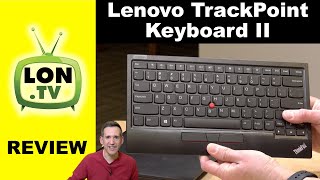
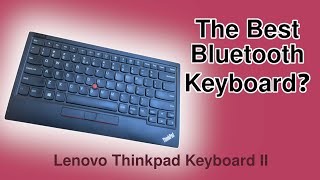
Lenovo ThinkPad TrackPoint Keyboard II (4Y40X49515)
 | When you make a purchase through links on our site, we may receive a affiliate commission. Buy! Lenovo ThinkPad TrackPoint Keyboard II (US English) - Wired/Wireless Connectivity - Bluetooth - 2.40 GHz - USB Type A InterfOfficedepot.comDelivery: in USA Report |

Lenovo ThinkPad TrackPoint Keyboard II | |||||||||||||||||||||||||||||||||||||||||||||||||||||||||||||||
|
| ||||||||||||||||||||||||||||||||||||||||||||||||||||||||||||||


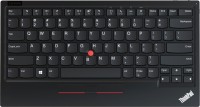
A wireless keyboard that replicates the button layout of popular Lenovo ThinkPad laptops. The keyboard even received a TrackPoint manipulator - a miniature red joystick located in the center of the layout, which imitates the operation of a computer mouse sensor by moving the cursor. The Lenovo ThinkPad TrackPoint Keyboard II is based on reliable membrane buttons, notable for the manufacturer's claimed lifespan of 10 million clicks.
The wireless connection is provided by the Bluetooth 5.0 wireless module, or Nano USB Dongle 2.4 GHz. The keyboard is equipped with a switch that configures the layout to work in the Windows or Android operating system. The charging connector is implemented with a Quick Charge interface. The keyboard can remain active for 2 months, and 15 minutes in recharging mode provides 1 week of battery life. While charging the battery, you can use the push-button layout. Thanks to the mouse manipulator, the device simplifies interaction with modern smartphones, tablets and laptops. The keyboard has three auxiliary keys that serve as the main buttons on a computer mouse.
Always clarify the specifications and configuration of the product with the online store manager before purchasing.
Catalog Lenovo 2026 - new arrivals, bestsellers, and the most relevant models Lenovo.







Please note that the Fn button is located at the left edge, like on Apple keyboards. For me personally this is a big plus, but for many it can be a critical drawback. Good quality. In comparison with the first version, almost everything has become slightly better: - Connects well and works on almost all kinds of devices I use (only on some Linux distributions does the Bluetooth connection drop too often). - No more scrolling issues on macOS. The price of 10-12 thousand rubles is a bit high. Using the first version of the keyboard, I often placed the trackpad below the keyboard (like on laptops). Now the wrist rest has become wider, making it difficult to operate the touchpad with the thumbs without lifting the other fingers off the keys. I'm considering cutting off part of the keyboard ) . Heavy.  Andrey Rogov: use Lenovo ThinkPad TrackPoint Keyboard II less than month Andrey Rogov: use Lenovo ThinkPad TrackPoint Keyboard II less than month |