
Iiyama ProLite XUB3493WQSU-B1 34 " black
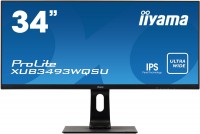 | When you make a purchase through links on our site, we may receive a affiliate commission. Buy! iiyama ProLite XUB3493WQSU-B1 - 86.4 cm (34") - 3440 x 1440 pixels UltraWide QHD LED MonitorClove-technology.comDelivery: USA Report |

Iiyama ProLite XUB3493WQSU-B1 34 " black
Screen size:34 "
Resolution:3440x1440 (21:9)
Panel:ADS-IPS, response 4 ms
Frequency:75 Hz
Contrast:1 000:1
Brightness:400 cd/m²
Functions:AMD FreeSync, PBP, Flicker-Free
Connectors:DisplayPort v1.2 • 2xHDMI v2.0
All specifications
Specifications ProLite XUB3493WQSU-B1
|
| ||||||||||||||||||||||||||||||||||||||||||||||||||||||||||||||||||||||||||||||||||||


The information in the model description is for reference purposes.
Always clarify the specifications and configuration of the product with the online store manager before purchasing.
Catalog Iiyama 2026 - new arrivals, bestsellers, and the most relevant models Iiyama.
Always clarify the specifications and configuration of the product with the online store manager before purchasing.
Catalog Iiyama 2026 - new arrivals, bestsellers, and the most relevant models Iiyama.


Model overview based on user reviews
The Iiyama ProLite XUB3493WQSU-B1 is a 34-inch monitor that offers a high resolution of 3440x1440 and a refresh rate of 75 Hz, providing a good brightness reserve and a wide range of settings, including brightness, contrast, and preset modes. It features uniform backlighting and a comfortable stand, making it suitable for gaming and movie watching with its 21:9 aspect ratio. However, some users noted issues such as a pronounced crystalline effect, light leaks, and poorly positioned keys. The monitor is not curved, which can be uncomfortable for close viewing, and some users experienced reliability issues. Despite these drawbacks, it is considered a cost-effective option compared to dual 27-inch 4K setups, especially for those seeking a single monitor with a wide viewing angle.
Pros
Cons
1 2 1 0 |
excellent monitor, suitable for those who like to play with a wide viewing angle and watch movies at 21:9 5. there is sound, it seems to reproduce all frequencies except the low ones normally 1. light leaks across the entire monitor 2. low-quality HDMI port, if the cable isn't fully inserted, artifacts will appear across the entire monitor! (just press the cable a bit harder for them to disappear) 3. at a distance of less than 0.5 meters from the face, it's not very comfortable to play because the monitor isn't curved 4. since most movies and videos are shot in 16:9, there will be black bars, and if everything is rendered in 16:9 with a cinematic effect (cropping the top and bottom edges) it will look like a black rectangle with the video inside.  Vadim : use Iiyama ProLite XUB3493WQSU-B1 few months Vadim : use Iiyama ProLite XUB3493WQSU-B1 few months |
If you want just one(!) monitor, often used as a TV, then considering the cost, this is not a bad option. 21:9 allows for a much deeper immersion in the game, and even when watching a movie, the breadth of the panorama is impressive, although this is more of a plus for the format rather than the specific model. If 2560x1080 at 34” is not your option due to the large pixels (I dismissed this option right away because I work with text) then why not. + high resolution and 75 Hz (in my case, only when using DP). This is a real plus, as finding an alternative with such resolution for this price will be difficult + good brightness reserve (the monitor is on a glass-enclosed balcony, you can watch it without problems in moderately sunny weather) + abundance of setting modes (brightness, contrast, black tuner (black depth), sharpness, eco mode, preset modes (test, game, movie, etc.) that do not conflict with each other since selecting one preset makes contradictory options unavailable + freesync probably just works, as on my ATI 290x graphics card, DOOM 2016 runs at native resolution on ultra around 70-75 fps. No tearing issues here :) Probably more relevant for truly hi-end graphics card owners who can splurge on a more expensive monitor + hdr + adjustment. Wide range both vertically and in tilt + uniform backlight. This is a matter of luck, I got a pretty good unit, no complaints + not bad built-in sound - not rounded. When sitting close, this is indeed a drawback. As for me, at its native resolution (3440x1440), using it with less than 125-150% scaling on Windows 10 is uncomfortable (you constantly have to slide a bit to the right or left on the chair). Increasing the scale reduces the severity of the problem, but when viewing from a distance (2.5-3 m), this drawback turns into an advantage (imho). - crystal effect on white. Initially, it was extremely annoying, so much so that I switched to a black theme in Windows (on the other hand, this monitor handles black pretty well, uniform and deep in my opinion). But after noticing it on this monitor and taking a closer look at the 24” monitor at work, I started noticing it there too! Most likely, it is especially noticeable here because of the large screen area. Now I don't particularly notice it, but don't expand white windows to full screen, I warned you -) - illogical menu. At first, it feels very unusual, and even over time, you often get confused.  Ilya Topchinski: use Iiyama ProLite XUB3493WQSU-B1 few months Ilya Topchinski: use Iiyama ProLite XUB3493WQSU-B1 few months |
now I know the quality of BOE ADS panels) What kind of "wow" effect are they writing about at Citilink? What did you work with before? I had a NEC for 12 years - it's the same here, just a wider screen, back to the... USSR.)) Soviet enthusiasts put 5 stars or is it just paid reviews...? I got it for work, lucky, because buying something "technically complex..." like this at Citilink is a gamble, but no dead pixels - I'll write more if they appear. After turning it on and trying to play with the matrix settings, I got depressed... grabbed a bottle... in search of the infamous "wow", launched Fallout and the good old Stalker - didn't lift my mood - my younger son's monitor has a higher "immersion effect" with a smaller screen. Since there are only castrated rave reviews and quite full reviews, I based my choice on foreign "not our" forums, where they also discussed the feasibility of buying this monitor model - there, buying 2x 4K monitors with a 27" screen somehow cost less than buying just this one in our beloved country. So they recommended getting 2x27 4K (FOR WORK!!!) instead of one test specimen like this. We have a different situation: 2x27" 4K (2x18000=36000, min. 35000) versus 1x34 (for 27000), accordingly, the choice was made in favor of saving (in favor of the electronic drawing board). I'm thinking about returning it or not... For those who haven't made a choice yet, consider how much a similar proven monitor costs, for example, from LG... and the decision will come on its own, alas, not in favor of the pit!) 1. The cost is cheaper than getting 2x27" 4K. 2. Feature set, except for matrix quality, color. 3. There's even sound! 4. High-quality stand-liked it the most out of everything listed in this model. 5. 3 cables included. 6. Braaand! 1. pronounced crystalline effect 2. terrible glare in three corners 3. color rendering 4. tendency to show marks kasyan: use Iiyama ProLite XUB3493WQSU-B1 less than month |
3 out of 4 user review(s) shown
1 more user review(s)
Video reviews
SimilarCompare using chart →
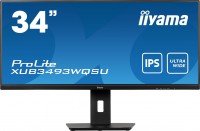
34 ", 3440x1440 (21:9), ADS-IPS, response 4 ms, 75 Hz, 8-bit (16.7M Colors), sRGB 100 %, HDMI, DisplayPort, ХАБ: USB-A 2x5Gbps, speakers, AMD FreeSync
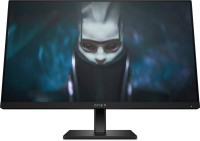
gaming, 23.8 ", 1920x1080 (16:9), IPS, response 1 ms, 165 Hz, 8-bit (16.7M Colors), sRGB 99 %, DCI-P3 90 %, HDMI, DisplayPort, AMD FreeSync Premium
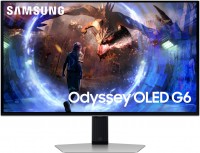
gaming, 27 ", 2560x1440 (16:9), QD-OLED, response 0.03 ms, 360 Hz, 10-bit (1.07B Colors), DCI-P3 99 %, HDMI, v 2.1, DisplayPort, ХАБ: USB-A 2x5Gbps, AMD FreeSync Premium Pro, VESA Adaptive-Sync, HDR
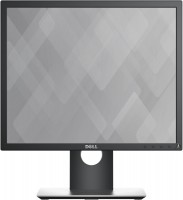
19 ", 1280x1024 (5:4), IPS, response 6 ms, 60 Hz, 8-bit (16.7M Colors), VGA, HDMI, DisplayPort, ХАБ: USB-A 2x2.0, 2x5Gbps
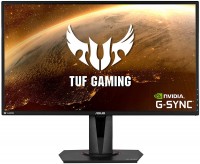
gaming, 27 ", 2560x1440 (16:9), IPS, response 4 ms, 165 Hz, 8-bit (16.7M Colors), sRGB 99 %, HDMI, DisplayPort, speakers, AMD FreeSync, NVIDIA G-Sync Compatible, HDR
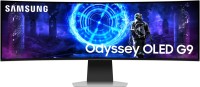
gaming, smart, 49 ", 5120x1440 (32:9), curved 1800R, QD-OLED, response 0.03 ms, 240 Hz, DCI-P3 99 %, Micro HDMI v2.1, HDMI, v 2.1, DisplayPort, Bluetooth, Wi-Fi, ХАБ: USB-A 5Gbps, USB-C 2x5Gbps, speakers, AMD FreeSync Premium Pro, HDR
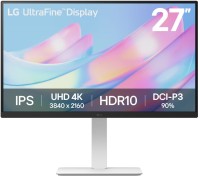
27 ", 4K, 3840x2160 (16:9), IPS, response 5 ms, 60 Hz, 8-bit + FRC (1.07B Colors), DCI-P3 90 %, HDMI, DisplayPort, HDR
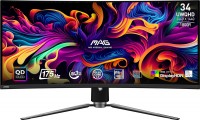
gaming, 34 ", 3440x1440 (21:9), curved 1800R, QD-OLED, response 0.03 ms, 175 Hz, 10-bit (1.07B Colors), sRGB 139.1 %, DCI-P3 99.3 %, HDMI, v 2.1, DisplayPort, USB-C (DP Alt Mode), Power Delivery, ХАБ: USB-A 2x2.0, KVM-switch, AMD FreeSync Premium Pro, VESA Adaptive-Sync, HDR, TÜV Rheinland
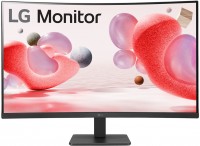
31.5 ", 1920x1080 (16:9), curved 1500R, *VA, response 5 ms, 100 Hz, VGA, HDMI, AMD FreeSync
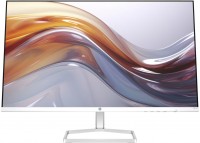
27 ", 1920x1080 (16:9), IPS, response 5 ms, 100 Hz, 6-bit + FRC (16.7M Colors), sRGB 99 %, VGA, HDMI, speakers
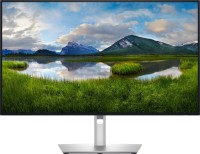
for graphics, 27 ", 4K, 3840x2160 (16:9), IPS, response 5 ms, 120 Hz, 1.07B Colors, sRGB 100 %, DCI-P3 99 %, HDMI, v 2.1, DisplayPort, USB-C (Thunderbolt v4), Power Delivery, LAN, ХАБ: USB-A 5x10Gbps, USB-C 2x10Gbps, KVM-switch, VESA Adaptive-Sync, HDR, CalMAN Verified, TÜV Rheinland
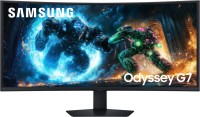
gaming, 40 ", 5K, 4K, 5120x2160 (21:9), curved 1000R, *VA, response 1 ms, 180 Hz, 1.07B Colors, sRGB 99 %, DCI-P3 90 %, HDMI, v 2.1, DisplayPort, ХАБ: USB-A 2x5Gbps, AMD FreeSync Premium Pro, HDR