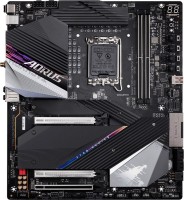
Gigabyte Z790 AORUS TACHYON
 | Compare prices 3 → When you make a purchase through links on our site, we may receive a affiliate commission.
|

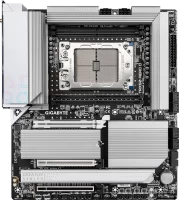
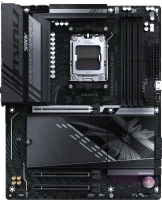
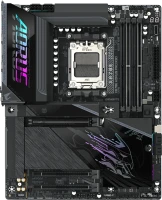
Flagship large E-ATX motherboard from Gigabyte with LGA 1700 processor socket, high-end power subsystem, fast RAM support and advanced overclocking tools. It belongs to the upper price segment, designed primarily for overclocking enthusiasts who know how to squeeze all the juice out of their hardware with the help of competent manual settings. It is based on an advanced 18-phase power subsystem with a RENESAS RAA229131 digital PWM controller, the capabilities of which are designed to overclock flagship multi-core Core i7 and Core i9 chips.
The integrated cooling system consists of multiple heatsinks that completely cover the VRM power subsystem for efficient heat dissipation, as well as additional thermal pads and heat pipes. The circuitry is designed to minimize signal loss interference, and the tracks leading to the DIMM slots are equipped with additional Shielded Memory Routing. Thanks to this, the board is able to overclock DDR5 RAM up to 8333 MHz, which is actually 4 times faster than classic DDR4-2400 RAM.
In addition to the advanced power subsystem, there are many tools and sensors to simplify overclocking (XMP Booster, DDR5 Unlocked Voltage, etc.), as well as improve measurement accuracy. Gigabyte Z790 AORUS TACHYON is equipped with LGA 1700 processor socket and Intel Z790 system logic. It is designed for use with 12th and 13th generation Intel Core processors (Alder Lake and Raptor Lake).
In addition, it supports the PCIe 4.0 interface, which allows you to install several modern M.2 SSD drives with read and write speeds up to 8000 MB / s. In addition, 4 SATA3 connectors are available to the user for installing classic drives (HDD 3.5 ”or SSD 2.5”). Advanced networking features are provided by an Intel network controller with a 2.5-gigabit LAN port and a built-in wireless receiver with Wi-Fi 6E.
|
| |||||||||||||||||||||||||||||||||||||||||||||||||||||||||||||||||||||||||||||||||||||||||||||||||||||||||||||||||||||||||||||||||||||||||||||||||||||||||||||||||||||||||||||||


Always clarify the specifications and configuration of the product with the online store manager before purchasing.
Catalog Gigabyte 2026 - new arrivals, bestsellers, and the most relevant models Gigabyte.
Buy Gigabyte Z790 AORUS TACHYON
GIGABYTE Z790 AORUS TACHYON LGA 1700 Extended ATX Motherboard | $452.00 |  | |||
| $856.00 |  | ||||
GIGABYTE Z790 AORUS TACHYON X LGA 1700 Intel Z790 EATX Motherboard with DDR5, 4*M.2, PCIe 5.0, USB 3.2 Gen2X2 Type-C, Intel | $1,100.00 | | |||


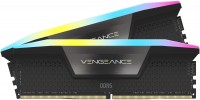
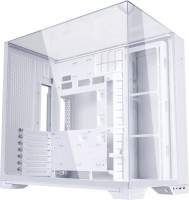
Top-level hardware, components but a crooked BIOS. For its price, it's a top-tier board, but it does require some tweaking, especially for memory. I paired it with a 13900KF and a 420 cooler, with idle temps between 25-30 degrees and gaming temps averaging 45-50 degrees. I didn't overclock; it runs in stock; only the turbo boost frequencies are fixed. Memory: G.Skill - 7200J3445G16GX2-TZ5RK - the XMP didn't work on the first try. Decided to increase the voltage from 1.4 to 1.45, and now it works. Another tip, if you're going to use it, connect the pump to PUMP_FAN, and in the BIOS, adjust the curve to be straight and work at 40-60% for longer lifespan. And the water cooler should take the temperature from System_2, as it is the coldest place on the motherboard. Whether to do this or not is up to each person. In stress tests, it's obvious it will hit 100. Component base, distribution Bios  lolwo: use Gigabyte Z790 AORUS TACHYON less than month lolwo: use Gigabyte Z790 AORUS TACHYON less than month |