
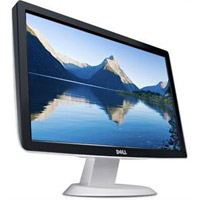
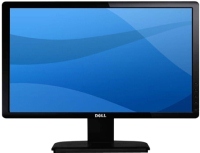
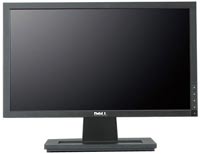
Dell ST2010 20 " black
 | Compare prices 2 → When you make a purchase through links on our site, we may receive a affiliate commission.
|

Dell ST2010 20 " black
Screen size:20 "
Resolution:1600x900 (16:9)
Panel:TN+film, response 5 ms
Contrast:1 000:1
Brightness:250 cd/m²
Connectors:VGA
All specifications
Specifications ST2010
|
| ||||||||||||||||||||||||||||||||||||||||||||||||||

The information in the model description is for reference purposes.
Always clarify the specifications and configuration of the product with the online store manager before purchasing.
Catalog Dell 2026 - new arrivals, bestsellers, and the most relevant models Dell.
Always clarify the specifications and configuration of the product with the online store manager before purchasing.
Catalog Dell 2026 - new arrivals, bestsellers, and the most relevant models Dell.
Series Dell S Series (gaming)Compare using chart →

27 ", 4K, 3840x2160 (16:9), IPS, response 4 ms, 120 Hz, 1.07B Colors, sRGB 99 %, HDMI, v 2.1, USB-C (DP Alt Mode), Power Delivery, ХАБ: USB-A 2x5Gbps, USB-C 1x5Gbps, speakers, AMD FreeSync Premium, HDR, TÜV Rheinland
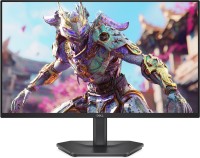
gaming, 23.8 ", 1920x1080 (16:9), IPS, response 0.5 ms, 240 Hz, 8-bit (16.7M Colors), sRGB 99 %, HDMI, v 2.1, DisplayPort, AMD FreeSync Premium, VESA Adaptive-Sync, HDR, TÜV Rheinland
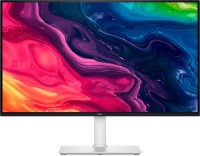
27 ", 4K, 3840x2160 (16:9), IPS, response 4 ms, 120 Hz, 1.07B Colors, sRGB 99 %, HDMI, v 2.1, DisplayPort, speakers, AMD FreeSync Premium, HDR, TÜV Rheinland

27 ", 2560x1440 (16:9), IPS, response 4 ms, MPRT 1 ms, 144 Hz, 16.7M Colors, sRGB 99 %, HDMI, v 2.1, DisplayPort, speakers, AMD FreeSync, VESA Adaptive-Sync, TÜV Rheinland
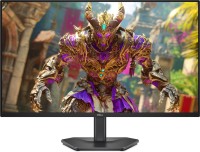
gaming, 27 ", 1920x1080 (16:9), IPS, response 0.5 ms, 240 Hz, 8-bit (16.7M Colors), sRGB 99 %, HDMI, v 2.1, DisplayPort, AMD FreeSync Premium, VESA Adaptive-Sync, HDR, TÜV Rheinland

27 ", 2560x1440 (16:9), IPS, response 4 ms, MPRT 1 ms, 144 Hz, 16.7M Colors, sRGB 99 %, HDMI, v 2.1, DisplayPort, USB-C (DP Alt Mode), Power Delivery, ХАБ: USB-A 2x5Gbps, USB-C 1x5Gbps, speakers, AMD FreeSync, VESA Adaptive-Sync, TÜV Rheinland

34 ", 3440x1440 (21:9), curved Curved screen, *VA, response 1 ms, 120 Hz, 1.07B Colors, sRGB 99 %, DCI-P3 95 %, HDMI, v 2.1, USB-C (DP Alt Mode), Power Delivery, ХАБ: USB-A 2x5Gbps, USB-C 1x5Gbps, speakers, AMD FreeSync Premium, VESA Adaptive-Sync, HDR, TÜV Rheinland

31.6 ", 4K, 3840x2160 (16:9), QD-OLED, response 0.03 ms, 120 Hz, 10-bit (1.07B Colors), DCI-P3 99 %, HDMI, v 2.1, USB-C (DP Alt Mode), Power Delivery, ХАБ: USB-C 2x5Gbps, speakers, AMD FreeSync Premium Pro, HDR
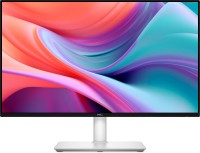
23.8 ", 1920x1080 (16:9), IPS, response 4 ms, MPRT 1 ms, 144 Hz, 8-bit (16.7M Colors), sRGB 99 %, HDMI, speakers, AMD FreeSync, VESA Adaptive-Sync, TÜV Rheinland

31.5 ", 4K, 3840x2160 (16:9), *VA, response 4 ms, 120 Hz, 1.07B Colors, sRGB 99 %, DCI-P3 95 %, HDMI, v 2.1, DisplayPort, speakers, AMD FreeSync Premium, HDR, TÜV Rheinland

27 ", 1920x1080 (16:9), IPS, response 4 ms, MPRT 1 ms, 144 Hz, 8-bit (16.7M Colors), sRGB 99 %, HDMI, speakers, AMD FreeSync, VESA Adaptive-Sync, TÜV Rheinland

27 ", 1920x1080 (16:9), IPS, response 4 ms, MPRT 1 ms, 144 Hz, 16.7M Colors, HDMI, AMD FreeSync, TÜV Rheinland
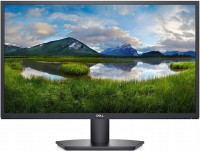
27 ", 1920x1080 (16:9), *VA, response 8 ms, 75 Hz, 16.7M Colors, VGA, HDMI, AMD FreeSync, TÜV Rheinland
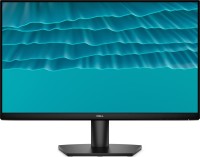
23.8 ", 1920x1080 (16:9), IPS, response 4 ms, MPRT 1 ms, 144 Hz, 16.7M Colors, HDMI, AMD FreeSync, TÜV Rheinland
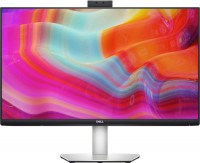
27 ", 2560x1440 (16:9), IPS, response 4 ms, 75 Hz, sRGB 99 %, HDMI, DisplayPort, USB-C (DP Alt Mode), Power Delivery, ХАБ: USB-A 2x5Gbps, speakers, webcam, AMD FreeSync
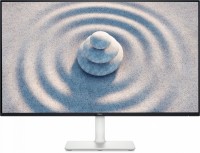
27 ", 1920x1080 (16:9), IPS, response 8 ms, 100 Hz, 16.7M Colors, sRGB 99 %, HDMI, speakers, TÜV Rheinland
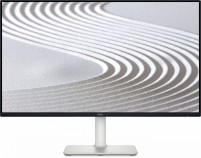
23.8 ", 1920x1080 (16:9), IPS, response 8 ms, 100 Hz, 16.7M Colors, sRGB 99 %, HDMI, speakers, TÜV Rheinland
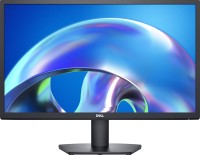
23.8 ", 1920x1080 (16:9), *VA, response 5 ms, 75 Hz, 16.7M Colors, VGA, HDMI, TÜV Rheinland
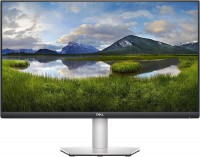
27 ", 4K, 3840x2160 (16:9), IPS, response 4 ms, 60 Hz, HDMI, DisplayPort, speakers, AMD FreeSync
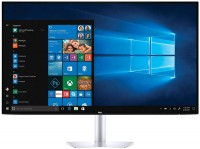
24 ", 1920x1080 (16:9), IPS, response 5 ms, 60 Hz, 8-bit (16.7M Colors), sRGB 99 %, HDMI, HDR
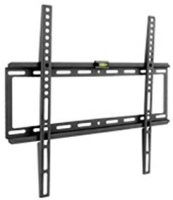
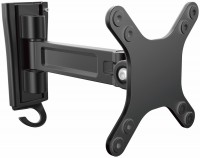
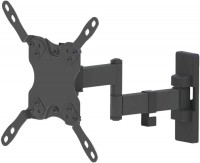
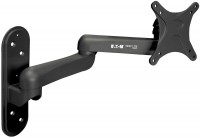
AccessoriesAll accessories for Dell ST2010 →
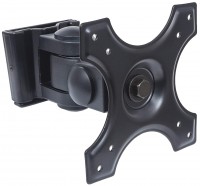
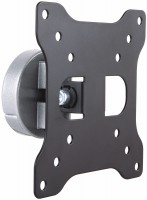

From the press release:
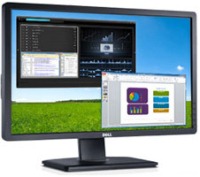
Inexpensive widescreen monitor ST2010, which is quite suitable for viewing high-definition video, has been added to its range by Dell. Having limited support for 720p resolutions, the company equipped the product with an HDMI connector. In order not to create difficulties for owners of systems that are not equipped with such an interface, the monitor's designers have also retained the D-Sub connector.
Good to know:
The HDMI(High Definition Multimedia Interface) interface is used to transmit high-definition video and multi-channel digital audio. This interface provides support for HDCP (High-bandwidth Digital Content Protection) copy protection.
Inexpensive widescreen monitor ST2010, which is quite suitable for viewing high-definition video, has been added to its range by Dell. Having limited support for 720p resolutions, the company equipped the product with an HDMI connector. In order not to create difficulties for owners of systems that are not equipped with such an interface, the monitor's designers have also retained the D-Sub connector.
Good to know:
The HDMI(High Definition Multimedia Interface) interface is used to transmit high-definition video and multi-channel digital audio. This interface provides support for HDCP (High-bandwidth Digital Content Protection) copy protection.
SimilarCompare using chart →
gaming, 23.8 ", 1920x1080 (16:9), IPS, response 1 ms, 165 Hz, 8-bit (16.7M Colors), sRGB 99 %, DCI-P3 90 %, HDMI, DisplayPort, AMD FreeSync Premium