
Dual Plugable 7-in-1 USB-C HDMI Docking Station, 100W Pass Through Charging 78808728
 | Compare prices 2 → When you make a purchase through links on our site, we may receive a affiliate commission.
|
Buy Dual Plugable 7-in-1 USB-C HDMI Docking Station, 100W Pass Through Charging 78808728
When you make a purchase through links on our site, we may receive a affiliate commission.
Plugable 7-in-1 USB-C Dual HDMI Docking Station, 100W Pass Through Charging 78808728 | $139.99 |  | |||
Plugable - 7-in-1 USB C Docking Station Dual Monitor - Dual HDMI Dock, for Mac and Windows, USB4, Thunderbolt or USB-C - Bla | $139.99 |  | |||
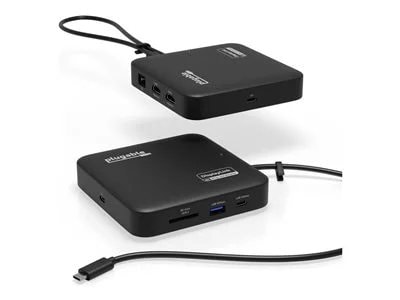
Don’t let the size fool you. The Plugable USB-C Dual HDMI Docking Station (USBC-6950PDZ) may look like a compact USB-C travel hub, but it delivers the full functionality of a desktop docking station. With dual HDMI ports, Gigabit Ethernet, USB-A and USB-C ports, an SD card slot, and support for up to 82W pass-through charging, this small yet powerful dock expands your laptop’s capabilities whether you’re at home, in the office, or on the go.
One of its most impressive features is the ability to support two extended 4K 60Hz HDMI displays, even on laptops that don’t natively support dual video output. Thanks to advanced DisplayLink technology, this displaylink hub handles video processing internally for smooth and reliable performance. Whether you use Windows or macOS, this displaylink docking station solution enables a seamless dual monitor setup, making it a great choice for MacBook users who need a dependable macbook docking station dual monitor configuration.
DisplayLink driver installation is required for full functionality. On Windows systems, the driver installs automatically through Windows Update if driver updates are enabled. If your computer is managed by your organization, check with your system administrator, as corporate policies may restrict automatic installation or require administrator approval. On macOS, users must manually download and install the DisplayLink Manager application (administrator rights required). This ensures the displaylink adapter works properly with Apple Silicon systems, including M1, M2, M3, M4 and M5 MacBooks.
Power delivery is straightforward and flexible. The dock does not include its own power supply but is designed to work with your existing USB-C laptop charger. It accepts up to 100W of input power, providing up to 82W to the connected laptop while reserving 18W for dock operation. Your laptop must support USB-C Power Delivery (PD) for charging to function, and charging speeds may vary slightly compared to a direct connection.
The USBC-6950PDZ is compatible with Windows 10 and later, macOS 11 and later, and laptops equipped with USB-C, USB4, or Thunderbolt 3 or 4 ports. It fully supports Apple Silicon MacBooks once the DisplayLink driver is installed. This dock does not support playback of HDCP-protected content, so streaming services such as Netflix, Hulu, and Disney+ may be blocked or fail to display on external monitors.
Compact yet durable, the USBC-6950PDZ is built for hybrid work, travel, and mobile productivity. The dock measures 1 x 4.7 x 4.7 inches, and the attached USB-C cable is 1.64 feet long—offering a portable design that’s easy to pack and connect anywhere. This docking station provides an ideal balance of portability, connectivity, and performance, helping you stay powered, connected, and productive wherever work takes you.
One of its most impressive features is the ability to support two extended 4K 60Hz HDMI displays, even on laptops that don’t natively support dual video output. Thanks to advanced DisplayLink technology, this displaylink hub handles video processing internally for smooth and reliable performance. Whether you use Windows or macOS, this displaylink docking station solution enables a seamless dual monitor setup, making it a great choice for MacBook users who need a dependable macbook docking station dual monitor configuration.
DisplayLink driver installation is required for full functionality. On Windows systems, the driver installs automatically through Windows Update if driver updates are enabled. If your computer is managed by your organization, check with your system administrator, as corporate policies may restrict automatic installation or require administrator approval. On macOS, users must manually download and install the DisplayLink Manager application (administrator rights required). This ensures the displaylink adapter works properly with Apple Silicon systems, including M1, M2, M3, M4 and M5 MacBooks.
Power delivery is straightforward and flexible. The dock does not include its own power supply but is designed to work with your existing USB-C laptop charger. It accepts up to 100W of input power, providing up to 82W to the connected laptop while reserving 18W for dock operation. Your laptop must support USB-C Power Delivery (PD) for charging to function, and charging speeds may vary slightly compared to a direct connection.
The USBC-6950PDZ is compatible with Windows 10 and later, macOS 11 and later, and laptops equipped with USB-C, USB4, or Thunderbolt 3 or 4 ports. It fully supports Apple Silicon MacBooks once the DisplayLink driver is installed. This dock does not support playback of HDCP-protected content, so streaming services such as Netflix, Hulu, and Disney+ may be blocked or fail to display on external monitors.
Compact yet durable, the USBC-6950PDZ is built for hybrid work, travel, and mobile productivity. The dock measures 1 x 4.7 x 4.7 inches, and the attached USB-C cable is 1.64 feet long—offering a portable design that’s easy to pack and connect anywhere. This docking station provides an ideal balance of portability, connectivity, and performance, helping you stay powered, connected, and productive wherever work takes you.
The product description is generated based on data from online stores. Before purchasing be sure to verify all information directly with the seller.
New USB Labels: How to Avoid Confusion in Speeds, Cables, and ConnectorsThe USB-IF organization has finally updated the USB port labels. Let's figure out what has changed.
All about USB-C interfaceExploring the possibilities of USB-C: from universal charging and high-speed data transfer to image streaming
How to place an order?How to add store?
Remember that the online store is responsible for the accuracy of information regarding price, warranty, and delivery!
We recommendCompare using chart →
USB hub, connection USB-C, 5Gbps, ports: USB-A 4 pcs, USB-C 1 pcs, HDMI, DisplayPort, LAN, functions: external power supply, Power Delivery
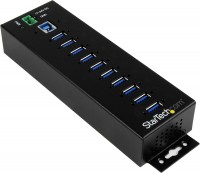
USB hub, connection USB-A, 5Gbps, ports: USB-A 10 pcs, functions: external power supply
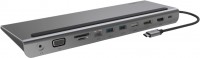
hub with card reader, connection USB-C, 5Gbps, ports: USB-A 3 pcs, USB-C 1 pcs, HDMI, DisplayPort, VGA, LAN, card reader: SD, microSD, functions: Power Delivery
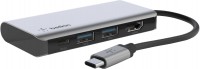
USB hub, connection USB-C, 5Gbps, ports: USB-A 2 pcs, USB-C 1 pcs, HDMI, functions: Power Delivery
USB hub, connection USB-C, 5Gbps, ports: USB-A 5 pcs, USB-C 2 pcs, HDMI, DisplayPort, LAN, functions: external power supply, Power Delivery
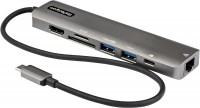
hub with card reader, connection USB-C, 5Gbps, ports: USB-A 2 pcs, USB-C 1 pcs, HDMI, LAN, card reader: SD, microSD, functions: Power Delivery
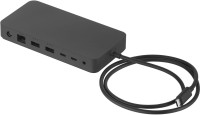
USB hub, connection USB-C, USB4 40Gbps / Thunderbolt 4, ports: USB-A 3 pcs, USB-C 3 pcs, LAN, functions: external power supply, Power Delivery
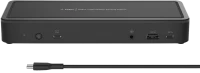
USB hub, connection USB-C, 5Gbps, ports: USB-A 5 pcs, USB-C 3 pcs, HDMI, DisplayPort, LAN, functions: external power supply, Power Delivery
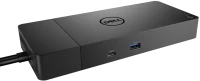
USB hub, connection USB-C, 5Gbps, ports: USB-A 3 pcs, USB-C 2 pcs, HDMI, DisplayPort, LAN, functions: external power supply, Power Delivery
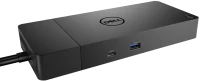
USB hub, connection USB-C, 5Gbps, ports: USB-A 3 pcs, USB-C 2 pcs, HDMI, DisplayPort, LAN, functions: external power supply, Power Delivery

hub with card reader, connection USB-C, 5Gbps, ports: USB-A 2 pcs, USB-C 1 pcs, HDMI, VGA, LAN, card reader: SD, functions: Power Delivery

USB hub, connection USB-C, 10Gbps, ports: USB-A 4 pcs, USB-C 1 pcs, HDMI, DisplayPort, LAN, functions: external power supply, Power Delivery