
Dual Plugable USB-C Docking Station for 4K Monitors with 100W Laptop Charging 78810631 (2x HDMI/2x DP)
 | Compare prices 2 → When you make a purchase through links on our site, we may receive a affiliate commission.
|
Buy Dual Plugable USB-C Docking Station for 4K Monitors with 100W Laptop Charging 78810631 (2x HDMI/2x DP)
When you make a purchase through links on our site, we may receive a affiliate commission.
Plugable USB-C Docking Station for 4K Dual Monitors (2x HDMI/2x DP) with 100W Laptop Charging 78810631 | $199.99 |  | |||
Plugable - USB C Laptop Docking Station-Dual Monitor 4K 60Hz Apple Mac M1/M2/M3-2x HDMI or 2x DisplayPort-100W Charging - Si | $199.99 |  | |||
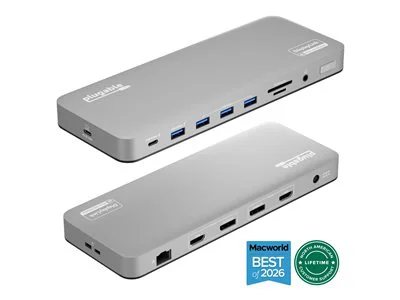
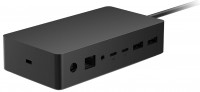
The 14-in-1 Dock for Mac features an aluminum casing with a space gray finish. This dock seamlessly integrates with your Mac to deliver exceptional performance. With 14 ports, including dual 4K monitor support via HDMI, DisplayPort or a mix of both, you can connect up to two screens at 4K 60Hz, even on Macs typically limited to a single extended monitor.
To ensure smooth setup, install the free DisplayLink Manager software from Plugable.com/DisplayLink. During installation, macOS will request screen recording permission, Please note - The DisplayLink Manager Application does NOT in fact record or store any information. This permission must be granted in order for the DisplayLink Application to access the information it needs in order to generate the image shown on the DisplayLink-connected displays. Once installed, your dock enables stable dual-display output on M1, M2, M3, M4, M5, and Neo MacBook, MacBook Air and MacBook Pro models.
The front-facing USB-C and USB ports offer convenient charging, while three additional USB 3.0 ports ensure ample connectivity for all your peripherals. Integrated SD and microSD card readers provide quick access for memory cards, making it ideal for photographers and content creators. Additionally, the 3.5mm headset jack, reliable Ethernet port, and 100W power delivery keep you connected and powered up. Utilizing DisplayLink technology, this dock bypasses Mac display limitations, perfect for multitaskers using M1, M2, M3, M4, M5, and Neo MacBooks, MacBook Air, and MacBook Pro models.
Compatible with macOS 11+, Windows 10+, and ChromeOS 100+ systems with Thunderbolt, USB4, or USB-C ports, this dock is designed for both traditional and hybrid office setups. Please note that driver installation is required to fully utilize its capabilities, and HDCP is not supported.
To ensure smooth setup, install the free DisplayLink Manager software from Plugable.com/DisplayLink. During installation, macOS will request screen recording permission, Please note - The DisplayLink Manager Application does NOT in fact record or store any information. This permission must be granted in order for the DisplayLink Application to access the information it needs in order to generate the image shown on the DisplayLink-connected displays. Once installed, your dock enables stable dual-display output on M1, M2, M3, M4, M5, and Neo MacBook, MacBook Air and MacBook Pro models.
The front-facing USB-C and USB ports offer convenient charging, while three additional USB 3.0 ports ensure ample connectivity for all your peripherals. Integrated SD and microSD card readers provide quick access for memory cards, making it ideal for photographers and content creators. Additionally, the 3.5mm headset jack, reliable Ethernet port, and 100W power delivery keep you connected and powered up. Utilizing DisplayLink technology, this dock bypasses Mac display limitations, perfect for multitaskers using M1, M2, M3, M4, M5, and Neo MacBooks, MacBook Air, and MacBook Pro models.
Compatible with macOS 11+, Windows 10+, and ChromeOS 100+ systems with Thunderbolt, USB4, or USB-C ports, this dock is designed for both traditional and hybrid office setups. Please note that driver installation is required to fully utilize its capabilities, and HDCP is not supported.
The product description is generated based on data from online stores. Before purchasing be sure to verify all information directly with the seller.
New USB Labels: How to Avoid Confusion in Speeds, Cables, and ConnectorsThe USB-IF organization has finally updated the USB port labels. Let's figure out what has changed.
All about USB-C interfaceExploring the possibilities of USB-C: from universal charging and high-speed data transfer to image streaming
How to place an order?How to add store?
Remember that the online store is responsible for the accuracy of information regarding price, warranty, and delivery!
We recommendCompare using chart →
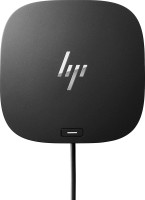
USB hub, connection USB-C, 5Gbps, ports: USB-A 4 pcs, USB-C 1 pcs, HDMI, DisplayPort, LAN, functions: external power supply, Power Delivery
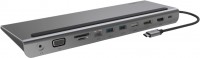
hub with card reader, connection USB-C, 5Gbps, ports: USB-A 3 pcs, USB-C 1 pcs, HDMI, DisplayPort, VGA, LAN, card reader: SD, microSD, functions: Power Delivery
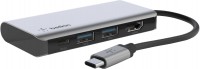
USB hub, connection USB-C, 5Gbps, ports: USB-A 2 pcs, USB-C 1 pcs, HDMI, functions: Power Delivery
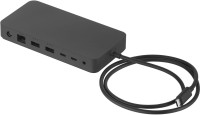
USB hub, connection USB-C, USB4 40Gbps / Thunderbolt 4, ports: USB-A 3 pcs, USB-C 3 pcs, LAN, functions: external power supply, Power Delivery
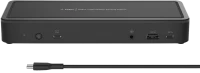
USB hub, connection USB-C, 5Gbps, ports: USB-A 5 pcs, USB-C 3 pcs, HDMI, DisplayPort, LAN, functions: external power supply, Power Delivery
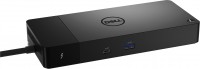
USB hub, connection USB-C, 5Gbps, ports: USB-A 3 pcs, USB-C 4 pcs, HDMI, DisplayPort, LAN, functions: external power supply, Power Delivery
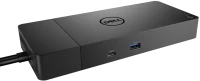
USB hub, connection USB-C, 5Gbps, ports: USB-A 3 pcs, USB-C 2 pcs, HDMI, DisplayPort, LAN, functions: external power supply, Power Delivery
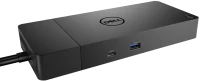
USB hub, connection USB-C, 5Gbps, ports: USB-A 3 pcs, USB-C 2 pcs, HDMI, DisplayPort, LAN, functions: external power supply, Power Delivery

hub with card reader, connection USB-C, 5Gbps, ports: USB-A 2 pcs, USB-C 1 pcs, HDMI, VGA, LAN, card reader: SD, functions: Power Delivery
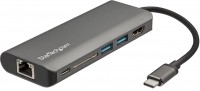
hub with card reader, connection USB-C, 5Gbps, ports: USB-A 2 pcs, USB-C 2 pcs, HDMI, LAN, card reader: SD, functions: Power Delivery

USB hub, connection USB-C, USB4 40Gbps / Thunderbolt 4, ports: USB-A 5 pcs, USB-C 3 pcs, HDMI, DisplayPort, LAN, functions: external power supply, Alt Mode