
Universal Plugable USB-A 3.0 Dual Monitor Docking Station 78808732
 |
Buy Universal Plugable USB-A 3.0 Dual Monitor Docking Station 78808732
When you make a purchase through links on our site, we may receive a affiliate commission.
Plugable USB-A 3.0 Universal Dual Monitor Docking Station 78808732 | $99.95 |  | |||
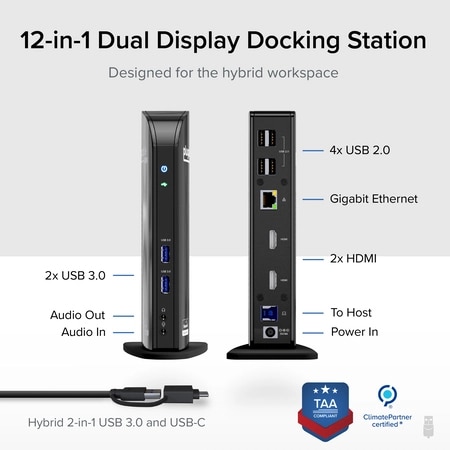
The TAA-compliant Plugable UD-3900 docking station is designed to expand your laptop or desktop's capabilities by connecting up to ten accessories through a single cable. Whether you're working with a Windows, Mac, or Chromebook system, the UD-3900 offers a convenient way to connect multiple displays, peripherals, and network access in one hub. It features two HDMI video output ports, to support dual HDMI displays. This setup allows you to mirror or extend your desktop with resolutions up to 1920x1200 at 60Hz for dual displays, or up to 2560x1440 at 50Hz on a single native HDMI display. Please note that 4K resolution is not supported. In addition to video outputs, the UD-3900 provides a wired Gigabit Ethernet port with full-duplex support, audio input and output jacks, two USB 3.0 ports for high-speed devices, and four USB 2.0 ports for peripherals like keyboards and mice. The dock is powered by a robust 20W UL-certified power supply to ensure reliable performance for connected devices, though it does not provide charging to the host laptop. Users should keep their laptop charger connected if charging is required.
Compatibility is broad but requires specific setup steps for certain systems. Windows 11, 10, 8.x, and 7 support plug and play driver installation via Windows Update, while macOS 10.14 or later requires a manual DisplayLink driver installation, with instructions provided. ChromeOS 100 or later works without additional setup. The dock is not compatible with Linux/UNIX systems, DisplayPort outputs, or mixed USB graphics chipsets. HDCP-protected content, such as Blu-ray playback, is not supported, and this dock is not intended for gaming or other graphics-intensive applications.
For best results, use the UD-3900 for web browsing, office work, and productivity applications. If you encounter issues such as the dock not powering on or stopping after a short period, try the following steps: confirm the power adapter is securely connected to both the dock and a working outlet, check the power indicator light, reseat all cable connections, update your DisplayLink drivers from Plugable.com, and, if possible, test with another computer. These quick checks resolve most issues, but the U.S.-based support team is ready to help if you need further assistance.
In the Box, you will find a UD-3900 docking station, a hybrid USB 3.0 and USB-C cable, a 20W UL-certified power adapter with an AC wall plug, and a quick install guide to get you set up right away. With its combination of connectivity, compatibility, and dedicated customer support, the UD-3900 is built to help you create a more efficient and reliable workspace.
Compatibility is broad but requires specific setup steps for certain systems. Windows 11, 10, 8.x, and 7 support plug and play driver installation via Windows Update, while macOS 10.14 or later requires a manual DisplayLink driver installation, with instructions provided. ChromeOS 100 or later works without additional setup. The dock is not compatible with Linux/UNIX systems, DisplayPort outputs, or mixed USB graphics chipsets. HDCP-protected content, such as Blu-ray playback, is not supported, and this dock is not intended for gaming or other graphics-intensive applications.
For best results, use the UD-3900 for web browsing, office work, and productivity applications. If you encounter issues such as the dock not powering on or stopping after a short period, try the following steps: confirm the power adapter is securely connected to both the dock and a working outlet, check the power indicator light, reseat all cable connections, update your DisplayLink drivers from Plugable.com, and, if possible, test with another computer. These quick checks resolve most issues, but the U.S.-based support team is ready to help if you need further assistance.
In the Box, you will find a UD-3900 docking station, a hybrid USB 3.0 and USB-C cable, a 20W UL-certified power adapter with an AC wall plug, and a quick install guide to get you set up right away. With its combination of connectivity, compatibility, and dedicated customer support, the UD-3900 is built to help you create a more efficient and reliable workspace.
The product description is generated based on data from online stores. Before purchasing be sure to verify all information directly with the seller.
New USB Labels: How to Avoid Confusion in Speeds, Cables, and ConnectorsThe USB-IF organization has finally updated the USB port labels. Let's figure out what has changed.
All about USB-C interfaceExploring the possibilities of USB-C: from universal charging and high-speed data transfer to image streaming
How to place an order?How to add store?
Remember that the online store is responsible for the accuracy of information regarding price, warranty, and delivery!
We recommendCompare using chart →
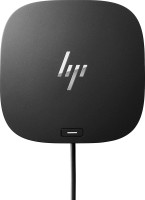
USB hub, connection USB-C, 5Gbps, ports: USB-A 4 pcs, USB-C 1 pcs, HDMI, DisplayPort, LAN, functions: external power supply, Power Delivery
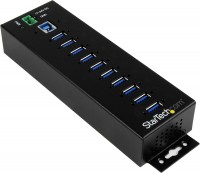
USB hub, connection USB-A, 5Gbps, ports: USB-A 10 pcs, functions: external power supply
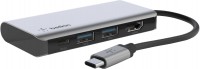
USB hub, connection USB-C, 5Gbps, ports: USB-A 2 pcs, USB-C 1 pcs, HDMI, functions: Power Delivery
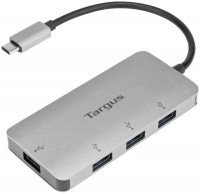
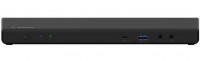
USB hub, connection USB-C, 5Gbps, ports: USB-A 5 pcs, USB-C 2 pcs, HDMI, DisplayPort, LAN, functions: external power supply, Power Delivery
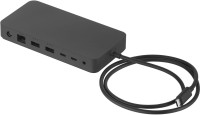
USB hub, connection USB-C, USB4 40Gbps / Thunderbolt 4, ports: USB-A 3 pcs, USB-C 3 pcs, LAN, functions: external power supply, Power Delivery
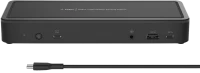
USB hub, connection USB-C, 5Gbps, ports: USB-A 5 pcs, USB-C 3 pcs, HDMI, DisplayPort, LAN, functions: external power supply, Power Delivery
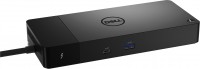
USB hub, connection USB-C, 5Gbps, ports: USB-A 3 pcs, USB-C 4 pcs, HDMI, DisplayPort, LAN, functions: external power supply, Power Delivery
USB hub, connection USB-C, 5Gbps, ports: USB-A 3 pcs, USB-C 2 pcs, HDMI, DisplayPort, LAN, functions: external power supply, Power Delivery
USB hub, connection USB-C, 5Gbps, ports: USB-A 3 pcs, USB-C 2 pcs, HDMI, DisplayPort, LAN, functions: external power supply, Power Delivery

hub with card reader, connection USB-C, 5Gbps, ports: USB-A 2 pcs, USB-C 1 pcs, HDMI, VGA, LAN, card reader: SD, functions: Power Delivery