
Universal Plugable Docking Station for Dual 4K Monitors 78808726
 | Compare prices 3 → When you make a purchase through links on our site, we may receive a affiliate commission.
|
Buy Universal Plugable Docking Station for Dual 4K Monitors 78808726
When you make a purchase through links on our site, we may receive a affiliate commission.
Plugable Universal Docking Station for Dual 4K Monitors 78808726 | $149.99 |  | |||
Plugable - USB 3.0 Universal Laptop Docking Station Dual DisplayPort 4K - Black UD-6950Z | $149.99 |  | |||
| $223.37 |  | ||||
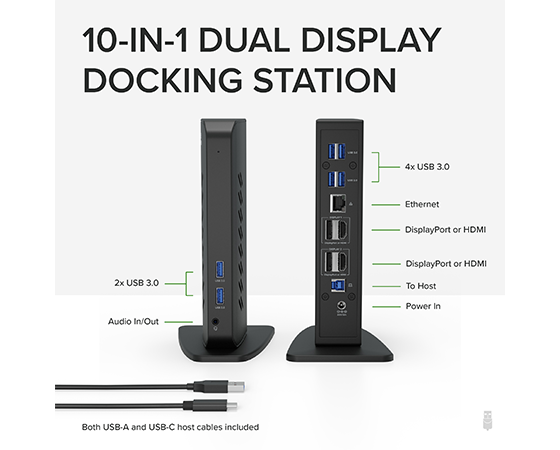
Performance Featuring the latest DisplayLink DL-6950 chipset, the Plugable UD-6950Z docking station lets you connect two external monitors up to a 4K@60Hz resolution using DisplayPort or HDMI to your Windows laptop, or desktop via USB 3.0. Additionally, the UD-6950Z dock allows you to connect up to eight accessories to the six USB 3.0 ports, a Gigabit Etherent connection and audio input/output port all through a single USB cable. 4K@60Hz Notes :
To achieve 4K @ 60Hz each connected monitor must support 4K @ 60Hz on the DisplayPort 1.2 or HDMI 2.0 This docking station does not support host charging, we recommend using the systems separate power supply for optimal performance.
Compatibility Our docking station is compatible with most modern laptops and desktops running Windows 10, 8.1 and 7 and macOS 10.14+ and requires the DisplayLink graphics software to be installed.
Not supported on Linux.
Does not support HDCP copy protected content (Blu-Ray, Netflix, Amazon Prime video, etc.). DisplayPort MST daisy-chain connections or Dual-Link DVI conversions are not supported from the DisplayPort outputs.
Gigabit Ethernet port requires a Full-Duplex network connection from the connected network device (router, switch, etc.).
Minimum System Specifications Intel SkyLake i3, Intel Core i7 or AMD A10 CPU at 2.0 GHz or Higher Intel HD 4000, AMD Radeon HD 8650, Nvidia GeForce 7xxM or better 8GB RAM USB 3.0 Port
In the Box Plugable UD-6950Z USB 3.0 Dual 4K Display Vertical Docking Station, USB 3.0 Type-A to Type-C Cable, USB 3.1 Type-C to Type-C Cable, Power Adapter (US AC Wall Outlet Plug, 20V@2A), Quick Installation Guide.
To achieve 4K @ 60Hz each connected monitor must support 4K @ 60Hz on the DisplayPort 1.2 or HDMI 2.0 This docking station does not support host charging, we recommend using the systems separate power supply for optimal performance.
Compatibility Our docking station is compatible with most modern laptops and desktops running Windows 10, 8.1 and 7 and macOS 10.14+ and requires the DisplayLink graphics software to be installed.
Not supported on Linux.
Does not support HDCP copy protected content (Blu-Ray, Netflix, Amazon Prime video, etc.). DisplayPort MST daisy-chain connections or Dual-Link DVI conversions are not supported from the DisplayPort outputs.
Gigabit Ethernet port requires a Full-Duplex network connection from the connected network device (router, switch, etc.).
Minimum System Specifications Intel SkyLake i3, Intel Core i7 or AMD A10 CPU at 2.0 GHz or Higher Intel HD 4000, AMD Radeon HD 8650, Nvidia GeForce 7xxM or better 8GB RAM USB 3.0 Port
In the Box Plugable UD-6950Z USB 3.0 Dual 4K Display Vertical Docking Station, USB 3.0 Type-A to Type-C Cable, USB 3.1 Type-C to Type-C Cable, Power Adapter (US AC Wall Outlet Plug, 20V@2A), Quick Installation Guide.
The product description is generated based on data from online stores. Before purchasing be sure to verify all information directly with the seller.

New USB Labels: How to Avoid Confusion in Speeds, Cables, and ConnectorsThe USB-IF organization has finally updated the USB port labels. Let's figure out what has changed.
All about USB-C interfaceExploring the possibilities of USB-C: from universal charging and high-speed data transfer to image streaming
How to place an order?How to add store?
Remember that the online store is responsible for the accuracy of information regarding price, warranty, and delivery!
We recommendCompare using chart →
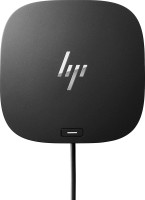
USB hub, connection USB-C, 5Gbps, ports: USB-A 4 pcs, USB-C 1 pcs, HDMI, DisplayPort, LAN, functions: external power supply, Power Delivery
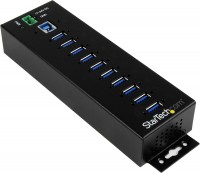
USB hub, connection USB-A, 5Gbps, ports: USB-A 10 pcs, functions: external power supply
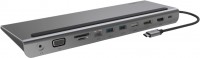
hub with card reader, connection USB-C, 5Gbps, ports: USB-A 3 pcs, USB-C 1 pcs, HDMI, DisplayPort, VGA, LAN, card reader: SD, microSD, functions: Power Delivery
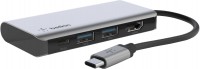
USB hub, connection USB-C, 5Gbps, ports: USB-A 2 pcs, USB-C 1 pcs, HDMI, functions: Power Delivery
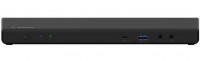
USB hub, connection USB-C, 5Gbps, ports: USB-A 5 pcs, USB-C 2 pcs, HDMI, DisplayPort, LAN, functions: external power supply, Power Delivery
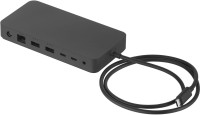
USB hub, connection USB-C, USB4 40Gbps / Thunderbolt 4, ports: USB-A 3 pcs, USB-C 3 pcs, LAN, functions: external power supply, Power Delivery
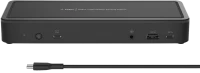
USB hub, connection USB-C, 5Gbps, ports: USB-A 5 pcs, USB-C 3 pcs, HDMI, DisplayPort, LAN, functions: external power supply, Power Delivery
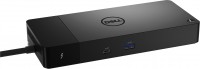
USB hub, connection USB-C, 5Gbps, ports: USB-A 3 pcs, USB-C 4 pcs, HDMI, DisplayPort, LAN, functions: external power supply, Power Delivery
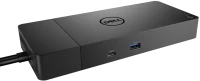
USB hub, connection USB-C, 5Gbps, ports: USB-A 3 pcs, USB-C 2 pcs, HDMI, DisplayPort, LAN, functions: external power supply, Power Delivery
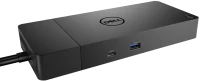
USB hub, connection USB-C, 5Gbps, ports: USB-A 3 pcs, USB-C 2 pcs, HDMI, DisplayPort, LAN, functions: external power supply, Power Delivery

USB hub, connection USB-C, 10Gbps, ports: USB-A 2 pcs, USB-C 2 pcs, functions: external power supply