
Comparison Kingston Fury Beast DDR5 2x32GB KF560C36BBEK2-64 vs Kingston Fury Beast DDR4 2x16GB KF437C19BB1K2/32
Add to comparison | 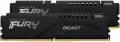 | 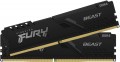 |
|---|---|---|
| Kingston Fury Beast DDR5 2x32GB KF560C36BBEK2-64 | Kingston Fury Beast DDR4 2x16GB KF437C19BB1K2/32 | |
from $1,179.99 | from $81.64 | |
| User reviews | ||
| TOP sellers | ||
| Memory capacity | 2 x 32GB | 2 х 16GB |
| Form factor | DIMM (PC) | DIMM (PC) |
| Type | DDR5 | DDR4 |
| Memory rank | dual rank | dual rank |
Specs | ||
| Speed | 6000 MT/s | 3733 MT/s |
| Clock speed | 48000 MB/s | 29800 MB/s |
| Timing diagram | 36-38-38 | 19-23-23 |
| First Word Latency | 12 ns | 10.18 ns |
| Voltage | 1.35 В | 1.35 В |
| Cooling | radiator | radiator |
| Strip profile | standard 34.9 mm | standard 34 mm |
| More features | XMP EXPO support | XMP |
| Color | ||
| Added to E-Catalog | february 2023 | july 2021 |


Compare Kingston Fury Beast DDR5 2x32GB and Beast DDR4 2x16GB
You may be interested in
My comparisons
Kingston Fury Beast DDR5 2x32GB often compared


Kingston Fury Beast DDR4 2x16GB often compared


Glossary
Memory capacity
The total amount of RAM in the kit. In brackets, it specifies how many modules it consists of and how much memory each stick has.
The volume itself determines the amount of data the system can keep in quick access at once, and it directly affects comfort in everyday tasks, gaming, and heavy programs. For simple tasks, 8 GB is usually sufficient today, while 16 GB (including the 2x8 GB set) can already be considered a good universal option. 32 GB is suitable for modern games, editing, working with graphics, and active multitasking, while 64 GB and above are often needed for professional scenarios, 3D, large projects, and virtual machines.
Kits of multiple sticks remain relevant because they often allow dual-channel mode to be used, providing higher bandwidth compared to a single stick of the same total volume. For example, a 32 GB (2x16) set usually looks more practical than a single 32 GB stick, although a 64 GB (4x16) set puts more strain on the memory controller and leaves less room for future upgrades.
Type
The type of memory used in the module(s). This parameter directly determines compatibility with the motherboard: the latter must support the same type of memory that the bracket belongs to, since different types are not compatible with each other. Specific options for today can be as follows: outdated, but still found somewhere DDR2 memory, outdated DDR3, modern DDR4 and new DDR5.
— DDR2. The second generation of double data transfer RAM, released in 2003. To date, such memory has been almost completely replaced by more advanced DDR3 and DDR4 standards; DDR2 support can only be found in a frankly outdated PC or laptop.
— DDR3. Third generation double data transfer RAM, released in 2007. Compared to DDR 2, it has a higher speed and lower power consumption. DDR4 is gradually replacing this standard, but DDR3 support is still found in relatively simple and inexpensive motherboards.
— DDR4. Further development of the DDR standard, which replaced DDR3 in 2014. It provides, in particular, an increase in throughput (up to 25.6 GB / s in the future) and reliability while reducing power consumption.
— DDR5. The procession of the fifth generation of the DDR standard began at the turn of 2020-2021. It provides for approximately a twofold increase in memory subsystem performance and increased bandwidth compar...ed to DDR4. Instead of a single 64-bit data channel, DDR5 uses a pair of independent 32-bit channels that work with 16-byte packets and allow 64 bytes of information to be delivered per clock on each channel. New memory modules require a voltage of 1.1 V, and the maximum volume of one DDR5 bar can reach an impressive 128 GB.
— DDR2. The second generation of double data transfer RAM, released in 2003. To date, such memory has been almost completely replaced by more advanced DDR3 and DDR4 standards; DDR2 support can only be found in a frankly outdated PC or laptop.
— DDR3. Third generation double data transfer RAM, released in 2007. Compared to DDR 2, it has a higher speed and lower power consumption. DDR4 is gradually replacing this standard, but DDR3 support is still found in relatively simple and inexpensive motherboards.
— DDR4. Further development of the DDR standard, which replaced DDR3 in 2014. It provides, in particular, an increase in throughput (up to 25.6 GB / s in the future) and reliability while reducing power consumption.
— DDR5. The procession of the fifth generation of the DDR standard began at the turn of 2020-2021. It provides for approximately a twofold increase in memory subsystem performance and increased bandwidth compar...ed to DDR4. Instead of a single 64-bit data channel, DDR5 uses a pair of independent 32-bit channels that work with 16-byte packets and allow 64 bytes of information to be delivered per clock on each channel. New memory modules require a voltage of 1.1 V, and the maximum volume of one DDR5 bar can reach an impressive 128 GB.
Speed
The module speed affects data exchange and how fast the RAM can work in the system. The higher this rate, the greater the memory potential, but the actual result always also depends on the processor, motherboard, and settings.
For example, for a basic office or home PC, basic values such as 2400, 2666, 3200 MT/s for DDR4 or 4800, 5200, 5600 MT/s for DDR5 are often sufficient, whereas in a gaming or workstation system, a higher clock speed such as 3600 MT/s for DDR4 or 6000 – 6400 MT/s for DDR5 can provide more responsive performance.
However, a high speed alone does not automatically make a computer fast if the other components are weaker or if the memory is not operating at the stated mode. RAM speed is particularly important during assembly and upgrades because it helps understand the overall class of memory and what can be expected from it in practice.
For example, for a basic office or home PC, basic values such as 2400, 2666, 3200 MT/s for DDR4 or 4800, 5200, 5600 MT/s for DDR5 are often sufficient, whereas in a gaming or workstation system, a higher clock speed such as 3600 MT/s for DDR4 or 6000 – 6400 MT/s for DDR5 can provide more responsive performance.
However, a high speed alone does not automatically make a computer fast if the other components are weaker or if the memory is not operating at the stated mode. RAM speed is particularly important during assembly and upgrades because it helps understand the overall class of memory and what can be expected from it in practice.
Clock speed
The amount of information that a memory module can receive or transmit in one second. The speed of the memory and, accordingly, the price of it directly depend on the bandwidth. At the same time, this is a rather specific parameter, which is relevant mainly for high-performance systems — gaming and workstations, servers, etc. If the RAM module is bought for a regular home or office system, you can not pay much attention to bandwidth.
Timing diagram
Timing is a term that refers to the time it takes to complete an operation. To understand the timing scheme, you need to know that structurally RAM consists of banks (from 2 to 8 per module), each of which, in turn, has rows and columns, like a table; when accessing memory, the bank is selected first, then the row, then the column. The timing scheme shows the time during which the four main operations are performed when working with RAM, and is usually written in four digits in the format CL-Trcd-Trp-Tras, where
CL is the minimum delay between receiving a command to read data and the start of their transfer;
Trcd — the minimum time between the selection of a row and the selection of a column in it;
Trp is the minimum time to close a row, that is, the delay between the signal and the actual closing. Only one bank line can be opened at a time; Before opening the next line, you must close the previous one.
Tras — the minimum time the row is active, in other words, the shortest time after which the row can be commanded to close after it has been opened.
Time in the timing scheme is measured in cycles, so the actual memory performance depends not only on the timing scheme, but also on the clock frequency. For example, 1600 MHz 8-8-8-24 memory will run at the same speed as 800 MHz 4-4-4-12 memory—in either case timings, if expressed in nanoseconds, will be 5-5-5-15.
CL is the minimum delay between receiving a command to read data and the start of their transfer;
Trcd — the minimum time between the selection of a row and the selection of a column in it;
Trp is the minimum time to close a row, that is, the delay between the signal and the actual closing. Only one bank line can be opened at a time; Before opening the next line, you must close the previous one.
Tras — the minimum time the row is active, in other words, the shortest time after which the row can be commanded to close after it has been opened.
Time in the timing scheme is measured in cycles, so the actual memory performance depends not only on the timing scheme, but also on the clock frequency. For example, 1600 MHz 8-8-8-24 memory will run at the same speed as 800 MHz 4-4-4-12 memory—in either case timings, if expressed in nanoseconds, will be 5-5-5-15.
First Word Latency
First Word Latency shows how long it takes for RAM to start delivering the first block of data after a request. The lower this value, the faster the memory responds, which is particularly interesting in gaming systems and high-performance PCs, where responsiveness and minimal delays are important.
For memory, this is a more illustrative indicator of latency than just CAS Latency, because it takes into account not only the timings but also the operating frequency. This is why two sets of RAM with different CL values can actually have a very similar response speed: for example, DDR4-3200 CL16 and DDR5-6000 CL30 both deliver approximately 10 ns of First Word Latency.
For memory, this is a more illustrative indicator of latency than just CAS Latency, because it takes into account not only the timings but also the operating frequency. This is why two sets of RAM with different CL values can actually have a very similar response speed: for example, DDR4-3200 CL16 and DDR5-6000 CL30 both deliver approximately 10 ns of First Word Latency.
Strip profile
The profile of the stick is important for compatibility within the case: the memory may hit a large CPU cooler, a tight mini-case, or adjacent system elements. Therefore, the standard and low profile help quickly determine whether the module is designed for a typical installation in a standard build or for a more trouble-free installation in a constrained space.
More features
— A series for overclocking (overclocking). Belonging to such a series means that the manufacturer initially provided in the module the possibility of overclocking ("overclocking") — that is, increasing performance by changing the operating parameters, in particular, increasing the operating voltage and clock frequency. You can also “overclock” ordinary memory that is not related to overclocking — however, this is difficult and fraught with failures, up to complete burnout of the circuits, while in specialized series overclocking is a documented function, it is implemented quickly and simply, moreover, it is most often covered by a guarantee.
— XMP support. Memory module compatibility with XMP technology. This technology, created by Intel, is used for overclocking (see the relevant paragraph). Its key principle is that certain overclocking profiles are recorded in the memory module — sets of settings tested for stability; and instead of manually setting individual parameters, the user just needs to select one of the profiles. This simplifies system setup and at the same time improves its reliability during overclocking. However, note that in order to use XMP, it must be supported not only by memory, but also by the motherboard.
— AMP support. Memory module compatibility with AMP technology. In terms of its main features, this technology is completely similar to the XMP...described above and differs only in the creator — in this case, it is AMD.
– EXPO support. Memory module compatibility with EXPO technology (Extended Profiles for Overclocking). It was created at AMD by a specialist for overclocking DDR5 strips as part of Ryzen 7000 systems. At its core, this is a factory set of RAM profiles that simplifies overclocking the “RAM”. Using the technology allows you to increase performance in games by about 11% with a resolution of the broadcast image Full HD.
— Buffering support (Registered). The presence of the so-called memory module. buffer — a section for quickly saving incoming data — between the memory controller (control device) and the actual chips (storage devices). This scheme reduces the load on the controller, thereby achieving higher reliability; on the other hand, buffered modules have slightly reduced performance due to the delay in transferring information through the buffer. Buffered memory is used mainly in server systems and is expensive. When choosing memory, note that either only buffered or only unbuffered memory can be used in one system; it is impossible to combine these two types of memory.
— ECC support. ECC (Error Checking and Correction) is a technology that allows you to correct minor errors that occur while working with data. To use ECC, it must be supported not only by the memory module, but also by the motherboard; Basically, such support is used in servers, but it is also found in "motherboards" for ordinary desktops.
— XMP support. Memory module compatibility with XMP technology. This technology, created by Intel, is used for overclocking (see the relevant paragraph). Its key principle is that certain overclocking profiles are recorded in the memory module — sets of settings tested for stability; and instead of manually setting individual parameters, the user just needs to select one of the profiles. This simplifies system setup and at the same time improves its reliability during overclocking. However, note that in order to use XMP, it must be supported not only by memory, but also by the motherboard.
— AMP support. Memory module compatibility with AMP technology. In terms of its main features, this technology is completely similar to the XMP...described above and differs only in the creator — in this case, it is AMD.
– EXPO support. Memory module compatibility with EXPO technology (Extended Profiles for Overclocking). It was created at AMD by a specialist for overclocking DDR5 strips as part of Ryzen 7000 systems. At its core, this is a factory set of RAM profiles that simplifies overclocking the “RAM”. Using the technology allows you to increase performance in games by about 11% with a resolution of the broadcast image Full HD.
— Buffering support (Registered). The presence of the so-called memory module. buffer — a section for quickly saving incoming data — between the memory controller (control device) and the actual chips (storage devices). This scheme reduces the load on the controller, thereby achieving higher reliability; on the other hand, buffered modules have slightly reduced performance due to the delay in transferring information through the buffer. Buffered memory is used mainly in server systems and is expensive. When choosing memory, note that either only buffered or only unbuffered memory can be used in one system; it is impossible to combine these two types of memory.
— ECC support. ECC (Error Checking and Correction) is a technology that allows you to correct minor errors that occur while working with data. To use ECC, it must be supported not only by the memory module, but also by the motherboard; Basically, such support is used in servers, but it is also found in "motherboards" for ordinary desktops.