
Comparison Kingston Fury Renegade DDR4 2x16GB KF440C19RB1K2/32 vs Kingston Fury Beast DDR4 2x16GB KF437C19BB1K2/32
Add to comparison | 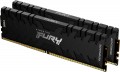 | 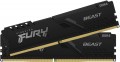 |
|---|---|---|
| Kingston Fury Renegade DDR4 2x16GB KF440C19RB1K2/32 | Kingston Fury Beast DDR4 2x16GB KF437C19BB1K2/32 | |
from $712.04 | from $81.64 | |
| User reviews | ||
| TOP sellers | ||
| Memory capacity | 2 х 16GB | 2 х 16GB |
| Form factor | DIMM (PC) | DIMM (PC) |
| Type | DDR4 | DDR4 |
| Memory rank | dual rank | dual rank |
Specs | ||
| Speed | 4000 MT/s | 3733 MT/s |
| Clock speed | 32000 MB/s | 29800 MB/s |
| Timing diagram | 19-23-23 | 19-23-23 |
| First Word Latency | 9.5 ns | 10.18 ns |
| Voltage | 1.35 В | 1.35 В |
| Cooling | radiator | radiator |
| Strip profile | standard 42.2 mm | standard 34 mm |
| More features | XMP | XMP |
| Color | ||
| Added to E-Catalog | august 2021 | july 2021 |


Compare Kingston Fury Renegade DDR4 2x16GB and Beast DDR4 2x16GB
You may be interested in
Kingston Fury Renegade DDR4 2x16GB often compared


Kingston Fury Beast DDR4 2x16GB often compared


Glossary
Speed
The module speed affects data exchange and how fast the RAM can work in the system. The higher this rate, the greater the memory potential, but the actual result always also depends on the processor, motherboard, and settings.
For example, for a basic office or home PC, basic values such as 2400, 2666, 3200 MT/s for DDR4 or 4800, 5200, 5600 MT/s for DDR5 are often sufficient, whereas in a gaming or workstation system, a higher clock speed such as 3600 MT/s for DDR4 or 6000 – 6400 MT/s for DDR5 can provide more responsive performance.
However, a high speed alone does not automatically make a computer fast if the other components are weaker or if the memory is not operating at the stated mode. RAM speed is particularly important during assembly and upgrades because it helps understand the overall class of memory and what can be expected from it in practice.
For example, for a basic office or home PC, basic values such as 2400, 2666, 3200 MT/s for DDR4 or 4800, 5200, 5600 MT/s for DDR5 are often sufficient, whereas in a gaming or workstation system, a higher clock speed such as 3600 MT/s for DDR4 or 6000 – 6400 MT/s for DDR5 can provide more responsive performance.
However, a high speed alone does not automatically make a computer fast if the other components are weaker or if the memory is not operating at the stated mode. RAM speed is particularly important during assembly and upgrades because it helps understand the overall class of memory and what can be expected from it in practice.
Clock speed
The amount of information that a memory module can receive or transmit in one second. The speed of the memory and, accordingly, the price of it directly depend on the bandwidth. At the same time, this is a rather specific parameter, which is relevant mainly for high-performance systems — gaming and workstations, servers, etc. If the RAM module is bought for a regular home or office system, you can not pay much attention to bandwidth.
First Word Latency
First Word Latency shows how long it takes for RAM to start delivering the first block of data after a request. The lower this value, the faster the memory responds, which is particularly interesting in gaming systems and high-performance PCs, where responsiveness and minimal delays are important.
For memory, this is a more illustrative indicator of latency than just CAS Latency, because it takes into account not only the timings but also the operating frequency. This is why two sets of RAM with different CL values can actually have a very similar response speed: for example, DDR4-3200 CL16 and DDR5-6000 CL30 both deliver approximately 10 ns of First Word Latency.
For memory, this is a more illustrative indicator of latency than just CAS Latency, because it takes into account not only the timings but also the operating frequency. This is why two sets of RAM with different CL values can actually have a very similar response speed: for example, DDR4-3200 CL16 and DDR5-6000 CL30 both deliver approximately 10 ns of First Word Latency.
Strip profile
The profile of the stick is important for compatibility within the case: the memory may hit a large CPU cooler, a tight mini-case, or adjacent system elements. Therefore, the standard and low profile help quickly determine whether the module is designed for a typical installation in a standard build or for a more trouble-free installation in a constrained space.