
Comparison Deepcool AG400 Digital Plus vs Deepcool AG400
Add to comparison |  | 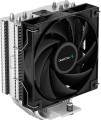 |
|---|---|---|
| Deepcool AG400 Digital Plus | Deepcool AG400 | |
| Outdated Product | from $27.87 | |
| User reviews | ||
| TOP sellers | ||
Main specs | ||
| Features | for CPU | for CPU |
| Product type | air cooler | air cooler |
| Air flow direction | sideways (dispersion) | sideways (dispersion) |
Fan | ||
| Number of fans | 2 | 1 |
| Fan size | 120 mm | 120 mm |
| Fan thickness | 25 mm | |
| Bearing | hydrodynamic (Hydro Bearing) | hydrodynamic |
| Min. RPM | 500 rpm | 500 rpm |
| Max. RPM | 2100 rpm | 2000 rpm |
| Speed controller | auto (PWM) | auto (PWM) |
| Max. air flow | 75.89 CFM | 75.89 CFM |
| Static pressure | 2.53 mm H2O | 2.53 mm H2O |
| replaceable |  | |
| Noise level | 32 dB | 32 dB |
| Power source | 4-pin | 4-pin |
Radiator | ||
| Heat pipes | 4 | 4 |
| Heatpipe contact | straight | straight |
| Heatsink material | aluminium / copper | aluminium / copper |
| Plate material | aluminum | aluminum |
| Socket | AMD AM4 AMD AM5 Intel 1150 Intel 1155/1156 Intel 1151 / 1151 v2 Intel 1200 Intel 1700 / 1851 | AMD AM4 AMD AM5 Intel 1150 Intel 1155/1156 Intel 1151 / 1151 v2 Intel 1200 Intel 1700 / 1851 |
General | ||
| Display | |  |
| Lighting | | |
| Lighting colour | ARGB | |
| Lighting sync | multi compatibility | |
| Mount type | bilateral (backplate) | bilateral (backplate) |
| Dimensions | 125x108x153 mm | 125x92x150 mm |
| Height | 153 mm | 150 mm |
| Weight | 773 g | 614 g |
| Added to E-Catalog | april 2024 | november 2022 |


Compare Deepcool AG400 Digital Plus and AG400
You may be interested in
My comparisons
Deepcool AG400 Digital Plus often compared

Deepcool AG400 often compared


Glossary
Number of fans
The number of fans in the design of the cooling system. More fans provide higher efficiency (all else being equal); on the other hand, the dimensions and the noise generated during operation also increase accordingly. Also, note that other things being equal, a smaller number of large fans is considered more advanced than numerous small ones; see "Fan diameter" for details.
Fan thickness
This parameter must be considered in the context of whether the fan will fit into the computer case. Standard case fans are available in the order of 25 mm in thickness. Low-profile coolers with a thickness of about 15 mm are designed for small-sized cases, where saving space is extremely important. Fans of large thickness (30-40 mm) boast high cooling efficiency due to the increased impeller dimensions. However, they are noisier than standard models at the same speed and do not always fit into the case normally, sometimes touching other components.
Bearing
The type of bearing used in the cooling fan(s).
The bearing is the piece between the rotating axle of the fan and the fixed base that supports the axle and reduces friction. The following types of bearings are found in modern fans:
— Sliding. The action of these bearings is based on direct contact between two solid surfaces, carefully polished to reduce friction. Such devices are simple, reliable and durable, but their efficiency is rather low — rolling, and even more so the hydrodynamic and magnetic principle of operation (see below), provide much less friction.
— Rolling. They are also called "ball bearings", since the "intermediaries" between the axis of rotation and the fixed base are balls (less often — cylindrical rollers) fixed in a special ring. When the axis rotates, such balls roll between it and the base, due to which the friction force is very low — noticeably lower than in plain bearings. On the other hand, the design turns out to be more expensive and complex, and in terms of reliability it is somewhat inferior to both the same plain bearings and more advanced hydrodynamic devices (see below). Therefore, although rolling bearings are quite widespread nowadays, however, in general, they are much less common than the mentioned varieties.
— Hydrodynamic. Bearings of this type are filled with a special liquid; when rotate...d, it creates a layer on which the moving part of the bearing slides. In this way, direct contact between hard surfaces is avoided and friction is significantly reduced compared to previous types. Also, these bearings are quiet and very reliable. Of their shortcomings, a relatively high cost can be noted, but in fact this moment often turns out to be invisible against the background of the price of the entire system. Therefore, this option is extremely popular nowadays, it can be found in cooling systems of all levels — from low-cost to advanced.
— Magnetic centering. Bearings based on the principle of magnetic levitation: the rotating axis is "suspended" in a magnetic field. Thus, it is possible (as in hydrodynamic ones) to avoid contact between solid surfaces and further reduce friction. Considered the most advanced type of bearings, they are reliable and quiet, but expensive.
The bearing is the piece between the rotating axle of the fan and the fixed base that supports the axle and reduces friction. The following types of bearings are found in modern fans:
— Sliding. The action of these bearings is based on direct contact between two solid surfaces, carefully polished to reduce friction. Such devices are simple, reliable and durable, but their efficiency is rather low — rolling, and even more so the hydrodynamic and magnetic principle of operation (see below), provide much less friction.
— Rolling. They are also called "ball bearings", since the "intermediaries" between the axis of rotation and the fixed base are balls (less often — cylindrical rollers) fixed in a special ring. When the axis rotates, such balls roll between it and the base, due to which the friction force is very low — noticeably lower than in plain bearings. On the other hand, the design turns out to be more expensive and complex, and in terms of reliability it is somewhat inferior to both the same plain bearings and more advanced hydrodynamic devices (see below). Therefore, although rolling bearings are quite widespread nowadays, however, in general, they are much less common than the mentioned varieties.
— Hydrodynamic. Bearings of this type are filled with a special liquid; when rotate...d, it creates a layer on which the moving part of the bearing slides. In this way, direct contact between hard surfaces is avoided and friction is significantly reduced compared to previous types. Also, these bearings are quiet and very reliable. Of their shortcomings, a relatively high cost can be noted, but in fact this moment often turns out to be invisible against the background of the price of the entire system. Therefore, this option is extremely popular nowadays, it can be found in cooling systems of all levels — from low-cost to advanced.
— Magnetic centering. Bearings based on the principle of magnetic levitation: the rotating axis is "suspended" in a magnetic field. Thus, it is possible (as in hydrodynamic ones) to avoid contact between solid surfaces and further reduce friction. Considered the most advanced type of bearings, they are reliable and quiet, but expensive.
Max. RPM
The highest speed at which the cooling system fan is capable of operating; for models without a speed controller (see below), this item indicates the nominal rotation speed. In the "slowest" modern fans, the maximum speed does not exceed 1000 rpm, in the "fastest" it can be up to 2500 rpm and even more.
Note that this parameter is closely related to the fan diameter (see above): the smaller the diameter, the higher the speed must be to achieve the desired airflow values. In this case, the rotation speed directly affects the level of noise and vibration. Therefore, it is believed that the required volume of air is best provided by large and relatively "slow" fans; and it makes sense to use "fast" small models where compactness is crucial. If we compare the speed of models of the same size, then higher speeds have a positive effect on performance, but increase not only the noise level, but also the price and power consumption.
Note that this parameter is closely related to the fan diameter (see above): the smaller the diameter, the higher the speed must be to achieve the desired airflow values. In this case, the rotation speed directly affects the level of noise and vibration. Therefore, it is believed that the required volume of air is best provided by large and relatively "slow" fans; and it makes sense to use "fast" small models where compactness is crucial. If we compare the speed of models of the same size, then higher speeds have a positive effect on performance, but increase not only the noise level, but also the price and power consumption.
Display
Remote or built -in information display in the design of the cooling system. The screen is used to display information about temperature, fan speed, voltage, etc. In advanced implementations, the display can be used to control cooling parameters to ensure optimal system performance and stability.
Lighting
The presence of its own illumination in the design of the cooling system.
The backlight serves a purely aesthetic function — it gives the device a stylish appearance that blends well with other components in the original design. Thanks to this, such cooling systems are especially appreciated by gamers and fans of external PC modding — especially since the lighting can be different, and the most advanced models even provide backlight synchronization with other components (see below). On the other hand, this function does not affect the efficiency and performance, and the overall cost is inevitably affected, sometimes quite noticeably. Therefore, if the appearance does not play a fundamental role for you, the best choice, most likely, will be a cooling system without backlight.
The backlight serves a purely aesthetic function — it gives the device a stylish appearance that blends well with other components in the original design. Thanks to this, such cooling systems are especially appreciated by gamers and fans of external PC modding — especially since the lighting can be different, and the most advanced models even provide backlight synchronization with other components (see below). On the other hand, this function does not affect the efficiency and performance, and the overall cost is inevitably affected, sometimes quite noticeably. Therefore, if the appearance does not play a fundamental role for you, the best choice, most likely, will be a cooling system without backlight.
Lighting colour
The colour of the backlight installed in the cooling system.
See above for more details on the backlight itself. Also note here that in the illumination of modern cooling systems there is both one colour (most often red or blue, less often green, yellow, white or purple), and multi-colour systems such as RGB and ARGB. The choice of a single-colour backlight depends mainly on aesthetic preferences, but the last two varieties should be touched upon separately.
The basic principle of operation of both RGB and ARGB systems is the same: the design provides for a set of LEDs of three basic colours — red (Red), green (Green) and blue (Blue), and by changing the number and brightness of the included LEDs, you can not only intensity, but and tint of light. The difference between these options differs in functionality: RGB systems support a limited set of colours (usually up to one and a half dozen, or even less), while ARGB allows you to choose almost any shade from the entire available colour range. At the same time, both of them can support backlight synchronization (see below); in general, this function is not required for RGB and ARGB systems, but it is used almost exclusively in them.
See above for more details on the backlight itself. Also note here that in the illumination of modern cooling systems there is both one colour (most often red or blue, less often green, yellow, white or purple), and multi-colour systems such as RGB and ARGB. The choice of a single-colour backlight depends mainly on aesthetic preferences, but the last two varieties should be touched upon separately.
The basic principle of operation of both RGB and ARGB systems is the same: the design provides for a set of LEDs of three basic colours — red (Red), green (Green) and blue (Blue), and by changing the number and brightness of the included LEDs, you can not only intensity, but and tint of light. The difference between these options differs in functionality: RGB systems support a limited set of colours (usually up to one and a half dozen, or even less), while ARGB allows you to choose almost any shade from the entire available colour range. At the same time, both of them can support backlight synchronization (see below); in general, this function is not required for RGB and ARGB systems, but it is used almost exclusively in them.
Lighting sync
Backlight synchronization technology, provided in the cooling system with built-in lighting (see above).
Synchronization itself allows you to "match" the cooling backlight with the backlight of other system components — the motherboard, processor, graphics card, case, keyboard, mouse, etc. Thanks to this matching, all components can change colour synchronously, turn on / off at the same time, etc. The specific features of the operation of such a backlight depend on the synchronization technology used, and, usually, each manufacturer has its own (Aura Sync for Asus, RGB Fusion for Gigabyte, etc.). The compatibility of the components also depends on this: they must all support the same technology. So the easiest way to achieve backlight compatibility is to collect components from the same manufacturer. However, among the cooling systems there are solutions of the multi compatibility format — compatible with several synchronization technologies at once; a specific compatibility list is usually indicated in the detailed specifications of such models.
Synchronization itself allows you to "match" the cooling backlight with the backlight of other system components — the motherboard, processor, graphics card, case, keyboard, mouse, etc. Thanks to this matching, all components can change colour synchronously, turn on / off at the same time, etc. The specific features of the operation of such a backlight depend on the synchronization technology used, and, usually, each manufacturer has its own (Aura Sync for Asus, RGB Fusion for Gigabyte, etc.). The compatibility of the components also depends on this: they must all support the same technology. So the easiest way to achieve backlight compatibility is to collect components from the same manufacturer. However, among the cooling systems there are solutions of the multi compatibility format — compatible with several synchronization technologies at once; a specific compatibility list is usually indicated in the detailed specifications of such models.
Dimensions
General dimensions of the cooling system. For water systems (see "Type"), this paragraph indicates the size of the external radiator (the dimensions of the water block in such devices are small, and there is no need to specify them in particular).
In general, this is a fairly obvious parameter. We only note that for case fans (see ibid.), the thickness is of particular importance — it directly depends on how much space the device will take up inside the system unit. At the same time, it is customary to refer to fans with a thin case for models in which this size does not exceed 20 mm.
In general, this is a fairly obvious parameter. We only note that for case fans (see ibid.), the thickness is of particular importance — it directly depends on how much space the device will take up inside the system unit. At the same time, it is customary to refer to fans with a thin case for models in which this size does not exceed 20 mm.