
Comparison Gigabyte B650 EAGLE AX vs ASRock B650 PG Lightning
Add to comparison |  | 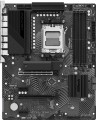 |
|---|---|---|
| Gigabyte B650 EAGLE AX | ASRock B650 PG Lightning | |
| Compare prices 7 | Compare prices 4 | |
| User reviews | ||
| TOP sellers | ||
Efficient cooling. M.2 with PCI Express 5.0 support. BIOS Flashback. USB-C connectors. Enhanced PCI. LSS support. | ||
| Features | gaming | gaming for overclocking |
| Socket | AM5 | AM5 |
| Form factor | ATX | ATX |
| Power phases | 16 | 17 |
| VRM heatsink |  | |
| Size (HxW) | 305x244 mm | 305x244 mm |
Chipset | ||
| Chipset | AMD B650 | AMD B650 |
| BIOS | Ami | Ami |
| UEFI BIOS | | |
RAM | ||
| DDR5 | 4 slot(s) | 4 slot(s) |
| Memory module | DIMM | DIMM |
| Operation mode | 2 channel | 2 channel |
| Max. clock frequency | 7600 MHz | 7200 MHz |
| Max. memory | 192 GB | 192 GB |
| XMP | | |
| EXPO support | | |
Drive interface | ||
| SATA 3 (6Gbps) | 4 | 4 |
| M.2 connector | 3 | 3 |
| M.2 | 2xPCIe 4x, 1xPCIe 2x | 3xPCIe 4x |
| M.2 version | 1x5.0, 2x4.0 | |
| M.2 SSD cooling | | |
| Integrated RAID controller | | |
Expansion slots | ||
| 1x PCIe slots | 2 pcs | |
| PCIe 16x slots | 4 pcs | 2 pcs |
| PCIe modes | 16x/1x/1x/1x | 16x/2x |
| PCIe support | 4.0 | 4.0 |
| Steel PCIe connectors |  | |
Internal connections | ||
| TPM connector | | |
| USB-A 2.0 | 3 pcs | 2 pcs |
| USB-A 5Gbps | 1 pcs | 1 pcs |
| USB-C 5Gbps | 1 pcs | |
| USB-C 20Gbps | 1 pcs | |
| ARGB LED strip | 3 | 3 |
| RGB LED strip | 1 | 1 |
| More features | Q-Flash Plus button, Clear CMOS jumper | |
Video outputs | ||
| HDMI output | | |
| HDMI version | v2.1 | v2.1 |
| DisplayPort | | |
| DisplayPort version | v.1.4 | |
Integrated audio | ||
| Audiochip | Realtek | Realtek ALC897 |
| Sound (channels) | 7.1 | 7.1 |
Network interfaces | ||
| Wi-Fi | Wi-Fi 6E (802.11ax) | |
| Bluetooth | Bluetooth v5.3 | |
| LAN (RJ-45) | 1 Gbps | 2.5 Gbps |
| LAN ports | 1 | 1 |
| LAN controller | Realtek | Dragon RTL8125BG |
External connections | ||
| USB-A 2.0 | 6 pcs | 4 pcs |
| USB-A 5Gbps | 7 pcs | |
| USB-A 10Gbps | 2 pcs | |
| USB-C 5Gbps | 1 pcs | |
| USB-C 20Gbps | 1 pcs | |
| PS/2 | 1 | |
| BIOS FlashBack | | |
Power connectors | ||
| Main power socket | 24-pin | 24-pin |
| CPU power | 8-pin | 8+8-pin |
| Fan power connectors | 5 | 6 |
| CPU Fan 4-pin | 1 | 1 |
| CPU/Water Pump Fan 4-pin | 1 | 1 |
| Chassis/Water Pump Fan 4-pin | 3 | 4 |
| Added to E-Catalog | february 2024 | october 2022 |





Compare Gigabyte B650 EAGLE AX and ASRock B650 PG Lightning
Price comparison
You may be interested in
My comparisons
Gigabyte B650 EAGLE AX often compared


ASRock B650 PG Lightning often compared


Glossary
Features
The general specialization of the motherboard is the type of tasks for which it is optimized. It should be noted that the division according to this indicator is often rather conditional, models similar in characteristics may belong to different categories. However, the data on specialization greatly simplifies the choice.
In addition to the traditional "motherboards" for home and office, nowadays you can find solutions for high-end PCs (High-End Desktop) and for servers, as well as gaming boards and models for overclocking(the last two options are sometimes combined into one category , however, these are still different types of motherboards). There are also specialized models for cryptocurrency mining, but very few of them are produced — especially since many boards that originally had a different purpose are suitable for mining (see "Suitable for mining").
Here is a more detailed description of each variety:
— For home and office. Motherboards that do not belong to any of the more specific types. In general, this kind of "motherboards" is very diverse, it includes options from low-cost motherboards for modest office PCs to advanced models that come close to gaming and HEDT solutions. However, for the most part, solutions from this category...are designed for simple everyday tasks: working with documents, web surfing, 2D design and layout, games in low and medium quality, etc.
— Gamer's. Boards originally designed for use in advanced gaming PCs. In addition to high performance and compatibility with powerful components, primarily video cards (often several at once, in SLI and/or Crossfire format — see below), such models usually also have specific features of a gaming nature. The most noticeable of these features is the characteristic design, sometimes with backlighting and even backlight synchronization (see below), which allows you to organically fit the board into the original design of the gaming station. The functionality of gaming boards may include an advanced audio chip, a high-end network controller to reduce lags in online games, built-in software tools for tuning and optimizing performance, etc. Also, such models may provide advanced overclocking capabilities, sometimes not inferior to the capabilities of specialized boards for overclocking (see below). And sometimes the border between gaming and overclocking solutions is generally erased: for example, individual boards positioned by the manufacturer as gaming ones, in terms of functionality, can more likely be related to overclocking models.
— For overclocking. High-performance boards with an extended set of overclocking tools — improving system performance by fine-tuning individual components (mainly by increasing the clock frequencies used by these components). On most conventional motherboards, this setup involves considerable complexity and risk, it is usually an undocumented feature and is not covered by the warranty. However, in this case, the situation is the opposite: boards "for overclocking" are called so because the possibility of overclocking was originally incorporated in them by the manufacturer. One of the most noticeable features of such models is the presence in the firmware (BIOS) of special software tools for overclocking management, which makes overclocking as safe as possible and affordable even for inexperienced users. Another feature is improved compatibility with built-in overclocking tools provided in advanced processors, RAM modules, etc. Anyway, this particular type of board will be the best choice for those who want to build a fairly powerful PC with the ability to experiment in terms of performance.
— HEDT (High End Desktop). Motherboards designed for high-performance workstations and other PCs of a similar level. In many ways, they are similar to gaming ones and are sometimes even positioned as gaming ones, but they are designed more for general performance (including in professional tasks) than for confident work with games. One of the key features of such "motherboards" is the extensive functionality for working with RAM: they provide at least 4 slots for "RAM", and more often 6 or more, the maximum RAM frequency is at least 2500 MHz (and more often 4000 MHz and higher ), and the maximum volume is at least 128 GB. The rest of the characteristics are usually at a similar level. Also, the firmware may provide tools for overclocking, although in terms of this functionality, such boards are most often still inferior to overclockers. Note that such solutions can initially be positioned as gaming; the basis for categorization in the HEDT category in such cases is the fulfillment of the above criteria.
— For the server. Motherboards specially designed for servers. Such systems are noticeably different from conventional desktop PCs — in particular, they work with large volumes of drives and have increased requirements for the speed and reliability of data transfer; accordingly, to build servers, it is best to use specialized components, including motherboards. Among the main features of such motherboards are an abundance of slots for RAM (often more than 4), the ability to connect numerous drives (necessarily more than 4 SATA 3 slots, often 8 or more), as well as support for special technologies (like ECC — see below) . In addition, such boards can be made in specific form factors such as EEB or CEB (see "Form Factor"), although more traditional options are also found.
— Designed for mining. Motherboards specially designed for cryptocurrency mining (BitCoin, Ethereum, etc.). We emphasize that we are not just talking about the possibility of such an application (see “Suitable for mining”), but that the motherboard is initially positioned as a solution for creating a cryptocurrency “farm”. Recall that mining is the extraction of cryptocurrency by performing special calculations; such calculations are most conveniently carried out using several high-performance video cards at once. Accordingly, one of the distinguishing features of mining boards is the presence of several (usually at least 4) PCIe 16x slots for connecting such video cards. However, this category of “motherboards” has not received much distribution: similar characteristics are also found among more general-purpose boards, it is quite possible to achieve performance sufficient for efficient mining on them.
In addition to the traditional "motherboards" for home and office, nowadays you can find solutions for high-end PCs (High-End Desktop) and for servers, as well as gaming boards and models for overclocking(the last two options are sometimes combined into one category , however, these are still different types of motherboards). There are also specialized models for cryptocurrency mining, but very few of them are produced — especially since many boards that originally had a different purpose are suitable for mining (see "Suitable for mining").
Here is a more detailed description of each variety:
— For home and office. Motherboards that do not belong to any of the more specific types. In general, this kind of "motherboards" is very diverse, it includes options from low-cost motherboards for modest office PCs to advanced models that come close to gaming and HEDT solutions. However, for the most part, solutions from this category...are designed for simple everyday tasks: working with documents, web surfing, 2D design and layout, games in low and medium quality, etc.
— Gamer's. Boards originally designed for use in advanced gaming PCs. In addition to high performance and compatibility with powerful components, primarily video cards (often several at once, in SLI and/or Crossfire format — see below), such models usually also have specific features of a gaming nature. The most noticeable of these features is the characteristic design, sometimes with backlighting and even backlight synchronization (see below), which allows you to organically fit the board into the original design of the gaming station. The functionality of gaming boards may include an advanced audio chip, a high-end network controller to reduce lags in online games, built-in software tools for tuning and optimizing performance, etc. Also, such models may provide advanced overclocking capabilities, sometimes not inferior to the capabilities of specialized boards for overclocking (see below). And sometimes the border between gaming and overclocking solutions is generally erased: for example, individual boards positioned by the manufacturer as gaming ones, in terms of functionality, can more likely be related to overclocking models.
— For overclocking. High-performance boards with an extended set of overclocking tools — improving system performance by fine-tuning individual components (mainly by increasing the clock frequencies used by these components). On most conventional motherboards, this setup involves considerable complexity and risk, it is usually an undocumented feature and is not covered by the warranty. However, in this case, the situation is the opposite: boards "for overclocking" are called so because the possibility of overclocking was originally incorporated in them by the manufacturer. One of the most noticeable features of such models is the presence in the firmware (BIOS) of special software tools for overclocking management, which makes overclocking as safe as possible and affordable even for inexperienced users. Another feature is improved compatibility with built-in overclocking tools provided in advanced processors, RAM modules, etc. Anyway, this particular type of board will be the best choice for those who want to build a fairly powerful PC with the ability to experiment in terms of performance.
— HEDT (High End Desktop). Motherboards designed for high-performance workstations and other PCs of a similar level. In many ways, they are similar to gaming ones and are sometimes even positioned as gaming ones, but they are designed more for general performance (including in professional tasks) than for confident work with games. One of the key features of such "motherboards" is the extensive functionality for working with RAM: they provide at least 4 slots for "RAM", and more often 6 or more, the maximum RAM frequency is at least 2500 MHz (and more often 4000 MHz and higher ), and the maximum volume is at least 128 GB. The rest of the characteristics are usually at a similar level. Also, the firmware may provide tools for overclocking, although in terms of this functionality, such boards are most often still inferior to overclockers. Note that such solutions can initially be positioned as gaming; the basis for categorization in the HEDT category in such cases is the fulfillment of the above criteria.
— For the server. Motherboards specially designed for servers. Such systems are noticeably different from conventional desktop PCs — in particular, they work with large volumes of drives and have increased requirements for the speed and reliability of data transfer; accordingly, to build servers, it is best to use specialized components, including motherboards. Among the main features of such motherboards are an abundance of slots for RAM (often more than 4), the ability to connect numerous drives (necessarily more than 4 SATA 3 slots, often 8 or more), as well as support for special technologies (like ECC — see below) . In addition, such boards can be made in specific form factors such as EEB or CEB (see "Form Factor"), although more traditional options are also found.
— Designed for mining. Motherboards specially designed for cryptocurrency mining (BitCoin, Ethereum, etc.). We emphasize that we are not just talking about the possibility of such an application (see “Suitable for mining”), but that the motherboard is initially positioned as a solution for creating a cryptocurrency “farm”. Recall that mining is the extraction of cryptocurrency by performing special calculations; such calculations are most conveniently carried out using several high-performance video cards at once. Accordingly, one of the distinguishing features of mining boards is the presence of several (usually at least 4) PCIe 16x slots for connecting such video cards. However, this category of “motherboards” has not received much distribution: similar characteristics are also found among more general-purpose boards, it is quite possible to achieve performance sufficient for efficient mining on them.
Power phases
The number of processor power phases provided on the motherboard.
Very simplistically, phases can be described as electronic blocks of a special design, through which power is supplied to the processor. The task of such blocks is to optimize this power, in particular, to minimize power surges when the load on the processor changes. In general, the more phases, the lower the load on each of them, the more stable the power supply and the more durable the electronics of the board. And the more powerful the CPU and the more cores it has, the more phases it needs; this number increases even more if the processor is planned to be overclocked. For example, for a conventional quad-core chip, only four phases are often enough, and for an overclocked one, at least eight may be needed. It is because of this that powerful processors can have problems when used on inexpensive low-phase motherboards.
Detailed recommendations on choosing the number of phases for specific CPU series and models can be found in special sources (including the documentation for CPU itself). Here we note that with numerous phases on the motherboard (more than 8), some of them can be virtual. To do this, real electronic blocks are supplemented with doublers or even triplers, which, formally, increases the number of phases: for example, 12 claimed phases can represent 6 physical blocks with doublers. However, virtual phases are much inferior to real ones in terms of capabilities — in fact, t...hey are just additions that slightly improve the characteristics of real phases. So, let's say, in our example, it is more correct to speak not about twelve, but only about six (though improved) phases. These nuances must be specified when choosing a motherboard.
Very simplistically, phases can be described as electronic blocks of a special design, through which power is supplied to the processor. The task of such blocks is to optimize this power, in particular, to minimize power surges when the load on the processor changes. In general, the more phases, the lower the load on each of them, the more stable the power supply and the more durable the electronics of the board. And the more powerful the CPU and the more cores it has, the more phases it needs; this number increases even more if the processor is planned to be overclocked. For example, for a conventional quad-core chip, only four phases are often enough, and for an overclocked one, at least eight may be needed. It is because of this that powerful processors can have problems when used on inexpensive low-phase motherboards.
Detailed recommendations on choosing the number of phases for specific CPU series and models can be found in special sources (including the documentation for CPU itself). Here we note that with numerous phases on the motherboard (more than 8), some of them can be virtual. To do this, real electronic blocks are supplemented with doublers or even triplers, which, formally, increases the number of phases: for example, 12 claimed phases can represent 6 physical blocks with doublers. However, virtual phases are much inferior to real ones in terms of capabilities — in fact, t...hey are just additions that slightly improve the characteristics of real phases. So, let's say, in our example, it is more correct to speak not about twelve, but only about six (though improved) phases. These nuances must be specified when choosing a motherboard.
Max. clock frequency
The maximum RAM clock speed supported by the motherboard. The actual clock frequency of the installed RAM modules should not exceed this indicator — otherwise, malfunctions are possible, and the capabilities of the “RAM” cannot be used to the fullest.
For modern PCs, a RAM frequency of 1500 – 2000 MHz or less is considered very low, 2000 – 2500 MHz is modest, 2500 – 3000 MHz is average, 3000 – 3500 MHz is above average, and the most advanced boards can support frequencies of 3500 – 4000 MHz and even more than 4000 MHz.
For modern PCs, a RAM frequency of 1500 – 2000 MHz or less is considered very low, 2000 – 2500 MHz is modest, 2500 – 3000 MHz is average, 3000 – 3500 MHz is above average, and the most advanced boards can support frequencies of 3500 – 4000 MHz and even more than 4000 MHz.
M.2
Electrical (logical) interfaces implemented through physical M.2 connectors on the motherboard.
For more details about such connectors, see above. Here, we note that they can work with two types of interfaces:
For more details about such connectors, see above. Here, we note that they can work with two types of interfaces:
- SATA — a standard originally created for hard drives. Usually, the most recent version supported in M.2 is SATA 3; however, even it is significantly inferior to PCIe in terms of speed (600 MB/s) and functionality (only storage devices);
- PCIe — the most widespread modern interface for connecting internal peripherals (also known as NVMe). It is suitable for various expansion cards (such as wireless adapters) as well as storage devices, with PCIe speeds allowing for the full potential of modern SSDs to be realized. The maximum data transfer speed depends on the version of this interface and the number of lanes. In modern M.2 connectors, you can find PCIe versions 3.0 and 4.0, with speeds of approximately 1 GB/s and 2 GB/s per lane, respectively; and the number of lanes can be 1, 2, or 4 (PCIe 1x, 2x, and 4x, respectively)
M.2 version
The version of the M.2 interface determines both the maximum data transfer rate and the supported devices that can be connected via physical M.2 connectors (see the corresponding paragraph).
The version of the M.2 interface in the specifications of motherboards is usually indicated by the number of connectors themselves and by the PCIe revision provided for in each of them. For example, the entry “3x4.0” means three connectors capable of supporting PCIe 4.0; and the designation “2x5.0, 1x4.0” means a trio of connectors, two of which support PCIe 4.0, and another one supports PCIe 5.0.
The version of the M.2 interface in the specifications of motherboards is usually indicated by the number of connectors themselves and by the PCIe revision provided for in each of them. For example, the entry “3x4.0” means three connectors capable of supporting PCIe 4.0; and the designation “2x5.0, 1x4.0” means a trio of connectors, two of which support PCIe 4.0, and another one supports PCIe 5.0.
1x PCIe slots
The number of PCIe (PCI Express) 1x slots installed on the motherboard. There are motherboards with 1 PCIe 1x slot, 2 PCIe 1x connectors, 3 PCIe 1x ports, and even more.
The PCI Express bus is used to connect various expansion cards—network and sound cards, video adapters, TV tuners, and even SSDs. The number in the name indicates the number of PCIe lanes (data transmission channels) supported by this slot; the more lanes, the higher the bandwidth. Accordingly, PCIe 1x is the basic, slowest variety of this interface. The data transfer rate for such slots depends on the PCIe version (see "PCI Express Support"): specifically, it's just under 1 GB/s for version 3.0 and just under 2 GB/s for version 4.0.
It is worth noting that the general rule for PCIe is this: the card should be connected to a slot with the same or greater number of lanes. Thus, only single-lane cards will be guaranteed to be compatible with PCIe 1x.
The PCI Express bus is used to connect various expansion cards—network and sound cards, video adapters, TV tuners, and even SSDs. The number in the name indicates the number of PCIe lanes (data transmission channels) supported by this slot; the more lanes, the higher the bandwidth. Accordingly, PCIe 1x is the basic, slowest variety of this interface. The data transfer rate for such slots depends on the PCIe version (see "PCI Express Support"): specifically, it's just under 1 GB/s for version 3.0 and just under 2 GB/s for version 4.0.
It is worth noting that the general rule for PCIe is this: the card should be connected to a slot with the same or greater number of lanes. Thus, only single-lane cards will be guaranteed to be compatible with PCIe 1x.
PCIe 16x slots
Number of PCIe (PCI Express) 16x slots installed on the motherboard.
The PCI Express bus is used to connect various expansion cards — network and sound cards, video adapters, TV tuners, and even SSDs. The number in the name specifies the number of PCIe lanes (data transmission channels) supported by the slot; the more lanes, the higher the bandwidth. 16 lanes is the maximum number found in modern PCI Express slots and boards (technically more is possible, but the connectors would become too bulky). Accordingly, such slots are the fastest: they have a data transfer rate of 16 GB/s for PCIe 3.0 and 32 GB/s for PCIe 4.0 (see "PCI Express Support" for more details on versions).
It's worth noting that PCIe 16x is considered the optimal connector for connecting video cards. However, when choosing a motherboard with several such slots, it is important to consider the PCIe modes it supports (see below). Additionally, remember that the PCI Express interface allows connecting cards with fewer lanes to connectors with more lanes. Thus, PCIe 16x is suitable for any PCI Express card.
It is also worth mentioning that modern motherboards sometimes feature enlarged slots — in particular, PCIe 4x, which are the same size as PCIe 16x. However, the type of PCIe slots in our catalog is indicated by the actual bandwidth; thus, only connectors supporting speed at the 16x level are considered PCIe 16x.
The PCI Express bus is used to connect various expansion cards — network and sound cards, video adapters, TV tuners, and even SSDs. The number in the name specifies the number of PCIe lanes (data transmission channels) supported by the slot; the more lanes, the higher the bandwidth. 16 lanes is the maximum number found in modern PCI Express slots and boards (technically more is possible, but the connectors would become too bulky). Accordingly, such slots are the fastest: they have a data transfer rate of 16 GB/s for PCIe 3.0 and 32 GB/s for PCIe 4.0 (see "PCI Express Support" for more details on versions).
It's worth noting that PCIe 16x is considered the optimal connector for connecting video cards. However, when choosing a motherboard with several such slots, it is important to consider the PCIe modes it supports (see below). Additionally, remember that the PCI Express interface allows connecting cards with fewer lanes to connectors with more lanes. Thus, PCIe 16x is suitable for any PCI Express card.
It is also worth mentioning that modern motherboards sometimes feature enlarged slots — in particular, PCIe 4x, which are the same size as PCIe 16x. However, the type of PCIe slots in our catalog is indicated by the actual bandwidth; thus, only connectors supporting speed at the 16x level are considered PCIe 16x.
PCIe modes
Operating modes of PCIe 16x slots supported by the motherboard.
For more details about this interface, see above, and data on the modes is provided in case there are multiple PCIe 16x slots on the board. This data specifies the speed at which these slots can operate when expansion cards are simultaneously connected to them and how many lanes each can use. The fact is that the total number of PCI Express lanes on any motherboard is limited, and there are usually not enough for all 16-channel slots to operate at full capacity simultaneously. Accordingly, the speed inevitably has to be limited during simultaneous operation. For example, a 16x/4x/4x configuration means that the motherboard has three 16-channel slots, but if you connect three graphics cards to them simultaneously, the second and third slots can only provide speeds at the PCIe4x level. Accordingly, for a different number of slots, the quantity of digits will match. Some boards offer multiple mode variants, such as 16x/0x/4 and 8x/8x/4x (0x means the slot becomes unusable).
This parameter mainly needs attention when installing multiple graphics cards simultaneously: in some cases, (for example, when using SLI technology), for the adapters to work correctly, they must be connected to slots with the same speed.
For more details about this interface, see above, and data on the modes is provided in case there are multiple PCIe 16x slots on the board. This data specifies the speed at which these slots can operate when expansion cards are simultaneously connected to them and how many lanes each can use. The fact is that the total number of PCI Express lanes on any motherboard is limited, and there are usually not enough for all 16-channel slots to operate at full capacity simultaneously. Accordingly, the speed inevitably has to be limited during simultaneous operation. For example, a 16x/4x/4x configuration means that the motherboard has three 16-channel slots, but if you connect three graphics cards to them simultaneously, the second and third slots can only provide speeds at the PCIe4x level. Accordingly, for a different number of slots, the quantity of digits will match. Some boards offer multiple mode variants, such as 16x/0x/4 and 8x/8x/4x (0x means the slot becomes unusable).
This parameter mainly needs attention when installing multiple graphics cards simultaneously: in some cases, (for example, when using SLI technology), for the adapters to work correctly, they must be connected to slots with the same speed.
Steel PCIe connectors
The presence of reinforced steel PCIe connectors on the motherboard.
Such connectors are mainly found in gaming (see "By Direction") and other advanced types of motherboards designed for powerful graphics adapters. Typically, PCIe 16x slots are made of steel, specifically intended for such graphics cards; aside from the slot itself, the mounting to the board also features a reinforced design.
This feature offers two key advantages compared to traditional plastic connectors. Firstly, it allows for the installation of even large and heavy graphics cards with maximum reliability, without the risk of damaging the slot or the board. Secondly, the metal connector acts as a protective shield and reduces the likelihood of interference; this is especially useful when using multiple graphics cards installed side by side, "side-by-side."
Such connectors are mainly found in gaming (see "By Direction") and other advanced types of motherboards designed for powerful graphics adapters. Typically, PCIe 16x slots are made of steel, specifically intended for such graphics cards; aside from the slot itself, the mounting to the board also features a reinforced design.
This feature offers two key advantages compared to traditional plastic connectors. Firstly, it allows for the installation of even large and heavy graphics cards with maximum reliability, without the risk of damaging the slot or the board. Secondly, the metal connector acts as a protective shield and reduces the likelihood of interference; this is especially useful when using multiple graphics cards installed side by side, "side-by-side."