
Comparison Asus TUF Gaming A15 2023 FA507XI [FA507XI-LP013W] vs Gigabyte AORUS 15 BSF [15 BSF-73KZ754SD]
Add to comparison |  | 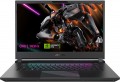 |
|---|---|---|
| Asus TUF Gaming A15 2023 FA507XI [FA507XI-LP013W] | Gigabyte AORUS 15 BSF [15 BSF-73KZ754SD] | |
| Outdated Product | Outdated Product | |
| TOP sellers | ||
Please check availability of additional accessories before purchasing. | ||
| Type | laptop | laptop |
Screen | ||
| Screen size | 15.6 " | 15.6 " |
| Screen type | IPS | IPS |
| Surface treatment | matte | matte |
| Screen resolution | 2560x1440 (16:9) | 2560x1440 (16:9) |
| Response time | 3 ms | |
| Refresh rate | 165 Hz | 165 Hz |
| Brightness | 300 nt | |
| Contrast | 1000 :1 | |
| Colour gamut (DCI-P3) | 100 % | 100 % |
| TÜV Rheinland certificate |  |  |
| NVIDIA G-Sync | | |
CPU | ||
| Series | Ryzen 9 | Core i7 |
| Model | 7940HS | 13700H |
| Processor code name | Phoenix (Zen 4) | Raptor Lake (13th Gen) |
| Processor cores | 8 | 14 (6P+8E) |
| Total threads | 16 | 20 |
| CPU speed | 4 GHz | 1.8 GHz |
| TurboBoost / TurboCore frequency | 5.2 GHz | 5 GHz |
| CPU TDP | 35 W | 45 W |
| Test 3DMark06 | 15716 points | 13025 points |
| Test Passmark CPU Mark | 31327 points | 30273 points |
| SuperPI 1M | 7.06 с | |
RAM | ||
| RAM | 16 GB | 16 GB |
| Maximum installed RAM capacity | 32 GB | 64 GB |
| RAM type | DDR5 | DDR5 |
| RAM memory frequency | 4800 MHz | 4800 MHz |
| Amount of RAM slots | 2 | 2 |
Graphics card | ||
| Graphics card type | dedicated | dedicated |
| Graphics card series | NVIDIA GeForce | NVIDIA GeForce |
| Graphics card model | RTX 4070 | RTX 4070 |
| Video memory | 8 GB | 8 GB |
| Video card memory type | GDDR6 | GDDR6 |
| GPU TDP | 140 W | |
| Advanced Optimus | | |
| VR | | |
| Test 3DMark06 | 55350 points | 55615 points |
| Test 3DMark Vantage P | 97154 points | 100062 points |
Storage | ||
| Drive type | SSD M.2 NVMe | SSD M.2 NVMe |
| Drive capacity | 512 GB | 1 TB |
| M.2 drive interface | PCIe 4.0 4x | PCIe 4.0 4x |
| M.2 drive size | 22x80 mm | |
| Additional M.2 connector | 1 | |
| Addittional M.2 connectors interface | PCI-E 4.0 4x | |
| Additional M.2 drive size | 22x80 mm | |
Connections | ||
| Connection ports | HDMI v2.1 | HDMI v2.1 miniDisplayPort v1.4 |
| Card reader | | |
| USB-A 5Gbps | 2 pcs | 1 pcs |
| USB-A 10Gbps | 2 pcs | |
| USB-C 10Gbps | 1 pcs | 1 pcs |
| USB-C 20Gbps | 1 pcs | |
| USB-C 20G (USB4) | 1 pcs | |
| USB-C 40G (USB4) | 1 pcs | |
| Thunderbolt interface | x1 v4 | |
| Alternate Mode | | |
| Monitors connection | 3 | 3 |
| LAN (RJ-45) | 1 Gbps | 1 Gbps |
| Wi-Fi | Wi-Fi 6 (802.11ax) | Wi-Fi 6E (802.11ax) |
| Bluetooth | v5.2 | v5.2 |
Multimedia | ||
| Webcam | 1280x720 (HD) | 1920x1080 (Full HD) |
| Camera shutter | | |
| Speakers | 2 pcs | 2 pcs |
| Audio decoders | Dolby Atmos | DTS X Ultra |
| Security | kensington / Noble lock | 3D face scanner |
Keyboard | ||
| Backlight | RGB | RGB 3 zone |
| Key design | island type | island type |
| Num block | | |
| Additional keys | 4 | |
| Input device | touchpad | touchpad |
Battery | ||
| Battery capacity | 90 W*h | 99 W*h |
| Power Delivery via USB-C | | |
| Fast charge | | |
| Charging time | 50% in 30 min | 50% in 30 min |
| Power supply Included | 240 W | 240 W |
General | ||
| Preinstalled OS | Win 11 Home | DOS |
| MIL-STD-810 Military Standard | | |
| Material | aluminium / plastic | aluminum |
| Dimensions (WxDxT) | 354x251x25 mm | 360x272x21 mm |
| Weight | 2.2 kg | 2.39 kg |
| Color | ||
| Added to E-Catalog | december 2023 | april 2023 |


Compare Asus FA507XI-LP013W and Gigabyte 15 BSF-73KZ754SD Asus TUF Gaming A15 (2023) FA507XI и Gigabyte AORUS 15 BSF?
You may be interested in
My comparisons
Gigabyte AORUS 15 BSF often compared

Glossary
Response time
Screen response time to a control signal — in other words, the time between the receipt of such a signal on the matrix and the switching of pixels to a given mode.
Theoretically, the lower the response time, the better the screen handles with dynamic scenes, the higher the frame rate on it can be achieved. At the same time, it is worth noting that almost all modern matrices have sufficient response speed to effectively process the classic frame rate of 60 Hz — and, recall, it is quite enough for most cases. So paying attention to this parameter makes sense, first of all, if you are purchasing an advanced gaming model, the screen of which operates at a frame rate of more than 60 Hz. In other cases, the response time is often not indicated at all.
Theoretically, the lower the response time, the better the screen handles with dynamic scenes, the higher the frame rate on it can be achieved. At the same time, it is worth noting that almost all modern matrices have sufficient response speed to effectively process the classic frame rate of 60 Hz — and, recall, it is quite enough for most cases. So paying attention to this parameter makes sense, first of all, if you are purchasing an advanced gaming model, the screen of which operates at a frame rate of more than 60 Hz. In other cases, the response time is often not indicated at all.
Brightness
The maximum brightness that a laptop screen can provide.
The brighter the ambient light, the brighter the laptop screen should be, otherwise the image on it may be difficult to read. And vice versa: in dim ambient light, high brightness is unnecessary — it greatly burdens the eyes (however, in this case, modern laptops provide brightness control). Thus, the higher this indicator, the more versatile the screen is, the wider the range of conditions in which it can be effectively used. The downside of these benefits is an increase in price and energy consumption.
As for specific values, many modern laptops have a brightness of 250 – 300 nt and even lower. This is quite enough for working under artificial lighting of medium intensity, but in bright natural light, visibility may already be a problem. For use in sunny weather (especially outdoors), it is desirable to have a brightness margin of at least 300 – 350 nt. And in the most advanced models, this parameter can be 350 – 400 nt and even more.
The brighter the ambient light, the brighter the laptop screen should be, otherwise the image on it may be difficult to read. And vice versa: in dim ambient light, high brightness is unnecessary — it greatly burdens the eyes (however, in this case, modern laptops provide brightness control). Thus, the higher this indicator, the more versatile the screen is, the wider the range of conditions in which it can be effectively used. The downside of these benefits is an increase in price and energy consumption.
As for specific values, many modern laptops have a brightness of 250 – 300 nt and even lower. This is quite enough for working under artificial lighting of medium intensity, but in bright natural light, visibility may already be a problem. For use in sunny weather (especially outdoors), it is desirable to have a brightness margin of at least 300 – 350 nt. And in the most advanced models, this parameter can be 350 – 400 nt and even more.
Contrast
The contrast of the screen installed in the laptop.
Contrast is the largest difference in brightness between the lightest white and darkest black that can be achieved on a single screen. It is written as a fraction, for example, 560:1; while the larger the first number, the higher the contrast, the more advanced the screen is and the better the image quality can be achieved on it. This is especially noticeable with large differences in brightness within a single frame: with low contrast, individual details located in the darkest or brightest parts of the picture may be lost, increasing the contrast allows you to eliminate this phenomenon to a certain extent. The flip side of these benefits is an increase in cost.
Separately, we emphasize that in this case only static contrast is indicated — the difference provided within one frame in normal operation, at constant brightness and without the use of special technologies. For advertising purposes, some manufacturers may also provide data on the so-called dynamic contrast — it can be measured in very impressive numbers (seven-digit or more). However, you should focus primarily on static contrast — this is the basic characteristic of any display.
As for specific values, even in the most advanced screens, this indicator does not exceed 2000: 1. But in general, modern laptops have a rather low contrast ratio — it is assumed that for tasks that require more advanced image characteristics, it is more...reasonable to use an external screen (monitor or TV).
Contrast is the largest difference in brightness between the lightest white and darkest black that can be achieved on a single screen. It is written as a fraction, for example, 560:1; while the larger the first number, the higher the contrast, the more advanced the screen is and the better the image quality can be achieved on it. This is especially noticeable with large differences in brightness within a single frame: with low contrast, individual details located in the darkest or brightest parts of the picture may be lost, increasing the contrast allows you to eliminate this phenomenon to a certain extent. The flip side of these benefits is an increase in cost.
Separately, we emphasize that in this case only static contrast is indicated — the difference provided within one frame in normal operation, at constant brightness and without the use of special technologies. For advertising purposes, some manufacturers may also provide data on the so-called dynamic contrast — it can be measured in very impressive numbers (seven-digit or more). However, you should focus primarily on static contrast — this is the basic characteristic of any display.
As for specific values, even in the most advanced screens, this indicator does not exceed 2000: 1. But in general, modern laptops have a rather low contrast ratio — it is assumed that for tasks that require more advanced image characteristics, it is more...reasonable to use an external screen (monitor or TV).
TÜV Rheinland certificate
Laptop display certification for safe blue light emission levels and panel flicker rates. The presence of a TÜV Rheinland certificate confirms that the screen is comfortable for the eyes.
TÜV Rheinland is a large international concern headquartered in Cologne, Germany, providing a wide range of audit services. The company's specialists have developed and approved a number of tests for the compliance of the screens of mobile devices, monitors and TVs with the required level of eye protection from the harmful effects of display radiation on the user's vision on the other side of the screen. The authoritative opinion of TÜV Rheinland is respected in the tech community. Certificates from this body are issued to successfully tested electronics for the implementation of blue light filtering and screen flicker suppression technologies.
TÜV Rheinland is a large international concern headquartered in Cologne, Germany, providing a wide range of audit services. The company's specialists have developed and approved a number of tests for the compliance of the screens of mobile devices, monitors and TVs with the required level of eye protection from the harmful effects of display radiation on the user's vision on the other side of the screen. The authoritative opinion of TÜV Rheinland is respected in the tech community. Certificates from this body are issued to successfully tested electronics for the implementation of blue light filtering and screen flicker suppression technologies.
NVIDIA G-Sync
Laptop support for NVIDIA G-Sync technology.
This feature is only found on models equipped with discrete NVIDIA graphics cards. It is used to match the frame rate of the screen and the frame rate of the signal arriving at it — so that these frequencies match. This avoids flickering, twitching, and other image artifacts that can occur due to out-of-sync. This feature is especially useful for games where the frame rate of the video signal can "float" depending on the load on the graphics core; in fact, most laptops with G-Sync are specifically for gaming.
A similar solution for AMD video cards is called FreeSync.
This feature is only found on models equipped with discrete NVIDIA graphics cards. It is used to match the frame rate of the screen and the frame rate of the signal arriving at it — so that these frequencies match. This avoids flickering, twitching, and other image artifacts that can occur due to out-of-sync. This feature is especially useful for games where the frame rate of the video signal can "float" depending on the load on the graphics core; in fact, most laptops with G-Sync are specifically for gaming.
A similar solution for AMD video cards is called FreeSync.
Series
Each series combines chips that are similar in general level, purpose, and often also in individual specific features. At the same time, most series include processors of several generations at once, which can differ significantly in actual characteristics. It is worth noting that until recently, laptops were almost exclusively equipped with processors from AMD or Intel - until in 2020, Apple introduced its own chip Apple M1(with updated versions of Apple M1 Pro and Apple M1 Max), Apple M2(2022) with productive chips M2 Pro, M2 Max and Apple M3, M3 Pro, M3 Max(2023). Then Qualcomm entered the arena with its Snapdragon processors.
At the moment, the following series are mainly relevant in laptops:
— AMD Ryzen 3. The cheapest series of AMD chips in the Ryzen family (Ryzen 3, Ryzen 5, Ryzen 7, Ryzen 9 and Ryzen AI), using the Zen microarchitecture. In ter...ms of general design, Ryzen 3 is similar to its older brothers, but half of the computing cores are deactivated. Nevertheless, it is quite advanced and is even found in ultrabooks.
— Ryzen 5. The second series on the Zen architecture is a more affordable alternative to the Ryzen 7 chips. Ryzen 5 chips have slightly more limited performance characteristics (in particular, a lower clock frequency and, in some models, L3 cache volume). Otherwise, they are completely similar to the "sevens" and are also positioned as high-performance chips for gaming and workstations. For more details, see "Ryzen 7" below.
— Ryzen 7. The first series of processors from AMD, built on the Zen microarchitecture. It was introduced in March 2017. In general, Ryzen chips (of all series) are promoted as high-end solutions for gamers, developers, graphic designers and video editors. One of the main differences between Zen and previous microarchitectures was the use of simultaneous multithreading, due to which the number of operations per clock was significantly increased at the same clock frequency. In addition, each core received its own floating-point calculation unit, the speed of the first-level cache memory increased, and the L3 cache volume in Ryzen 7 chips is 16 MB by default.
— Ryzen 9. AMD Ryzen 9 processors on the Zen microarchitecture debuted in 2019. The series became the top among all Ryzens, displacing Ryzen 7 from this position. First of all, the CPU line is usually used for professional tasks (design, video editing, 3D rendering), games, streaming and other high-load applications. The first Ryzen 9 models had 12 cores and 24 threads, in later ones this number was increased to 16 and 32, respectively.
— Ryzen AI. The Ryzen series of processors with artificial intelligence was launched in 2024. The first in the lineup was the AMD Ryzen AI 300 subfamily. It introduces the new Zen 5 computing core architecture, has integrated RDNA 3.5 graphics, and a powerful XDNA 2 neural processor with a performance of up to 50 TOPS (trillion operations per second). The Ryzen AI chips are perfect for a wide range of tasks — from everyday work to complex calculations using AI algorithms.
— Atom. Processors specially developed by Intel for mobile devices (including smartphones). Used mainly in ultra-compact laptops.
— Core M. Processors designed for portable devices (in particular, ultra-compact laptops) and featuring extremely low heat generation, allowing the use of passive cooling systems. They were introduced in 2014 as the first serial chips using the 14 nm process technology.
— Celeron. The most budget series in the modern line of desktop processors from Intel. However, the latest generations are equipped with integrated graphics.
— Pentium. Budget desktop processors from Intel, slightly superior in characteristics to Celeron, but not up to the Core i3. Also have integrated graphics.
— Processor. A line of entry-level processors that precedes the Core i3 family in Intel's modern hierarchy. These chipsets are found in entry-level laptops designed for everyday home or office use, as well as undemanding games.
— Intel Core i3 / Core 3. A series of entry-level and mid-range processors, the most budget-friendly in the Core family. However, in terms of characteristics and computing power, the processors of this line are superior to the Pentium and Celeron series (see above).
— Intel Core i5 / Core 5. A line of mid-range processors — both in general and by the standards of the Core family in particular. Most often, the processors of the series contain from 4 to 10 cores, and in terms of performance, they are between the relatively inexpensive i3 (Core 3) and the powerful i7 (Core 7).
— Intel Core i7 / Core 7. A series of high-performance processors from Intel. Before the i9, it was the most advanced in the Core family, but then it gave way to the "nine". Core 7 chips have at least 4 cores and integrated graphics.
— Core i9. Top-end processors released in 2017; the most powerful line of consumer-grade notebook processors at the time of their release, displacing Core i7 chips from this position. They have 6 cores and a large L3 cache.
— Core Ultra 5. A transformation of the popular series of mobile processors of the strong mid-range Intel Core i5, which received the Ultra prefix since the end of 2023 — when the Meteor Lake generation of chipsets debuted. The main feature of the Core Ultra 5 processors is a separate NPU, which gives advantages when working with AI models.
— Core Ultra 7. A pre-top series of high-performance mobile processors from Intel, which replaced the Core i7 family at the end of 2023 (with the advent of the new generation of Meteor Lake chipsets). A mandatory attribute of the Ultra models has become a neural coprocessor, responsible for accelerating the operation of artificial intelligence algorithms.
— Core Ultra 9. The most powerful line of laptop processors from Intel, released to replace the Core i9 family at the end of 2023. The premiere of models with the Ultra addition took place in the Meteor Lake chipset generation. A distinctive feature of Intel Core Ultra 9 is the presence of a separate NPU to improve the efficiency of using artificial intelligence models.
— Apple. A series of processors from Apple, which debuted in November 2020 with the release of the next generations of MacBook, MacBook Air and MacBook Pro. In the initial configurations, they are equipped with 8 cores - 4 productive and 4 economical; the latter, according to the creators, consume 10 times less energy than the former. This, combined with the 5 nm process technology, made it possible to achieve very high energy efficiency and, at the same time, performance. It is also worth noting that the processors of this series are made according to the system-on-chip scheme: a single module combines a CPU, a graphics adapter, RAM (in the first models - 8 or 16 GB), a solid-state NVMe drive and some other components (in particular, Thunderbolt 4 controllers).
— Snapdragon. Snapdragon processors are essentially mobile solutions — they are traditionally installed in smartphones and tablets. Separate lines of Snapdragon chips have been released specifically for laptops (for example, X Elite on ARM architecture). Many laptops based on such processors are equipped with built-in LTE or even 5G modules. Their advantage is also high energy efficiency.
At the moment, the following series are mainly relevant in laptops:
— AMD Ryzen 3. The cheapest series of AMD chips in the Ryzen family (Ryzen 3, Ryzen 5, Ryzen 7, Ryzen 9 and Ryzen AI), using the Zen microarchitecture. In ter...ms of general design, Ryzen 3 is similar to its older brothers, but half of the computing cores are deactivated. Nevertheless, it is quite advanced and is even found in ultrabooks.
— Ryzen 5. The second series on the Zen architecture is a more affordable alternative to the Ryzen 7 chips. Ryzen 5 chips have slightly more limited performance characteristics (in particular, a lower clock frequency and, in some models, L3 cache volume). Otherwise, they are completely similar to the "sevens" and are also positioned as high-performance chips for gaming and workstations. For more details, see "Ryzen 7" below.
— Ryzen 7. The first series of processors from AMD, built on the Zen microarchitecture. It was introduced in March 2017. In general, Ryzen chips (of all series) are promoted as high-end solutions for gamers, developers, graphic designers and video editors. One of the main differences between Zen and previous microarchitectures was the use of simultaneous multithreading, due to which the number of operations per clock was significantly increased at the same clock frequency. In addition, each core received its own floating-point calculation unit, the speed of the first-level cache memory increased, and the L3 cache volume in Ryzen 7 chips is 16 MB by default.
— Ryzen 9. AMD Ryzen 9 processors on the Zen microarchitecture debuted in 2019. The series became the top among all Ryzens, displacing Ryzen 7 from this position. First of all, the CPU line is usually used for professional tasks (design, video editing, 3D rendering), games, streaming and other high-load applications. The first Ryzen 9 models had 12 cores and 24 threads, in later ones this number was increased to 16 and 32, respectively.
— Ryzen AI. The Ryzen series of processors with artificial intelligence was launched in 2024. The first in the lineup was the AMD Ryzen AI 300 subfamily. It introduces the new Zen 5 computing core architecture, has integrated RDNA 3.5 graphics, and a powerful XDNA 2 neural processor with a performance of up to 50 TOPS (trillion operations per second). The Ryzen AI chips are perfect for a wide range of tasks — from everyday work to complex calculations using AI algorithms.
— Atom. Processors specially developed by Intel for mobile devices (including smartphones). Used mainly in ultra-compact laptops.
— Core M. Processors designed for portable devices (in particular, ultra-compact laptops) and featuring extremely low heat generation, allowing the use of passive cooling systems. They were introduced in 2014 as the first serial chips using the 14 nm process technology.
— Celeron. The most budget series in the modern line of desktop processors from Intel. However, the latest generations are equipped with integrated graphics.
— Pentium. Budget desktop processors from Intel, slightly superior in characteristics to Celeron, but not up to the Core i3. Also have integrated graphics.
— Processor. A line of entry-level processors that precedes the Core i3 family in Intel's modern hierarchy. These chipsets are found in entry-level laptops designed for everyday home or office use, as well as undemanding games.
— Intel Core i3 / Core 3. A series of entry-level and mid-range processors, the most budget-friendly in the Core family. However, in terms of characteristics and computing power, the processors of this line are superior to the Pentium and Celeron series (see above).
— Intel Core i5 / Core 5. A line of mid-range processors — both in general and by the standards of the Core family in particular. Most often, the processors of the series contain from 4 to 10 cores, and in terms of performance, they are between the relatively inexpensive i3 (Core 3) and the powerful i7 (Core 7).
— Intel Core i7 / Core 7. A series of high-performance processors from Intel. Before the i9, it was the most advanced in the Core family, but then it gave way to the "nine". Core 7 chips have at least 4 cores and integrated graphics.
— Core i9. Top-end processors released in 2017; the most powerful line of consumer-grade notebook processors at the time of their release, displacing Core i7 chips from this position. They have 6 cores and a large L3 cache.
— Core Ultra 5. A transformation of the popular series of mobile processors of the strong mid-range Intel Core i5, which received the Ultra prefix since the end of 2023 — when the Meteor Lake generation of chipsets debuted. The main feature of the Core Ultra 5 processors is a separate NPU, which gives advantages when working with AI models.
— Core Ultra 7. A pre-top series of high-performance mobile processors from Intel, which replaced the Core i7 family at the end of 2023 (with the advent of the new generation of Meteor Lake chipsets). A mandatory attribute of the Ultra models has become a neural coprocessor, responsible for accelerating the operation of artificial intelligence algorithms.
— Core Ultra 9. The most powerful line of laptop processors from Intel, released to replace the Core i9 family at the end of 2023. The premiere of models with the Ultra addition took place in the Meteor Lake chipset generation. A distinctive feature of Intel Core Ultra 9 is the presence of a separate NPU to improve the efficiency of using artificial intelligence models.
— Apple. A series of processors from Apple, which debuted in November 2020 with the release of the next generations of MacBook, MacBook Air and MacBook Pro. In the initial configurations, they are equipped with 8 cores - 4 productive and 4 economical; the latter, according to the creators, consume 10 times less energy than the former. This, combined with the 5 nm process technology, made it possible to achieve very high energy efficiency and, at the same time, performance. It is also worth noting that the processors of this series are made according to the system-on-chip scheme: a single module combines a CPU, a graphics adapter, RAM (in the first models - 8 or 16 GB), a solid-state NVMe drive and some other components (in particular, Thunderbolt 4 controllers).
— Snapdragon. Snapdragon processors are essentially mobile solutions — they are traditionally installed in smartphones and tablets. Separate lines of Snapdragon chips have been released specifically for laptops (for example, X Elite on ARM architecture). Many laptops based on such processors are equipped with built-in LTE or even 5G modules. Their advantage is also high energy efficiency.
Model
The specific model of the processor installed in the laptop, or rather, the processor index within its series (see above). Knowing the full name of the processor (series and model), you can find detailed information on it (up to practical reviews) and clarify its capabilities.
Processor code name
The code name of the processor installed in the laptop.
This parameter primarily characterizes the generation to which the processor belongs and the microarchitecture used in it. At the same time, chips belonging to the same microarchitecture/generation may have different code names; in such cases, they differ by other parameters—overall positioning, belonging to specific series (see above), presence/absence of certain specific features, etc.
Currently, Intel processors have the following code names: Coffee Lake, Comet Lake, Ice Lake, Tiger Lake, Jasper Lake, Alder Lake, Raptor Lake (13 Gen), Alder Lake-N, Raptor Lake Refresh (14 Gen), Meteor Lake (Series 1), Raptor Lake (Series 1), Arrow Lake (Series 2), Lunar Lake (Series 2), Raptor Lake (Series 2), Panther Lake (Series 3). For AMD, the list looks like this: Zen 2 Renoir, Zen 2 Lucienne, Zen 3 Cezanne..., Zen 3 Barcelo, Zen 3+ Rembrandt, Zen 3+ Rembrandt R, Zen 2 Mendocino, Zen 3 Barcelo R, Zen 4 Dragon Range, Zen 4 Phoenix, Zen 4 Hawk Point, Zen 5 Strix Point, Zen 5 Strix Halo, Zen 5 Krackan Point, Zen 5 Gorgon Point. Detailed data on different code names can be found in specialized sources.
This parameter primarily characterizes the generation to which the processor belongs and the microarchitecture used in it. At the same time, chips belonging to the same microarchitecture/generation may have different code names; in such cases, they differ by other parameters—overall positioning, belonging to specific series (see above), presence/absence of certain specific features, etc.
Currently, Intel processors have the following code names: Coffee Lake, Comet Lake, Ice Lake, Tiger Lake, Jasper Lake, Alder Lake, Raptor Lake (13 Gen), Alder Lake-N, Raptor Lake Refresh (14 Gen), Meteor Lake (Series 1), Raptor Lake (Series 1), Arrow Lake (Series 2), Lunar Lake (Series 2), Raptor Lake (Series 2), Panther Lake (Series 3). For AMD, the list looks like this: Zen 2 Renoir, Zen 2 Lucienne, Zen 3 Cezanne..., Zen 3 Barcelo, Zen 3+ Rembrandt, Zen 3+ Rembrandt R, Zen 2 Mendocino, Zen 3 Barcelo R, Zen 4 Dragon Range, Zen 4 Phoenix, Zen 4 Hawk Point, Zen 5 Strix Point, Zen 5 Strix Halo, Zen 5 Krackan Point, Zen 5 Gorgon Point. Detailed data on different code names can be found in specialized sources.
Processor cores
The number of cores in the laptop CPU.
The core is a part of the CPU designed to process one thread of instructions (and sometimes more, for such models, see "Number of threads"). Nowadays, in laptops you can find dual-core, quad-core, six-core, eight-core, ten-core, 12-core, 14-core CPUs. Also note that recently configurations with different types of cores as part of a single CPU are gaining popularity. Such chips are built on a hybrid architecture that combines high performance and energy-efficient cores. They operate at different clock speeds, have different amounts of pre-installed cache memory and are designed to solve different problems. In particular, such CPUs are found in Intel CPUs (from the 12th generation) and Apple.
Theoretically, more cores means higher performance, especially in parallel computing tasks or when processing multiple resource-intensive tasks at the same time. However, in practice this is true only all else being equal – that is, with a similar microarchitecture, clock frequency, cache volumes and other key parameters. Modern CPUs can vary greatly on these parameters – in itself, a greater number of cores does not mean superiority. This is especially true for dual- and quad-core chips: a mobil...e-level CPU (for example, Snapdragon, see "CPU series") with 4 cores may well be inferior in capabilities to a dual-core desktop series chip (like Core i3 or i5, which are often used in universal laptops with the "optimal" set of specifications for different tasks). When evaluating CPUs with two or four cores, it is necessary to look, first of all, at the general set of characteristics. But the presence of six, eight or more cores is almost certainly a sign of a powerful CPU. Such equipment is typical mainly for advanced gaming and professional laptops.
The core is a part of the CPU designed to process one thread of instructions (and sometimes more, for such models, see "Number of threads"). Nowadays, in laptops you can find dual-core, quad-core, six-core, eight-core, ten-core, 12-core, 14-core CPUs. Also note that recently configurations with different types of cores as part of a single CPU are gaining popularity. Such chips are built on a hybrid architecture that combines high performance and energy-efficient cores. They operate at different clock speeds, have different amounts of pre-installed cache memory and are designed to solve different problems. In particular, such CPUs are found in Intel CPUs (from the 12th generation) and Apple.
Theoretically, more cores means higher performance, especially in parallel computing tasks or when processing multiple resource-intensive tasks at the same time. However, in practice this is true only all else being equal – that is, with a similar microarchitecture, clock frequency, cache volumes and other key parameters. Modern CPUs can vary greatly on these parameters – in itself, a greater number of cores does not mean superiority. This is especially true for dual- and quad-core chips: a mobil...e-level CPU (for example, Snapdragon, see "CPU series") with 4 cores may well be inferior in capabilities to a dual-core desktop series chip (like Core i3 or i5, which are often used in universal laptops with the "optimal" set of specifications for different tasks). When evaluating CPUs with two or four cores, it is necessary to look, first of all, at the general set of characteristics. But the presence of six, eight or more cores is almost certainly a sign of a powerful CPU. Such equipment is typical mainly for advanced gaming and professional laptops.