
Comparison Hator Pulsar vs Hator Pulsar Essential
Add to comparison | 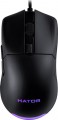 | 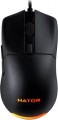 |
|---|---|---|
| Hator Pulsar | Hator Pulsar Essential | |
| Outdated Product | Outdated Product | |
| User reviews | ||
| TOP sellers | ||
| Product type | mouse | mouse |
| Connection | wired | wired |
| Sensor | optical | optical |
| Type | for game | for game |
Sensor and control | ||
| Sensor | PixArt 3389 | PixArt 3327 |
| Sensor resolution | 50 – 16000 DPI | 400 – 6200 DPI |
| Max. acceleration | 50 G | 30 G |
| Max. speed | 400 ips | |
| Max. polling rate | 1000 Hz (1 ms) | 1000 Hz (1 ms) |
| Number of buttons | 5 | 5 |
| Side buttons |  | |
| DPI-button | | |
| Switch type | mechanical | mechanical |
| Switches | Omron | Huano |
| Scroll wheels | 1 | 1 |
Additional features | ||
| Programmable buttons | |  |
| Built-in memory | | |
| Lighting | RGB | RGB |
| Lighting effects | + | + |
| Feet material | teflon (PTFE) | teflon (PTFE) |
Connection and power supply | ||
| Cable | USB-A braided | USB-A braided |
| Cable length | 1.8 m | 1.8 m |
General | ||
| Suitable for left-handers | | |
| Size (LxWxH) | 123x68x38 mm | 123x68x38 mm |
| Weight | 69 g | 69 g |
| Color | ||
| Added to E-Catalog | january 2021 | january 2021 |


Compare Hator Pulsar and Pulsar Essential
Mouse Hator Pulsar and Hator Pulsar Essential have similar size and weight but differ in sensor characteristics and functionality. The Pulsar is equipped with a sensor PixArt 3389 with up to 16000 DPI, providing higher precision and speed (400 ips) compared to the sensor PixArt 3327 in the Pulsar Essential, which has a maximum resolution of 6200 DPI and acceleration of 30 G. Users note that the Pulsar offers a better gaming experience due to its high-quality sensor and lightness, while the Essential stands out for its affordable price and good build quality. Overall, if you need a more performant mouse for gaming, the Hator Pulsar is worth considering, whereas the Hator Pulsar Essential is a good choice for a more budget-friendly option.
You may be interested in
Hator Pulsar often compared


Hator Pulsar Essential often compared


Glossary
Sensor
The model of the sensor installed in the mouse. This information is indicated mainly for models equipped with high-end sensors, which are significantly superior in their capabilities to simpler solutions. Such characteristics are important primarily for gaming mice, so most of the devices for which the sensor model is specified belong to this category.
Knowing the name, you can find detailed data on the sensor and evaluate its capabilities. Note that one of the most popular brands nowadays, under which advanced sensors are produced, is PixArt ; on the market are often found, in particular, sensors PixArt 3212, PixArt 3325, PixArt 3327, PixArt 3335, PixArt 3360, PixArt 3389, PixArt 3395, PixArt 3950.
Knowing the name, you can find detailed data on the sensor and evaluate its capabilities. Note that one of the most popular brands nowadays, under which advanced sensors are produced, is PixArt ; on the market are often found, in particular, sensors PixArt 3212, PixArt 3325, PixArt 3327, PixArt 3335, PixArt 3360, PixArt 3389, PixArt 3395, PixArt 3950.
Sensor resolution
Resolution of the sensor responsible for tracking mouse movements on the work surface. Specified in DPI — dots per inch.
The physical meaning of DPI as a whole is as follows. The sensor of a modern mouse works on the same principle as the camera matrix, and consists of pixels. And DPI is the number of pixels that fall on 1 inch of the underlying surface (length or width), "visible" by the sensor.
It is believed that more DPI means a more advanced sensor and mouse in general; nowadays, models for 3500 – 5000 DPI, 12000 DPI, 16000 DPI even more are not uncommon. In a way, it is — high resolution contributes to accuracy. However, the only thing that is directly determined by this indicator is the speed at which the cursor moves across the screen: the higher the resolution of the sensor, the greater the number of pixels that the cursor will move when the mouse itself moves a certain distance. At the same time, it is worth recalling that too high a speed is even more undesirable than too low. So the real need for high DPI ( 1000 and above) arises mainly when working on large screens (4K resolution and more); for more modest displays (HD and Full HD), smaller values are often enough.
The physical meaning of DPI as a whole is as follows. The sensor of a modern mouse works on the same principle as the camera matrix, and consists of pixels. And DPI is the number of pixels that fall on 1 inch of the underlying surface (length or width), "visible" by the sensor.
It is believed that more DPI means a more advanced sensor and mouse in general; nowadays, models for 3500 – 5000 DPI, 12000 DPI, 16000 DPI even more are not uncommon. In a way, it is — high resolution contributes to accuracy. However, the only thing that is directly determined by this indicator is the speed at which the cursor moves across the screen: the higher the resolution of the sensor, the greater the number of pixels that the cursor will move when the mouse itself moves a certain distance. At the same time, it is worth recalling that too high a speed is even more undesirable than too low. So the real need for high DPI ( 1000 and above) arises mainly when working on large screens (4K resolution and more); for more modest displays (HD and Full HD), smaller values are often enough.
Max. acceleration
The greatest acceleration during movement, at which the mouse maintains normal performance; if this indicator is exceeded, the cursor may “break down” (moving to an unexpected place due to incorrect processing of data from the sensor).
The faster the mouse moves, the greater the acceleration acting on it. Accordingly, this parameter determines the sensitivity to sudden movements, the extent to which this model is able to normally perceive and process such movements. High values of maximum acceleration ( 40 G, 50 G) are important first of all in dynamic games, especially for professional e-sportsmen and advanced enthusiasts. If the mouse is bought for relatively simple tasks (working with documents, surfing the web, etc.), you can ignore this indicator.
The faster the mouse moves, the greater the acceleration acting on it. Accordingly, this parameter determines the sensitivity to sudden movements, the extent to which this model is able to normally perceive and process such movements. High values of maximum acceleration ( 40 G, 50 G) are important first of all in dynamic games, especially for professional e-sportsmen and advanced enthusiasts. If the mouse is bought for relatively simple tasks (working with documents, surfing the web, etc.), you can ignore this indicator.
Max. speed
The ips (inches per second) parameter is the linear speed of mouse movement, expressed in inches per second, at which the manipulator's sensor is able to read the surface. In top models, the maximum mouse movement speed often reaches 400-600 ips, but devices with ips in the region of 200 are more common.
Switches
The switches in a mouse indicate which specific switches are installed under the main buttons, such as Omron, Huano, Kailh, TTC, or proprietary solutions from the manufacturer. These determine the click characteristics, actuation force, click volume, lifespan, and the likelihood of double-clicking over time.
Unlike the general switch type, which refers to the working principle—mechanical or optical—the brand and model provide a more precise understanding of the performance level. For example, two mice with mechanical switches might feel different when clicked: some may be softer and quieter, while others could be stiffer, louder, and feel more "gaming-like."
Unlike the general switch type, which refers to the working principle—mechanical or optical—the brand and model provide a more precise understanding of the performance level. For example, two mice with mechanical switches might feel different when clicked: some may be softer and quieter, while others could be stiffer, louder, and feel more "gaming-like."
Programmable buttons
The presence of programmable buttons in the design of the mouse. In this case, the buttons mean not only the keys, but also the scroll wheels, which are usually able to work on pressure.
Almost all models with this feature are gaming (see "By Direction"). Usually, programming is carried out using special proprietary software, while the functionality of such a setting may be different. For example, in some models, only one action can be tied to one button, in others — a whole series of actions (such as a combination of attacks in an RPG). Often, it is possible to configure one button for different actions in different games.
However, this feature provides an additional convenience: the mouse keys are right at hand, and it is usually easier (and faster) to use them than to reach for the button (s) on the keyboard.
Almost all models with this feature are gaming (see "By Direction"). Usually, programming is carried out using special proprietary software, while the functionality of such a setting may be different. For example, in some models, only one action can be tied to one button, in others — a whole series of actions (such as a combination of attacks in an RPG). Often, it is possible to configure one button for different actions in different games.
However, this feature provides an additional convenience: the mouse keys are right at hand, and it is usually easier (and faster) to use them than to reach for the button (s) on the keyboard.
Built-in memory
The presence in the mouse of its own built-in memory.
The main and, in fact, the only way to use such memory is to store various advanced settings (for example, the functions of programmable keys, or even entire user profiles for various games or other tasks). This feature is relevant mainly for gamers, so almost all models with this feature are gaming.
The main and, in fact, the only way to use such memory is to store various advanced settings (for example, the functions of programmable keys, or even entire user profiles for various games or other tasks). This feature is relevant mainly for gamers, so almost all models with this feature are gaming.