
Comparison Asus Strix Raid PRO vs Asus Xonar DX
Add to comparison | 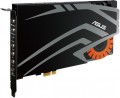 | 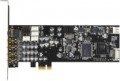 |
|---|---|---|
| Asus Strix Raid PRO | Asus Xonar DX | |
from $340.34 | from $75.38 up to $83.56 | |
| User reviews | ||
| TOP sellers | ||
| Type | audiophile (Hi-Fi) | gaming |
Specs | ||
| Form factor | internal | internal |
| Interface | PCIe | PCIe |
| Channels | 7.1 | 7.1 |
| Audiochip | C-Media 6632AX | ASUS AV100 |
| Standards | Dolby Digital Live, Dolby Headphone, Dolby Virtual Speaker | |
| ASIO |  | |
| Additional power | | |
DAC | ||
| DAC resolution | 24 bit | 24 bit |
| Max. sampling rate | 192 kHz | 192 kHz |
| Signal-to-noise ratio | 116 dB | 116 dB |
ADC | ||
| ADC resolution | 24 bit | 24 bit |
| Max. sampling rate | 192 kHz | 192 kHz |
| Signal-to-noise ratio | 110 dB | |
| More features | headphones amplifier external control module | front panel output |
Inputs | ||
| mini-Jack (3.5 mm) | 1 | 1 |
Outputs | ||
| mini-Jack (3.5 mm) | 5 | 4 |
| Optical S/PDIF | 1 | |
| Coaxial S/PDIF | 1 | |
| Added to E-Catalog | february 2016 | january 2014 |


Compare Asus Strix Raid PRO and Xonar DX
You may be interested in
Asus Strix Raid PRO often compared


Asus Xonar DX often compared


Glossary
Type
— Regular. This category includes all sound cards that do not have a clear specialization and do not belong to any of the types described below. Generally, they have a set of basic or mid-level characteristics and are intended for simple everyday tasks: listening to music and game sound through regular speakers or headphones, online communication via microphone, etc. Regular sound cards are equipped with both digital-to-analog and analog-to-digital converters and can be either internal or external.
— Audiophile (Hi-Fi). Sound cards designed for lovers of high-quality sound; they may also be useful for professionals engaged in professional audio processing who require the most accurate reproduction of the received signal. Accordingly, models of this type are distinguished by high build quality, advanced components, and additional equipment, a variety of interfaces, and extended configuration capabilities (both software and hardware, including even the possibility of replacing individual components of the circuit). However, such cards are priced accordingly.
— Gaming. Sound cards originally created as components for advanced gaming systems. Accordingly, the main purpose of such models is the high-quality transmission of game sound, including 3D and multi-channel sound. Usually, gaming sound cards are equipped with advanced DACs and support various special...standards (see below); furthermore, they may have additional equipment like external control modules (see below). The vast majority of models of this type are internal, but they often have rather original designs (which will be useful for modding enthusiasts using transparent cases).
— DAC. Abbreviation for "digital-to-analog converter." This term usually refers to a component of a sound card, but in this context, it refers to a separate type of sound card, whose distinctive feature is the lack of an analog-to-digital converter (ADC). Consequently, DACs can only transmit sound from the computer to headphones, speakers, etc., and cannot be used for sound digitization from a microphone or other external signal sources. Note that this category includes a variety of models — from basic "USB-headphone" adapters, the size of a flash drive, to advanced audiophile-class solutions.
— Audio Interface. A kind of opposite to the above-described DAC: audio interfaces are primarily intended for digitizing incoming sound (e.g., from a microphone or electric guitar). Consequently, they are not only necessarily equipped with analog-to-digital converters — generally, these ADCs have very advanced characteristics and extensive sound adjustment capabilities (and some models even provide hardware switches for this). At the same time, audio interfaces can also work in the mode of converting digital to analog sound (simply put — outputting sound to headphones/speakers). The cost of such devices is usually quite high, so it makes sense to purchase them only for those who plan to work a lot with sound recording.
— Audiophile (Hi-Fi). Sound cards designed for lovers of high-quality sound; they may also be useful for professionals engaged in professional audio processing who require the most accurate reproduction of the received signal. Accordingly, models of this type are distinguished by high build quality, advanced components, and additional equipment, a variety of interfaces, and extended configuration capabilities (both software and hardware, including even the possibility of replacing individual components of the circuit). However, such cards are priced accordingly.
— Gaming. Sound cards originally created as components for advanced gaming systems. Accordingly, the main purpose of such models is the high-quality transmission of game sound, including 3D and multi-channel sound. Usually, gaming sound cards are equipped with advanced DACs and support various special...standards (see below); furthermore, they may have additional equipment like external control modules (see below). The vast majority of models of this type are internal, but they often have rather original designs (which will be useful for modding enthusiasts using transparent cases).
— DAC. Abbreviation for "digital-to-analog converter." This term usually refers to a component of a sound card, but in this context, it refers to a separate type of sound card, whose distinctive feature is the lack of an analog-to-digital converter (ADC). Consequently, DACs can only transmit sound from the computer to headphones, speakers, etc., and cannot be used for sound digitization from a microphone or other external signal sources. Note that this category includes a variety of models — from basic "USB-headphone" adapters, the size of a flash drive, to advanced audiophile-class solutions.
— Audio Interface. A kind of opposite to the above-described DAC: audio interfaces are primarily intended for digitizing incoming sound (e.g., from a microphone or electric guitar). Consequently, they are not only necessarily equipped with analog-to-digital converters — generally, these ADCs have very advanced characteristics and extensive sound adjustment capabilities (and some models even provide hardware switches for this). At the same time, audio interfaces can also work in the mode of converting digital to analog sound (simply put — outputting sound to headphones/speakers). The cost of such devices is usually quite high, so it makes sense to purchase them only for those who plan to work a lot with sound recording.
Audiochip
Brand of the audio chip installed in the sound card.
The audio chip is one of the most important parts of a sound card, a kind of "heart" of the whole circuit, and it is on its characteristics that the sound quality and other capabilities of a particular model largely depend. Knowing the brand of the chip, you can easily find various information on it — official specifications, test results, reviews, etc. — and based on this, draw a conclusion to what extent this sound card is able to meet your requirements. Of course, for ordinary video cards (see "View") there is no need to delve into such details, but when choosing a gaming or audiophile model, they can be very useful.
The audio chip is one of the most important parts of a sound card, a kind of "heart" of the whole circuit, and it is on its characteristics that the sound quality and other capabilities of a particular model largely depend. Knowing the brand of the chip, you can easily find various information on it — official specifications, test results, reviews, etc. — and based on this, draw a conclusion to what extent this sound card is able to meet your requirements. Of course, for ordinary video cards (see "View") there is no need to delve into such details, but when choosing a gaming or audiophile model, they can be very useful.
Standards
Various standards and special digital audio technologies that the sound card is officially compatible with. For example, the Dolby and DTS standards in various variations are used primarily for multi-channel audio tracks in films, while DirectSound and EAX provide high-quality “surround” sound in games. In fact, the ability to work with one or another standard is largely determined by the software part of the system, and not by the characteristics of the sound card; however, official compatibility means at least the full compliance of the card with the requirements of the standard and the minimum risk of conflicts at the hardware level.
Signal-to-noise ratio
The signal-to-noise ratio provided by the analogue-to-digital converter (ADC) of the sound card in the processed signal. For more information about this ratio, see the paragraph of the same name above. Here we note that in domestic use it does not play a decisive role, but if you plan to record sound in good quality, you should choose a card with a high value of this indicator.
More features
— Headphone Amplifier. The presence of a separate headphone amplifier in the design of the sound card. Such equipment allows at least to improve the overall sound of the “ears”, as well as to implement various additional settings for such sound (for example, a separate volume control). And some headphones — primarily high-impedance Hi-Fi models — in principle cannot be used without special amplifiers.
— External control module. The presence of an external control module in the design of the sound card. Such a module is actually a control panel with a wired connection; it doesn't give you the freedom of movement that a wireless remote control does (see below), but it's cheaper and often more convenient. So, the control module does not have to be in direct line of sight with respect to the audio card, and the length of the wire is often enough to place the device at the user's hand. However the set of adjustments placed on the external unit is usually limited to the most basic settings; however, even this, usually, is quite enough for comfortable use. In addition, the control unit often provides additional connectors for connecting headphones and a microphone. Among other things, this feature is especially convenient in games — it allows you to adjust the sound without distracting from the game itself. However, other types of sound cards can also be equipped with external modules (see "View").
...
— Remote control. A remote control is included with the sound card. Do not confuse this function with the external control module described above: in this case, we mean a classic wireless IR remote control, like those used in TVs. Such a device does not necessarily cover all the capabilities of the audio adapter, however, the range of functions of the remote control can be quite extensive. On the other hand, the need to control a sound card from a distance is extremely rare, and in most cases, the mentioned external module is enough for this. So models with a remote control are not widely used.
— Exit to the front panel. Ability to connect an internal sound card (see "Type") to the connectors on the front panel of the PC. To do this, a special connector (or several connectors) is provided on the board, which is connected to the corresponding connector (s) using a wire. The convenience of this feature is obvious: in desktop computers, the front panel is located closest to the user, and it is to it that it is easiest to connect peripherals that involve frequent plugging and unplugging, such as headphones and microphones. Actually, connectors for such devices are most often displayed on the front panel.
— External control module. The presence of an external control module in the design of the sound card. Such a module is actually a control panel with a wired connection; it doesn't give you the freedom of movement that a wireless remote control does (see below), but it's cheaper and often more convenient. So, the control module does not have to be in direct line of sight with respect to the audio card, and the length of the wire is often enough to place the device at the user's hand. However the set of adjustments placed on the external unit is usually limited to the most basic settings; however, even this, usually, is quite enough for comfortable use. In addition, the control unit often provides additional connectors for connecting headphones and a microphone. Among other things, this feature is especially convenient in games — it allows you to adjust the sound without distracting from the game itself. However, other types of sound cards can also be equipped with external modules (see "View").
...
— Remote control. A remote control is included with the sound card. Do not confuse this function with the external control module described above: in this case, we mean a classic wireless IR remote control, like those used in TVs. Such a device does not necessarily cover all the capabilities of the audio adapter, however, the range of functions of the remote control can be quite extensive. On the other hand, the need to control a sound card from a distance is extremely rare, and in most cases, the mentioned external module is enough for this. So models with a remote control are not widely used.
— Exit to the front panel. Ability to connect an internal sound card (see "Type") to the connectors on the front panel of the PC. To do this, a special connector (or several connectors) is provided on the board, which is connected to the corresponding connector (s) using a wire. The convenience of this feature is obvious: in desktop computers, the front panel is located closest to the user, and it is to it that it is easiest to connect peripherals that involve frequent plugging and unplugging, such as headphones and microphones. Actually, connectors for such devices are most often displayed on the front panel.
mini-Jack (3.5 mm)
The number of outputs with 3.5 mm mini-Jack connectors in the design of the sound card. It is this connector that is used by the vast majority of modern computer headphones and speakers of all price categories (although it is relatively rare in top-end technology), and it is very popular in other consumer-class audio devices. Therefore, almost all entry-level and mid-level sound cards have at least one 3.5 mm jack; the absence of such outputs is typical for specialized models (for example, DAC, see "View"). Also note that a single mini-jack output can work with a maximum of two channels, however, this interface is also used in multi-channel sound systems — in this case, the audio card is equipped with several connectors, each of which is responsible for its own part of the system. For example, for 5.1 systems, one connector is allocated to the centre, one to a pair of front channels, one to a pair of rear channels, and one to a subwoofer.
As with 3.5mm inputs (see above), this type of output can be used in a variety of ways and can even be configurable.
As with 3.5mm inputs (see above), this type of output can be used in a variety of ways and can even be configurable.
Optical S/PDIF
Number of S/PDIF optical outputs provided in the design of the sound card.
S/PDIF is a standard for digital audio transmission, including multichannel, widely used in home audio systems. On a hardware level, this standard has two versions — coaxial (see below) and optical, which is discussed here. The TOSLINK fiber optic cable used for this type of connection is highly resistant to interference: electromagnetic interference does not interact with the light pulses that transmit the signal. On the other hand, such a cable is more expensive than a coaxial electric wire and requires careful handling — excessive pressure or bending can damage the fiber optic.
S/PDIF is a standard for digital audio transmission, including multichannel, widely used in home audio systems. On a hardware level, this standard has two versions — coaxial (see below) and optical, which is discussed here. The TOSLINK fiber optic cable used for this type of connection is highly resistant to interference: electromagnetic interference does not interact with the light pulses that transmit the signal. On the other hand, such a cable is more expensive than a coaxial electric wire and requires careful handling — excessive pressure or bending can damage the fiber optic.
Coaxial S/PDIF
The number of S/PDIF outputs with coaxial connectors provided in the design of the sound card.
S/PDIF is a standard for transmitting sound, including multichannel sound, in digital format, quite widely used in home audio systems. On the hardware level, this standard has two versions – optical (see above) and coaxial, which is discussed here. For coaxial connection, a shielded electrical cable with RCA connectors is used. It is cheaper than an optical fiber cable and is less sensitive to pressure and sharp bends — however, despite the shielding, it does not provide a full guarantee against electromagnetic interference. Accordingly, using a regular (non-shielded) RCA cable with a coaxial interface is definitely not recommended — there is a high likelihood of unstable performance due to external interference.
S/PDIF is a standard for transmitting sound, including multichannel sound, in digital format, quite widely used in home audio systems. On the hardware level, this standard has two versions – optical (see above) and coaxial, which is discussed here. For coaxial connection, a shielded electrical cable with RCA connectors is used. It is cheaper than an optical fiber cable and is less sensitive to pressure and sharp bends — however, despite the shielding, it does not provide a full guarantee against electromagnetic interference. Accordingly, using a regular (non-shielded) RCA cable with a coaxial interface is definitely not recommended — there is a high likelihood of unstable performance due to external interference.