
Comparison Seagate SkyHawk +Rescue ST2000VX017 2 TB vs Seagate BarraCuda Compute ST2000DM008 2 TB 256/7200
Add to comparison | 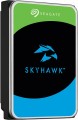 | 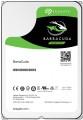 |
|---|---|---|
| Seagate SkyHawk +Rescue ST2000VX017 2 TB | Seagate BarraCuda Compute ST2000DM008 2 TB 256/7200 | |
| Compare prices 1 | Compare prices 5 | |
| User reviews | ||
| TOP sellers | ||
High read and write speed by HDD standards. Cache 256 MB. | ||
| Placement | built-in | built-in |
| Type | HDD | HDD |
| Features | for PC | for PC |
| Volume | 2 TB | 2 TB |
| Form factor | 3.5 " | 3.5 " |
| Connection | SATA3 | SATA3 |
| Manufacturer's warranty | 2 years | |
Technical specs | ||
| Cache memory | 256 MB | 256 MB |
| Record technology | CMR | SMR |
| RPM | 5400 rpm | 7200 rpm |
| Data transfer rate | 180 MB/s | 220 MB/s |
| Plates | 1 | |
| Operation power consumption | 8 W | |
| Standby power consumption | 5.4 W | |
| MTBF (on/off) | 300 K | |
Features | ||
| Features | for video surveillance | |
General | ||
| Size | 147x102x20 mm | 147x102x26 mm |
| Weight | 415 g | 415 g |
| Added to E-Catalog | may 2023 | september 2018 |




Compare Seagate SkyHawk +Rescue ST2000VX017 and BarraCuda Compute ST2000DM008
You may be interested in
My comparisons
Seagate SkyHawk +Rescue often compared


Seagate BarraCuda Compute often compared


Glossary
Manufacturer's warranty
Manufacturer's warranty provided for this model.
In fact, this is the minimum service life promised by the manufacturer, subject to the rules of operation. Most often, the actual service life of the device is much longer than the guaranteed one.
In fact, this is the minimum service life promised by the manufacturer, subject to the rules of operation. Most often, the actual service life of the device is much longer than the guaranteed one.
Record technology
— CMR(Conventional Magnetic Recording) is a classic method of magnetic recording, characterized by high data access speed. CMR hard drives are used in systems where it is important to provide high (as far as possible) data read/write speed. These are user computers, security video surveillance systems, etc. The main disadvantage of CMR hard drives is the high complexity of creating volume drives, which is reflected in their price. Additionally, HDDs with CMR technology are quite “gluttonous” in terms of power supply.
— SMR(Shingled Magnetic Recording) — a promising technology for magnetic recording, which is called "tiled". SMR allows to achieve high data density, which in turn increases the capacity of memory drives and lowers their market value. SMR hard drives have slow rewriting speed, which makes such memory drives poorly suited for use in client computer systems. But they have proven themselves well when working as part of data processing centers, archives and similar systems for which low write / rewrite speed is not critical. However, some companies still produce SMR solutions for personal and even mobile systems. These HDDs use an optimized write/rewrite technology called Drive-Managed SMR (DM-SMR).
RPM
For drives used in a PC (see "Intended use"), 5400 rpm(normal) and 7200 rpm(high) are considered standard speeds. There are also more specific options, including models with the ability to adjust the speed depending on the load. In server HDDs, in turn, higher speeds can be used — 10,000 rpm and even 15,000 rpm.
Data transfer rate
The speed of data transfer between the disk and client devices is determined by the type of drive, spindle speed, memory buffer size and connection connectors. The last parameter is the most important, since it is impossible to exceed the bandwidth of a particular interface.
Plates
The number of platters provided in the design of the hard drive.
Physically, a hard disk consists of one or more platters, on which information is recorded. Several plates can be provided in order to achieve the desired volume without increasing the form factor. At the same time, it is also necessary to install an appropriate number of reading heads in such a drive, which complicates the design, reduces its reliability, and increases the cost. Therefore, manufacturers choose the number of plates based on a reasonable compromise between these points, and for selection, this parameter is more of a reference than practically significant.
Physically, a hard disk consists of one or more platters, on which information is recorded. Several plates can be provided in order to achieve the desired volume without increasing the form factor. At the same time, it is also necessary to install an appropriate number of reading heads in such a drive, which complicates the design, reduces its reliability, and increases the cost. Therefore, manufacturers choose the number of plates based on a reasonable compromise between these points, and for selection, this parameter is more of a reference than practically significant.
Operation power consumption
The amount of power consumed by the disk when reading and writing information. In fact, this is the peak power consumption, it is in these modes that the drive consumes the most energy.
HDD power consumption data is needed primarily to calculate the overall system power consumption and power supply requirements for the system. In addition, for laptops that are planned to be used often "in isolation from outlets", it is advisable to choose more economical drives.
HDD power consumption data is needed primarily to calculate the overall system power consumption and power supply requirements for the system. In addition, for laptops that are planned to be used often "in isolation from outlets", it is advisable to choose more economical drives.
Standby power consumption
The amount of power consumed by the disk "idle". In the on state, the disk platters rotate regardless of whether information is being written or read or not — maintaining this rotation takes the energy consumed while waiting.
The lower the power consumption while waiting, the more economical the disk is, the less energy it consumes. At the same time, we note that in fact this parameter is relevant mainly when choosing a drive for a laptop, when energy efficiency is crucial. For stationary PCs, “idle” power consumption does not play a special role, and when calculating the requirements for a power supply, it is necessary to take into account not this indicator, but the power consumption during operation (see above).
The lower the power consumption while waiting, the more economical the disk is, the less energy it consumes. At the same time, we note that in fact this parameter is relevant mainly when choosing a drive for a laptop, when energy efficiency is crucial. For stationary PCs, “idle” power consumption does not play a special role, and when calculating the requirements for a power supply, it is necessary to take into account not this indicator, but the power consumption during operation (see above).
MTBF (on/off)
Guaranteed (minimum) number of hard drive on-off cycles after which it will remain operational. The higher this number, the more reliable the drive.
Features
— Wi-Fi module. The hard drive has its own Wi-Fi module. The Wi-Fi standard was originally created for building wireless computer networks, but can also be used for direct connection to various devices. Disks with this function can be used as network drives — data storages that can be accessed by every network user. They are also useful for smartphones and tablets: the built-in memory of such devices rarely exceeds a couple of tens of gigabytes, and external storage can come in handy. Many Wi-Fi drives are initially optimized for use with portable electronics (and some are even designed for specific popular models), but anyway, you should make sure that the drive and gadget are compatible in advance.
— Shock-resistant body. A housing that protects the hardware of the hard drive from shock and shock. It is undesirable to specifically drop such media, but anyway, they endure falls better than unprotected counterparts. The specific degree of impact protection should be specified separately; the traditional indicator is resistance to falls from a height of 1 – 1.5 m.
— Data encryption. Ensures the security of storing information on the disk: access to encrypted information can only be obtained by someone who knows the password. The encryption module is an integral part of the drive and does not depend on the computer to which it is connected. The ability to encrypt data is critical if you pl...an to write confidential information to discs; this feature is especially useful for portable drives and laptop drives, which are more at risk of theft than fixed systems and their components.
— Built-in USB connector. USB plug provided in the design of the drive itself. Thus, no additional cables, adapters, etc. are required to connect such a disk to the computer's USB port.
— Backup button. A separate button for starting the file backup procedure, located on the case of an external hard drive. When pressed, the important information for the user contained on the disc is automatically copied to a predefined folder. It is worth considering that the backup settings must be manually configured beforehand.
— Energy saving mode. Drives with power save mode, other things being equal, consume less electricity than conventional drives — both during operation and in standby mode. They usually have a low rotational speed (see Spindle speed (rpm)). Reduced power consumption is especially important for laptop drives, as it allows longer battery life.
— Shock-resistant body. A housing that protects the hardware of the hard drive from shock and shock. It is undesirable to specifically drop such media, but anyway, they endure falls better than unprotected counterparts. The specific degree of impact protection should be specified separately; the traditional indicator is resistance to falls from a height of 1 – 1.5 m.
— Data encryption. Ensures the security of storing information on the disk: access to encrypted information can only be obtained by someone who knows the password. The encryption module is an integral part of the drive and does not depend on the computer to which it is connected. The ability to encrypt data is critical if you pl...an to write confidential information to discs; this feature is especially useful for portable drives and laptop drives, which are more at risk of theft than fixed systems and their components.
— Built-in USB connector. USB plug provided in the design of the drive itself. Thus, no additional cables, adapters, etc. are required to connect such a disk to the computer's USB port.
— Backup button. A separate button for starting the file backup procedure, located on the case of an external hard drive. When pressed, the important information for the user contained on the disc is automatically copied to a predefined folder. It is worth considering that the backup settings must be manually configured beforehand.
— Energy saving mode. Drives with power save mode, other things being equal, consume less electricity than conventional drives — both during operation and in standby mode. They usually have a low rotational speed (see Spindle speed (rpm)). Reduced power consumption is especially important for laptop drives, as it allows longer battery life.