
Comparison Seagate SkyHawk +Rescue ST4000VX016 4 TB 256/5900 vs Seagate BarraCuda Compute ST2000DM008 2 TB 256/7200
Add to comparison | 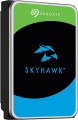 | 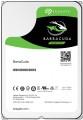 |
|---|---|---|
| Seagate SkyHawk +Rescue ST4000VX016 4 TB 256/5900 | Seagate BarraCuda Compute ST2000DM008 2 TB 256/7200 | |
| Compare prices 2 | Compare prices 4 | |
| User reviews | ||
| TOP sellers | ||
High read and write speed by HDD standards. Cache 256 MB. | ||
| Placement | built-in | built-in |
| Type | HDD | HDD |
| Features | server | for PC |
| Volume | 4 TB | 2 TB |
| Form factor | 3.5 " | 3.5 " |
| Connection | SATA3 | SATA3 |
| Manufacturer's warranty | 3 years | 2 years |
Technical specs | ||
| Cache memory | 256 MB | 256 MB |
| Record technology | CMR | SMR |
| RPM | 5900 rpm | 7200 rpm |
| Data transfer rate | 180 MB/s | 220 MB/s |
| Plates | 1 | |
| Operation power consumption | 3.7 W | 8 W |
| Standby power consumption | 2.5 W | 5.4 W |
| MTBF | 1 M h | |
| MTBF (on/off) | 600 K | 300 K |
Features | ||
| Features | for video surveillance | |
General | ||
| Size | 147x102x20 mm | 147x102x26 mm |
| Weight | 490 g | 415 g |
| Added to E-Catalog | september 2022 | september 2018 |




Compare Seagate SkyHawk +Rescue ST4000VX016 and BarraCuda Compute ST2000DM008
You may be interested in
My comparisons
Seagate SkyHawk +Rescue often compared


Seagate BarraCuda Compute often compared


Glossary
Features
The general purpose of a hard drive is the type of devices for which it was originally intended.
— For PC. Hard drives designed for use with conventional consumer computers and laptops. At the same time, the possibility of installing an internal HDD (see "Performance") directly depends on the form factor (see the relevant paragraph), while external models are not subject to such restrictions — it is enough for them to have the appropriate connection connector. Also note that almost all external hard drives are designed specifically for PCs; making server models external is not technically justified.
— For the server. Hard drives designed for servers have increased speed and reliability, because they constantly have to receive and give large amounts of information. To ensure speed, they may provide an increased rotation speed (up to 15,000 rpm). Such drives are made only internal (see "Performance"), and, in addition to SATA, they can use other, more specific connection methods — for example, SAS(see "Connection interfaces").
— For game console. Specialized hard drives designed for use with game consoles. They are made only external (see "Performance"), they are intended mainly for storing games — including saves and user settings profiles. The main difference between such devices and classic external HDDs is...precisely the optimization for working with game consoles, including the availability of special software tools for improved integration. Many of these drives are originally designed for a specific model or family of set-top boxes.
— For PC. Hard drives designed for use with conventional consumer computers and laptops. At the same time, the possibility of installing an internal HDD (see "Performance") directly depends on the form factor (see the relevant paragraph), while external models are not subject to such restrictions — it is enough for them to have the appropriate connection connector. Also note that almost all external hard drives are designed specifically for PCs; making server models external is not technically justified.
— For the server. Hard drives designed for servers have increased speed and reliability, because they constantly have to receive and give large amounts of information. To ensure speed, they may provide an increased rotation speed (up to 15,000 rpm). Such drives are made only internal (see "Performance"), and, in addition to SATA, they can use other, more specific connection methods — for example, SAS(see "Connection interfaces").
— For game console. Specialized hard drives designed for use with game consoles. They are made only external (see "Performance"), they are intended mainly for storing games — including saves and user settings profiles. The main difference between such devices and classic external HDDs is...precisely the optimization for working with game consoles, including the availability of special software tools for improved integration. Many of these drives are originally designed for a specific model or family of set-top boxes.
Volume
The capacity of a hard disk drive shows how much data the HDD can store—from documents and photos to games, movies, backups, and large work archives. This parameter determines whether the drive is suitable for a simple home system, file storage, or, for example, for long-term accumulation of video recordings from surveillance cameras.
Models small by modern standards are more often chosen for documents, music, and basic files, whereas drives of 4 – 8 TB and larger are already interesting for large media libraries, backups, and NAS systems. Compared to SSDs, high-capacity HDDs are usually more cost-effective per gigabyte, so they are often chosen particularly when the maximum space is more important than record-breaking speed. For example, a drive of 1 or 2 TB might be enough for a regular PC, while 6 – 10 TB could be suitable for a movie collection, family archive, or constant video recording.
Models small by modern standards are more often chosen for documents, music, and basic files, whereas drives of 4 – 8 TB and larger are already interesting for large media libraries, backups, and NAS systems. Compared to SSDs, high-capacity HDDs are usually more cost-effective per gigabyte, so they are often chosen particularly when the maximum space is more important than record-breaking speed. For example, a drive of 1 or 2 TB might be enough for a regular PC, while 6 – 10 TB could be suitable for a movie collection, family archive, or constant video recording.
Manufacturer's warranty
Manufacturer's warranty provided for this model.
In fact, this is the minimum service life promised by the manufacturer, subject to the rules of operation. Most often, the actual service life of the device is much longer than the guaranteed one.
In fact, this is the minimum service life promised by the manufacturer, subject to the rules of operation. Most often, the actual service life of the device is much longer than the guaranteed one.
Record technology
— CMR(Conventional Magnetic Recording) is a classic method of magnetic recording, characterized by high data access speed. CMR hard drives are used in systems where it is important to provide high (as far as possible) data read/write speed. These are user computers, security video surveillance systems, etc. The main disadvantage of CMR hard drives is the high complexity of creating volume drives, which is reflected in their price. Additionally, HDDs with CMR technology are quite “gluttonous” in terms of power supply.
— SMR(Shingled Magnetic Recording) — a promising technology for magnetic recording, which is called "tiled". SMR allows to achieve high data density, which in turn increases the capacity of memory drives and lowers their market value. SMR hard drives have slow rewriting speed, which makes such memory drives poorly suited for use in client computer systems. But they have proven themselves well when working as part of data processing centers, archives and similar systems for which low write / rewrite speed is not critical. However, some companies still produce SMR solutions for personal and even mobile systems. These HDDs use an optimized write/rewrite technology called Drive-Managed SMR (DM-SMR).
RPM
For drives used in a PC (see "Intended use"), 5400 rpm(normal) and 7200 rpm(high) are considered standard speeds. There are also more specific options, including models with the ability to adjust the speed depending on the load. In server HDDs, in turn, higher speeds can be used — 10,000 rpm and even 15,000 rpm.
Data transfer rate
The speed of data transfer between the disk and client devices is determined by the type of drive, spindle speed, memory buffer size and connection connectors. The last parameter is the most important, since it is impossible to exceed the bandwidth of a particular interface.
Plates
The number of platters provided in the design of the hard drive.
Physically, a hard disk consists of one or more platters, on which information is recorded. Several plates can be provided in order to achieve the desired volume without increasing the form factor. At the same time, it is also necessary to install an appropriate number of reading heads in such a drive, which complicates the design, reduces its reliability, and increases the cost. Therefore, manufacturers choose the number of plates based on a reasonable compromise between these points, and for selection, this parameter is more of a reference than practically significant.
Physically, a hard disk consists of one or more platters, on which information is recorded. Several plates can be provided in order to achieve the desired volume without increasing the form factor. At the same time, it is also necessary to install an appropriate number of reading heads in such a drive, which complicates the design, reduces its reliability, and increases the cost. Therefore, manufacturers choose the number of plates based on a reasonable compromise between these points, and for selection, this parameter is more of a reference than practically significant.
Operation power consumption
The amount of power consumed by the disk when reading and writing information. In fact, this is the peak power consumption, it is in these modes that the drive consumes the most energy.
HDD power consumption data is needed primarily to calculate the overall system power consumption and power supply requirements for the system. In addition, for laptops that are planned to be used often "in isolation from outlets", it is advisable to choose more economical drives.
HDD power consumption data is needed primarily to calculate the overall system power consumption and power supply requirements for the system. In addition, for laptops that are planned to be used often "in isolation from outlets", it is advisable to choose more economical drives.
Standby power consumption
The amount of power consumed by the disk "idle". In the on state, the disk platters rotate regardless of whether information is being written or read or not — maintaining this rotation takes the energy consumed while waiting.
The lower the power consumption while waiting, the more economical the disk is, the less energy it consumes. At the same time, we note that in fact this parameter is relevant mainly when choosing a drive for a laptop, when energy efficiency is crucial. For stationary PCs, “idle” power consumption does not play a special role, and when calculating the requirements for a power supply, it is necessary to take into account not this indicator, but the power consumption during operation (see above).
The lower the power consumption while waiting, the more economical the disk is, the less energy it consumes. At the same time, we note that in fact this parameter is relevant mainly when choosing a drive for a laptop, when energy efficiency is crucial. For stationary PCs, “idle” power consumption does not play a special role, and when calculating the requirements for a power supply, it is necessary to take into account not this indicator, but the power consumption during operation (see above).