
Ubiquiti AirCube AC
 | Compare prices 3 → When you make a purchase through links on our site, we may receive a affiliate commission.
|

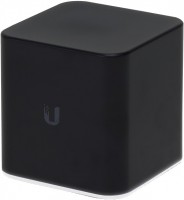
Ubiquiti AirCube AC
Type:access point
WAN:Ethernet
Connection:LAN 3 ports, 1 Gbps
Wi-Fi:Wi-Fi 5 (AC)
2.4 GHz:300 Mbps
5 GHz:867 Mbps
Antennas and signal:22 dBm, 2 antenna(s), non-removable
All specifications
Specifications AirCube AC
|
| ||||||||||||||||||||||||||||||||||||||||||||||||||||||||||||||||||||||||||||

The information in the model description is for reference purposes.
Always clarify the specifications and configuration of the product with the online store manager before purchasing.
Catalog Ubiquiti 2026 - new arrivals, bestsellers, and the most relevant models Ubiquiti.
Always clarify the specifications and configuration of the product with the online store manager before purchasing.
Catalog Ubiquiti 2026 - new arrivals, bestsellers, and the most relevant models Ubiquiti.
Buy Ubiquiti AirCube AC
When you make a purchase through links on our site, we may receive a affiliate commission.
Ubiquiti airCube Home Wi-Fi Access Point (ACB-AC) ACB-AC | $62.99 |  | |||
Ubiquiti airCube ACB-AC - Wireless access point - Wi-Fi 5 - 2.4 GHz, 5 GHz ACB-AC-US | $79.00 |  | |||
Ubiquiti Networks airCube ACB-AC airMAX 802.11ac Dual-Band Home Wi-Fi Access Point PoE 24V In/Out | $89.90 |  | |||
AccessoriesAll accessories for Ubiquiti AirCube AC →
Out of the box, it starts in bridge mode. If all you have at home is an internet cable, it won't work out of the box. You need to connect this device after your home router for it to obtain an IP from the home network, then you'll be able to access it and update the firmware. After updating the firmware, you'll be able to switch the device to router mode, allowing it to function independently as a router. The speed on my SAMSUNG A3 2017 mobile is 433 Mbps; in actual tests, it showed over 200 Mbps, whereas it was 40 Mbps on the TRENDnet TEW-638APB. Appearance with customizable lighting. After the TRENDnet TEW-638APB access point, video and everything else flies at home. All devices have come to life :) mobile phones, consoles, etc. There is port forwarding, DHCP, VLAN. Three options for WAN: DHCP, Static, PPPOE. Managed through a mobile app or via a browser by IP (80 or 443). Straight out of the box, it didn't work as a router. The initial setup (changing the mode from bridge to router) only worked after connecting the cube through the home router.  Vadim Zhurakovskiy: use Ubiquiti AirCube AC less than month Vadim Zhurakovskiy: use Ubiquiti AirCube AC less than month |
Add Review
Video reviews

Review & Speed Testing of the Ubiquiti AirCube ACB-AC / airMAX Home Wi-Fi Access Point
5 December 201753 293 view
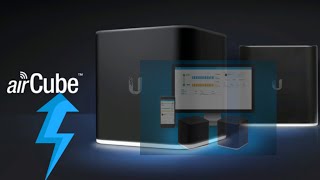
Step by step Configuration of #Ubiquiti #airCube AC. #2021
13 May 202112 984 view

Out the Box Series - Ubiquiti airCube (ACB-ISP)
11 November 20229 255 view
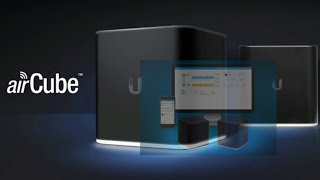
Introducing #Ubiquiti AirCube AC/ISP #airMAX Home Wi-Fi Access Point with PoE. #2021
11 May 20213 964 view
We recommendCompare using chart →
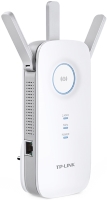
Wi-Fi range extender, WAN: Ethernet, connection: LAN 1 port, 1 Gbps, Wi-Fi: Wi-Fi 5 (AC), 2.4 GHz — 450 Mbps, 5 GHz — 1300 Mbps, Dual-band
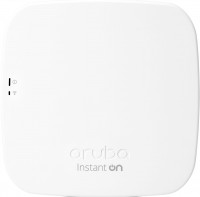
access point, PoE power, WAN: Ethernet, connection: LAN 1 port, 1 Gbps, Wi-Fi: Wi-Fi 5 (AC), 2.4 GHz — 300 Mbps, 5 GHz — 1300 Mbps, Dual-band, Bluetooth, MU-MIMO
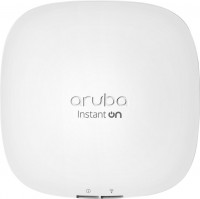
access point, PoE power, WAN: Ethernet, connection: LAN 1 port, 1 Gbps, Wi-Fi: Wi-Fi 6 (AX), 2.4 GHz — 574 Mbps, 5 GHz — 1200 Mbps, Dual-band, MU-MIMO, powerful transmitter, Beamforming
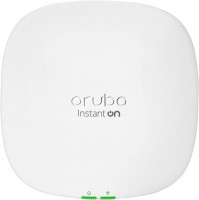
access point, PoE power, WAN: Ethernet, connection: LAN 1 port, 2.5 Gbps, port 2.5 Gbps, Wi-Fi: Wi-Fi 6 (AX), 2.4 GHz — 576 Mbps, 5 GHz — 4800 Mbps, 160 MHz, Dual-band, Bluetooth, MU-MIMO, powerful transmitter, Beamforming
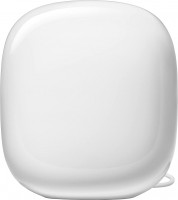
MESH system, WAN: Ethernet, connection: LAN 1 port, 1 Gbps, 2.4 GHz — 574 Mbps, 5 GHz — 2402 Mbps, 6 GHz — 2402 Mbps, 160 MHz, Bluetooth, MU-MIMO, Beamforming
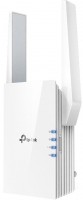
Wi-Fi range extender, WAN: Ethernet, connection: LAN 1 port, 1 Gbps, Wi-Fi: Wi-Fi 6 (AX), 2.4 GHz — 300 Mbps, 5 GHz — 1200 Mbps, Dual-band, MU-MIMO, powerful transmitter
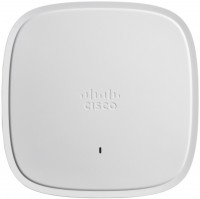
access point, PoE power, WAN: Ethernet, connection: LAN 1 port, 2.5 Gbps, port 2.5 Gbps, Wi-Fi: Wi-Fi 6 (AX), 2.4 GHz — 1148 Mbps, 5 GHz — 4232 Mbps, 160 MHz, Dual-band, Bluetooth v5.0, MU-MIMO, powerful transmitter, Beamforming
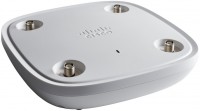
access point, PoE power, WAN: Ethernet, connection: LAN 1 port, 2.5 Gbps, port 2.5 Gbps, Wi-Fi: Wi-Fi 6 (AX), 2.4 GHz — 1148 Mbps, 5 GHz — 5200 Mbps, 160 MHz, Tri-Band, Bluetooth v5.0, MU-MIMO, powerful transmitter, detachable, Beamforming
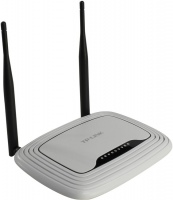
router, WAN: Ethernet, connection: LAN 4 ports, 100 Mbps, Wi-Fi: Wi-Fi 4 (N), 2.4 GHz — 300 Mbps
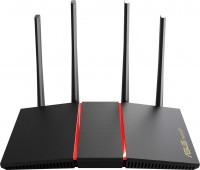
router, WAN: Ethernet, connection: LAN 4 ports, 1 Gbps, Wi-Fi: Wi-Fi 6 (AX), 2.4 GHz — 574 Mbps, 5 GHz — 1201 Mbps, Dual-band, MU-MIMO, Beamforming
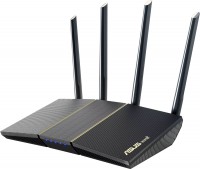
router, balancing (Dual WAN), WAN: Ethernet, connection: LAN 4 ports, 1 Gbps, Wi-Fi: Wi-Fi 6 (AX), 2.4 GHz — 574 Mbps, 5 GHz — 2402 Mbps, 160 MHz, Dual-band, MU-MIMO, Beamforming
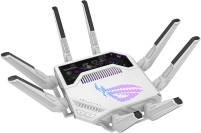
gaming router, balancing (Dual WAN), WAN: Ethernet, 3G via USB, 4G LTE over USB, connection: LAN 7 ports, 1 Gbps, 2.5 Gbps, 10 Gbps, port 2.5 Gbps, there is a WAN/LAN, Wi-Fi: Wi-Fi 7 (BE), 2.4 GHz — 1376 Mbps, 5 GHz — 5764 Mbps, 6 GHz — 11529 Mbps, 240 / 320 MHz, MU-MIMO, Beamforming