
Microsoft Designer Bluetooth Mouse
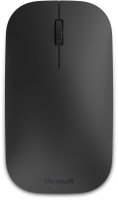 | When you make a purchase through links on our site, we may receive a affiliate commission. Buy! Microsoft Designer Bluetooth Desktop Keyboard and Mouse - Black. Utra-Thin, Wireless, Bluetooth Keyboard and Mouse Combo. WoNewegg.comDelivery: in USA Report |

Microsoft Designer Bluetooth Mouse | |||||||||||||||||||||||||||||||||||||||||||||
|
| ||||||||||||||||||||||||||||||||||||||||||||


The information in the model description is for reference purposes.
Always clarify the specifications and configuration of the product with the online store manager before purchasing.
Catalog Microsoft 2026 - new arrivals, bestsellers, and the most relevant models Microsoft.
Always clarify the specifications and configuration of the product with the online store manager before purchasing.
Catalog Microsoft 2026 - new arrivals, bestsellers, and the most relevant models Microsoft.
How to choose a gaming mouseWe'll look at grip types, sensor sensitivity, pushbutton switches, and other important nuances
How to choose a mouse for games, office tasks and creative workLet's explore the nuances of the computer mouse market together and find the perfect options that match your requirements










Model overview based on user reviews
The Microsoft Designer Bluetooth Mouse is praised for its appearance, response speed, and comfort in hand. It is ideal for working with a laptop due to its simplicity and minimal additional buttons. Users appreciate its seamless connection without needing additional drivers, especially with updated systems like Windows 10. Although it may not be the best for gaming due to the need for a firmer grip, it still performs well with a response speed comparable to wired mice. The connection remains stable, and any issues are likely due to the user's computer setup. The buttons are quiet, and the scroll wheel moves smoothly. Despite housing batteries, the mouse is not heavy, and the battery life is impressive, lasting up to six months.
Pros
Cons
Appearance, response speed, comfortable in the hand No  Viktor Skrypai: use Microsoft Designer Bluetooth Mouse few months Viktor Skrypai: use Microsoft Designer Bluetooth Mouse few months |
Add Review
We recommendCompare using chart →
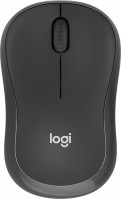
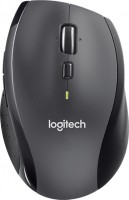
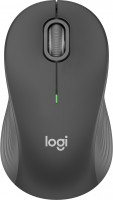
laptop (compact), Bluetooth/radio, Multi-Device, buttons: 2, + wheel, sensor 4000 DPI, 1xAA
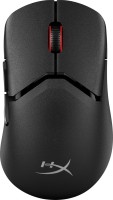
gaming mouse, radio / Bluetooth / wired, USB-A, BT v 5, with memory, buttons: 4, programmable, + wheel, свитчи: optical, RGB backlight, sensor 26000 DPI, in box: replaceable legs, battery, up to 90 h

Bluetooth/radio, BT v 5, Multi-Device, buttons: quiet, 7, programmable, + wheel, sensor 8000 DPI, battery, 650 mAh, up to 70 days
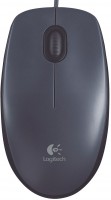
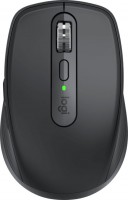
laptop (compact), Bluetooth/radio, BT v 5, Multi-Device, buttons: 5, + wheel, sensor 4000 DPI, battery, up to 420 h
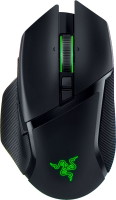
gaming mouse, radio / Bluetooth / wired, USB-A, with memory, buttons: 6, programmable, + wheel, 4D, свитчи: optical, Razer Gen-3, up to 90 mln, RGB backlight, sensor 30000 DPI, battery, up to 150 h
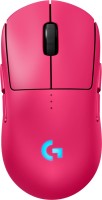
gaming mouse, radio / wired, USB-A, with memory, buttons: 6, programmable, + wheel, свитчи: optical, Logitech Lightforce, RGB backlight, sensor 32000 DPI, wireless charger, battery, up to 95 h
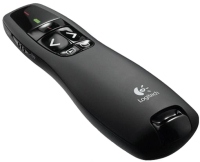
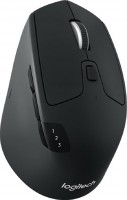
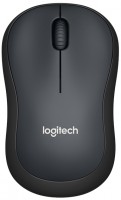
In hand, the mouse feels very comfortable, initially unfamiliar after the mice we're used to since childhood with the same "back" shape, but you quickly get used to it. It's not very convenient in games, as a firmer grip is needed, but even there, the mouse performed excellently, the response speed was on par with wired ones.
The connection has never dropped, I don't know why everyone is dissatisfied, it's clearly not the mouse's fault, but your computers, i.e., drivers, OS, etc.
The buttons click quietly, the scroll is pleasant and moves smoothly without any play.
It’s not heavy despite the batteries inside. By the way, regarding the batteries, the first ones have been working since summer, for almost half a year now.