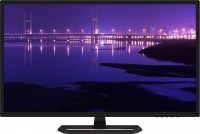
Lenovo D32q-20 32 " black (65F7GAC1EU)
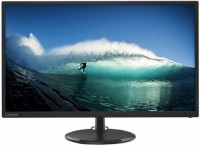 | When you make a purchase through links on our site, we may receive a affiliate commission. Buy! Lenovo D32Q-20 - 80 cm (31.5") - 2560 x 1440 pixels QHD LED MonitorClove-technology.comDelivery: USA Report |

Comparatively affordable 32-inch monitor with a semi-glossy screen, good colour gamut and support for AMD FreeSync technology. It is positioned as a universal monitor of the middle class with a democratic cost, designed for professional and domestic use. It will be useful in the office, it can be used in the processing of all types of digital content (including photo / video materials).
Suitable for comfortable work in CAD / CAE systems and entry-level workstations. It will become one of the key elements of a high-quality multimedia-game home system. The large screen with physical dimensions of 698x392 mm is based on a 10-bit (8-bit + FRC) IPS-matrix with a resolution of 2560x1440 and W-LED backlight without high-frequency flicker (Flicker-Free). Support for 30-bit colour representation allows the Lenovo D32q-20 monitor to display more than a billion colours and subtle colour transitions.
The medium level of detail (93 ppi) and moderate pixel pitch (0.272 mm) guarantee legibility of small fonts. It provides a sufficient level of maximum brightness for most situations, good static contrast and comfortable wide viewing angles. The absolute advantages of this model include its energy efficiency (typical consumption is only 34 W) and short pixel switching time (4 ms GtG), which is achieved through an effective response time compensation system.
|
| ||||||||||||||||||||||||||||||||||||||||||||||||||||||||||||||||||||||||

Always clarify the specifications and configuration of the product with the online store manager before purchasing.
Catalog Lenovo 2026 - new arrivals, bestsellers, and the most relevant models Lenovo.
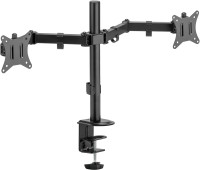
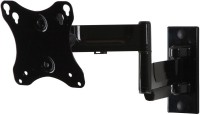

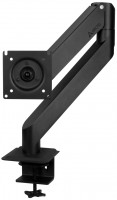
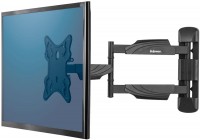
On the first try, I got a unit without dead pixels and with uniform backlighting (truly uniform, in the dark, with a black fill, the screen visually appears completely consistent across the entire area). In regular usage scenarios, no ghosting is observed on the screen. However, when playing a shooter, there was a vague feeling that the moving image wasn't as sharp as on the ancient TN monitor. But that's subjective, and I didn't buy this monitor for gaming anyway. The only serious drawback is that it seems this monitor doesn't have any speakers at all. Although from an engineering standpoint, this might be an advantage, during the first few months of sales, they were definitely listed in its specifications on E-catalog and YMarket. Because of this, I spent several hours trying to figure out why there was no sound. Exceptionally uniform illumination (most likely, I just came across a very lucky copy) Apart from a misunderstanding with the sound, I didn’t find any shortcomings. Except that since it went on sale, its price tag has increased considerably.  Amon : use Lenovo D32q-20 few months Amon : use Lenovo D32q-20 few months |
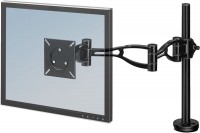
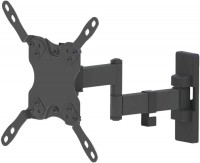
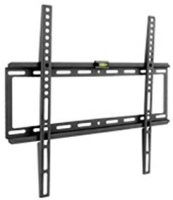
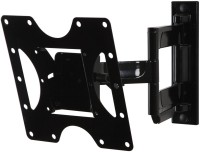
Before this, I used a Philips monitor of the same size for a whole year but gave it to my wife (due to the coronavirus, she's now working from home). I bought this monitor at a very low price, just got lucky. The design is, as they say, "no-frills," but relatively thin. I like the power indicator; it doesn't glare or stand out, just slightly illuminates the workspace with white light, and in standby mode, it glows orange. The presence of mechanical buttons is pleasing (I struggled with touch buttons, they're the worst). Colors, resolution, contrast, and brightness are all fine, no light leaks or dead pixels. The monitor itself is relatively light and doesn't look bulky. The stand only has tilt adjustment, but there's a wall mount (this was one of the criteria for purchase). The previous monitor made a characteristic cracking sound when changing screen resolution, but this one is completely silent. Very modest package and connectivity options, only HDMI and DisplayPort, but I don't need anything more. I mainly use it for drafting. Price, quality, mechanical buttons, wall-mountable, tilt adjustment, DisplayPort, low power consumption, matte screen No regulation except tilt, no VGA connection, no built-in speakers (but it is difficult to consider this a disadvantage, as speakers in monitors are usually just lousy), no USB outputs (but I don't think this is a problem, as you can buy a hub separately). Daynis Idzans: use Lenovo D32q-20 less than month |