HP OfficeJet Pro 7740 (G5J38A)
 | Compare prices 2 → When you make a purchase through links on our site, we may receive a affiliate commission.
|

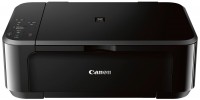
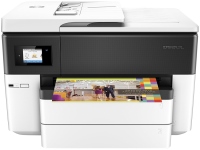
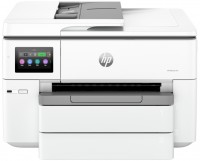
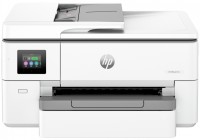
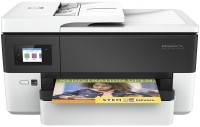
A powerful 4-in-1 A3 inkjet multifunction printer that can perform the functions of a colour inkjet printer with automatic two-sided printing, a flatbed scanner with automatic document feeder, a copier and a fax machine. Among the MFPs of this format, Hewlett-Packard stands out for its affordable cost and the traditionally high quality of Hewlett-Packard inkjet printing. Using high capacity HP 953, 953XL or 957XL ink tanks with 1000, 2000 or 3000 pages yields a very attractive price per page that can confidently compete with the output price of low-cost laser printers.
The HP OfficeJet Pro 7740 MFP is positioned as an affordable mid-range model designed for use in small and medium offices. Seamlessly integrates into existing cable Fast Ethernet LANs or wireless Wi-Fi networks. Support for Wi-Fi Direct and Apple AirPrint, HP ePrint, Samsung Print Service, Mopria, Google Cloud Print services allows you to quickly output documents and colour images directly from laptops, smartphones or tablets. Guaranteed fast, professional printing of high-quality colour brochures, flyers and posters. The built-in CIS flatbed scanner with automatic document feeder (35 pages) provides accurate copying of monochrome and colour originals.
|
| ||||||||||||||||||||||||||||||||||||||||||||||||||||||||||||||||||||||||||||||||||||||||||||||||||||||||||||


Always clarify the specifications and configuration of the product with the online store manager before purchasing.
Catalog HP 2026 - new arrivals, bestsellers, and the most relevant models HP.
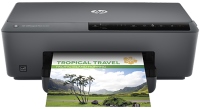
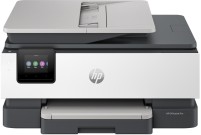
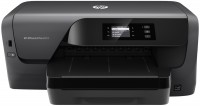

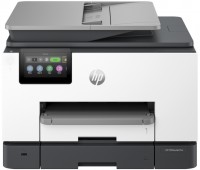


The office version, for printing color diagrams and diagrams, is suitable for Hurray, the automatic feeder is only for A4, but can scan from both sides at once. The touch display looks cool, but is not particularly convenient in practice, while it works fine. Great functionality for your money, double-sided scanner. If you print a picture or photo onto an entire regular sheet, the paper will almost certainly jam, the solution is to use special thick paper or not use it as a photo printer; besides, the cartridges are not particularly economical. HP's software is clearly inferior to its competitors in terms of ease of installation and use. The A3 tray does not close completely.  Oleksandr: use HP OfficeJet Pro 7740 month or more Oleksandr: use HP OfficeJet Pro 7740 month or more |
If it's possible to install CISS, I recommend doing it immediately without printing a single page. In this model, the printhead behaves independently, and if you "drip" from the original cartridges onto it, it's not guaranteed to work with CISS or ARC. You'll have to clean the entire printhead. Price Sick print head. It crashes even with original cartridges.  Mad: use HP OfficeJet Pro 7740 more than year Mad: use HP OfficeJet Pro 7740 more than year |