
Cube Plugable USB-C Laptop Dock for Portable Workstations 78810610
 |
Buy Cube Plugable USB-C Laptop Dock for Portable Workstations 78810610
When you make a purchase through links on our site, we may receive a affiliate commission.
Plugable USB-C Cube Laptop Dock for Portable Workstations 78810610 | $69.99 |  | |||
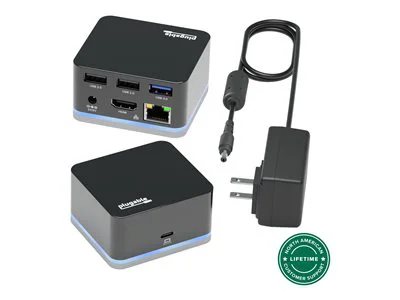
The Plugable smallest dock can drive an external HDMI display while having access to three USB ports and a wired Ethernet connection -- all through a single high-speed USB-C connection.
Performance
Meet Plugable's smallest USB-C docking station yet. The UD-CUBE. With this small laptop dock extend the connectivity and usability of your USB-C system with the mobile UD-CUBE that fits in the palm of your hand.
Compatibility
The portable docking station UD-CUBE is compatible with USB-C and Thunderbolt 3 equipped Windows, Mac and Chromebook systems that support Alt Mode video and acts as a port replicator stations multiple devices. Please see the System Requirements below for more details about exceptions.
The UD-CUBE is not for charging your host system. Please see Power and Charging below for more details.
System Requirements
While most USB-C systems support at least a single display output over USB-C via Alt Mode (which converts through the HDMI port on the dock), not all USB-C ports are created equal. Please refer to your system manual to ensure that your USB-C port supports Alternate Mode (Alt Mode) video
Power and Charging
The docing station UD-CUBE does not provide Power Delivery over USB-C, i.e., it will not charge your host system. Your system may report that the system is charging or you may see a charging icon, but you must keep your original power adapter attached in order to charge your computer.
In the Box
Plugable UD-CUBE Mini Dock, USB 3.1 Type-C to Type-C Cable, Power Adapter (20W 5V/4A, UL60950-1), Quick Start Guide
Performance
Meet Plugable's smallest USB-C docking station yet. The UD-CUBE. With this small laptop dock extend the connectivity and usability of your USB-C system with the mobile UD-CUBE that fits in the palm of your hand.
Compatibility
The portable docking station UD-CUBE is compatible with USB-C and Thunderbolt 3 equipped Windows, Mac and Chromebook systems that support Alt Mode video and acts as a port replicator stations multiple devices. Please see the System Requirements below for more details about exceptions.
The UD-CUBE is not for charging your host system. Please see Power and Charging below for more details.
System Requirements
While most USB-C systems support at least a single display output over USB-C via Alt Mode (which converts through the HDMI port on the dock), not all USB-C ports are created equal. Please refer to your system manual to ensure that your USB-C port supports Alternate Mode (Alt Mode) video
Power and Charging
The docing station UD-CUBE does not provide Power Delivery over USB-C, i.e., it will not charge your host system. Your system may report that the system is charging or you may see a charging icon, but you must keep your original power adapter attached in order to charge your computer.
In the Box
Plugable UD-CUBE Mini Dock, USB 3.1 Type-C to Type-C Cable, Power Adapter (20W 5V/4A, UL60950-1), Quick Start Guide
The product description is generated based on data from online stores. Before purchasing be sure to verify all information directly with the seller.
New USB Labels: How to Avoid Confusion in Speeds, Cables, and ConnectorsThe USB-IF organization has finally updated the USB port labels. Let's figure out what has changed.
All about USB-C interfaceExploring the possibilities of USB-C: from universal charging and high-speed data transfer to image streaming
How to place an order?How to add store?
Remember that the online store is responsible for the accuracy of information regarding price, warranty, and delivery!
We recommendCompare using chart →
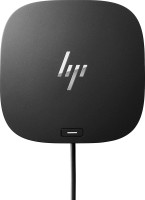
USB hub, connection USB-C, 5Gbps, ports: USB-A 4 pcs, USB-C 1 pcs, HDMI, DisplayPort, LAN, functions: external power supply, Power Delivery
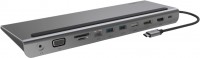
hub with card reader, connection USB-C, 5Gbps, ports: USB-A 3 pcs, USB-C 1 pcs, HDMI, DisplayPort, VGA, LAN, card reader: SD, microSD, functions: Power Delivery
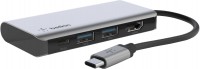
USB hub, connection USB-C, 5Gbps, ports: USB-A 2 pcs, USB-C 1 pcs, HDMI, functions: Power Delivery
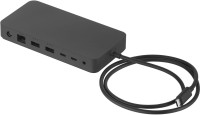
USB hub, connection USB-C, USB4 40Gbps / Thunderbolt 4, ports: USB-A 3 pcs, USB-C 3 pcs, LAN, functions: external power supply, Power Delivery
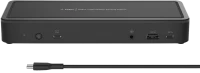
USB hub, connection USB-C, 5Gbps, ports: USB-A 5 pcs, USB-C 3 pcs, HDMI, DisplayPort, LAN, functions: external power supply, Power Delivery
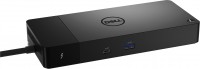
USB hub, connection USB-C, 5Gbps, ports: USB-A 3 pcs, USB-C 4 pcs, HDMI, DisplayPort, LAN, functions: external power supply, Power Delivery
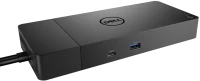
USB hub, connection USB-C, 5Gbps, ports: USB-A 3 pcs, USB-C 2 pcs, HDMI, DisplayPort, LAN, functions: external power supply, Power Delivery
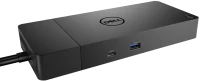
USB hub, connection USB-C, 5Gbps, ports: USB-A 3 pcs, USB-C 2 pcs, HDMI, DisplayPort, LAN, functions: external power supply, Power Delivery

hub with card reader, connection USB-C, 5Gbps, ports: USB-A 2 pcs, USB-C 1 pcs, HDMI, VGA, LAN, card reader: SD, functions: Power Delivery
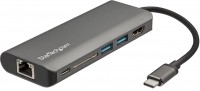
hub with card reader, connection USB-C, 5Gbps, ports: USB-A 2 pcs, USB-C 2 pcs, HDMI, LAN, card reader: SD, functions: Power Delivery
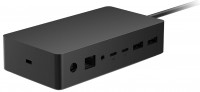

USB hub, connection USB-C, USB4 40Gbps / Thunderbolt 4, ports: USB-A 5 pcs, USB-C 3 pcs, HDMI, DisplayPort, LAN, functions: external power supply, Alt Mode