
Viewsonic � VP2468a 24" ColorPro 1080p IPS VP2468A
 |
Buy Viewsonic � VP2468a 24" ColorPro 1080p IPS VP2468A
When you make a purchase through links on our site, we may receive a affiliate commission.
ViewSonic� VP2468a 24" ColorPro 1080p IPS Monitor VP2468A | $289.99 |  | |||
| $299.99 |  | ||||
| $299.99 |  | ||||
ViewSonic - VP2468A 24" IPS LED FHD Monitor - Black VP2468a | $329.24 |  | |||
| $386.48 |  | ||||
| $386.49 |  | ||||
ViewSonic VP2468a 24 Inch Premium IPS 1080p Computer Monitor with Advanced Ergonomics, ColorPro 100 sRGB Rec 709, 14-bit 3D | $299.99 |  | |||
This monitor has been certified as capable of reproducing Pantone Matching System colors The VP2468a supports laptops, PCs, Macs and more with USB-C, RJ45, USB, HDMI, DP (DaisyChain enabled) inputs 100% sRGB, EBU, SMPTE-C, Rec. 709, and DICOM-SIM color spaces and Delta E Ethernet RJ45 and USB-C connectivity for fast data, audio and video transfer, 65W charging over one cable Advanced ergonomics (tilt, swivel, pivot and height) for all-day comfort Flicker-Free technology and Blue Light Filter for reduced eye fatigue Hardware calibration ensures that the color displayed perfectly matches the original file (calibration sold separately) 24 Inch Full HD (1920x1080p) IPS monitor with thin bezels and 60Hz refresh rate
The product description is generated based on data from online stores. Before purchasing be sure to verify all information directly with the seller.
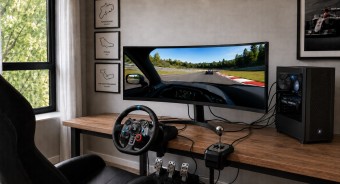
Best 34-inch Curved Gaming MonitorsA large ultra-wide screen provides full immersion in virtual gaming worlds.
Best Monitors for Photo, Video, and Graphic DesignCool monitors for budding designers, photographers, video editors, and more.
How to place an order?How to add store?
Remember that the online store is responsible for the accuracy of information regarding price, warranty, and delivery!
SimilarCompare using chart →
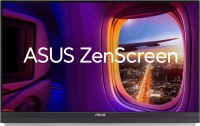
portable, 27 ", 2560x1440 (16:9), IPS, response 5 ms, 100 Hz, 16.7M Colors, sRGB 99 %, HDMI, USB-C (DP Alt Mode), Power Delivery, speakers, subwoofer, VESA Adaptive-Sync, TÜV Rheinland
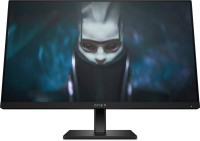
gaming, 23.8 ", 1920x1080 (16:9), IPS, response 1 ms, 165 Hz, 8-bit (16.7M Colors), sRGB 99 %, DCI-P3 90 %, HDMI, DisplayPort, AMD FreeSync Premium
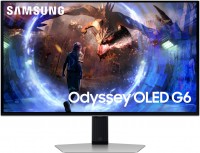
gaming, 27 ", 2560x1440 (16:9), QD-OLED, response 0.03 ms, 360 Hz, 10-bit (1.07B Colors), DCI-P3 99 %, HDMI, v 2.1, DisplayPort, ХАБ: USB-A 2x5Gbps, AMD FreeSync Premium Pro, VESA Adaptive-Sync, HDR
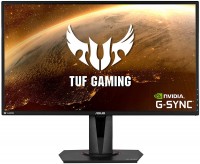
gaming, 27 ", 2560x1440 (16:9), IPS, response 4 ms, 165 Hz, 8-bit (16.7M Colors), sRGB 99 %, HDMI, DisplayPort, speakers, AMD FreeSync, NVIDIA G-Sync Compatible, HDR
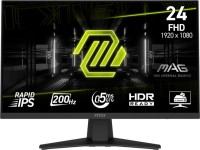
gaming, 23.8 ", 1920x1080 (16:9), IPS, response 0.5 ms, 200 Hz, 8-bit + FRC (1.07B Colors), sRGB 126 %, DCI-P3 96 %, HDMI, DisplayPort, AMD FreeSync Premium, VESA Adaptive-Sync, HDR, TÜV Rheinland
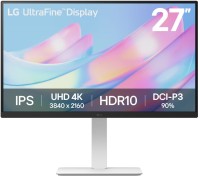
27 ", 4K, 3840x2160 (16:9), IPS, response 5 ms, 60 Hz, 8-bit + FRC (1.07B Colors), DCI-P3 90 %, HDMI, DisplayPort, HDR
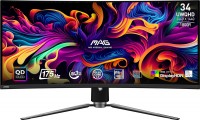
gaming, 34 ", 3440x1440 (21:9), curved 1800R, QD-OLED, response 0.03 ms, 175 Hz, 10-bit (1.07B Colors), sRGB 139.1 %, DCI-P3 99.3 %, HDMI, v 2.1, DisplayPort, USB-C (DP Alt Mode), Power Delivery, ХАБ: USB-A 2x2.0, KVM-switch, AMD FreeSync Premium Pro, VESA Adaptive-Sync, HDR, TÜV Rheinland

27 ", 2560x1440 (16:9), IPS, response 6 ms, 120 Hz, 8-bit + FRC (1.07B Colors), sRGB 99 %, DCI-P3 98 %, HDMI, v 2.1, DisplayPort, ХАБ: USB-A 3x5Gbps, USB-C 1x5Gbps, HDR, TÜV Rheinland
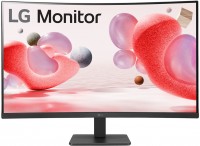
31.5 ", 1920x1080 (16:9), curved 1500R, *VA, response 5 ms, 100 Hz, VGA, HDMI, AMD FreeSync
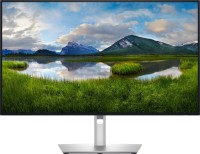
for graphics, 27 ", 4K, 3840x2160 (16:9), IPS, response 5 ms, 120 Hz, 1.07B Colors, sRGB 100 %, DCI-P3 99 %, HDMI, v 2.1, DisplayPort, USB-C (Thunderbolt v4), Power Delivery, LAN, ХАБ: USB-A 5x10Gbps, USB-C 2x10Gbps, KVM-switch, VESA Adaptive-Sync, HDR, CalMAN Verified, TÜV Rheinland
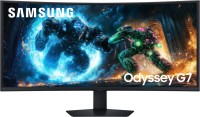
gaming, 40 ", 5K, 4K, 5120x2160 (21:9), curved 1000R, *VA, response 1 ms, 180 Hz, 1.07B Colors, sRGB 99 %, DCI-P3 90 %, HDMI, v 2.1, DisplayPort, ХАБ: USB-A 2x5Gbps, AMD FreeSync Premium Pro, HDR
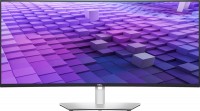
37.5 ", 3840x1600 (21:9), curved 2300R, IPS, response 5 ms, 60 Hz, sRGB 100 %, DCI-P3 98 %, HDMI, v 2.1, DisplayPort, USB-C (DP Alt Mode), Power Delivery, LAN, ХАБ: USB-A 5x5Gbps, speakers