
Comparison GoPro MAX vs GoPro HERO8
Add to comparison | 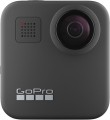 | 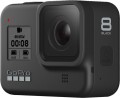 |
|---|---|---|
| GoPro MAX | GoPro HERO8 | |
| Compare prices 7 | from $362.99 | |
| User reviews | ||
| TOP sellers | ||
Shooting spherical video in 5.6K resolution 30 fps. Water resistant to a depth of 5 metres. Live streaming in 1080p. 6 microphones for better sound recording. Electronic stabilization Max HyperSmooth. Built-in mount. Touchscreen. Turning on the camera by voice is missing, unlike HERO8. | Ability to connect modules. Digital stabilization HyperSmooth 2.0. Dust-, water protection. Control and turn on the camera by voice. Slow motion 8x. "Digital lens" to change the viewing angle. The maximum bitrate is 100 Mb/s. Built-in mount. It differs from HERO7 in improved HDR, the presence of new modes, the ability to shoot at a bit rate of 100 Mb / s in 4K, connect modules, save settings presets, make time-lapses with an interval of up to one hour, improved stabilization, lack of an HDMI port, etc. | |
| Product type | 360° camera | action camera |
| Body type | conventional | conventional |
| Thread 1/4" (for tripod) |  | |
| Dust-, moisture-proof camera | IPX8 | IPX8 |
Filming | ||
| Full HD (1080p) | 1920x1080 px 60 fps | 1920x1080 px 60 fps |
| Quad HD | 2560x1440 px 60 fps | 2704x1520 px 60 fps |
| Ultra HD (4K) | 3840x2160 px 60 fps | |
| Shooting above 4K | 5504x2752 px 30 fps | |
| Slow motion | 240 fps | |
| Field of view | 180 ° | |
| Digital stabilization |  | |
| Sound recording | | |
| Noise cancelation | | |
| Microphones | 6 | 3 |
| Megapixels | 16.6 | 12 |
| Sensor | 1/2.3" | 1/2.3" |
| Capabilities | online streaming time lapse auto-rotate photo panoramas night shooting | photo during video serial photo shoot one click recording online streaming time lapse auto-rotate night shooting |
Features | ||
| Display | 2 " touch | touch |
| Front screen | service | |
| Connection | GPS Wi-Fi 5 (802.11ac) Bluetooth USB-C | GPS Wi-Fi Bluetooth USB-C |
| Speaker | | |
| Voice control | | |
| Max. memory card capacity | 128 GB | 128 GB |
Battery | ||
| Type | removable | removable |
| Battery model | ACBAT-001 | AJBAT-001 |
| Capacity | 1600 mAh | 1220 mAh |
General | ||
| Dimensions | 69x64x24 mm | 66x49x28 mm |
| Weight | 154 g | 126 g |
| Color | ||
| Added to E-Catalog | october 2019 | october 2019 |



Compare GoPro MAX and HERO8
Price comparison
You may be interested in
GoPro MAX often compared


GoPro HERO8 often compared


Glossary
Product type
— Action camera. In other words, all models that are not panoramic or 360° cameras (see below). Note that in some models, the viewing angle can be 180 ° or even more. The difference from panoramic cameras in such cases is that action cameras do not shoot panoramas.
— Panoramic camera. A type of action camera designed for shooting panoramic photos and videos. A distinctive feature of this type of camera is the fisheye lens protruding from the body. Such a lens completely covers the hemisphere in front of it, which provides interesting additional features: for example, by installing such a camera with the lens up under the windscreen of a car, you can capture both what is happening on the road and the behaviour of the driver and passengers at the same time. When viewing ready-made panoramas, the user can shift the image at will, directing his gaze in any direction within this hemisphere (this applies to both photos and videos); also similar photos and videos are well suited for viewing in virtual reality glasses.
— 360° camera. Further development of the idea of the panoramic cameras described above: devices that have several lenses and can cover the surrounding space completely or almost completely, 360° along any axis. Most 360° cameras are equipped with two lenses on opposite sides of the body. However, there are models with 4 and even 6 lenses (see "...Lenses" for more details). Anyway, cameras of this type provide maximum coverage but are not cheap.
— Panoramic camera. A type of action camera designed for shooting panoramic photos and videos. A distinctive feature of this type of camera is the fisheye lens protruding from the body. Such a lens completely covers the hemisphere in front of it, which provides interesting additional features: for example, by installing such a camera with the lens up under the windscreen of a car, you can capture both what is happening on the road and the behaviour of the driver and passengers at the same time. When viewing ready-made panoramas, the user can shift the image at will, directing his gaze in any direction within this hemisphere (this applies to both photos and videos); also similar photos and videos are well suited for viewing in virtual reality glasses.
— 360° camera. Further development of the idea of the panoramic cameras described above: devices that have several lenses and can cover the surrounding space completely or almost completely, 360° along any axis. Most 360° cameras are equipped with two lenses on opposite sides of the body. However, there are models with 4 and even 6 lenses (see "...Lenses" for more details). Anyway, cameras of this type provide maximum coverage but are not cheap.
Quad HD
The ability of the camera to shoot QuadHD video.
This standard includes an extensive set of resolutions — from 1440 to 3456 pixels horizontally and from 1440 to 2160 pixels vertically, with almost two dozen intermediate options. It is a rather specific transitional option between the relatively inexpensive FullHD 1080p and the demanding UltraHD 4K, allowing you to shoot higher resolution video than 1080p without significantly increasing the cost of equipment. Note that pure QuadHD resolutions are rare in TVs and monitors, but modern technologies make it possible to comfortably watch videos of this format on any high-resolution screen.
Another important parameter given in this paragraph is the frame rate. The higher it is, the smoother the movement in the frame will be, and the details in dynamic scenes will be visible clearly. For example, a filming speed of 25 fps or 30 fps approximates the standard frame rate in film and television; such an image is quite viewable, but fast-moving objects in the frame will look blurry. With an increase in speed to 60 fps, this effect becomes almost imperceptible. The highest QuadHD frame rate found in modern action cameras is 120 fps; this frequency is used when shooting slow-motion video (as well as models with a frequency of 100 fps) because at a n...ormal playback speed, 60 fps is enough.
This standard includes an extensive set of resolutions — from 1440 to 3456 pixels horizontally and from 1440 to 2160 pixels vertically, with almost two dozen intermediate options. It is a rather specific transitional option between the relatively inexpensive FullHD 1080p and the demanding UltraHD 4K, allowing you to shoot higher resolution video than 1080p without significantly increasing the cost of equipment. Note that pure QuadHD resolutions are rare in TVs and monitors, but modern technologies make it possible to comfortably watch videos of this format on any high-resolution screen.
Another important parameter given in this paragraph is the frame rate. The higher it is, the smoother the movement in the frame will be, and the details in dynamic scenes will be visible clearly. For example, a filming speed of 25 fps or 30 fps approximates the standard frame rate in film and television; such an image is quite viewable, but fast-moving objects in the frame will look blurry. With an increase in speed to 60 fps, this effect becomes almost imperceptible. The highest QuadHD frame rate found in modern action cameras is 120 fps; this frequency is used when shooting slow-motion video (as well as models with a frequency of 100 fps) because at a n...ormal playback speed, 60 fps is enough.
Ultra HD (4K)
The ability of the camera to shoot Ultra HD 4K video.
This format covers several resolutions in which the horizontal frame size is approximately 4K pixels. The most popular in action cameras is 3840x2160 (twice the FullHD frame on each side), but there are other options — for example, 3840x1920, corresponding to an aspect ratio of 2:1. In general, 4K is a kind of successor to Full HD: among HD standards that surpass Full HD, UltraHD is the most popular, in particular, many advanced TVs are produced with 3840x2160 screens. On the other hand, this format is quite demanding in terms of processing power and memory, so it is relatively rare in action cameras, mainly among premium models.
Another important parameter given in this paragraph is the frame rate. The higher it is, the smoother the movement in the frame will be, and the details in dynamic scenes will be visible clearly. However, in UltraHD mode, most modern action cameras produce a very low frame rate — most often 30 fps, and in some models 24 fps or even 15 fps. This video is quite viewable, but fast movement in the frame may look blurry. There are cameras capable of shooting UltraHD at a solid speed of 60 fps — the blurring effect during such shooting is almost imperceptible. However, such a model cost is high.
This format covers several resolutions in which the horizontal frame size is approximately 4K pixels. The most popular in action cameras is 3840x2160 (twice the FullHD frame on each side), but there are other options — for example, 3840x1920, corresponding to an aspect ratio of 2:1. In general, 4K is a kind of successor to Full HD: among HD standards that surpass Full HD, UltraHD is the most popular, in particular, many advanced TVs are produced with 3840x2160 screens. On the other hand, this format is quite demanding in terms of processing power and memory, so it is relatively rare in action cameras, mainly among premium models.
Another important parameter given in this paragraph is the frame rate. The higher it is, the smoother the movement in the frame will be, and the details in dynamic scenes will be visible clearly. However, in UltraHD mode, most modern action cameras produce a very low frame rate — most often 30 fps, and in some models 24 fps or even 15 fps. This video is quite viewable, but fast movement in the frame may look blurry. There are cameras capable of shooting UltraHD at a solid speed of 60 fps — the blurring effect during such shooting is almost imperceptible. However, such a model cost is high.
Shooting above 4K
The maximum resolution and frame rate of video taken by the camera in a standard higher than 4K. Since such formats have not yet become widespread, the number of devices with the corresponding resolution is not so large.
Slow motion
Frame rate supported by the camera when shooting in slow motion.
In general, such shooting is called “high-speed” because it is carried out at an increased frame rate (more than 60 fps). As a result, when played back at normal speed (60 fps and below), the video looks slow hence the name. This kind of slow-motion can be used just for fun, as an artistic technique, and even for scientific purposes — to capture movement that is too fast for the human eye. In any case, the higher the slow-mo frame rate, the more you can slow down the video and the more advanced the camera is in this regard. On the other hand, the higher the frame rate, the more performant the graphics part should be; and this, in turn, affects the price of the device, sometimes quite noticeably.
We also note that slow-mo shooting may be available only at certain resolutions, not always at maximum. These points can be directly specified in the specs of the action camera.
In general, such shooting is called “high-speed” because it is carried out at an increased frame rate (more than 60 fps). As a result, when played back at normal speed (60 fps and below), the video looks slow hence the name. This kind of slow-motion can be used just for fun, as an artistic technique, and even for scientific purposes — to capture movement that is too fast for the human eye. In any case, the higher the slow-mo frame rate, the more you can slow down the video and the more advanced the camera is in this regard. On the other hand, the higher the frame rate, the more performant the graphics part should be; and this, in turn, affects the price of the device, sometimes quite noticeably.
We also note that slow-mo shooting may be available only at certain resolutions, not always at maximum. These points can be directly specified in the specs of the action camera.
Field of view
For models with several lenses, as a rule, this parameter is indicated for each lens.
Most often (unless otherwise indicated), the specifications indicate the field of view by the diagonal of the frame; in some ultra-wide-angle lenses it can exceed 180°. A special case is made up of lenses for which a 360° view is declared: this means that the optics cover the entire hemisphere in front of it. Such lenses are found in panoramic and 360-degree cameras (see “Product type”).
In general, the field of view primarily determines what area of the scene is being captured into the frame. Accordingly, the wider it is, the more space the camera captures, and the lower the likelihood that something that is happening will be off-screen. On the other hand, it is worth considering that a strong increase in the field of view leads to distortions of the “picture”, especially at the edges, as well as, to a decrease in the size of visible objects and a decrease in detail. Detailed recommendations regarding choosing a camera based on this parameter can be found in special sources.
Most often (unless otherwise indicated), the specifications indicate the field of view by the diagonal of the frame; in some ultra-wide-angle lenses it can exceed 180°. A special case is made up of lenses for which a 360° view is declared: this means that the optics cover the entire hemisphere in front of it. Such lenses are found in panoramic and 360-degree cameras (see “Product type”).
In general, the field of view primarily determines what area of the scene is being captured into the frame. Accordingly, the wider it is, the more space the camera captures, and the lower the likelihood that something that is happening will be off-screen. On the other hand, it is worth considering that a strong increase in the field of view leads to distortions of the “picture”, especially at the edges, as well as, to a decrease in the size of visible objects and a decrease in detail. Detailed recommendations regarding choosing a camera based on this parameter can be found in special sources.
Microphones
The number of built-in microphones provided in the camera.
This parameter is indicated only for models that have more than one microphone. This design provides additional capabilities, but the range of these capabilities depends on the number of microphones and the features of a particular model. So, most often such devices have two microphones; this can be a pair for recording stereo sound, or one microphone can work to record sound, and the second one can act as a sensor for the noise reduction system (see above). A larger number - 3 or 4 microphones - is found mainly in 360-degree cameras (see “Product type”), where such equipment is used to record “surround” multi-channel sound.
This parameter is indicated only for models that have more than one microphone. This design provides additional capabilities, but the range of these capabilities depends on the number of microphones and the features of a particular model. So, most often such devices have two microphones; this can be a pair for recording stereo sound, or one microphone can work to record sound, and the second one can act as a sensor for the noise reduction system (see above). A larger number - 3 or 4 microphones - is found mainly in 360-degree cameras (see “Product type”), where such equipment is used to record “surround” multi-channel sound.
Megapixels
The number of megapixels in the action camera sensor, in other words, the resolution of this sensor(1 megapixel is 1 million photosensitive points).
There is an opinion that the higher the resolution, the better the image quality. It is true from the point of view that manufacturers are trying to install high-resolution sensors in advanced cameras. At the same time, there are no strict dependencies here, and from the technical point of view, the number of megapixels determines only the maximum image resolution that can be captured using this sensor. The quality of this picture will depend both on several features of the sensor itself (size, type, special design solutions), and the specs of the camera. So when choosing, you should focus not so much on the resolution of the image sensor, but on the general class of the camera and reviews with examples of footage.
There is an opinion that the higher the resolution, the better the image quality. It is true from the point of view that manufacturers are trying to install high-resolution sensors in advanced cameras. At the same time, there are no strict dependencies here, and from the technical point of view, the number of megapixels determines only the maximum image resolution that can be captured using this sensor. The quality of this picture will depend both on several features of the sensor itself (size, type, special design solutions), and the specs of the camera. So when choosing, you should focus not so much on the resolution of the image sensor, but on the general class of the camera and reviews with examples of footage.
Capabilities
— Photo during video. The ability to take photos directly while recording a video — usually using a separate button. Thus, it is convenient to fix the most significant moments of what is happening. Such photos are much better in quality than "freeze frames" from the captured video.
— Serial photo shoot. This feature allows you to take several pictures at once in a short period (usually it is a fraction of a second). A series of shots increases the chance of capturing a good moment, which can be very important given the specifics of using action cameras.
— One click recording. The ability to quickly turn on the camera for recording — literally at the touch of a button, by the name. Moreover, such a button works even if the device is turned off. However, the recording inevitably starts with some delay; but often this delay is a fraction of a second.
— Online streaming. Ability to stream video to popular services like YouTube and social networks (Facebook, Instagram, TikTok, etc.). Usually, the online streaming function is implemented when the action camera is connected to the Internet via a Wi-Fi network, less often via a wired connection. Communication with the World Wide Web can be held directly or through a smartphone or computer. It will require the use of appropriate software.
— Loop recording.... This function allows old video files to be automatically overwritten when the memory card is full. The camera continues recording by deleting the oldest files, which ensures continuous recording. This function is especially useful for recording long events, where it's important to have constant recording without manually deleting files. This also applies to devices like trail cameras, where loop recording is necessary for wildlife observation and security tasks.
— Time lapse. A special mode of operation of the action camera, in which video recording is carried out at a slower frequency is mainly used for filming slow processes. Thus, for example, a long journey or a long sunset can fit into a 3-minute video.
— Auto-rotate. The function of automatic rotation of the captured photos and videos to the position corresponding to the position of the camera. Without this feature, all footage during playback would be displayed strictly in landscape orientation, and footage shot with the camera upside down or upside down would have to be rotated in a photo or video editor. Usually, at the beginning of video recording, auto-rotation is blocked — so that the position of the frame at any time corresponds to the rotation of the camera itself relative to its original position.
— Photo panoramas shooting. The ability to use the camera to take panoramic photos. In traditional action cameras (see "Product type"), such shooting is carried out as follows: the camera takes several separate photos, which are then glued into one image. Regarding panoramic and 360-degree models (see ibid.), it is worth noting that not all such models support shooting in panoramic format, so it is advisable to check the availability of this function separately.
— Key points labels. The ability to add special marks to the footage that indicate key moments. While viewing such videos, you can go directly to the labels — this is easier than manually searching for the right moment. This feature is especially useful when shooting long videos, as well as when numerous individual files. The label, usually, is placed right during the shooting by pressing a special button or by voice command.
— Night shooting. Special mode for recording in low light conditions. The specific implementation of this function may be different: in some models, the sensitivity of the sensor is increased, in others, shooting in the IR range is used. Accordingly, specific features may vary: not every camera with this function can shoot in complete darkness, and these nuances should be clarified separately.
— Motion sensor. A device that activates the camera for shooting upon detecting movement within its range. Typically, such sensors use infrared (PIR) sensors to detect changes in thermal emissions from objects like animals or humans, allowing the camera to react instantly to movement. Such sensors' advantages include energy efficiency, providing a high degree of reliability and convenience when using trail cameras, making them ideal for various purposes: from wildlife observation to security tasks.
— Serial photo shoot. This feature allows you to take several pictures at once in a short period (usually it is a fraction of a second). A series of shots increases the chance of capturing a good moment, which can be very important given the specifics of using action cameras.
— One click recording. The ability to quickly turn on the camera for recording — literally at the touch of a button, by the name. Moreover, such a button works even if the device is turned off. However, the recording inevitably starts with some delay; but often this delay is a fraction of a second.
— Online streaming. Ability to stream video to popular services like YouTube and social networks (Facebook, Instagram, TikTok, etc.). Usually, the online streaming function is implemented when the action camera is connected to the Internet via a Wi-Fi network, less often via a wired connection. Communication with the World Wide Web can be held directly or through a smartphone or computer. It will require the use of appropriate software.
— Loop recording.... This function allows old video files to be automatically overwritten when the memory card is full. The camera continues recording by deleting the oldest files, which ensures continuous recording. This function is especially useful for recording long events, where it's important to have constant recording without manually deleting files. This also applies to devices like trail cameras, where loop recording is necessary for wildlife observation and security tasks.
— Time lapse. A special mode of operation of the action camera, in which video recording is carried out at a slower frequency is mainly used for filming slow processes. Thus, for example, a long journey or a long sunset can fit into a 3-minute video.
— Auto-rotate. The function of automatic rotation of the captured photos and videos to the position corresponding to the position of the camera. Without this feature, all footage during playback would be displayed strictly in landscape orientation, and footage shot with the camera upside down or upside down would have to be rotated in a photo or video editor. Usually, at the beginning of video recording, auto-rotation is blocked — so that the position of the frame at any time corresponds to the rotation of the camera itself relative to its original position.
— Photo panoramas shooting. The ability to use the camera to take panoramic photos. In traditional action cameras (see "Product type"), such shooting is carried out as follows: the camera takes several separate photos, which are then glued into one image. Regarding panoramic and 360-degree models (see ibid.), it is worth noting that not all such models support shooting in panoramic format, so it is advisable to check the availability of this function separately.
— Key points labels. The ability to add special marks to the footage that indicate key moments. While viewing such videos, you can go directly to the labels — this is easier than manually searching for the right moment. This feature is especially useful when shooting long videos, as well as when numerous individual files. The label, usually, is placed right during the shooting by pressing a special button or by voice command.
— Night shooting. Special mode for recording in low light conditions. The specific implementation of this function may be different: in some models, the sensitivity of the sensor is increased, in others, shooting in the IR range is used. Accordingly, specific features may vary: not every camera with this function can shoot in complete darkness, and these nuances should be clarified separately.
— Motion sensor. A device that activates the camera for shooting upon detecting movement within its range. Typically, such sensors use infrared (PIR) sensors to detect changes in thermal emissions from objects like animals or humans, allowing the camera to react instantly to movement. Such sensors' advantages include energy efficiency, providing a high degree of reliability and convenience when using trail cameras, making them ideal for various purposes: from wildlife observation to security tasks.